
MOSISO 360 Protective Shoulder Bag
4.7Editor score
360-degree reinforced protection
Four quick-access zipper pockets
Adjustable removable shoulder strap
A dependable laptop bag should do more than hold a computer. It needs to protect fragile electronics, organize daily essentials, fit comfortably into your daily routine, and remain practical whether you commute, attend meetings, fly, or work remotely. The right model balances capacity, durability, accessibility, and carrying options.
We compared ten highly rated bags spanning briefcases, backpacks, sleeves, and convertible designs. The evaluation focuses on laptop fit, compartment layout, protective features, carrying comfort, travel convenience, material construction, and compatibility information, while noting that each product serves a different routine and laptop size.
The list reveals options for nearly every use case, from slim everyday sleeves to expandable travel briefcases and armored gaming backpacks. Each pick highlights a distinct balance of features and trade-offs. Product listings and availability may change, so confirm the current specifications and fit before ordering.
4.7Editor score

4.6Editor score
4.7Editor score
As an Amazon Associate we earn from qualifying purchases.
This side-by-side comparison highlights the major differences among all ten picks, including their bag styles, laptop capacity, organization, protection, and travel-oriented features. It makes it easier to identify the model that fits your device and routine.





The BAGSMART 3-in-1 Laptop Bag combines a business briefcase, shoulder bag, and backpack in one 17.3-inch design. Its 4.6 rating reflects a strong balance of organization, protection, and flexibility. It is the most versatile option here for people who move between office meetings, commutes, and trips without wanting to switch bags.
We may earn a commission when you buy through this link, at no additional cost to you.
Seven pockets create a deliberate place for each part of a daily kit. The large main section holds clothing, magazines, and electronics, while a separate document area supports books or files. A dedicated padded laptop compartment and four quick-access pockets keep smaller items such as a mouse, tickets, and wallet close at hand.
The carrying system is the defining feature. Padded breathable straps allow use as a backpack or shoulder bag, while the messenger configuration provides a conventional business-bag appearance. A luggage strap simplifies airport and train travel. The trade-off is that offering three modes makes the design less minimalist than a single-style briefcase.
This is a strong recommendation for hybrid workers, students, and frequent travelers who need substantial storage and several ways to carry their equipment. Choose it when flexibility matters more than minimum weight or compact dimensions. For a 17.3-inch laptop and a varied schedule, it is the most complete all-purpose selection in the guide.
Switching between shoulder, backpack, and messenger styles lets the bag adapt to meetings, crowded transit, and longer walks. This reduces the need to own several separate bags.
Seven pockets separate documents, electronics, clothing, and frequently used accessories. The dedicated laptop area also reduces the chance of accidentally placing sharp or heavy items beside the computer.
We may earn a commission when you buy through this link, at no additional cost to you.
The DUSLANG 17 Travel Backpack is a feature-rich travel pack with a 4.7 rating. It supports laptops from 13 to 17 inches and adds a compartment for a tablet up to 9.7 inches. That broad device range makes it especially useful for travelers, commuters, and students who carry more than one screen.
We may earn a commission when you buy through this link, at no additional cost to you.
Organization is unusually detailed. The main compartment can hold accessories and several days of clothing, while additional areas accommodate A4 books, papers, a power bank, a shaver, pens, keys, socks, and gloves. Mesh side pockets hold a water bottle or compact umbrella, and a strap pocket provides convenient access to transit cards.
Comfort receives careful attention through a multi-panel ventilated back, thick soft padding, adjustable shoulder straps, and a foam-padded top handle. A rear luggage strap allows the pack to ride on a rolling suitcase, while a hidden anti-theft pocket adds security. The built-in external USB port and internal charging cable are helpful, although the power bank itself is not identified as included.
This backpack is a good fit for people who value organization, hands-free mobility, and travel-specific functions. Its many compartments may take time to learn, and the charging feature depends on the user's own compatible power source. Even so, it is one of the strongest choices for longer trips or academic use.
Capacity for clothing, books, electronics, and travel accessories allows the backpack to function as personal luggage. Useful for short trips where carrying a separate suitcase would be inconvenient.
Ventilated padding, adjustable shoulder straps, and a cushioned top handle distribute weight more comfortably. The design is better suited to sustained walking than a basic messenger bag.
We may earn a commission when you buy through this link, at no additional cost to you.
The BAGSMART Expandable Briefcase is a polished business bag that can grow into a larger duffel-style carrier. Its 4.6 rating reflects a strong mix of laptop protection, practical expansion, and commuter-friendly organization. The design is aimed at 17.3-inch computers and users who want more room without carrying a separate travel bag.
We may earn a commission when you buy through this link, at no additional cost to you.
An expansion zipper increases the width from 6.5 to 8.7 inches, giving the user room for additional clothing or travel items. Up to four compartments help separate the computer, documents, and daily necessities. The expandable document area can accommodate A4 folders and magazines, while two exterior pockets keep smaller accessories accessible.
Laptop protection is handled by a fully padded EVA foam compartment, and the broad opening supports airport checkpoint access. A C-shaped padded shoulder strap is designed to reduce shoulder strain, while lightweight padded handles offer another carrying option. A luggage strap allows the briefcase to slide over a suitcase handle.
This briefcase suits business travelers, commuters, and anyone who occasionally wants the option of carrying clothing alongside electronics. Expansion adds bulk, and the fixed briefcase silhouette is not as adaptable as the three-way design in the top-ranked pick. It remains an excellent hybrid between a professional case and a compact travel bag.
The expansion zipper converts a slim office briefcase into a roomier travel carrier. It is particularly useful for overnight trips when the user wants to avoid packing a separate duffel.
The large laptop opening makes it easier to present the computer for inspection. A dedicated tech area also keeps the device separated from files and personal belongings.
We may earn a commission when you buy through this link, at no additional cost to you.
The MOSISO 360 Protective Laptop Shoulder Bag is a streamlined option for 15- and 16-inch computers. Its 4.7 rating indicates strong satisfaction, particularly for users who want everyday protection without a full backpack. The shoulder-bag format keeps the device close while remaining easy to carry between meetings and workspaces.
We may earn a commission when you buy through this link, at no additional cost to you.
Protection comes from a reinforced interior edge, foam padding, and a fleece lining. These features work together to reduce the impact of bumps and guard against accidental scratches. A side-opening double zipper allows the laptop to be removed smoothly, while four front zipper pockets organize a phone, pen slots, wallet, keys, and other small accessories.
The removable shoulder strap adjusts from 28.54 to 52.56 inches, giving the user considerable flexibility. An extendable PU handle can be extended for hand carrying or tucked away when it is not needed, and a rear trolley strap suits business travel. The listed compatibility covers many popular 15- and 16-inch laptop families.
This is an excellent recommendation for commuters, students, and professionals who favor a compact shoulder bag over a backpack. It cannot accommodate larger 17-inch devices, and its narrow profile is better for essentials than for clothing or large accessories. Within that focused use case, the protection and organization are particularly impressive.
Reinforced borders reduce vulnerable points where a laptop is most likely to be struck. Foam and fleece add cushioning around the device without requiring a bulky hard-shell case.
A removable padded strap, retractable handle, and trolley attachment provide several comfortable ways to carry the bag. The design moves easily between solo workdays and travel.
We may earn a commission when you buy through this link, at no additional cost to you.
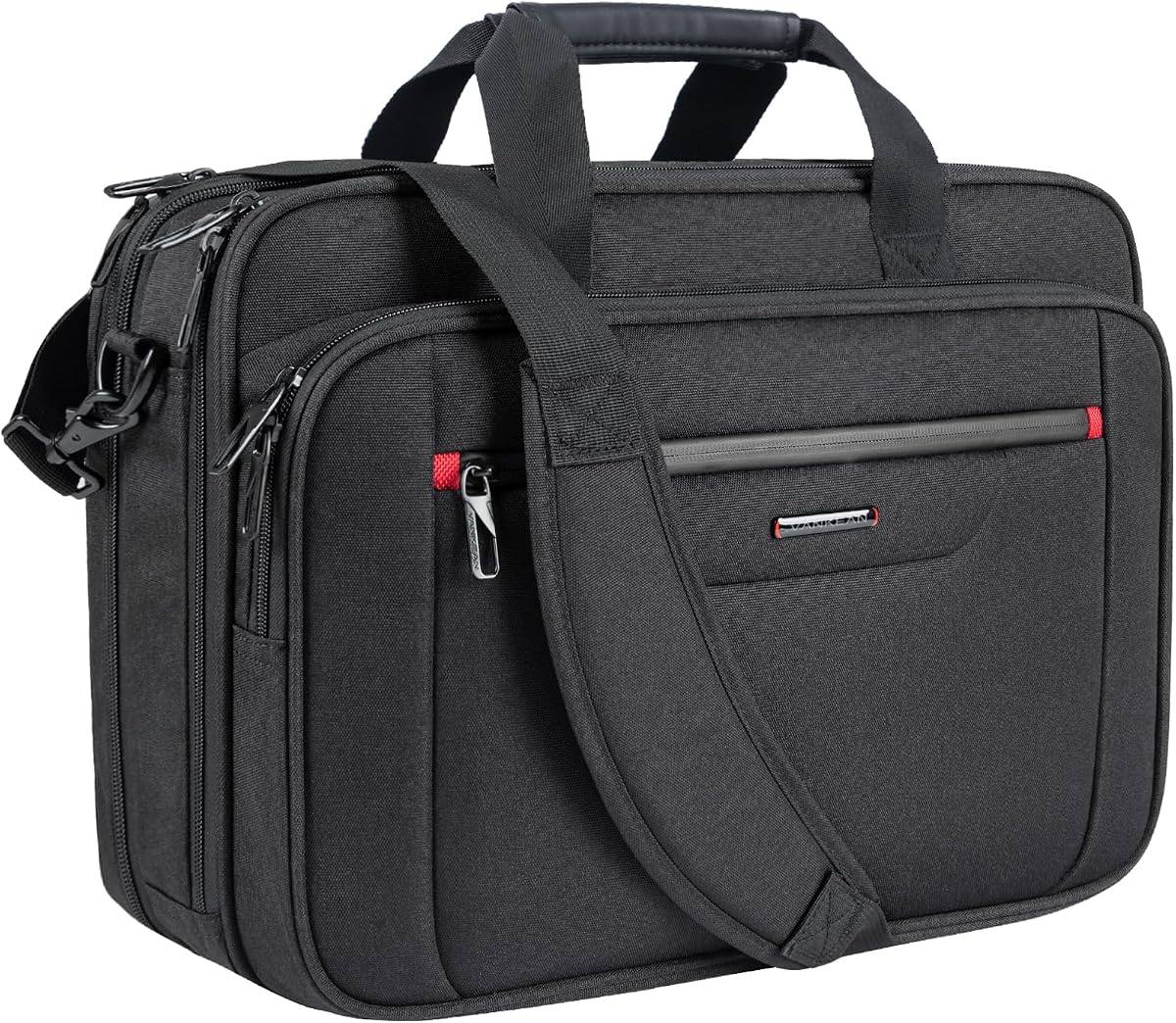
The VANKEAN Expandable Laptop Briefcase is built for business and short trips, with a 4.7 rating and room for a 17.3-inch laptop. Its defining feature is an expansion zipper that increases depth from 7.5 to 9.5 inches, providing 25 percent more room for electronics, clothing, and travel essentials.
We may earn a commission when you buy through this link, at no additional cost to you.
The main compartment opens widely for easier packing and contains organized spaces for an iPad, power bank, A4 files, wallet, and cards. Its overall dimensions make it suitable for three- to five-day journeys, allowing the bag to function as both a work case and a compact personal travel bag.
Water resistance is provided by poly canvas fabric and a functional front pocket with a waterproof zipper. These features make the briefcase practical in poor weather, although the material should not be treated as suitable for submersion. PU handles and a removable, adjustable padded shoulder strap offer flexible carrying options.
The integrated grab handle and luggage strap make airport and station travel more convenient. This is a strong choice for users who prioritize weather resistance, expandable capacity, and organized packing over a formal messenger aesthetic. It is less suitable for those wanting a compact sleeve or a fully hands-free backpack format.
The adjustable depth creates room for clothing and travel gear without changing the basic briefcase shape. It can reduce the number of bags needed for a brief overnight journey.
Water-resistant fabric and a protected front zipper help guard belongings during wet commutes. Wide main access also makes it easier to locate and organize packed items.
We may earn a commission when you buy through this link, at no additional cost to you.
The Targus Classic Slim Briefcase is a professional, no-nonsense carrier for most 16-inch laptops. Its 4.6 rating reflects dependable protection and a restrained design that works in offices, conference rooms, and cafés. It is a particularly natural choice for users who want a conventional briefcase without unnecessary expansion mechanisms.
We may earn a commission when you buy through this link, at no additional cost to you.
The interior includes larger pockets for files, a padded laptop sleeve, and smaller slots for a notepad, power bank, and other accessories. A dedicated exterior document pocket on the back keeps frequently needed papers separate from the main compartment. This arrangement supports an organized workday without turning the bag into a travel pack.
A foam-padded compartment helps protect against shocks, bumps, drops, scratches, and dust. The polyester exterior is reinforced with premium stitching, while contoured metal zipper pulls, a polyurethane-coated bottom, and durable padding support repeated daily use. A padded grab handle, adjustable padded shoulder strap, and rear trolley strap cover several carrying and travel needs.
This briefcase is a good recommendation for commuting professionals, students attending classes, and travelers who carry a moderate amount of equipment. It offers less expansion than several expandable alternatives and cannot be worn as a backpack. Even so, its slim profile, exterior document access, and classic appearance make it an easy daily choice.
The slim profile keeps the bag visually neat under office settings and comfortable to carry through busy public spaces. It focuses on useful organization rather than maximum capacity.
A coated bottom, reinforced stitching, durable padding, and metal zipper pulls support regular use. These details are especially relevant for a bag that is handled and set down frequently.
We may earn a commission when you buy through this link, at no additional cost to you.
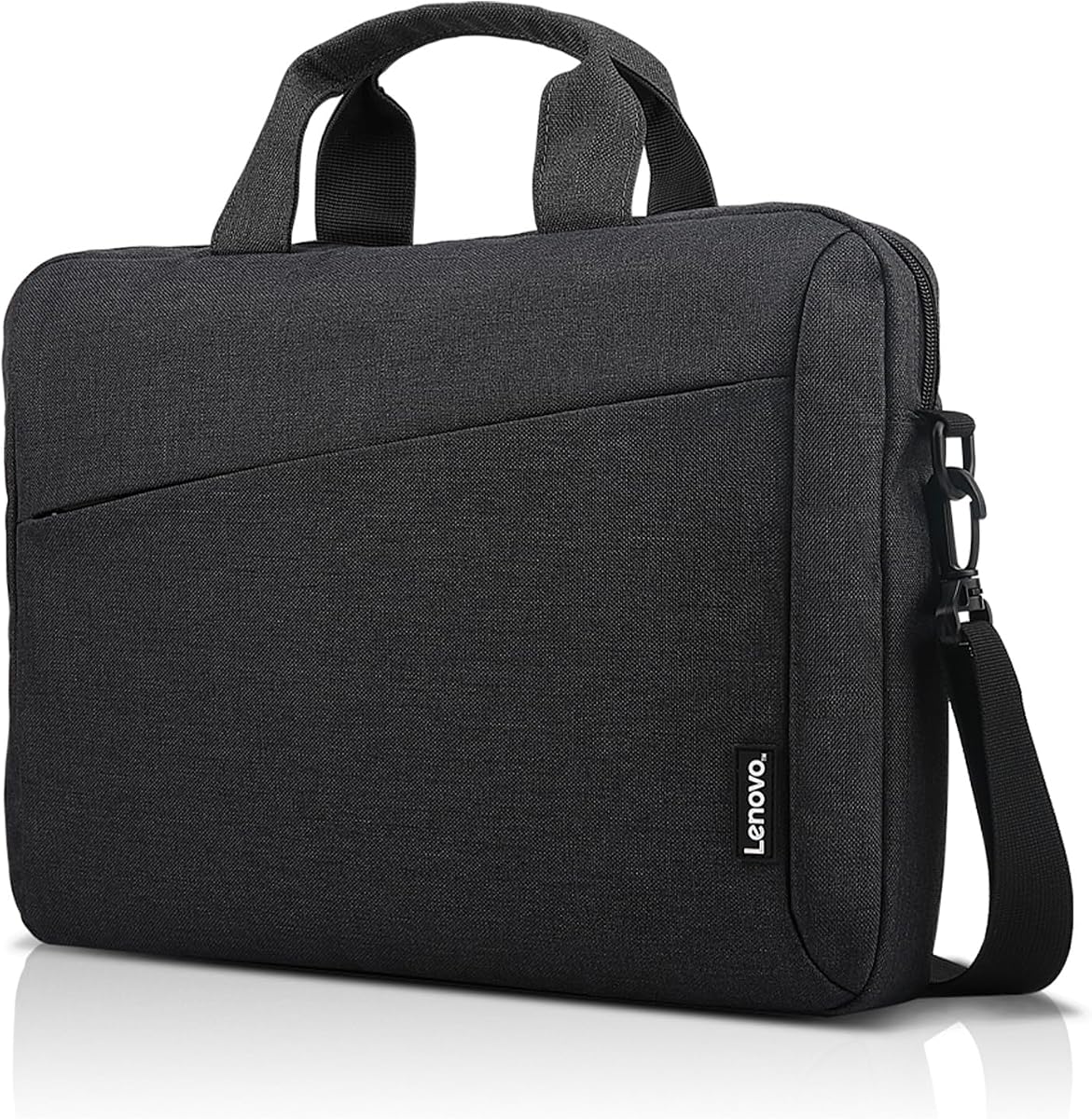
The Lenovo T210 Shoulder Bag offers a streamlined messenger-bag option for laptops up to 17 inches. Its 4.7 rating suggests broad satisfaction, and its clean silhouette suits users who want a professional bag without extensive pockets or technical styling. It is built for commuting, meetings, and travel.
We may earn a commission when you buy through this link, at no additional cost to you.
An integrated laptop compartment protects and organizes the computer within the main body. The spacious main compartment and smaller pockets provide room for accessories and daily essentials without turning the bag into a full backpack. Durable, water-repellent fabric adds an extra layer of protection against the elements.
Carrying options include a convenient top handle and a removable, adjustable satchel strap. The integrated luggage strap attaches to a rolling bag handle, making airport and train travel easier. The listed dimensions are 16.9 by 12.8 by 2.4 inches, and the product includes a one-year warranty.
The T210 is best for someone who values a restrained appearance and uncomplicated carrying. It offers less explicit pocket-level organization than several competing models, and the fixed messenger format may be less comfortable with heavy loads. Within its streamlined design, however, it balances capacity, protection, and travel convenience well.
The streamlined exterior pairs easily with professional clothing and does not resemble a dedicated gaming pack. It suits users who want their tech carrier to blend into a meeting room.
The luggage strap lets the T210 ride above a rolling suitcase. Removing or adjusting the shoulder strap also makes it easier to organize the bag before passing through a checkpoint.
We may earn a commission when you buy through this link, at no additional cost to you.
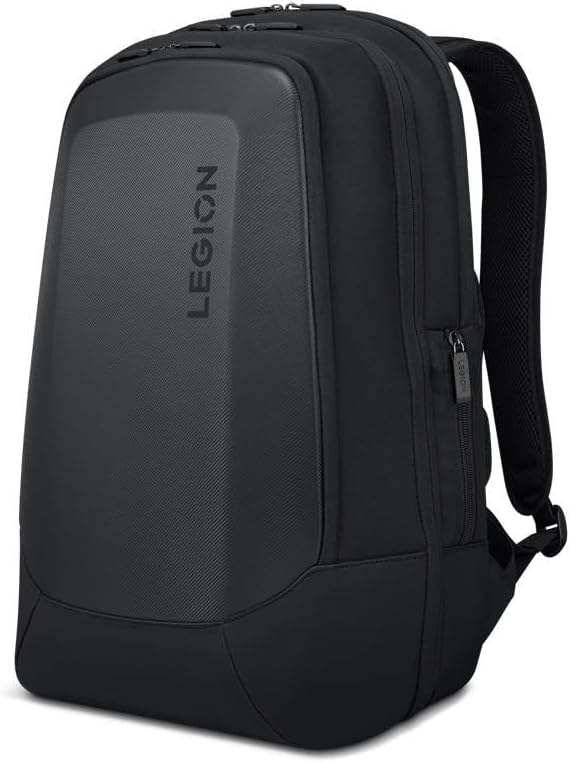
The Lenovo Legion 17 Armored Backpack is the most rugged specialist in the guide, with a 4.7 rating. Its dedicated computer compartment fits gaming laptops up to 17.3 inches, while the high-density molded EVA front shield creates a notably protective exterior for a bag that may encounter crowded commutes and frequent travel.
We may earn a commission when you buy through this link, at no additional cost to you.
Double-layered protection and water-resistant PU fabric help guard the computer and accessories. Inside, separate pockets support a keyboard, palm rest, mouse, headphones, water bottle, and other gaming equipment. This structured accessory layout is more specialized than a conventional office bag and keeps large peripheral components in dedicated areas.
Comfort features include back padding, ventilation, adjustable shoulder straps, and an adjustable chest strap. Together, these elements help stabilize the pack and distribute weight across a long gaming-laptop load. The broad padded structure can feel bulkier than a messenger bag or sleeve, particularly when carried away from the body.
This backpack is a strong recommendation for gamers, creators, or anyone transporting a large, expensive computer and accessories. It is less appropriate for users seeking formal styling, a compact profile, or effortless transition into a traditional business meeting. For heavy-duty mobile setups, its protective front and storage system provide clear advantages.
The molded EVA front shield creates a rigid barrier against impacts and abrasion. Water-resistant PU fabric adds further resistance during commutes and travel.
Separate compartments accommodate a keyboard, palm rest, mouse, headphones, and other accessories. Users no longer need to cram every gaming component into the main section.
We may earn a commission when you buy through this link, at no additional cost to you.
The SWISSGEAR 1900 ScanSmart Backpack is designed around frequent air travel, with a 4.6 rating. Its 17-inch laptop compartment and lay-flat design allow the computer to remain inside the bag during a checkpoint scan. That convenience distinguishes it from models that require removing the laptop at every security lane.
We may earn a commission when you buy through this link, at no additional cost to you.
The main compartment includes an accordion file holder, while an RFID-protected organizer contains divider spaces and a removable key or fob clip. A padded tablet pocket has a listed capacity of 10 by 7 inches. At 31 liters, the pack accommodates daily work supplies and travel essentials without resembling a small school backpack.
Carry systems include contoured padded shoulder straps, adjustable compression straps, airflow back padding, and a reinforced molded top handle. An add-a-bag trolley strap fits telescopic handles, one front and two side quick-access pockets organize smaller items, and two mesh side pockets hold bottles and umbrellas.
This backpack is a good choice for frequent flyers who want checkpoint convenience and strong organization. Its full-size capacity and rigid structure make it heavier than a sleeve or slim shoulder bag, while the tablet pocket may add internal bulk. For a laptop backpack used primarily on trips, those compromises are justified by the travel-focused design.
The laptop compartment can lie flat while the computer stays inside the bag. This reduces repeated packing and unpacking at checkpoints where other briefcases may need to be opened more fully.
An accordion file holder, RFID-protected organizer, tablet pocket, and multiple exterior compartments create clear storage zones. The 31-liter volume is useful for combining work materials and personal travel items.
We may earn a commission when you buy through this link, at no additional cost to you.
The Ytonet TSA Laptop Sleeve is the most compact option in the guide, with a 4.6 rating. Designed for 15- and 15.6-inch laptops, it provides a protected way to carry a computer without the weight or shape of a backpack. It is especially useful for users who already carry a separate work bag or travel case.
We may earn a commission when you buy through this link, at no additional cost to you.
The sleeve measures 15.7 by 11.2 by 2 inches, with a laptop compartment of 14.6 by 10.6 by 1.6 inches. An additional mesh pocket organizes pens, cables, a mouse, earphones, a mobile phone, or an iPad. Soft, water-resistant nylon and polyester foam padding help protect against dust, dirt, and scratches.
Its portable handle and double zippers open from 90 to 180 degrees, allowing easy access to the laptop while keeping the case compact. The slim profile fits inside a briefcase, backpack, or other larger carrier. Compatibility information covers numerous 15- and 16-inch devices from major laptop families.
This sleeve is a strong recommendation for minimalist commuters, students, and frequent travelers who prefer to carry a laptop in a larger bag. It does not replace a full backpack for people who need substantial storage, and the limited external organization keeps it from serving as a standalone everyday work bag. For its focused purpose, however, it is highly portable.
Foam padding and a water-resistant nylon exterior provide basic impact and scratch protection. The low-profile construction adds little weight when nested inside another carry bag.
The wide-opening double zipper exposes the laptop while allowing the case to remain largely closed. That makes the sleeve practical for travel screening and quick device removal.
We may earn a commission when you buy through this link, at no additional cost to you.
Choosing the right laptop bag starts with your device size and daily routine, then narrows to protection, organization, comfort, and portability. The most useful bag is the one whose dimensions, carry style, and compartment layout align with the way you actually travel and work.
Best advice: measure the computer and compare it with the listed compartment dimensions before purchasing.
Best advice: choose the carrying method that matches your typical route rather than the broadest list of modes.
Best advice: prioritize reinforced edges and a padded compartment over decorative exterior features.
Best advice: map the items you carry every day to specific compartments before choosing a model.
Best advice: choose just enough capacity for your regular kit, then use expansion only when it serves a real need.
Best advice: match airport features to your actual travel route and verify current screening procedures.
Best advice: for frequent outdoor use, favor sealed materials and covered zippers over minimum weight.
Best advice: consider the full range of places you will carry the bag, not just your workplace.
Pack the computer in its dedicated compartment with the screen facing the protected lining and unnecessary items placed away from the laptop. Keep chargers and hard objects in separate pockets so they cannot press against the device during transit. Use every available strap when carrying heavier loads, and engage compression or trolley straps before lifting the bag.
Clean the bag according to its listed material. Most polyester and nylon models can be wiped with a lightly damp cloth, while canvas may require a soft brush and more careful spot cleaning. Avoid soaking the bag, saturating the lining, or using harsh chemicals. Let the exterior dry fully before zippers are closed, and never place a damp computer inside the compartment.
Inspect straps, zippers, handles, and stitching periodically, particularly before a long trip. Avoid overloading expansion sections or leaving the bag exposed to prolonged direct sunlight. When storing the bag, empty the pockets, loosen compression straps, and keep the computer removed. These habits help preserve shape, reduce stress on seams, and extend the useful life of the bag.
Choose a bag whose internal laptop dimensions match your computer rather than relying only on the advertised screen size. Measure the laptop's width, height, and thickness, then compare them with the compartment dimensions. If you use a fitted sleeve or case inside the bag, include that added thickness in the comparison and allow a little room around the edges.
A padded sleeve is suitable for light daily carrying when the laptop remains inside another larger bag or is not exposed to impacts. Look for foam cushioning, water-resistant fabric, reinforced edges, and a secure zipper. For frequent train, air, or car travel, a structured backpack or briefcase with a rigid shield generally provides a higher level of protection.
Backpacks with lay-flat laptop compartments can be convenient at checkpoints because the computer may remain inside during inspection. Briefcases with wide-opening tech sections and trolley straps are also practical. Regardless of style, travelers should check current security rules, remove accessories when requested, and avoid overpacking the computer compartment.
A briefcase suits short commutes, meetings, and users who prefer a professional profile. A backpack is better for long walks, heavier loads, and travel because it distributes weight across both shoulders and leaves your hands free. A convertible model works well when your routine alternates between formal offices, public transit, and outdoor walking.
Gaming laptops are often large and heavy, so a dedicated compartment with strong padding and a molded exterior shield is valuable. Back padding, ventilation, an adjustable chest strap, and reinforced shoulder straps also improve comfort. Separate accessory spaces for a mouse, keyboard, palm rest, and headset help organize a full mobile setup.
Expandable briefcases are useful for short trips because they can accommodate clothing or additional electronics without becoming full suitcases. The expansion zipper increases capacity but also adds bulk and changes the shape. For someone carrying only a computer and documents, a slimmer fixed design is usually easier to manage.
Use a well-fitted laptop sleeve or case with a soft lining inside the bag's padded compartment. Keep the device centered, with heavier accessories in separate sections, and avoid placing pens, keys, or chargers against the laptop. A compartment that is only slightly larger than the computer will offer less movement than an oversized section.
Check the internal compartment dimensions, supported laptop sizes, material, strap type, and overall carrying method. Consider whether you need document storage, accessory organization, weather resistance, expansion, or checkpoint-friendly access. Review the compatibility list carefully, especially if your device has a thick chassis, protective case, or unusual dimensions.
The BAGSMART 3-in-1 Laptop Bag is the strongest all-around choice because it combines a padded 17.3-inch compartment with seven pockets and three carrying modes. The MOSISO 360 Shoulder Bag stands out for lightweight protection and convenient organization, while the Lenovo Legion 17 Armored Backpack offers the most specialized support for heavy gaming equipment and demanding travel.
Prioritize the features you will use every day: accurate device fit, dependable padding, comfortable straps, and enough organization for your real routine. A sleeve works best for minimalist carrying, a briefcase for professional organization, and a backpack for weight distribution or travel. Expandable and convertible designs are most valuable when their added flexibility serves a clear purpose.
Before ordering, recheck the current dimensions, device compatibility, included accessories, and listing details. Product designs and availability can change, and even a well-reviewed bag can fit one workflow better than another. Choose the model that protects your equipment, suits your carrying style, and remains comfortable through the journey.