
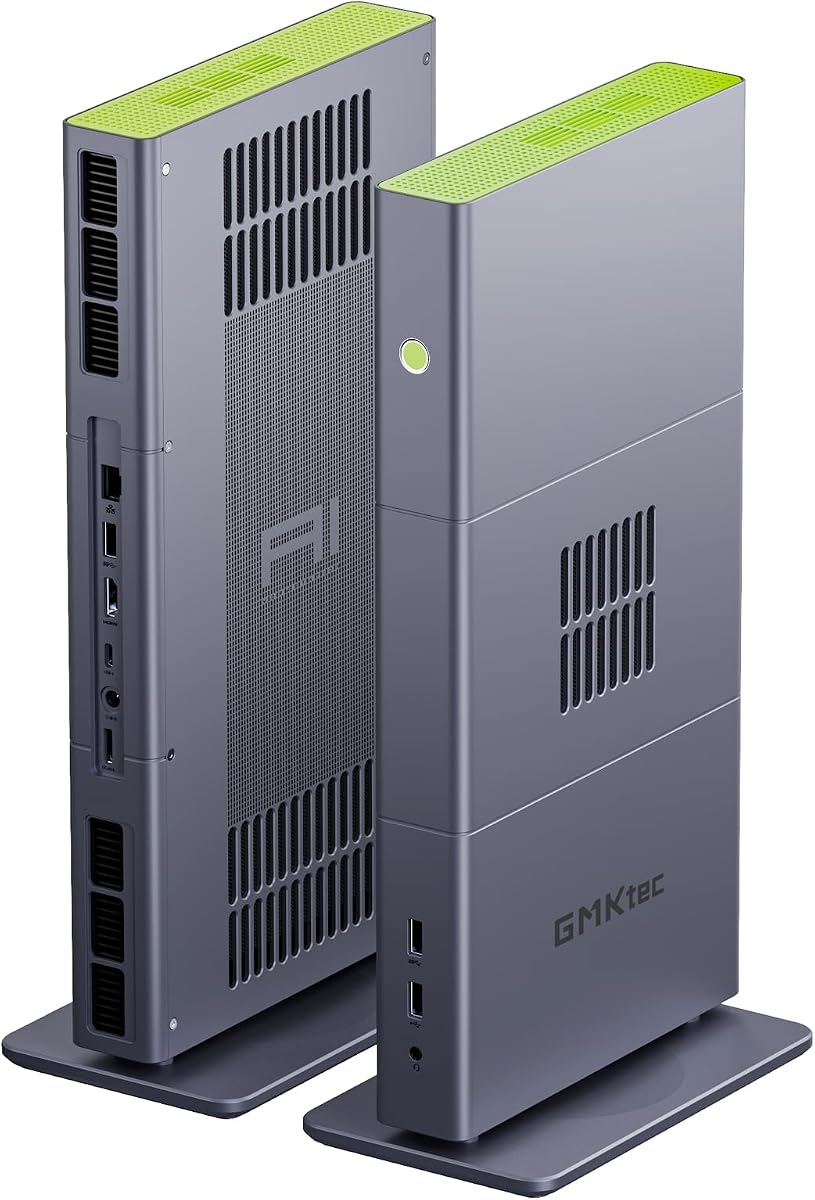
GMKtec M8 Mini PC
Ryzen 5 PRO 6650H processor
16GB LPDDR5-6400 memory
Oculink and USB4 expansion
Our Mini PC with Oculink 2 guide compares ten compact PCs for eGPU support, processing power, memory, displays, networking, and cooling.
A mini PC with Oculink 2 is most useful when you want compact everyday computing with a route to stronger graphics later. Oculink provides a dedicated high-bandwidth PCIe connection for compatible external GPUs and other expansion devices, making these systems attractive for creators, gamers, and compact workstations.
We compared the ten listed systems by processor, integrated graphics, memory, storage, display support, networking, cooling, power controls, and Oculink implementation. The guide includes budget-oriented M8 configurations, higher-power K16 models, K15 systems with Intel AI hardware, and premium options for advanced workloads.
Each pick explains where that particular model fits and which compromises may apply. Product configurations and availability can change, so check the current listing, included accessories, warranty terms, and expansion compatibility before purchasing; prices also change independently of the advice here.

4.4Editor score
4.1Editor score
This side-by-side comparison highlights the major hardware differences among ten Oculink-equipped mini PCs, from affordable Ryzen 5 PRO systems to AI-focused machines with large unified memory capacities.


The GMKtec M8 combines an AMD Ryzen 5 PRO 6650H processor with Radeon 660M graphics, 16GB of LPDDR5 memory, and a 512GB NVMe drive. It is one of the most approachable options in this guide because it includes the Oculink interface buyers want for a potential eGPU upgrade while retaining a capable integrated-GPU platform for normal desktop duties.
We may earn a commission when you buy through this link, at no additional cost to you.
Its six-core, twelve-thread processor boosts as high as 4.5GHz, giving it ample capability for office productivity, web research, communication, media playback, and moderate content creation. The dedicated Oculink connection is joined by full-featured USB4, two 2.5GbE Ethernet ports, WiFi 6E, and a three-display configuration using HDMI, DisplayPort, and USB4 video output.
The main limitation is its fixed 16GB of soldered LPDDR5, which cannot be expanded or replaced. Storage is more flexible because the system includes two M.2 2280 positions and supports up to 8TB according to the listing, although the 512GB drive is likely to fill sooner if you install large games or keep high-resolution media locally.
This M8 is a strong recommendation for a compact office, media, or development system that may later receive an external graphics card. It is not the best choice for heavy local AI models or memory-heavy creative work, but it offers a balanced foundation for users who want Oculink without moving to the most expensive hardware.
The Oculink port provides a dedicated PCIe-oriented path for compatible external graphics hardware rather than routing the entire connection through a general-purpose USB interface. That makes the M8 a practical starting point for office work that may later need GPU acceleration.
Dual 2.5GbE ports support advanced configurations such as separate networks, aggregation where supported, and small-server use. The ability to drive three displays also makes the system useful for monitoring, research, trading, and mixed productivity workflows.
We may earn a commission when you buy through this link, at no additional cost to you.
This M8 configuration shares the core appeal of the first model: a Ryzen 5 PRO 6650H, Radeon 660M graphics, 16GB of LPDDR5-6400 memory, and a 512GB NVMe drive in a compact enclosure. It is a well-rounded option for users who want strong integrated graphics and an Oculink connection without moving to a larger mini PC platform.
We may earn a commission when you buy through this link, at no additional cost to you.
The processor's six cores and twelve threads are suitable for demanding office workloads, multitasking, mainstream gaming, and video editing, according to the product information. Storage can be expanded through dual M.2 2280 slots, while the combination of HDMI 2.0, DisplayPort 1.4, and USB4 supports up to three displays.
As with other LPDDR5 configurations, the 16GB memory is soldered, so buyers should treat it as fixed. The Radeon 680M is not present here either; this model uses Radeon 660M, and buyers wanting more graphics headroom would need an external GPU or a different system. Cooling is handled by redesigned top and bottom fans with copper heat pipes and 360-degree airflow.
It is a good recommendation for a small-form-factor productivity machine with future graphics expansion, especially when a multi-monitor or dual-network setup matters. Buyers should verify the precise display, storage, and power-mode details in the live listing because the product family appears in several configurations.
The Radeon 660M provides a better graphics foundation than basic office mini PCs, making high-resolution playback and lighter creative or gaming tasks more practical. Oculink remains available when substantially greater graphics power is required.
Quiet, Balanced, and Performance profiles let users adapt the system to the room and workload. The updated cooling design is intended to control thermals and noise while the system operates near its stated power limits.
We may earn a commission when you buy through this link, at no additional cost to you.
The GMKtec K16 pairs the Ryzen 7 7735HS with Radeon 680M graphics, 32GB of LPDDR5-6400 memory, and a 512GB NVMe drive. It stands out as the most balanced all-round option in the guide, offering more CPU and memory capacity than the M8 while retaining a compact form and a dedicated Oculink expansion path.
We may earn a commission when you buy through this link, at no additional cost to you.
Eight CPU cores and sixteen threads with boost speeds up to 4.75GHz provide strong multitasking performance for programming, content creation, office suites, and mainstream gaming. The K16 also includes two 2.5GbE Ethernet ports, WiFi 6E, USB4, and support for three simultaneous displays through HDMI, DisplayPort, and USB4 video.
Its 32GB memory is a meaningful advantage over 16GB models, but it is soldered and not user-upgradeable. Storage is more accommodating, with the listing describing two M.2 2280 slots and support for up to 16TB in total. Some listing text appears to reference another model, so the official specification fields and current product page should take priority.
The K16 is the recommendation for a compact workstation that may need an eGPU, a multi-screen office, or a small network server. It suits users who want more headroom than an entry-level M8 without moving to the exceptionally specialized X3 platform.
The eight-core Ryzen 7 processor and 32GB of memory provide a stronger foundation for compiler workloads, video timelines, browser-heavy research, and other tasks that benefit from additional cores and capacity. Radeon 680M also raises the integrated-graphics ceiling.
Oculink makes eventual GPU expansion possible, while dual 2.5GbE ports and three-display support broaden the machine's usefulness beyond a basic desktop replacement. The full-metal enclosure and dual-fan cooling system complement its workstation positioning.
We may earn a commission when you buy through this link, at no additional cost to you.
The distinguishing feature of this M8 is its 1TB NVMe drive, twice the storage of the 512GB versions in the guide. It retains the Ryzen 5 PRO 6650H, Radeon 660M graphics, 16GB of LPDDR5-6400 memory, Oculink, USB4, dual 2.5GbE Ethernet, and WiFi 6E.
We may earn a commission when you buy through this link, at no additional cost to you.
For buyers who work with large project files, retain extensive media libraries, or install several demanding applications, the larger drive reduces the need for immediate storage expansion. Dual M.2 2280 slots still allow further growth, with the listing stating support for up to 8TB in total.
The processor remains capable of office productivity, communication, media work, and mid-range gaming when using integrated graphics. Its limitation is the same fixed 16GB memory seen on the other M8 configurations, which may become restrictive for large projects even when storage capacity is generous.
This is a practical recommendation for users who prioritize storage over maximum memory or CPU core count. It also works well as a compact home-office machine with room for future eGPU expansion and three-display productivity.
A 1TB starting point is useful for creative assets, game libraries, virtual machines, and project archives. It also makes this M8 more practical for users who want to avoid immediately paying for another NVMe drive.
The system retains the connectivity that makes the M8 family appealing: Oculink, full USB4, two 2.5GbE ports, and three display outputs. Its performance modes help balance speed, noise, and energy use.
We may earn a commission when you buy through this link, at no additional cost to you.
The K15 with an Intel Core Ultra 5 125U, 32GB of DDR5, and a 512GB SSD is a different proposition from the Ryzen-based systems. Its principal appeal is the combination of a dedicated AI NPU, replaceable dual-channel memory, extensive storage expansion, and Oculink support in a compact enclosure.
We may earn a commission when you buy through this link, at no additional cost to you.
The Core Ultra 5 125U is described as a 12-core, 16-thread processor with a maximum boost of 4.3GHz and an Intel AI Boost NPU capable of 13 TOPS of INT8 computation. Those AI capabilities can help supported local inference, analytics, and creative applications, although software support remains important when evaluating the processor.
Unlike soldered LPDDR5 options, the K15 uses two 16GB DDR5 SO-DIMMs, and its three M.2 2280 positions support a stated maximum of 24TB. It also supports four high-resolution displays through HDMI 2.1, DisplayPort 1.4, and USB Type-C. Some listing text appears inconsistent, so buyers should verify the exact port layout and display capabilities on the current page.
It is a strong choice for a compact AI development, virtualization, or creative system where upgradable RAM matters. The 512GB starting drive is modest, but the three storage positions make it easy to add capacity without replacing the system.
Dual SO-DIMM slots and three M.2 positions distinguish this K15 from the fixed-memory M8 and K16 configurations. That flexibility is useful for virtual machines, container labs, large caches, and projects that will grow over time.
The NPU can accelerate supported INT8 AI workloads while allowing the CPU and integrated graphics to handle other tasks. It is most compelling in software environments that explicitly recognize and utilize the Core Ultra platform.
We may earn a commission when you buy through this link, at no additional cost to you.
This 1TB K15 configuration improves on the 512GB version with more immediate storage while preserving the Core Ultra 5 125U, 32GB of dual-channel DDR5, and three M.2 expansion positions. It is a balanced premium option for users who want AI hardware, flexible memory, and a direct external-GPU route.
We may earn a commission when you buy through this link, at no additional cost to you.
The processor provides 12 cores and 16 threads, with up to 4.3GHz boost. Its Intel AI Boost NPU is listed at 13 TOPS for INT8 tasks, while Intel Arc 140T graphics with eight Xe cores support DirectX 12, OpenGL 4.5, OpenCL 3, Quick Sync, and AV1 encoding and decoding.
Oculink operates over PCIe x4 according to the product information, offering a direct interface for compatible external GPUs. The system can also drive four displays, and dual turbo CPU fans plus a dedicated memory-and-storage fan support cooling. RGB lighting adds visual customization but is not a functional reason to choose it.
This is the recommendation for an advanced compact AI or creative workstation that benefits from a larger initial SSD and upgradeable DDR5. It may be overkill for routine office use, but it provides a more flexible platform when software can exploit the NPU and integrated media engine.
The NPU, capable integrated graphics, and Quick Sync media engine provide a useful combination for creators who want hardware acceleration without immediately adding a discrete graphics card. Oculink adds a path to more specialized GPU work later.
A 1TB drive and three M.2 slots provide an unusually expandable foundation for a compact PC. Four-display support suits complex editing desks, dashboards, monitoring stations, and collaborative workspaces.
We may earn a commission when you buy through this link, at no additional cost to you.
The AOOSTAR MACO combines a Ryzen 7 6850H, 24GB of LPDDR5-6400, and a 1TB PCIe 4.0 NVMe drive. Its standout feature is an Oculink implementation that the listing says operates independently without consuming one of the system's three M.2 storage slots.
We may earn a commission when you buy through this link, at no additional cost to you.
Storage is a major strength. Three M.2 2280 PCIe 4.0 x4 positions support up to 24TB in the stated configuration, and RAID 0, 1, and 5 arrangements are listed. The system can also drive four 4K displays at up to 120Hz using DisplayPort, HDMI 2.1, and two USB4 connections.
Its 24GB of soldered memory is unusual and sits between the 16GB M8 models and the 32GB K16 and K15 systems. Because it cannot be replaced, buyers should consider whether 24GB will meet their long-term needs. Oculink does not support hot-swapping, so the system must be powered down before connecting or removing a device.
The MACO is an excellent recommendation for users whose priority is storage flexibility, many displays, and eGPU expansion. Its one-year warranty is shorter than the three-year coverage described for several GMKtec models, which is worth noting for buyers comparing support terms.
Three full M.2 slots combined with an independent Oculink path create a flexible platform for both local storage and external graphics. RAID support can help users balance speed, redundancy, and usable capacity.
Four 4K outputs, dual high-speed Ethernet, and two USB4 ports support demanding desk setups. The recycled aluminum chassis and fingerprint reader add practical durability and convenient secure access.
We may earn a commission when you buy through this link, at no additional cost to you.
The GMKtec X3 is the specialist option in the guide. Its Ryzen AI Max+ 395 processor, 128GB of LPDDR5X, Radeon 8060S graphics, and 2TB PCIe 4.0 SSD are aimed at local AI, advanced content creation, and workstation tasks that can benefit from a large unified memory pool.
We may earn a commission when you buy through this link, at no additional cost to you.
The processor has 16 CPU cores and 32 threads with boost speeds up to 5.1GHz. Its XDNA 2 NPU is described as delivering 50+ peak AI TOPS, while the integrated Radeon 8060S uses 40 RDNA 3.5 compute units. The large memory capacity is especially relevant to local language models, including the listing's reference to Deepseek 70B Q8.
Memory runs at up to 8000MT/s and is installed on the board, so the impressive 128GB capacity cannot be upgraded afterward. Oculink provides PCIe 4.0 x4 expansion for a compatible external GPU, but a system this powerful may not need one for many professional tasks.
The X3 is recommended for buyers with serious local-AI, rendering, or large-content requirements who can justify the exceptional cost. It is not a sensible general-purpose budget purchase, but for its intended workload it offers an exceptional balance of compute, graphics, and memory capacity.
The 128GB pool can accommodate large model weights and working data without the limitations of a much smaller conventional desktop configuration. This is the X3's defining feature and the primary reason to choose it over other Oculink mini PCs.
The Radeon 8060S is described as sitting between RTX 4060 and 4070 laptop-class graphics. That gives the system credible creative and gaming capability even before an external GPU is connected.
We may earn a commission when you buy through this link, at no additional cost to you.
This K15 is the more restrained version of the Core Ultra 5 platform, with 16GB of DDR5 and a 512GB SSD. It retains the processor's AI NPU, Oculink, flexible storage, and multi-display capabilities, making it a sensible entry into the K15 family for users who do not need the larger standard memory and storage configurations.
We may earn a commission when you buy through this link, at no additional cost to you.
The Core Ultra 5 125U offers 12 physical cores and 16 threads according to the listing, with a 4.3GHz maximum boost. Its 13-TOPS Intel AI Boost NPU can support compatible inference and analytics tasks, and Intel Arc 140T graphics provide eight Xe cores, AV1 support, and Quick Sync encoding.
The principal limitation is the initial 16GB memory capacity. However, the DDR5 SO-DIMM design makes it more adaptable than soldered-memory rivals, while three M.2 positions support substantial storage expansion. The listing also states support for up to 128GB of RAM, subject to the manufacturer's actual configuration and compatibility requirements.
This is a good fit for an expandable AI development node, compact rendering desk, or productivity PC with future eGPU support. It is less compelling for memory-heavy applications than the 32GB K15 models, but remains a flexible foundation.
Replaceable DDR5 and three storage positions let buyers increase capacity as workloads develop. That makes the smaller configuration sensible when an upgrade path matters more than maximum specifications on day one.
The listed 64Gbps Oculink bandwidth provides a direct expansion route for compatible GPUs or network adapters. It can turn a compact desktop into a more specialized workstation without changing the base system.
We may earn a commission when you buy through this link, at no additional cost to you.
The 1TB K16 combines the Ryzen 7 7735HS and Radeon 680M with 32GB of LPDDR5-6400 memory. It offers the same broad platform strength as the earlier 512GB K16 but adds substantial local storage, making it the more complete configuration for gaming, content creation, and general compact-workstation use.
We may earn a commission when you buy through this link, at no additional cost to you.
The eight-core, sixteen-thread processor reaches 4.75GHz, while Radeon 680M provides 12 graphics cores for productivity, high-resolution media, creative applications, and mainstream gaming. Silent, Balanced, and Performance modes are listed at 35W, 45W, and 50W, giving users a clearer relationship between workload, power, and cooling behavior.
The included 1TB drive is PCIe 3.0, but two additional M.2 2280 PCIe 4.0 x4 positions support expansion up to 16TB according to the listing. The 32GB LPDDR5 memory is soldered and cannot be replaced. Oculink is not hot-swappable, requiring the system to be powered off before connecting or removing an expansion device.
This is an excellent recommendation for a compact high-performance desktop that can later receive a compatible external GPU. Its detailed specifications, strong rating, generous storage, and dual networking make it particularly attractive for users who want a complete configuration rather than a barebones starting point.
The 1TB drive and 32GB of memory cover a broad range of games, creative applications, and multitasking needs without immediate expansion. It is a more convenient everyday configuration than the equivalent 512GB model.
The CNC-finished metal C-frame measures 4.21 by 4.37 by 2.48 inches and weighs about 1.23 pounds. A rear security slot, Wake-on-LAN, Auto Power On, and selectable power profiles make it suitable for managed deployments.
We may earn a commission when you buy through this link, at no additional cost to you.
The right Oculink-equipped mini PC depends on processor strength, memory capacity, storage layout, display needs, and the external hardware you intend to connect. These factors determine whether the compact system fits your workload and remain useful as requirements grow.
Oculink is a dedicated high-bandwidth interface, but the enclosure, dock, graphics adapter, power supply, and driver stack must all support the connection. The listings in this guide describe Oculink or OCuLink branding, but they do not independently establish the exact protocol revision of every physical implementation, so verify the current manufacturer documentation before buying an external GPU.
Also confirm whether the selected dock requires a separate desktop power supply and whether the mini PC's power adapter can support the combined system. Some products explicitly state that Oculink does not support hot-swapping, requiring the computer to be shut down before attaching or removing the device.
The Ryzen 5 PRO 6650H models offer six cores and twelve threads, making them suitable for productivity, communication, browsing, media, and moderate creative tasks. Ryzen 7 systems provide eight cores and sixteen threads for heavier multitasking, programming, rendering, and gaming, while the Core Ultra 5 125U adds an AI NPU for supported software.
The Ryzen AI Max+ 395 is the outlier, with 16 cores, 32 threads, high boost clocks, a large NPU, and high-end integrated graphics. Its capabilities are intended for demanding local AI and professional workloads, not merely routine office tasks.
The M8 and K16 systems use onboard LPDDR5 memory. Their 16GB or 32GB capacities are useful for typical productivity and gaming, but they cannot be upgraded later. A machine intended to run virtual machines, large creative projects, or memory-intensive AI tools deserves particular attention to available capacity.
The K15 models use dual DDR5 SO-DIMMs, making their memory more flexible. A 16GB K15 can potentially be upgraded, subject to the manufacturer's supported capacity and module compatibility, while the 32GB versions offer more immediate headroom.
Storage capacity and storage flexibility are separate considerations. A 1TB or 2TB drive gives immediate room for games, applications, media, and project files, while multiple M.2 slots allow additional drives to be installed later. The AOOSTAR MACO supports three M.2 positions, the K15 supports three according to its listing, and the K16 supports two in addition to its included drive.
Pay attention to the stated interface, such as PCIe 3.0 or PCIe 4.0, and to whether RAID is supported. RAID can improve redundancy or performance, but it is not a substitute for backups, and configuring an array may reduce the amount of storage visible to the operating system.
A three-display arrangement is common across the M8 and K16 models, while the K15 and AOOSTAR MACO configurations support four outputs. The exact maximum resolution and refresh rate depend on the output type, monitor, cable, operating system, and graphics configuration, so read the current specifications for each display port.
Dual 2.5GbE Ethernet can separate networks, support a NAS, or provide advanced routing functions. Wireless standards range from WiFi 6 to WiFi 6E and WiFi 7, while Bluetooth versions range from 5.2 to 5.4. Actual wireless performance depends heavily on the router, interference, distance, and client hardware.
Mini PCs use compact coolers and often offer BIOS-controlled performance profiles. The M8 and K16 lists include Quiet, Balanced, and Performance modes at different stated wattages. These are useful for controlling fan noise, thermals, and energy use, although sustained performance depends on the system design and ambient temperature.
Premium and high-core-count systems benefit from multiple fans and larger heat paths. AOOSTAR uses a vapor chamber and dual turbo fans, while the K15 adds a dedicated fan for memory and storage. Treat advertised noise figures as model-specific and verify them against independent reviews when possible.
Warranty terms differ across the listed products. Several GMKtec configurations include three-year coverage, while the AOOSTAR listing states 12 months of worry-free warranty and lifetime technical service, and the X3 listing describes a one-year limited warranty. The exact terms and starting date should be confirmed on the current listing.
Also check the box contents. Some configurations include a 120W adapter and HDMI cable, while others mention a power supply, manual, and HDMI cable. A complete package can simplify setup, but compatible replacement adapters and cables should still be sourced before a portable deployment.
Begin by reviewing the manufacturer's compatibility chart for the Oculink port and any dock or enclosure you plan to use. Install the current operating system and the appropriate graphics and networking drivers, then confirm that the processor, memory, storage, displays, Ethernet, and wireless functions are recognized before connecting an expansion device.
For an external GPU, power the mini PC down completely before attaching the Oculink cable. Connect the enclosure and its independent power supply as directed, boot the system, install the supported graphics software, and verify the display output. Do not attempt to remove or replace the device while the computer is running, particularly on models that do not support hot-swapping.
Keep the intake and exhaust openings clear, use a stable surface with adequate ventilation, and avoid placing the unit inside a closed cabinet unless additional cooling is available. Clean dust from vents periodically, back up important data routinely, and update firmware and drivers through official sources. If the machine will be operated remotely, configure automatic startup, Wake-on-LAN, and secure remote-access software only after networking is stable.
Only if the Oculink port, enclosure or adapter, graphics card, and drivers form a supported combination. The physical port alone does not guarantee compatibility. Check the manufacturer's supported GPU list and power requirements before purchasing an enclosure or card.
Oculink is designed as a direct PCIe-oriented connection and is generally positioned as a lower-overhead alternative to routing GPU traffic through USB4. Actual performance depends on the processor, bandwidth allocation, enclosure, power delivery, thermal design, and the application being accelerated.
For browsing, office work, and ordinary media use, 16GB is generally adequate. Multitasking, creative applications, virtual machines, and local AI tools benefit from 32GB, while specialized large-model workloads may require much more. Remember that LPDDR5 memory on the M8 and K16 models is soldered and cannot be upgraded.
It depends on the games and desired settings. The Radeon 660M and Radeon 680M systems can handle mainstream and mid-range games, while the Radeon 8060S in the X3 is considerably stronger. An external GPU can raise the ceiling of the M8, K16, and K15 systems, but adds cost, power demand, and desk space.
The AOOSTAR MACO and GMKtec K16 listings explicitly state that Oculink does not support hot-swapping. Power those systems off before connecting or removing an external device. For other models, follow the current manufacturer instructions rather than assuming hot-swapping is safe.
No. Wireless speed is affected by the router, channel availability, distance, interference, and client hardware. A 2.5GbE Ethernet connection can provide a stable low-latency link for large transfers, NAS access, and servers, while WiFi 6E or WiFi 7 is more convenient when cabling is impractical.
Verify the processor, integrated graphics, exact memory configuration, storage interface, M.2 slot count, display outputs, included adapter, warranty, and Oculink compatibility. Several models in this guide share similar names but differ in storage capacity, memory type, display support, and cooling, making the configuration details important.
The supplied product information describes their support for standard desktop workloads, including Windows Hello, business applications, programming, content creation, and gaming. Confirm the operating system included with the exact listing and the driver's support for your particular applications before setup.
The GMKtec M8 with Ryzen 5 PRO 6650H is the most balanced budget-oriented choice, offering Radeon 660M graphics, dual 2.5GbE networking, and a dedicated Oculink route. The Ryzen 7 K16 provides the strongest general-purpose balance with eight CPU cores, 32GB of memory, expandable storage, and flexible networking.
For buyers who prioritize upgradeable memory, an Intel NPU, and four-display support, the K15 is the more flexible family. The AOOSTAR MACO stands out for three M.2 slots and independent Oculink implementation, while the Ryzen AI Max+ 395 X3 is the specialist choice for large-memory local AI and demanding professional workloads.
Before ordering, verify the exact model configuration and Oculink dock compatibility, then check current product details and prices. Inventory, included accessories, warranty coverage, and pricing can change, and those changes may affect which option offers the best value for your particular use.