
VEVOR 45W CO2 Laser Engraver
5.0Editor score
45W desktop laser output
12 x 8 inch workspace
Rotary axis included
A CO2 laser engraver gives makers an efficient way to personalize wood, acrylic, leather, glass, and other nonmetallic materials with clean lines, repeatable results, and scalable production. The right machine balances cutting power, usable work area, motion speed, software support, safety systems, exhaust performance, and the physical space available in your workshop.
This guide compares ten desktop and commercial-style CO2 laser engravers, highlighting differences in laser output, bed dimensions, autofocus, air assist, material capacity, software compatibility, and protective features. The list includes compact 45W models for smaller projects, larger 60W, 80W, 90W, and 100W systems, and an automation-focused professional flagship for production workflows.
Each review explains who the machine is likely to suit, where it stands out, and where compromises remain. The shortlist is not a substitute for checking the latest product details, current software requirements, ventilation setup, and accessories. Product availability and prices can change, so confirm the current listing before making a purchase.
5.0Editor score

4.7Editor score

4.5Editor score
As an Amazon Associate we earn from qualifying purchases.
The table below puts all ten machines side by side, emphasizing the factors that most strongly affect project range, production speed, ease of use, and workflow complexity.

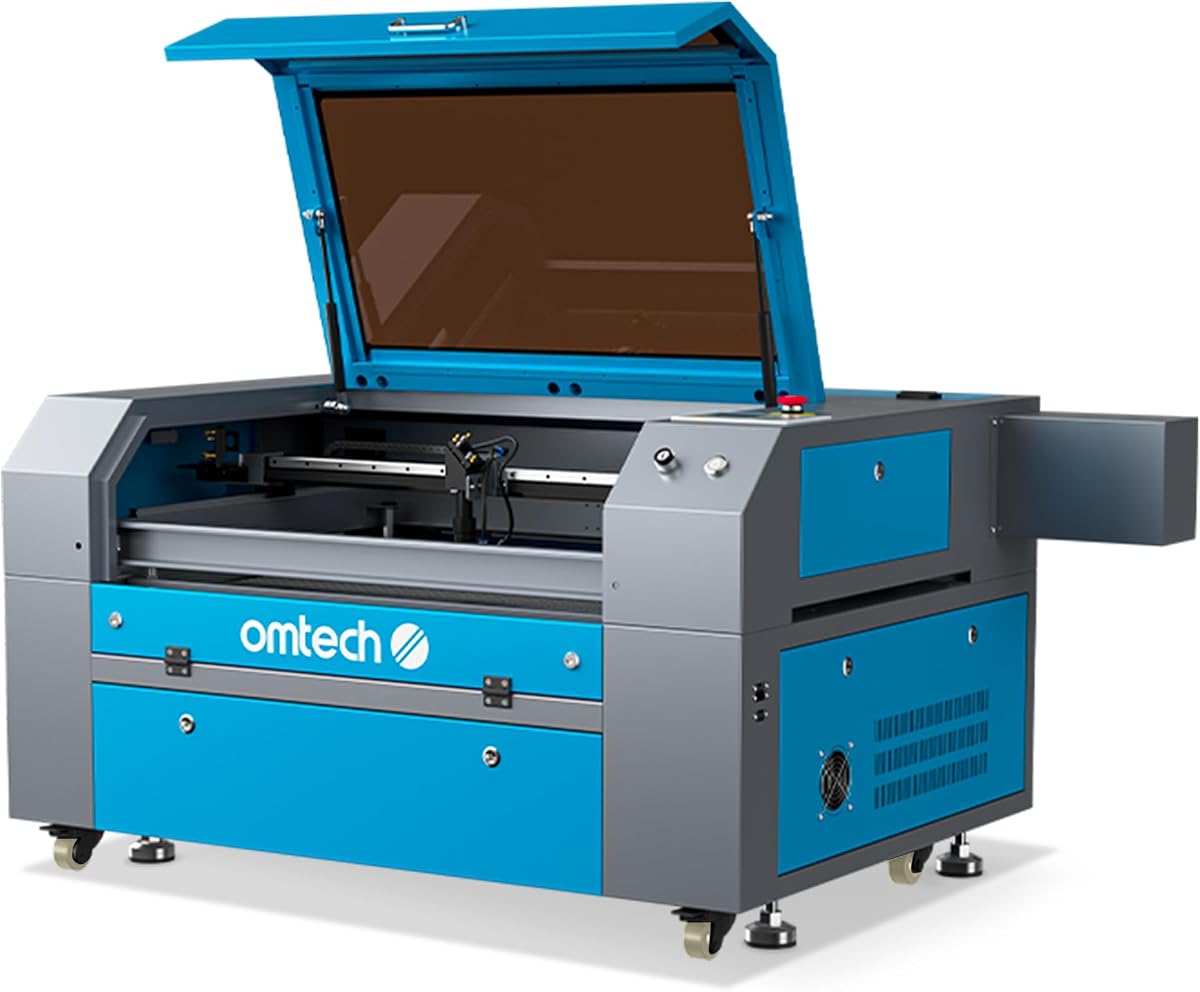


The VEVOR 45W CO2 Laser Engraver combines a compact desktop format with a useful collection of production-oriented features. Its 5.0 rating reflects an attractive overall proposition, particularly for buyers who want engraving and light cutting without moving into a large commercial enclosure. The 12 x 8 inch work area is well suited to phone cases, coasters, keychains, leather tags, and small wooden nameplates.
We may earn a commission when you buy through this link, at no additional cost to you.
A major advantage is the included rotary axis, which allows cylindrical work that a flat bed alone cannot accommodate. The machine reaches speeds of up to 300 mm/s and supports LightBurn, GRBL, CorelDRAW, and AutoCAD across Windows, macOS, and Linux. Air assist helps clear smoke and debris, while the pull-out waste tray, water pump cooling, and included security features support cleaner and more controlled operation.
Its practical limits are the compact bed and recommended material thicknesses of no more than 5 mm for acrylic and 3 mm for wood. It is not designed for metal engraving, and its manual focusing system requires more attention than the autofocus found on larger OMTech models. Those constraints make it less attractive for thick-material production, but they are reasonable for targeted personal projects and small batches.
This is the strongest budget-oriented recommendation for makers who value flexible rotary engraving, familiar software, and a compact footprint. It is particularly suitable for personalization gifts, educational projects, and small products that fit within a 12 x 8 inch area. Buyers who routinely need larger panels or deeper cuts should move up to a wider-bed machine.
The included rotary axis makes this model more versatile than many basic desktop alternatives. It supports cylindrical items such as tumblers and similar products while retaining a straightforward work area for flat materials.
Compatibility with major design and motion-control environments gives users flexible options, while the built-in air-assist system helps protect the lens and improve the appearance of engraved and cut surfaces.
We may earn a commission when you buy through this link, at no additional cost to you.
The OMTech K40+ 45W Desktop CO2 Laser Engraver & Cutter offers a capable balance of cutting performance, safety provisions, and support. Its 4.4 rating reflects a well-equipped desktop package for wood, acrylic, leather, and similar nonmetallic materials. The same 12 x 8 inch footprint appears on several competing models, but this system adds thoughtful air and protection features.
We may earn a commission when you buy through this link, at no additional cost to you.
The 45W output is specified to cut acrylic up to 10 mm and wood up to 8 mm, with engraving speeds reaching 300 mm/s. Its 45-degree air assist automatically adjusts airflow according to laser power, helping remove smoke, protect optics, reduce carbonization, and limit fire risk. The honeycomb bed accommodates flat and irregular materials, while a detachable base and optional rotary axis broaden the range of supported shapes.
Safety measures include door and water protection, an emergency stop, a flame-retardant acrylic panel, and a high-powered exhaust fan. LightBurn and LaserGRBL are supported, which covers both common design workflows. One important qualification is that the rotary axis is optional, so buyers interested in cylindrical work should account for that additional component separately.
This K40+ version is a sensible choice for small businesses, educators, and serious hobbyists who need more cutting depth than the most compact systems while retaining a desktop format. It may not be the right match for production operators needing a large bed, advanced nesting, or automated material handling, but it remains a versatile and approachable all-around desktop option.
The automatically adjusting 45-degree air assist is a meaningful distinction from a fixed basic blower. Matching airflow to power supports cleaner results when moving from engraving to more demanding cutting work.
Global technical support and local demonstration options can be valuable to new operators. Multiple electrical and optical safeguards also create a more considered safety environment for frequent workshop use.
We may earn a commission when you buy through this link, at no additional cost to you.
The OMTech Maker 60W CO2 Laser Engraver is the most balanced model in this guide, earning a 4.7 rating and the Editor's Choice distinction. It bridges the gap between compact desktop engravers and large production systems without relying on the most complex automation. A 60W laser, a 20 x 28 inch bed, autofocus, and included water chiller create an approachable package for growing operations.
We may earn a commission when you buy through this link, at no additional cost to you.
Autofocus is a central convenience. Rather than manually adjusting height and focal distance for every material thickness, the workbed can move and the preinstalled autofocus can find the correct plane. Honeycomb and aluminum blade beds provide different ways to support work, while four-way pass-through doors make it easier to feed larger or longer pieces through the enclosure.
The widened viewing window is constructed from flame-retardant material, and integrated air assist helps move smoke and dust away from the lenses and reflective mirrors. LightBurn and the water chiller are included, reducing the need to assemble a basic operating package from separate components. The trade-offs are physical size and a workflow that does not include the advanced camera, nesting, and conveyor automation of the xTool P3.
This model is ideal for small commercial shops, educational studios, packaging prototypes, signage, and personalized products. The work area accommodates considerably more stock than a 12 x 8 inch desktop unit, while autofocus reduces setup friction. Buyers should plan for adequate room, a dedicated exhaust arrangement, and responsible operation, but this is a highly versatile choice for serious daily use.
The combination of motorized bed adjustment and preinstalled autofocus makes it easier to move between materials and repeat jobs. This is especially useful when a shop alternates between flat stock, thicker boards, and irregular pieces.
LightBurn and the water chiller are included, while the honeycomb and blade beds, pass-through doors, and integrated air assist support a working production environment rather than a demonstration-only setup.
We may earn a commission when you buy through this link, at no additional cost to you.
The OMTech Maker 90W CO2 Laser Engraver is built for demanding cutting and a larger production area. It has no listed customer rating, so the 90W output, 28 x 20 inch workspace, 600 mm/s speed, and stated tube life form the basis of its appeal. The model targets users who need more cutting authority than a 45W or 60W machine can offer.
We may earn a commission when you buy through this link, at no additional cost to you.
Its DC laser tube is rated for up to 12,000 hours of operation and may last longer when used efficiently at lower settings. Four-way pass-through doors improve access for lengthy work, and integrated air assist helps maintain cleaner engraving and protect the optical system. The flame-retardant viewing window and automatic cover interlock add visible safeguards, while the enclosure is clearly designed around continuous workshop use.
The main drawback is that it lacks a visible rating and therefore has less direct customer feedback in the supplied data. Its size and power requirements also make it less convenient for a small apartment, classroom corner, or mobile setup. A dedicated space, effective smoke extraction, and careful material handling remain important for any high-output CO2 laser.
This 90W Maker suits commercial sign makers, packaging developers, furniture or panel artisans, and production teams that regularly cut wood, acrylic, leather, and glass. It offers more headroom for demanding jobs than the 60W model, though operators wanting automated setup, camera alignment, or nesting should examine the more automated alternatives.
The 90W configuration provides a substantial increase over desktop systems and is specified to cut wood to a depth of 0.4 inch. It is better suited to repeated cutting than to occasional lightweight engraving.
A 12,000-hour tube rating, integrated airflow, pass-through access, and an automatic lid interlock collectively support a machine intended for sustained operation rather than occasional experimentation.
We may earn a commission when you buy through this link, at no additional cost to you.
The xTool P3 80W Flagship CO2 Laser Cutter represents the premium, automation-oriented end of this selection. Its 4.5 rating reflects a sophisticated system built around production efficiency, precise positioning, and reduced manual setup. The machine can cut 20 mm wood and 25 mm acrylic, reaches a maximum speed of 1,200 mm/s, and offers a spacious 36 x 18 inch work area.
We may earn a commission when you buy through this link, at no additional cost to you.
Its most distinctive feature is the Automated Creation System. LiDAR ranging performs autofocus, dual HD cameras support positioning, and the AutoLift Base can rise to 8.7 inches. The 16-megapixel SkyView camera and close-range detail camera offer visual alignment, while AI-powered smart nesting is claimed to achieve 98.7% material utilization. Variable Batch Fill accepts spreadsheet imports for customized orders.
Safety is handled through a fully enclosed Class 1-rated design, lid interlocks, active detection and suppression, and alerts for accumulated scrap. Optional accessories expand the platform with a conveyor feeder, LiDAR-mapped rotary engraving, a 5W infrared laser module, and an air purifier, although these accessories are sold separately unless bundled.
This is the most complete choice for production studios, advanced personalization businesses, and makers who value automation over a lower purchase cost. It minimizes manual alignment and supports high-volume batch work, but its complexity, footprint, and accessory ecosystem demand careful planning. Buyers should evaluate the learning curve and expansion requirements before treating it as a straightforward first laser.
LiDAR focusing, motorized height adjustment, and dual-camera positioning work together to simplify setup. This can substantially reduce repeated manual intervention when running varied materials or complex batches.
Spreadsheet-driven batch filling, smart nesting, and expandable conveyor and rotary systems make the P3 more relevant to businesses that repeatedly process personalized orders.
We may earn a commission when you buy through this link, at no additional cost to you.
This OMTech K40+ 45W listing offers a capable desktop engraver with a 4.5 rating. The machine combines a 45W laser with a 12 x 8 inch work area, making it appropriate for makers who want meaningful cutting ability in a relatively compact enclosure. It is a natural option for personalized items, prototypes, educational use, and small product runs.
We may earn a commission when you buy through this link, at no additional cost to you.
According to the supplied details, the laser can slice acrylic up to 10 mm and wood up to 8 mm, while engraving speeds reach 300 mm/s. The 45-degree air assist adjusts to laser power, helping clear debris, protect optics, and reduce burning. A honeycomb bed supports irregular shapes, while the detachable base makes room for an optional rotary axis or taller materials.
The safety package includes door and water protection, an emergency stop, flame-retardant acrylic, and a strong exhaust fan. LightBurn and LaserGRBL support broadens the available workflow. Compared with the VEVOR in this guide, the key distinction is the optional rather than included rotary axis, plus OMTech's support and service positioning.
This K40+ is a good fit for users who value the brand's support network and safety design but do not need a larger bed. It is less suitable for businesses handling full sheets or long panels. For those projects, stepping up to the 60W Maker or 90W models will offer more usable capacity and less material repositioning.
The stated 10 mm acrylic and 8 mm wood cutting capability gives the K40+ more range than a light engraver. It is a sensible option for users who need deeper cuts without moving to a full commercial enclosure.
Around-the-clock global technical assistance and local demonstrations by appointment may be especially helpful to first-time CO2 laser owners who need help translating designs into reliable machine settings.
We may earn a commission when you buy through this link, at no additional cost to you.
The OMTech Pronto 100W CO2 Laser Engraver & Cutter is the highest-output conventional machine in this guide, with a listed 100W laser tube and a 40 x 24 inch workspace. No customer rating is provided, so its potential should be evaluated primarily through the documented power, size, speed, and safety specifications. It is aimed at users who routinely work with larger panels and demanding materials.
We may earn a commission when you buy through this link, at no additional cost to you.
The Pronto reaches engraving speeds of up to 1,000 mm/s, and advanced autofocus removes much of the guesswork from setup. A 100W tube is specified for up to 12,000 hours of use and may last longer at lower settings. Honeycomb and aluminum blade beds support different stock types, while two-way pass-through doors improve access to long pieces.
Its airflow system includes a 4.4 cfm air pump and a 318 cfm fan, with the goal of cleaner cuts, reduced material burn, and better control around the work area. Water protection, air assist, temperature alarms, cover protection, and an emergency stop create a broad safety framework. The primary issue is physical and operational scale: this is a large, power-hungry system with more demanding ventilation and space requirements.
The Pronto is a compelling option for serious production shops handling large wood panels, acrylic fabrication, signage, or repeated components. It is less compelling for a small hobbyist who can complete most work on a desktop bed. A production buyer should also compare total workflow costs and required accessories rather than focusing only on raw wattage.
A 40 x 24 inch area is the largest listed work surface here. The extra room reduces the need to split jobs into smaller sections and makes pass-through access more meaningful for long components.
The high-output tube is supported by a substantial pump and exhaust fan. Together they can improve cut cleanliness and reduce burning when operated correctly with appropriate extraction.
We may earn a commission when you buy through this link, at no additional cost to you.
The OMTech Maker 90W CO2 Laser Engraver with LightBurn & Water Chiller stands out with a 5.0 rating and a conventional high-power production format. It combines 90W output with a 20 x 28 inch bed and includes both LightBurn and a water chiller. The result is a ready-to-expand package for users who want strong cutting performance and a broad software foundation.
We may earn a commission when you buy through this link, at no additional cost to you.
Honeycomb and aluminum blade beds support flat, irregular, and more delicate work, while four-way pass-through doors allow easier handling of larger pieces. The Yongli H2 tube is rated for up to 8,000 hours and may last longer when operated efficiently at lower settings. A flame-retardant viewing window and cover interlock that cuts the beam when opened provide important visible safety features.
Compared with another 90W Maker in this roundup, this listing highlights the water chiller and LightBurn bundle, while its stated tube rating is lower than the 12,000-hour figure associated with the other model. The supplied data does not state a maximum engraving speed for this unit, so comparisons involving speed should focus on the documented 90W output and work area rather than an assumed figure.
This machine is well matched to a small business producing signs, accessories, packaging, and engraved goods where high power and a large bed matter. Its 5.0 rating is encouraging, but buyers should still verify the complete bundle, current tube specification, included accessories, and warranty terms on the live listing.
Including LightBurn and a water chiller makes the package easier to deploy. The user can concentrate on learning the workflow and producing materials rather than immediately sourcing core control and cooling accessories.
The 90W tube and four-way pass-through doors support demanding jobs and long pieces. These are useful traits for production environments where input access and cutting authority can affect workflow efficiency.
We may earn a commission when you buy through this link, at no additional cost to you.
The OMTech 100W CO2 Laser Engraver combines high output with a practical 28 x 20 inch work area. It has no listed customer rating, but the documented specifications describe a capable production machine: up to 1,000 mm/s engraving, automatic focus, and cutting depths of 0.4 inch in wood and 0.8 inch in acrylic.
We may earn a commission when you buy through this link, at no additional cost to you.
Instant autofocus fine-tunes the focal point with a single button press, reducing setup errors when switching materials or thicknesses. X- and Y-axis stepping motors paired with V-wheel guide rails are intended to provide steady movement and limit shaking. Two-way pass-through doors improve access for pieces that extend beyond the bed, while a water chiller supports consistent operation.
The extraction and monitoring package includes an air pump, a 318 cfm turbo exhaust fan, and sensors for air pressure and temperature. These features help maintain clean work conditions and can pause operation when conditions are unsuitable. RDWorks, CorelLaser, and LightBurn support gives users several established software paths, which is helpful for shops with existing artwork libraries.
This 100W system is appropriate for fabricators, signage producers, and serious hobbyists working with larger wood and acrylic projects. It offers more speed and power than the 90W alternatives, but its physical size and utility demands are higher. A buyer should also assess whether the enclosed area, noise, and exhaust system fit the intended workshop.
The 1,000 mm/s maximum engraving speed and guided stepper-motion system are intended to support detailed work and throughput. Stable motion remains important when preserving fine lines or repeating identical parts.
Support for RDWorks, CorelLaser, and LightBurn accommodates different levels of design familiarity. This can make the machine more approachable for users arriving from vector-design or dedicated laser-control software.
We may earn a commission when you buy through this link, at no additional cost to you.
The OMTech Maker 90W CO2 Laser Engraver & Cutter with Water Chiller is a high-power option for users who want a large work area and cooling support without moving to 100W systems. It has no listed customer rating, but its documented 90W output, 28 x 20 inch workspace, 600 mm/s speed, and 12,000-hour tube life present a clear performance profile.
We may earn a commission when you buy through this link, at no additional cost to you.
Four-way pass-through doors provide access from multiple sides, making it easier to load long, wide, or unusually positioned work. The system can cut wood to a depth of 0.4 inch and engrave glass, acrylic, and leather at 600 mm/s. Integrated air assist helps clear smoke and dust, while a flame-retardant window and automatic cover interlock support safer operation.
The included water chiller and 24/7 global technical support, along with local demonstrations by appointment and two years of service, make this an appealing package for buyers who value ongoing assistance. The machine still demands a suitable workshop footprint and properly engineered exhaust. The 600 mm/s maximum speed also trails the fastest models in the roundup.
This 90W Maker is well suited to production users who prioritize cutting authority, long work sessions, and support over maximum acceleration. It can serve signage, panel products, and personalized goods, while operators who need the highest throughput may prefer a 1,000 mm/s or 1,200 mm/s system.
The stated 12,000-hour tube life supports the machine's production positioning. Lower, efficient operating settings may extend that figure, making responsible power management part of the long-term ownership plan.
Global technical guidance, local demonstrations, and a two-year service period can be especially valuable when an operator is refining material settings or building a repeatable commercial process.
We may earn a commission when you buy through this link, at no additional cost to you.
Choosing a CO2 laser engraver requires balancing project scale, material demands, safety requirements, software familiarity, and workflow automation. The most powerful machine is not automatically the most useful one; bed size, setup time, extraction, and operator skill often determine daily productivity more than headline wattage alone.
Laser output influences engraving detail, cutting speed, and the thickness of materials the machine can process. The 45W models in this guide are positioned for common wood, acrylic, leather, and personalization work, while 60W, 80W, 90W, and 100W systems provide additional headroom for demanding cuts. Published cutting depths should be treated as machine capabilities rather than guaranteed results, because material composition, density, finish, and settings can materially change performance.
Choose power according to the thickest material you expect to cut regularly. Higher output can improve speed and depth, but it also increases the need for strong extraction, careful airflow, thermal control, and a well-practiced operator. A machine used mostly for fine engraving may gain little from excess power, whereas a fabrication shop may consider the extra capability essential.
The usable bed determines how much stock can be positioned at once. The 12 x 8 inch models are convenient for small products but require more repeated setup for larger work. The 20 x 28 inch and 28 x 20 inch beds suit broader panels, while the 40 x 24 inch Pronto offers the largest listed area. Four-way or two-way pass-through doors improve access to long parts that would otherwise be awkward to load.
Measure your typical material, not just your largest theoretical project. Leave room around the workpiece for the bed type, supports, extraction, and focusing clearance. A larger bed is valuable only when you regularly use the space, so avoid paying for capacity that remains unused.
Maximum speed is a useful indicator of the machine's motion potential, though actual output depends on power, material, pass count, travel moves, and software settings. The 45W systems are listed at up to 300 mm/s, several 90W models reach 600 mm/s, and higher-output options reach 1,000 or 1,200 mm/s. Faster travel can improve throughput on long cuts and detailed production runs.
For occasional customization, speed may matter less than simplicity. For batch orders, material consumption, labor time, and repeatability become more important. Always evaluate realistic sample jobs rather than relying on the highest published number.
Manual focusing is manageable for experienced users, but autofocus becomes valuable as job variety and volume increase. The OMTech 60W, Pronto 100W, and 100W model offer automatic focal positioning. The xTool P3 goes further with LiDAR ranging, camera-based alignment, motorized height adjustment, smart nesting, and batch-fill tools. These systems reduce repetitive setup and the chance of inconsistent focus.
Automation should be judged by whether it matches your workflow. A shop running diverse one-off pieces may benefit more from rapid setup than a conveyor system. A production business standardizing materials may gain from batch imports and camera positioning, but should also consider software learning time and accessory costs.
Air assist directs a controlled stream of air toward the work surface, moving debris and smoke away from the lens while helping reduce combustion at the cut. Some systems adjust airflow automatically, while others provide fixed or manually controlled assistance. The Pronto lists a 4.4 cfm air pump and 318 cfm fan, and the 100W model uses a 318 cfm turbo exhaust fan, illustrating the scale of extraction involved with high-output equipment.
Integrated airflow does not replace a properly designed room or workshop exhaust. Use suitable filtration, route fumes away from breathing zones, and follow the machine's extraction requirements. Good exhaust protects the operator, optics, surrounding materials, and the overall quality of finished work.
The lineup supports LightBurn, LaserGRBL, GRBL, CorelDRAW, CorelLaser, RDWorks, and AutoCAD across various configurations. Compatibility with a familiar vector editor is especially important if you already prepare artwork elsewhere. Confirm whether the included software is licensed for the specific machine and whether the required driver or control hardware is included.
Consider more than the software name. Look for reliable import behavior, text handling, path optimization, layer control, and camera or rotary functions when needed. Complex automation workflows are most effective when the operator understands the tool's job settings and how output power, speed, passes, and focus interact.
A CO2 laser can damage eyes and start fires, so an enclosed design, emergency stop, lid interlock, flame-retardant panels, and door protection are important. Several machines in this guide include an automatic interlock that disables the beam when the lid or viewing window opens. Water protection and temperature monitoring add further safeguards, while a water chiller supports more stable laser-tube operation.
Never rely on machine safeguards as a substitute for safe handling. Keep the exhaust running, maintain the bed, remove combustible debris, use appropriate settings, and follow the manufacturer's safety procedures. A good safety package is most valuable when paired with an operator who understands fire prevention and emergency shutdown.
A rotary axis expands a flat-bed engraver into a tool for cylinders and other curved products. The VEVOR 45W includes one, while the K40+ supports an optional rotary axis. The xTool P3 can expand into conveyor-fed and LiDAR-mapped rotary workflows, and its optional infrared module, air purifier, and related accessories create a broader production platform.
Accessories are often where meaningful workflow improvements appear, but they also add cost and learning requirements. Purchase a rotary attachment only if cylindrical products are central to your business. For bulk processing, evaluate conveyor feeding and rotary mapping only after confirming that your artwork, materials, and order volume justify the investment.
Begin by choosing a suitable workspace with room around the enclosure, access to required power, and a safe exhaust route. Install the appropriate exhaust and filtration before operating the machine. Review the manual, confirm emergency-stop access, inspect the bed and rails, verify cooling connections, and test the lid or door interlock. Use an appropriate material and start with manufacturer-recommended settings rather than applying a profile designed for another machine.
Prepare artwork as clean vector outlines, confirm the scale, and import it into the supported control software. Place the material on the appropriate honeycomb or blade bed, secure it so it cannot shift, establish the focal distance using manual controls or autofocus, and verify the job origin. Run a small test on a scrap piece, inspect the result, and adjust power, speed, passes, and focus gradually. Never leave a cutting or engraving job unattended while learning the machine.
After each job, allow the system to cool as directed, clean residue from the bed and lens-access areas, remove scraps, and inspect the lens for smoke or debris. Keep the air-assist path clear, confirm the water-cooling system remains at its proper level, and wipe the viewing window with a manufacturer-approved method. Schedule periodic checks of belts or rails, fasteners, wiring, cooling lines, filters, and emergency controls. Proper maintenance protects the optics, improves consistency, and extends the working life of the machine.
Standard CO2 laser engravers in this guide are intended primarily for nonmetallic materials such as wood, acrylic, leather, glass, and certain plastics. The VEVOR listing explicitly says the machine is not for metal engraving and is only suitable for coated metals. For bare metal, use a dedicated fiber laser or a suitable diode laser system designed for that application.
A 45W CO2 laser can handle many engraving and light-cutting jobs, particularly personalization products, signs, packaging prototypes, and craft goods. Its usefulness depends more on bed size, workflow efficiency, and expected order volume than on wattage alone. Businesses that routinely cut thick wood or acrylic or process large panels may benefit from a 60W or higher system.
A rotary axis is useful for tumblers, bottles, cups, and other cylindrical items that cannot be processed correctly on a flat bed. It is unnecessary if your work consists entirely of flat sheets, plaques, tags, and similar materials. The VEVOR 45W includes a rotary axis, while the OMTech K40+ supports one as an optional accessory.
The products support combinations of LightBurn, LaserGRBL, GRBL, CorelDRAW, CorelLaser, RDWorks, and AutoCAD. Support varies by model, so check the current product listing and included software before purchasing. The most productive workflow is usually vector artwork prepared in a familiar editor, imported into a laser control package, then tested on scrap material.
Autofocus is particularly valuable when a machine regularly handles different thicknesses or when setup errors would be costly. It reduces the need to set height and focal distance manually, improving consistency between jobs. Manual focusing can still be perfectly useful for a small number of familiar materials, particularly in a compact desktop setup.
Yes, proper extraction is strongly recommended because cutting and engraving can produce smoke, fumes, gases, and airborne debris. A machine's built-in air assist directs air around the work area, but an external exhaust system is still important for removing contaminated air from the room. Use suitable filtration and follow the manufacturer's extraction requirements.
The OMTech Pronto 100W has the largest listed work area at 40 x 24 inches. The xTool P3 offers 36 x 18 inches, while several OMTech Maker models use 28 x 20 inch or 20 x 28 inch beds. Always check the usable area after accounting for the selected bed, supports, and any pass-through configuration.
A water chiller is included with several of the larger OMTech systems and helps maintain appropriate cooling conditions for the laser tube. It is particularly relevant for higher-output production machines, where stable operating temperature can support consistent performance. The machine manual should govern setup, fluid requirements, and maintenance procedures.
The VEVOR 45W is the most approachable compact choice because it combines useful output with an included rotary axis, air assist, broad software support, and a manageable 12 x 8 inch bed. The OMTech Maker 60W is the strongest all-around recommendation, combining a generous work area, autofocus, included cooling, and an accessible production workflow. The xTool P3 is the premium choice for operators who value LiDAR focusing, camera alignment, smart nesting, high speed, and expandable automation.
Prioritize the machine that matches your actual materials and order volume rather than selecting solely by wattage. Small products and light cutting may suit a 45W desktop system; broader panel work often favors a 60W or 90W model; very high output, large sheets, and rapid production can justify 100W systems. Software familiarity, autofocus, airflow, safety controls, and access to the full bed can influence daily productivity as much as cutting specifications.
Before ordering, review the live listing for the exact bundle, current specifications, compatibility, warranty, ventilation requirements, and available accessories. Prices and promotions can change, and manufacturer revisions may alter what is included. Confirm that the workspace and extraction setup are ready, then choose the model that offers the right balance of capacity, convenience, and operating capability for your projects.

