
MOSISO 23.8-Inch Filter
4.4Editor score
Broad 23.8-inch compatibility
45% blue-light reduction
Scratch and dust protection
A blue light filter for a computer screen can make long workdays feel more comfortable while adding a physical layer of protection to your display. The right option should match your monitor dimensions, reduce unwanted light without sacrificing image quality, and remain simple to install and maintain.
We compared these ten filters using the supplied specifications, focusing on screen coverage, blue-light and UV filtration claims, transparency, installation method, hardware compatibility, and practical features. The list covers desktop monitors, all-in-one computers, and laptops across several popular display sizes.
Each review explains the product's strongest benefits, limitations, and ideal buyer, so you can choose according to your screen and routine. Product availability and pricing can change over time, so confirm the current listing and dimensions before purchasing.
4.4Editor score
4.3Editor score

4.4Editor score
As an Amazon Associate we earn from qualifying purchases.
The table below compares all ten filters by target display size, filtration approach, construction, and installation, making it easier to identify the model that fits your setup.


The MOSISO Computer Blue Light Blocking Screen Protector is a versatile 23.8-inch option with a 4.4 rating and a wide list of compatible displays. Its 21.26-by-13.39-inch panel supports several popular 16:9 desktop monitors and 24-inch all-in-one models, making it a practical choice for users who want one filter across work and home setups.
We may earn a commission when you buy through this link, at no additional cost to you.
The acrylic panel combines 45% blue-light reduction in the 420–460nm range with 99% harmful-UV filtration. At just 0.05 inch thick and approximately 95% transparent, it is designed to preserve the original brightness and visible picture while also adding protection from fingerprints, dust, and scratches. Installation requires removing the films from both sides and hanging the panel over the display.
Its main trade-off is that the stated 45% blue-light reduction is lower than the 61% and 90% figures advertised by some competing filters. It also provides no anti-glare function, so brightness from windows or lamps may remain an issue in reflective environments. Nevertheless, the combination of low-profile construction, broad compatibility, and layered physical protection makes these limitations reasonable for many users.
Buy this MOSISO filter if you use a 23.8-inch or compatible 24-inch monitor and value a straightforward, unobtrusive screen accessory. It is a particularly sensible first filter for office users, programmers, and gamers who want moderate blue-light filtering, UV protection, and scratch resistance without a complicated mounting process.
The combination of 45% blue-light reduction, 99% UV filtering, and 95% transparency targets light discomfort while keeping the display bright. It suits users who want visible filtering without a heavily tinted appearance.
Because the panel is made from acrylic, it also serves as a barrier against dust, fingerprints, and scratches. That added protection is useful in busy offices and shared home workspaces.
We may earn a commission when you buy through this link, at no additional cost to you.
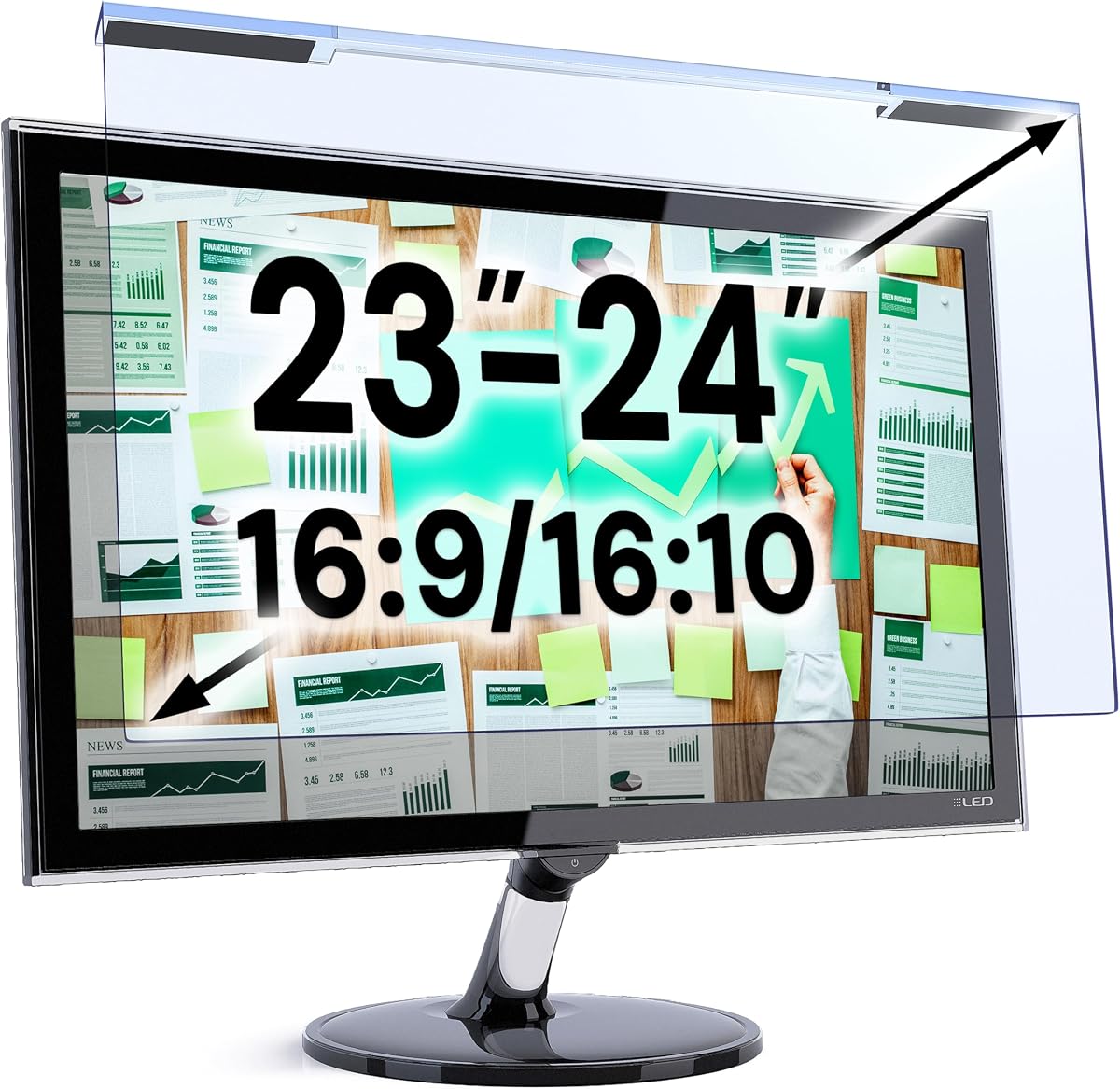
The VizoBlueX 23–24-inch filter combines a 4.4 rating with a multi-layer optical design intended to block ultraviolet and high-energy visible light. Its 21.5-by-13-inch hanging panel is made for 16:9 monitors and includes compatibility with the 24-inch iMac Retina and all-in-one, as well as displays from Samsung, LG, Dell, HP, Lenovo, Asus, Acer, BenQ, ViewSonic, Philips, and NEC.
We may earn a commission when you buy through this link, at no additional cost to you.
Unlike products that advertise a specific numerical reduction, VizoBlueX emphasizes comprehensive light filtering and maintaining the visible colors of LCD and LED monitors. The listing also distinguishes it from anti-glare and privacy screens, which can alter image appearance differently. Its hanging format makes setup straightforward: remove the protective film from both sides and position the panel.
The lack of a stated blue-light reduction percentage makes it harder to compare this model directly with the 61% and 90% filtering options in the roundup. It also focuses on larger displays rather than compact laptops, and buyers must exclude the plastic frame when checking fit. Even so, its broad brand compatibility and emphasis on full-color viewing set it apart.
Choose this filter if you own a 23- or 24-inch monitor, especially an iMac or a mainstream 16:9 display from a major manufacturer. It is a strong option for users seeking layered light protection and recognizable color quality rather than a particular quantified filtration level.
The long compatibility list and 23–24-inch sizing make this model easy to pair with common office monitors and 24-inch Apple all-in-one computers. Measuring only the active screen area helps avoid a size mismatch.
The multi-layer construction is designed to maintain visible colors on LCD and LED screens. That makes it attractive for creative work, media viewing, and general use where natural-looking images matter.
We may earn a commission when you buy through this link, at no additional cost to you.
The ZYY 23–24-inch two-pack is a feature-rich choice with a 4.4 rating, especially for users who operate more than one monitor. Each 540-by-340-millimeter filter is intended for 23-, 23.5-, 23.6-, 23.8-, and 24-inch screens, while the two-pack gives you a spare or a second matched panel.
We may earn a commission when you buy through this link, at no additional cost to you.
Its optical system is advertised as blocking at least 90% of blue light, at least 98% of UV, and at least 99% of other harmful light. Five layers of optical engineering combine with 8H-reinforced acrylic, an ultra-thin 2mm profile, scratch resistance, and anti-fingerprint protection. The supplied information also states compatibility with curved monitors.
This is one of the more specific products in the group, but the specificity creates a requirement: measure the monitor diagonal without its edges and consult the size chart. The included dimensions are 540 by 340 millimeters, and the listing expressly warns buyers to confirm the variation. Installation still takes only a few steps because both protective films are removed before hanging the filter.
This two-pack is an excellent choice for a dual-monitor office, a compact workstation with a primary and secondary display, or a household with matching 23–24-inch screens. It is also a strong option for users who prioritize quantified blue-light blocking and layered optical engineering over the lightest possible hanging profile.
Two included filters make it possible to outfit more than one compatible display or keep a replacement close at hand. The matched construction is particularly convenient for multi-monitor workstations.
Five optical layers, reinforced acrylic, and high stated blocking percentages create a more comprehensive specification than a basic single-surface protector. The construction also adds everyday scratch and fingerprint resistance.
We may earn a commission when you buy through this link, at no additional cost to you.
The MOSISO 21.5-inch screen protector is a compact-display alternative to its 23.8-inch counterpart, carrying a 4.4 rating and a similarly useful set of features. Its 19.29-by-12.48-inch panel is listed for the iMac 21.5, several HP all-in-one and Pavilion models, Dell P Series displays, Acer SB220Q, Sceptre E205W-1600, and other 20–22-inch 16:9 monitors.
We may earn a commission when you buy through this link, at no additional cost to you.
It filters 99% of harmful UV and reduces blue light in the 420–460nm range by 45%. The acrylic panel is only 0.05 inch thick with 95% transparency, allowing the original screen brightness to remain visible. It also helps keep dust, fingerprints, and scratches away from the display, which is useful for frequently touched shared computers.
As with the larger MOSISO option, the stated filtration level is more modest than the strongest alternatives, and there is no anti-glare coating. A hanging protector may also sit slightly proud of a particularly thin bezel, so checking the listed dimensions is essential. Those constraints are minor for a correctly matched display.
This filter is well suited to a 21.5-inch iMac, compact HP or Dell desktop, or another 16:9 monitor within the stated size range. It offers a particularly subtle profile and useful physical screen protection for users who spend substantial time working at a smaller desktop display.
The filter fills a useful size category between small laptops and 23-inch monitors. Its dimensions accommodate several 21.5-inch all-in-one and conventional desktop displays.
At 0.05 inch thick and 95% transparent, the acrylic panel minimizes bulk. It offers UV filtering and surface protection without deliberately darkening the display.
We may earn a commission when you buy through this link, at no additional cost to you.
The VizoBlueX 20–22-inch filter is built for compact and medium desktop displays, including the 21.5-inch iMac. It has a 4.4 rating and a 19.5-by-12.1-inch panel, providing a useful option when the nominal monitor diagonal does not correspond exactly to a neighboring size.
We may earn a commission when you buy through this link, at no additional cost to you.
Its multi-layer design is intended to eliminate hazardous UV and block high-energy visible light while preserving the visible colors of LCD and LED monitors. Compatibility extends to 16:9 screens from Samsung, LG, Dell, HP, Lenovo, Asus, Acer, BenQ, ViewSonic, Philips, and NEC. Installation follows the straightforward hanging format used by other VizoBlueX panels.
The main drawback is the absence of a stated numerical blue-light reduction rate. That makes direct performance comparison with the MOSISO, VINTEZ, and ZYY filters less precise. The panel also does not provide an anti-glare function, and an incorrectly sized model can leave gaps or overlap the active display. Measuring the screen without its frame resolves those concerns.
Choose this model for a 21.5-inch iMac, a compact 20-inch monitor, or a 22-inch display that matches the listed panel dimensions. Its appeal lies in broad brand support, color-conscious construction, and the convenience of a hanging installation rather than adhesive mounting.
Covering 20, 21, 21.5, and 22-inch diagonals gives this filter flexibility across smaller office setups. The 19.5-by-12.1-inch active dimensions should be checked against your display.
The multi-layer construction addresses ultraviolet and high-energy visible light while retaining display colors. It is positioned as a light filter rather than a privacy or anti-glare panel.
We may earn a commission when you buy through this link, at no additional cost to you.
The VizoBlueX 27–28-inch filter is the largest VizoBlueX option in the roundup, designed for expansive desktop displays and 27-inch Apple all-in-one models. Its 24.8-by-14.6-inch panel combines a 4.4 rating with multi-layer UV and high-energy visible-light protection.
We may earn a commission when you buy through this link, at no additional cost to you.
Compatibility includes the 27-inch iMac all-in-one, iMac Studio Display, XDR 27, and 16:9 monitors from Samsung, LG, Dell, HP, Lenovo, Asus, Acer, BenQ, ViewSonic, Philips, and NEC. The listing emphasizes retaining full visible colors, which makes this panel relevant to photo editing, graphic design, video playback, and other tasks where screen appearance is closely observed.
Like the smaller VizoBlueX filters, it does not state a numerical blue-light reduction rate. It is also a desktop-oriented product and will not suit most laptops. Because a large panel is easier to misjudge by diagonal measurement alone, buyers should compare the 24.8-by-14.6-inch dimensions with the active display area before ordering.
This is a strong choice for owners of a 27-inch iMac, XDR 27, or other large 16:9 monitor. Pick it when you want broad optical layers, color-conscious viewing, and a generous screen area without switching to a separate anti-glare or privacy filter.
The 24.8-by-14.6-inch panel gives large 27–28-inch monitors nearly edge-to-edge coverage. It is a better fit for expansive creative workstations than for portable displays.
The design is intended to preserve visible LCD and LED colors. This helps balance light filtering with the visual quality expected from larger creative or entertainment monitors.
We may earn a commission when you buy through this link, at no additional cost to you.
The IPROKKO 24-inch two-pack stands apart with its combination of blue-light filtering, glare reduction, and a reusable two-filter package. It has a 4.0 rating and is designed for 16:9 monitors, with each panel measuring 20.9 by 11.8 inches and offering support for curved screens.
We may earn a commission when you buy through this link, at no additional cost to you.
The manufacturer states that the optical material filters up to 98% of blue light and up to 99% of UV rays in the 380–460nm range. It also claims 95% glare and reflective-light reduction, along with protection from scratches, dust, fingerprints, and cat claws. The highly transparent layer is intended to preserve high-definition picture quality without reducing screen brightness.
Unlike many hanging filters, this product is described as removable and washable, allowing accumulated dust to be cleaned away. Installation uses no plastic tabs or tape and is designed to avoid bubbles and adhesive residue. That maintenance advantage comes with a 4.0 rating, the lowest among the ten products, so prospective buyers should weigh the stated glare capability carefully.
This two-pack is most useful for a dual 24-inch setup or for a buyer who wants a spare. It is especially appealing in rooms with strong sunlight or bright overhead lighting because glare reduction supplements the blue-light and UV filtration features.
The stated 95% glare and reflective-light reduction distinguishes this model from filters that only address blue and ultraviolet light. It may be especially useful near windows or under strong office lighting.
Because the panels can be removed and washed, they can be maintained without replacing the entire accessory. The included two-pack also provides flexibility for multiple displays.
We may earn a commission when you buy through this link, at no additional cost to you.
The VINTEZ 15.6-inch filter is the roundup's most clearly portable option, designed for common laptop panels as well as compact desktop monitors. It carries a 4.3 rating and measures 14.2 by 8.7 inches, matching the stated target for 15.6-inch screens.
We may earn a commission when you buy through this link, at no additional cost to you.
Its optical specification includes up to 61% blue-light filtering and 99% UV reduction, with emphasis on filtering light in the 420–460nm range. The film also protects against scratches, dirt, and dust. Compatibility is listed with HP, Samsung, Dell, ASUS, LG, Huawei, MSI, and other brands, although users should compare dimensions before purchasing.
The filter deliberately lacks an anti-glare function, so it should not be chosen as the primary solution for severe reflections. It is a single pack, and the product listing refers to patent-pending technology and a lifetime replacement policy for a damaged screen. Installation remains simple: remove the matte film from both sides and position the filter over the display.
Choose this model for a 15.6-inch laptop used for long commutes, focused study, or extended office work. It balances meaningful blue-light and UV filtering with a lightweight form factor and added protection for a frequently transported screen.
A 14.2-by-8.7-inch panel is appropriately scaled for a 15.6-inch laptop. It provides optical filtering and scratch protection without the bulk of a large desktop filter.
The stated 61% blue-light reduction provides a stronger quantified figure than the MOSISO options. The non-anti-glare surface should be considered if reflections are your main concern.
We may earn a commission when you buy through this link, at no additional cost to you.
The VINTEZ 23–24-inch filter is a balanced desktop option with a 4.3 rating and a 21.2-by-13.4-inch panel. It is intended for 23-, 23.6-, 23.8-, and 24-inch displays, offering a broad size range for the popular 16:9 desktop market.
We may earn a commission when you buy through this link, at no additional cost to you.
The filter is stated to reduce blue light by up to 61% and UV light by up to 99%, specifically addressing blue wavelengths between 420 and 460nm. The product listing cites patent-pending protection in the United States and internationally. It also serves as a barrier against scratches, dirt, and dust, with a lifetime replacement policy mentioned for damage.
Its primary limitation is that it has no anti-glare function, so users dealing with strong reflections may need a different type of screen accessory. It also contains only one filter, unlike the ZYY and IPROKKO two-packs. Setup is otherwise uncomplicated, with matte protective films removed from both sides before the panel is positioned over the monitor.
This VINTEZ model is a good selection for a 23.8-inch or 24-inch desktop monitor when you want a clearly stated filtration level, high UV protection, and a straightforward hanging design. It also suits compatible larger laptops, provided their active display area matches the listed dimensions.
The panel accommodates four common diagonal sizes without requiring a separate product for each slight variation. Measuring the active screen area remains the most reliable way to confirm compatibility.
The film combines blue-light and UV filtering with scratch, dirt, and dust protection. That combination is useful in high-traffic workspaces where the display is handled or cleaned frequently.
We may earn a commission when you buy through this link, at no additional cost to you.
The ZYY 27-inch filter provides a high specification for large desktop monitors, combining a 4.4 rating with at least 90% stated blue-light blocking. Its 24.125-by-14-inch panel targets 27-inch displays and is explicitly compatible with curved monitors.
We may earn a commission when you buy through this link, at no additional cost to you.
The five-layer optical engineering system uses 8H-reinforced acrylic and is advertised to block at least 90% of blue light, 98% of UV, and 99% of other harmful light. Additional features include scratch resistance, anti-fingerprint performance, and a 2mm ultra-thin profile. The product is intended for work, study, gaming, and television viewing on compatible desktop displays.
The specification is impressive, but fitment demands care. Buyers must measure the diagonal without the edges, consult the size chart, and verify the 612.6-by-356-millimeter dimensions. It is also expressly not for an iMac screen, an important distinction because several 27-inch Apple displays share the same nominal diagonal.
Choose this model for a 27-inch curved or standard monitor where high stated blue-light blocking and a layered construction are priorities. It is particularly compelling for gamers, designers, and intensive computer users who spend long periods in front of a large display.
The stated 90% blue-light blocking rate is among the strongest numerical claims in this guide. It makes the filter appealing for users who prioritize a pronounced optical treatment.
Curved-monitor compatibility broadens the intended use beyond flat panels. Users should still check their active dimensions because nominal diagonal size alone does not confirm a proper fit.
We may earn a commission when you buy through this link, at no additional cost to you.
The most important choices are accurate fit, an appropriate level of light filtration, image clarity, and installation method. Consider how and where you use your display before choosing a panel.
A monitor's advertised diagonal does not always determine whether a filter fits. Measure the visible screen from one active corner to the opposite corner, excluding the plastic or metal bezel, and compare the result with the manufacturer's size guidance. Then check the panel's width and height, because nominal sizes such as 23.8 and 24 inches can refer to displays with different active dimensions.
Choose by exact dimensions, not by the number printed on the box alone. A filter that is too small leaves portions of the display uncovered, while one that is too large may overlap the bezel or appear unnecessarily bulky.
The products in this guide use different claims, ranging from 45% blue-light reduction to blocking of at least 90%. A higher stated figure may suit users seeking a stronger optical intervention, but the numbers are not necessarily produced under identical testing methods. Treat them as one point of comparison alongside construction, clarity, and fit.
Prioritize a clearly stated filtering level when you want an objective buying guide. If the claim is vague, focus on the number of optical layers, transparency, and whether the product specifically addresses blue wavelengths rather than merely calling itself an anti-glare shield.
UV filtration is relevant for every filter in the lineup, with stated protection levels of 98% or 99% in most cases. A physical filter can also reduce exposure to dust, fingerprints, and scratches. These surface benefits are particularly valuable for shared workstations, laptops that travel frequently, and displays in homes where children or pets may touch the screen.
Look for acrylic construction and claims about scratch, dust, or fingerprint resistance. If glare is your main problem, prioritize a model that explicitly adds anti-glare performance rather than assuming every blue-light filter reduces reflections.
A useful screen filter should reduce unwanted light without turning the display noticeably dim, dull, or heavily tinted. MOSISO states 95% transparency, VizoBlueX emphasizes full visible colors, and ZYY describes a high-resolution view through five optical layers. These claims are especially relevant to photo editing, graphic design, entertainment, and other color-sensitive tasks.
Balance filtration with transparency rather than choosing the highest percentage automatically. If accurate-looking colors are important, look for explicit statements about color retention, high-definition clarity, and a transparent protective layer.
Most filters in this roundup use a hanging design: remove protective films from both sides and position the panel over the display. This avoids adhesive residue and allows easy removal. The IPROKKO option is also removable and washable, while its listing specifically highlights a process without plastic tabs or tape. Decide whether you want frequent removal or a more permanent arrangement before ordering.
Hanging filters are generally convenient for desktop monitors because they are easy to clean and reposition. Check whether the included hanging method can accommodate your monitor's bezel, rear housing, webcam, or stand.
The roundup includes 15.6-inch laptop filters, 20–22-inch compact desktop options, popular 23–24-inch panels, and large 27–28-inch filters. The VINTEZ 15.6-inch model is the clearest portable choice, while the VizoBlueX 27–28-inch and ZYY 27-inch options suit expansive workstations. All-in-one computers require extra attention because a 24-inch iMac and a 24-inch conventional monitor may have different proportions.
Confirm both diagonal and dimensions before buying, and note exclusions such as the ZYY 27-inch model's lack of iMac compatibility. Curved-monitor support is stated for the ZYY and IPROKKO products, which may influence your choice if your display is not flat.
Blue-light filtering and anti-glare performance solve different problems. Several products in this guide explicitly state that they do not have an anti-glare function, while the IPROKKO filter claims 95% glare and reflective-light reduction. If your main discomfort comes from reflections, daylight, or overhead lights, adding glare reduction may be more useful than simply choosing a higher blue-light figure.
Avoid assuming a transparent filter will also eliminate reflections. If both concerns matter, look for a product that clearly combines optical filtering with anti-glare materials and provides a high light-transmission specification.
The ZYY 23–24-inch and IPROKKO 24-inch options each include two filters, making them useful for dual-monitor setups or providing a replacement. IPROKKO additionally lists a one-year warranty, while VINTEZ describes a lifetime replacement policy for a damaged screen. These extras can add value, but they should be considered alongside fit and filtration rather than replacing them.
For a single-display user, one panel may be sufficient. For multiple screens, a matched two-pack can simplify installation and appearance. Review the stated policy terms on the current listing before assuming coverage conditions or shipping arrangements.
Before installation, turn off and unplug the monitor, clean the screen with a suitable microfiber cloth, and measure the active display area. Compare those measurements with the filter's width, height, and supported diagonal. Make sure the panel is correctly oriented and that any camera, vents, controls, or unusual bezel remain accessible.
For the hanging filters, remove the protective film from both sides immediately before mounting. Most filters in this guide are installed by peeling the films and hanging the panel in place. Do not leave one side covered while attaching the filter, and avoid pressing on the optical surface. The IPROKKO model can also be positioned and removed for cleaning, so follow its included instructions if they differ from a hanging setup.
Clean the filter gently with a soft, lint-free cloth and a suitable screen-safe cleaner; avoid abrasive pads and harsh chemicals. Remove the panel before cleaning the underlying display, and store it between protective layers when it is not in use. Periodically check for dust, trapped particles, loosened corners, and reduced clarity.
Measure the diagonal of the visible screen without including the bezel, then check that measurement against the product's supported range. Also compare the filter's width and height with the active display area because two screens with the same nominal diagonal can have different dimensions. All-in-one computers deserve particular care, as models from different manufacturers may share a diagonal size without sharing a physical shape.
A well-designed filter should preserve brightness and image quality while reducing targeted wavelengths. Products such as MOSISO advertise 95% transparency, while VizoBlueX and ZYY emphasize visible-color or high-resolution performance. Actual results can vary with display brightness, room lighting, and user preference, so checking the filter's transparency and color-retention claims is important.
No. A blue light filter targets specific light wavelengths and may also provide UV protection, while an anti-glare surface reduces reflections from ambient light. Several products in this roundup explicitly lack an anti-glare function. If reflections are your main problem, choose a model whose specifications include glare reduction, such as the IPROKKO option.
Only if both active display areas match the filter's dimensions and mounting arrangement. The filters here are primarily sized for one display category, and a 15.6-inch laptop panel will be far too small for a desktop monitor. A hanging filter may also be unsuitable for a laptop if it blocks the webcam, exhausts vents, or prevents the lid from closing normally.
Most products in this guide state UV filtration of 98% or 99%, but the exact protection depends on the optical construction and the stated test conditions. A filter can add meaningful UV protection while also reducing blue light and physical surface damage. If UV exposure is a specialized medical or workplace concern, confirm the product's documentation rather than relying only on a marketplace listing.
Usually, yes. Hanging filters can be removed for cleaning and repositioned without dealing with adhesive residue, bubbles, or peeling edges. They should still be handled by the edges, kept free of dust between the panel and screen, and cleaned only with a soft cloth. The IPROKKO product goes further by describing itself as removable and washable.
Only if the manufacturer lists curved-monitor compatibility or the panel physically conforms to the display. The ZYY 23–24-inch and 27-inch filters and the IPROKKO 24-inch product explicitly mention curved-screen support. Even with that support, measuring the active screen and checking the size chart remain essential.
Yes. Display brightness, contrast, color temperature, and room lighting remain important even with optical filtering. Software night-light or dark-mode settings can complement a physical filter when used consistently, but their effects and controls differ by operating system. A filter should be installed first, followed by a careful adjustment of the monitor's normal viewing settings.
The MOSISO 23.8-inch filter is the best budget-oriented all-rounder, combining a broad compatibility list, 45% blue-light reduction, 99% UV filtration, and a thin transparent acrylic panel. The VINTEZ 23–24-inch model offers a stronger stated 61% blue-light reduction, while the ZYY two-pack provides the most elaborate option with five optical layers and at least 90% stated blue-light blocking.
Your screen dimensions should be the first filter in the decision process, followed by your main comfort concern. Choose a higher-filtration model for more substantial blue-light attenuation, a glare-reducing model for bright rooms, and a color-conscious design for media or creative work. Also consider whether one panel is enough or whether a two-pack better supports a multi-screen setup.
Finally, review the current listing, included dimensions, installation instructions, warranty terms, and current pricing before buying. Product configurations and availability can change, and a filter can only meet expectations when it physically fits the display you own. Checking those details helps ensure a more comfortable, clear, and practical result.