
NETGEAR Nighthawk CM3000
4.3Editor score
Up to 2.5 Gbps downloads
Up to 1 Gbps uploads
Multi-gig Ethernet connectivity
Mid and high-split support
Compare the best Modem for Xfinity options, including DOCSIS 3.1 models, multi-gig speeds, Ethernet ports, WiFi features, setup needs, and compatibility.
A modem for Xfinity must connect your home to a cable internet service, translate that signal into an Ethernet connection, and work with the speed tier available at your address. The right model depends on your plan, service type, router, and preferred balance between performance, convenience, and ongoing equipment costs.
This guide compares ten customer-owned DOCSIS 3.1 options based on the supplied specifications, including supported Xfinity plan speeds, Ethernet connectivity, WiFi availability, upload capabilities, activation requirements, and device limitations. It includes both standalone modems and one cable modem and WiFi router combination for different home-network needs.
Each entry explains the most useful strengths and realistic trade-offs of its featured product, helping you identify which one fits your household. Product details and provider approvals can change, while market prices and rental arrangements also vary, so confirm current compatibility and costs with Xfinity before purchasing.
4.3Editor score

4.4Editor score

4.4Editor score
The table below compares all ten featured Xfinity-compatible modems by device type, maximum supported speed, wired connectivity, and WiFi arrangement. It makes the distinction between standalone cable modems and an all-in-one gateway especially easy to compare before you check your service details.




The NETGEAR Nighthawk CAX30 is the only all-in-one product in this guide, combining a DOCSIS 3.1 cable modem with an AX2700 dual-band WiFi 6 router. It carries a 4.1 rating and is designed for Xfinity internet plans up to 800 Mbps. That makes it a practical choice for households that want one device to handle both cable internet and wireless networking without adding a separate router.
We may earn a commission when you buy through this link, at no additional cost to you.
Its principal advantage is convenience. The integrated router is described as covering up to 2,000 square feet and supporting more than 25 connected devices, although actual coverage depends on the home's size, layout, and building materials. Four Gigabit Ethernet ports provide hardwired options for a desktop, game console, smart television, or other devices that benefit from a stable wired connection.
The trade-off is that the CAX30 is not the most future-oriented choice for very fast Xfinity tiers. Its listed Xfinity compatibility extends to 800 Mbps plans, while several standalone models support multi-gig service. It also cannot support bundled cable voice, and the product is specifically made for United States cable internet. Some households may ultimately prefer a faster standalone modem plus a current WiFi 7 router or mesh system.
This is an attractive recommendation for a typical cable household that wants straightforward setup and enough wireless capacity for many devices. Choose it when your Xfinity plan fits its listed support and you would rather manage one combined device than assemble separate hardware. For gigabit or faster service, move up to one of the multi-gig standalone modems and pair it with a suitable router.
The CAX30 removes the need for a separate WiFi router in a straightforward home setup. Its Nighthawk app provides guided installation, network management, speed testing, device pausing, and guest-network controls, although an active internet connection is needed to complete setup.
Four Gigabit Ethernet ports make it easier to balance wireless use with hardwired connections. The combination of DOCSIS 3.1, OFDMA, and WiFi 6 is aimed at smooth streaming, gaming, video calls, and a connected household, subject to your actual plan and network conditions.
We may earn a commission when you buy through this link, at no additional cost to you.
This Hitron CODA56 listing offers a 4.4 rating and one of the most capable specifications in the guide. It is a DOCSIS 3.1 standalone cable modem with a 2.5 Gbps Ethernet port and support for Xfinity plans up to 2.33 Gbps. It is designed for people who already own a capable WiFi router or plan to buy one separately.
We may earn a commission when you buy through this link, at no additional cost to you.
The main benefit is clean separation of network functions. The modem converts the Xfinity coaxial signal into Ethernet, while the user's router handles wireless access, local features, and device connections. Because a single 2.5 Gbps port carries the connection to the router, that router should also have a suitably fast port to avoid creating a bottleneck.
Its limitations are equally important. There is no included WiFi, so only one device can be connected directly by Ethernet without another router. It is also limited to cable service and will not work with fiber, DSL, satellite, fixed wireless, or a voice bundle. ISP activation and confirmation that the current Xfinity plan and network support the model are necessary before installation.
The CODA56 is a strong recommendation for gigabit and multi-gig Xfinity subscribers who want a high-performance modem and already have suitable networking equipment. It is less convenient for a first-time homeowner who wants one box to provide both cable service and WiFi. In that situation, the CAX30 offers a more integrated alternative.
The 2.5 Gbps Ethernet connection gives the CODA56 enough headroom for the fastest supported Xfinity plans. Real-world performance still depends on your subscribed tier, the provider's network, and the speed of the router connected to the modem.
A multi-gig modem cannot deliver its full potential through an older router with slow ports. Pairing the CODA56 with a router that includes a 2.5 Gbps connection helps preserve the speed available from the higher service tier.
We may earn a commission when you buy through this link, at no additional cost to you.
This second Hitron CODA56 configuration carries a 4.2 rating and is aimed at Xfinity cable customers who want a capable data modem without WiFi, voice, or router features. Its DOCSIS 3.1 platform supports plans up to 2.5 Gbps, while the supplied compatibility information specifically lists Xfinity service up to 2 Gbps.
We may earn a commission when you buy through this link, at no additional cost to you.
The clear use case is a customized home network. Customers can keep a preferred WiFi 6E or WiFi 7 router, use a mesh system in a large home, or connect the modem to a network that already has suitable switching. DOCSIS 3.1 with 32×8 channel bonding and backward compatibility provides flexibility for current and evolving cable networks.
The restriction to a single Ethernet port may be inconvenient if you want to connect several wired devices directly. In practice, the modem will normally feed a router with multiple LAN ports, making that limitation less significant. This listing also makes clear that it is for data only, so anyone with an Xfinity phone bundle needs a voice-capable modem or another compatible phone-service solution.
Choose this CODA56 configuration if you want a high-speed, customer-owned cable modem and already have the necessary router. It is a particularly sensible option for users who want control over their networking equipment. Verify your exact plan speed, whether your account includes voice, and the modem list maintained by Xfinity before ordering.
The modem's DOCSIS 3.1 design provides a modern cable foundation and remains compatible with DOCSIS 3.0 networks. That makes it relevant to homes that may upgrade service tiers later without changing the general class of networking hardware they use.
This model makes more sense when the household already owns a modern router with a fast Ethernet port. It avoids paying for or maintaining integrated WiFi hardware that may be replaced before the modem itself.
We may earn a commission when you buy through this link, at no additional cost to you.
The NETGEAR Nighthawk CM3000-1AZNAS has a 4.2 rating and is designed for modern Xfinity, Spectrum, Cox, and other United States cable networks. The supplied details list compatibility with plans up to 2 Gbps, using mid/high-split DOCSIS 3.1 technology to improve both download and upload performance.
We may earn a commission when you buy through this link, at no additional cost to you.
One feature distinguishes this model from many other standalone modems: its combination of one 2.5 Gbps port and two 1 Gbps ports. The fast port can feed a capable router, while the additional Gigabit connections offer flexibility for compatible linked setups or direct device connections. The product description notes that two suitable 1 Gbps connections on a compatible router can be combined for speeds up to 2 Gbps.
The main qualifications are that the modem has no integrated WiFi and that its mid-split capabilities must be available on the local provider network. It also does not support fiber or bundled voice. As with any customer-owned cable modem, provider activation and current model approval remain necessary parts of setup.
This CM3000-1AZNAS configuration is a good middle ground between a basic one-port cable modem and a more specialized multi-gig model. It suits households that want flexibility, strong upload potential, and more than one wired option. Confirm that Xfinity offers the relevant split and speed at your address, then pair it with a modern router for a complete network.
Having a 2.5 Gbps port alongside two 1 Gbps ports gives this modem more connection options than a single-port design. Those extra ports can be valuable for direct wired access, testing, or a compatible aggregation arrangement.
Mid/high-split operation is especially relevant to activities involving substantial uploads, such as large file transfers, cloud backups, and video calls. Availability and realized upload speed depend on the Xfinity network and plan.
We may earn a commission when you buy through this link, at no additional cost to you.
The NETGEAR Nighthawk CM3000 is the most fully specified premium option in the guide. It has a 4.3 rating and supports up to 2.5 Gbps downloads and 1 Gbps uploads through mid/high-split DOCSIS 3.1 technology. It is intended for Xfinity, Spectrum, Cox, and other major United States cable providers, subject to plan and local network availability.
We may earn a commission when you buy through this link, at no additional cost to you.
Its port selection is especially noteworthy. A 2.5 Gbps Ethernet port supports the main high-speed connection, while two 1 Gbps ports can provide additional wired options. The product details also describe link aggregation for combined wired speeds of up to 2 Gbps, giving technically experienced users a way to build more capacity around the modem.
There is no built-in WiFi, so a Nighthawk WiFi 6E or WiFi 7 router, Orbi system, or another capable router is needed for wireless coverage. The product also is not intended for DSL, fiber, or bundled cable voice. These constraints make it less convenient for a straightforward first installation, but its specifications suit a household that wants a premium cable connection and has a matching router ecosystem.
The CM3000 is our premium recommendation for customers with the fastest available Xfinity service and an interest in uploads as well as downloads. It is especially compelling when the rest of the home network is ready for multi-gig throughput. Check split availability, plan eligibility, router ports, and activation requirements before making the switch.
The stated 1 Gbps upload capability sets this model apart from the guide's standard download-focused selections. That is valuable for creators, remote workers, and households that regularly send large files or participate in high-quality video communications.
The two Gigabit ports can be used in a compatible linked configuration for higher aggregate wired throughput. This requires appropriate router and switching support, so the arrangement should be planned rather than assumed to work automatically.
We may earn a commission when you buy through this link, at no additional cost to you.
The ARRIS Surfboard S33 carries a 4.2 rating and offers a straightforward DOCSIS 3.1 approach for Xfinity cable customers. It supports internet plans up to 2.5 Gbps and is intended to connect to a separate WiFi router or mesh system through Ethernet. Its compact design and simple status lights make it a practical option for homes where equipment appearance and simplicity matter.
We may earn a commission when you buy through this link, at no additional cost to you.
The setup process is refreshingly direct: connect the coaxial cable, power on the unit, activate it with the cable provider, and then connect a router to the Ethernet connection. This arrangement gives users control over the quality and capabilities of their wireless network, including the choice between a conventional router, a high-end gaming router, or a mesh system.
The main limitation is that the S33 does not supply WiFi by itself. Users without a router will not have wireless service, although a directly connected device can use the Ethernet connection. Like the other standalone choices, it is for cable service rather than fiber, DSL, or satellite, and current provider compatibility should always be checked before installation.
Choose the Surfboard S33 for a clean, compact multi-gig modem that can sit behind better wireless hardware. It is a balanced alternative to more specialized premium models while still offering the throughput needed for the fastest supported Xfinity tiers. A compatible router completes the setup and allows the household to prioritize coverage, features, and aesthetics independently.
The S33's space-saving footprint and simple indicators for power, upstream and downstream activity, and online status keep it visually manageable. It can be a sensible choice for a media shelf, office, or other location without a large networking tower.
Installation centers on the normal cable-modem sequence of connecting coax, powering up, and activating through the provider. Once online, the Ethernet connection allows nearly any suitable router to provide wireless service.
We may earn a commission when you buy through this link, at no additional cost to you.
The ARRIS SURFboard SB8200 is our budget recommendation and carries a 4.4 rating, matching the highest rating among the featured products. Although its product title references plans up to 1 Gbps, the supplied specifications state that DOCSIS 3.1 performance supports plans up to 2 Gbps. Availability of those speeds depends on Xfinity service and the local network.
We may earn a commission when you buy through this link, at no additional cost to you.
Its two 1 Gigabit Ethernet ports make it more flexible than single-port alternatives. One connection normally goes to a WiFi router, while the second can serve a compatible wired device or provide flexibility during network setup. The modem itself is a standalone unit and cannot create a wireless network without a router or mesh system.
Compared with the newest multi-gig models, the SB8200 lacks a 2.5 Gbps port. That distinction matters if your goal is to use the very fastest Xfinity tiers or combine high-speed local connections. For typical gigabit service, however, its listed capabilities remain relevant, and the simpler two-port design may be sufficient for many households.
This is a strong value-oriented choice for Xfinity customers who want to avoid ongoing provider equipment rentals, already own a suitable router, and do not need a 2.5 Gbps connection. Confirm the exact plan compatibility and whether one of the newer multi-gig models is more appropriate for a future upgrade before finalizing the purchase.
The pair of Gigabit Ethernet ports is a useful distinction at this level. It allows the modem to feed a router while preserving a wired path for another device when the network configuration supports it.
A gigabit plan and a modern gigabit router can make the SB8200 a straightforward, economical combination. The device is designed for cable providers such as Xfinity, Spectrum, and Cox, but provider confirmation remains important.
We may earn a commission when you buy through this link, at no additional cost to you.
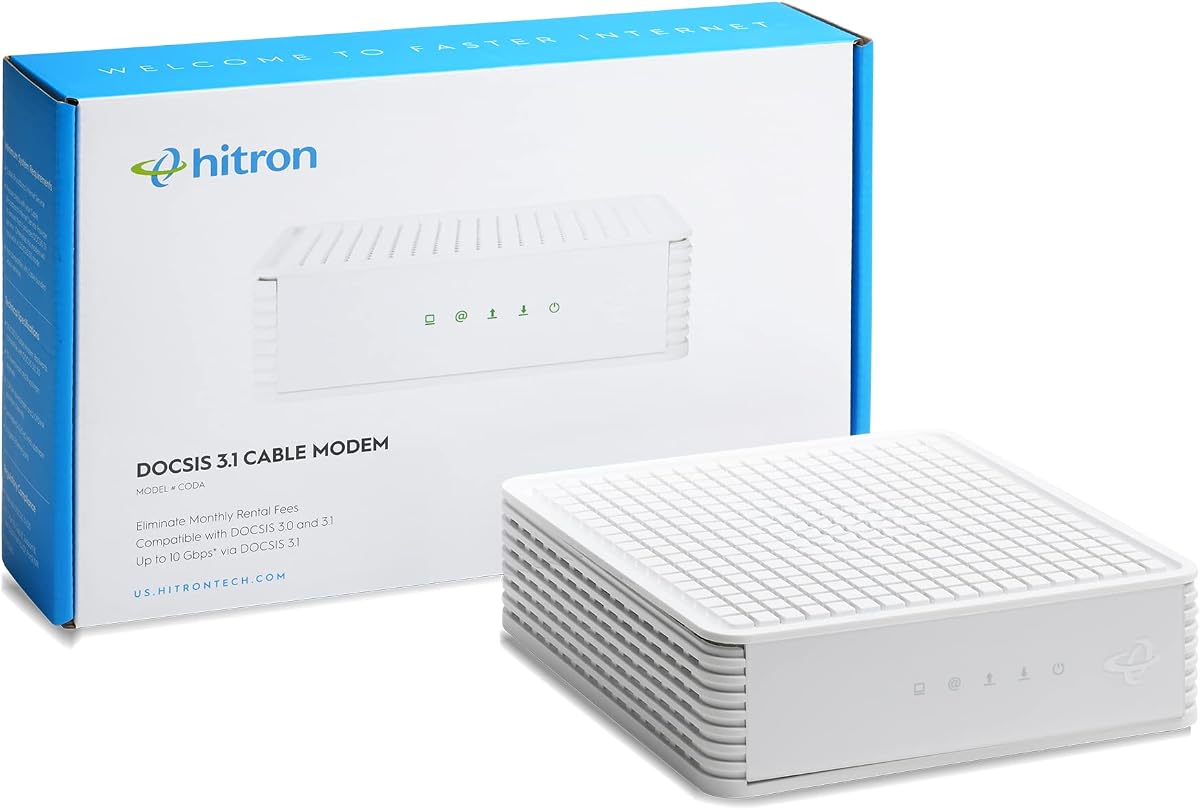
The Hitron CODA is a basic DOCSIS 3.1 modem for homes with Xfinity, Spectrum, Cox, or another compatible cable service. It has a 4.1 rating, supports plans up to 1 Gbps, and provides a single Ethernet connection. The supplied information emphasizes that this is a data-only device without WiFi, voice, or routing features.
We may earn a commission when you buy through this link, at no additional cost to you.
The easiest use case is connecting an existing router to the CODA and allowing the router to distribute internet access throughout the home. With only one Ethernet port, a router is effectively required for a normal multi-device household. The modem can handle direct Ethernet access in a simple setup, but it was not designed to be the complete home-network hub.
The device is explicitly incompatible with fiber, DSL, satellite, and 5G home internet. That distinction is important because the word Xfinity can refer to different access networks, and a customer should verify that the service comes through a coaxial wall outlet. Voice service also requires separate equipment. ISP activation is required after the physical connection is in place.
Choose the Hitron CODA if you need a straightforward, customer-owned cable modem for an internet plan within its supported class and already have a router. It may be unnecessary for households seeking multi-gig performance, but it provides a focused solution without built-in WiFi features that will be duplicated by your own router.
Confirm that Xfinity is delivering internet through coaxial cable before buying. Even providers associated with fiber may offer cable service in some areas, and this modem cannot translate a fiber optic signal.
The single Ethernet output is intended to connect to a WiFi router. Choosing a router with an appropriate Gigabit port lets every household member use the cable connection without relying on the CODA for wireless networking.
We may earn a commission when you buy through this link, at no additional cost to you.
The ARRIS Surfboard S34 combines a 4.3 rating with a versatile port arrangement. It supports cable plans up to 2.5 Gbps, includes one 2.5 Gbps Ethernet port and one 1 Gbps Ethernet port, and is compatible with Xfinity, Cox, and Spectrum when those providers support the model. It is a standalone cable modem rather than a complete wireless gateway.
We may earn a commission when you buy through this link, at no additional cost to you.
The main Ethernet port is designed to connect a high-speed WiFi router, while the additional Gigabit port can provide another wired connection or serve as a backup handoff depending on the provider configuration. This makes the S34 somewhat more flexible than one-port multi-gig modems and useful for a home that wants both a fast router uplink and a secondary wired path.
The product also highlights support for next-generation upstream tiers, which is important for users who upload large files or participate in demanding video calls. Actual upload performance still depends on the service plan and provider network. Like the other standalone devices, it includes no WiFi, so a separate router or mesh system is necessary for household wireless access.
The S34 is a strong all-around recommendation for Xfinity customers who want multi-gig capability and two wired connection options without moving to a specialized premium model. It is particularly useful when a capable existing router is already available. Check model approval, port configuration, and current service availability with Xfinity before ordering.
The 2.5 Gbps port handles the high-speed connection to a router, while the 1 Gbps port can add useful flexibility. The second connection may depend on provider configuration, so it should not be treated as an unrestricted independent service path.
Next-generation upstream support helps prepare the modem for newer cable tiers with improved upload capacity. Users should confirm that their Xfinity plan provides the desired upload speed and that the local network supports the feature.
We may earn a commission when you buy through this link, at no additional cost to you.
This Hitron CODA56 listing is a multi-gig DOCSIS 3.1 modem with a 4.2 rating and support for Xfinity plans up to 2.33 Gbps. Like the other CODA56 configurations in this guide, it is a modem only: one 2.5 Gbps Ethernet port handles the connection to a separate WiFi router, and no wireless network is built in.
We may earn a commission when you buy through this link, at no additional cost to you.
The supplied details position the device for 1 Gbps and faster cable plans, with low-latency DOCSIS 3.1 operation intended to benefit gaming, 4K streaming, and video calls. It is backward compatible with DOCSIS 3.0 and works with Xfinity, Charter Spectrum, and Cox when the customer's plan and local network support it.
Because there is only one Ethernet port, the modem is designed to connect upstream to a router rather than directly to numerous household devices. Users should choose a router with a 2.5 Gbps port if they want to make full use of a very fast service tier. The modem will not work with fiber, DSL, satellite, fixed wireless, or voice-dependent setups.
This listing is a sensible way to enter the multi-gig modem category if you already own suitable networking equipment and want a focused, data-only design. It is less convenient than the CAX30 for users seeking built-in WiFi, but it offers a more advanced connection than basic gigabit models. Verify approval, plan speed, and activation requirements before purchase.
By concentrating on the cable connection and omitting WiFi, this CODA56 leaves the wireless function to equipment you choose. That division can extend the life of the home network and provides access to newer router features.
A modem's maximum supported speed is only one part of the equation. The Xfinity plan, local network, provider support, router capability, and Ethernet connection must all align for a successful high-speed setup.
We may earn a commission when you buy through this link, at no additional cost to you.
The best Xfinity modem depends on service type, plan speed, router equipment, household size, and preferred setup. Use the following factors to narrow the field before comparing individual models or placing an order.
Every product in this guide is a DOCSIS cable modem, which means it requires a coaxial connection from the wall to the premises. It will not work with Verizon FiOS, AT&T Fiber, Frontier Fiber, Google Fiber, CenturyLink fiber, DSL, satellite, or fixed wireless service. The wall connection should terminate in a standard coaxial cable outlet rather than an optical-network terminal. Even if a household subscribes to a provider that also offers fiber in some regions, that does not mean its local service is delivered over coax.
A modem must support the maximum speed tier offered at your address, not merely the speed you use on average. The CAX30 is listed for Xfinity plans up to 800 Mbps, while several DOCSIS 3.1 models support gigabit or multi-gig tiers. The exact maximum available to an address can change based on network capacity and other factors, so use the service information supplied by Xfinity rather than relying only on a product listing.
A standalone modem handles the Xfinity cable connection and sends internet through Ethernet to a separate router. It is ideal when you already own a capable router, want a newer wireless system, or prefer to control each network layer. A modem-router combination such as the NETGEAR Nighthawk CAX30 reduces the number of devices and can make installation easier. The combination is more limited at the highest Xfinity speed tiers, so the right choice depends on whether convenience or maximum upgrade capacity matters more.
Port speed is the bridge between your Xfinity service and local network. A 2.5 Gbps port is important for multi-gig service, while two 1 Gbps ports can provide useful flexibility. The router's Internet or WAN port must also support the required speed; a fast modem connected to an older 1 Gbps router will lose some potential throughput. Avoid treating extra ports on a modem as a substitute for a full router with multiple LAN connections.
Download speed receives most attention, but upload performance matters for cloud backups, large file transfers, live streaming, and video conferencing. Mid/high-split models such as the NETGEAR Nighthawk CM3000 configurations and the ARRIS Surfboard S34 offer enhanced upstream capabilities. Availability depends on the local network and your Xfinity tier. If your household mostly streams and browses, a simpler gigabit modem may be sufficient, but creators and remote workers may benefit from faster upload support.
The standalone modems covered here are data-only devices and are not compatible with bundled cable voice plans. A customer whose Xfinity account includes traditional phone service may need a voice-capable modem or a separate voice adapter. This is a critical distinction because internet compatibility alone does not guarantee that every feature of an account will work. Review the complete service bundle before selecting equipment.
Cable speed does not determine WiFi range. The CAX30 combines a modem with AX2700 dual-band WiFi 6 and states coverage up to 2,000 square feet, subject to the home's layout and materials. A standalone modem can be paired with a modern router or mesh system, which may be better for large or complex homes. Think about where the router can be placed, how many devices are active, and whether newer WiFi features matter to your devices.
Xfinity must approve and activate a customer-owned modem, and its current supported-device list can change. Some configurations may also require provider configuration for additional Ethernet links. A product's broader provider certification does not guarantee that every plan or account feature is supported. Before purchasing, verify the exact model, your service tier, voice requirements, local network capabilities, and activation process with Xfinity.
Begin by confirming that your premises has an active Xfinity cable connection and that the service is delivered through a coaxial wall outlet. Compare the selected model with Xfinity's current supported-device list, especially if your plan is multi-gig, includes phone service, or depends on mid/high-split technology. Make sure you also have the required separate router if you chose a modem-only product.
Connect the coaxial cable to the modem, attach the power cable, and allow the device to boot. If your plan and setup require it, connect the modem's Ethernet port to the matching Internet or WAN port on your router. A modem-only device will not create a WiFi network by itself, and a combination unit will normally provide access through its own integrated router.
Use the Xfinity activation process or the manufacturer's browser-based setup, then use the Nighthawk app for supported management features on applicable models. Check synchronization and speed-test results after activation. Keep the equipment ventilated, avoid stacking it beneath paperwork or inside a closed cabinet, and inspect cables for damage. Access the modem's management interface periodically for status information, and contact Xfinity or the manufacturer if synchronization becomes unstable.
It depends on the product. The NETGEAR Nighthawk CAX30 includes WiFi, but the other featured devices are modem-only products that require a separate router or mesh system. A standalone modem usually has one Ethernet connection intended to link it to a router. Without that router, only a directly connected device may receive internet access.
No. Xfinity must support the specific modem model, and your plan must fall within the device's approved speed range. Multi-gig plans may also require specific network capabilities such as mid or high-split operation. Confirm the model, service tier, and activation requirements with Xfinity before purchasing.
It can be, although the right comparison depends on your equipment allowance, monthly rental charges, service tier, and how long you expect to keep the modem. A customer-owned modem offers more control, while a rental may simplify setup and support. Check Xfinity's current policies rather than relying on an old estimate of rental fees.
Choose a DOCSIS 3.1 model that explicitly supports gigabit service and confirm the plan at your address. A router with a Gigabit or faster Internet port is also necessary. For gigabit-plus service, select a model with a 2.5 Gbps port and use a router that can handle the same speed.
Many listed devices also support Spectrum or Cox, but compatibility is not automatic. Each provider maintains its own list of approved devices, and supported speed tiers, voice, port configurations, and activation processes can differ. Verify the exact model directly with the service provider that will supply your internet.
No. A faster modem can deliver more data to a capable router, but it does not increase radio range or improve the performance of an outdated router. With a standalone modem, matching the Ethernet connection and using suitable WiFi hardware are essential to obtaining the full benefit of a high-speed plan.
The modem-only products in this guide are intended for internet data and do not support bundled voice. A separate voice-capable modem or compatible phone adapter may be required. Review your complete Xfinity service bundle and account configuration before installation to avoid losing phone functionality.
First connect the coax and power, then connect the modem to your router if the model does not include WiFi. Follow Xfinity's activation process for the approved model, which may require rebooting equipment or initiating activation online, by phone, or through an app. Allow time for network synchronization, then confirm that all services are working.
The Hitron CODA56 stands out as the strongest general recommendation for fast Xfinity service when a separate router is acceptable, while the NETGEAR Nighthawk CM3000 leads the premium group with its combination of high download and upload specifications. For households seeking one-device convenience, the Nighthawk CAX30 combines DOCSIS 3.1 with WiFi 6, and the ARRIS SURFboard SB8200 is a focused budget-oriented standalone choice.
Prioritize compatibility before every other consideration. Verify that your service is cable-based, the selected model is approved for your exact plan, and your account does not require voice equipment that the modem lacks. Then match the modem's Ethernet ports and speed tier to your router. Large homes, heavy upload use, and future service upgrades can justify a higher-spec model, while simpler households may gain more from a reliable setup that fits their actual needs.
Finally, remember that product specifications, provider support, rental policies, and market prices can change. Review the current listing and ask Xfinity to confirm eligibility and activation details before ordering. That final check helps avoid an otherwise capable modem becoming a costly mismatch because of service type, plan limits, or missing voice support.