
ScanSnap iX1300
4.2Editor score
Wireless and USB connectivity
Automatic duplex scanning
Plastic card support
Space-saving desktop design
Business Card Scanners compared for contact recognition, capture speed, portability, software, and workflow integration to help you choose the right device.
Business card scanners turn stacks of paper contacts into organized digital records, reducing repetitive typing while preserving the details people need for sales, recruiting, events, and relationship management. A useful model should capture images cleanly, recognize contact fields accurately, integrate with the software already on your computer, and fit comfortably into the intended workspace.
The scanners in this guide were compared using the supplied specifications, compatibility details, included software, supported formats, card-handling features, and customer ratings. The list covers dedicated contact-capture devices as well as portable and desktop document scanners that can digitize business cards, giving buyers several distinct approaches to the same essential task.
Each review explains where a product is strongest, what compromises may matter, and which workflows it suits best. Rankings reflect the information available for this guide, while ratings and feature availability can change. Current prices, promotions, software terms, and system requirements should be checked on the product listing before purchasing.
4.2Editor score

4.9Editor score

4.3Editor score
The table below compares all ten scanners across card handling, contact or document software, connectivity, portability, and workflow flexibility. It highlights whether each model is a dedicated contact scanner, a general-purpose document scanner, or a compact card-capture tool.


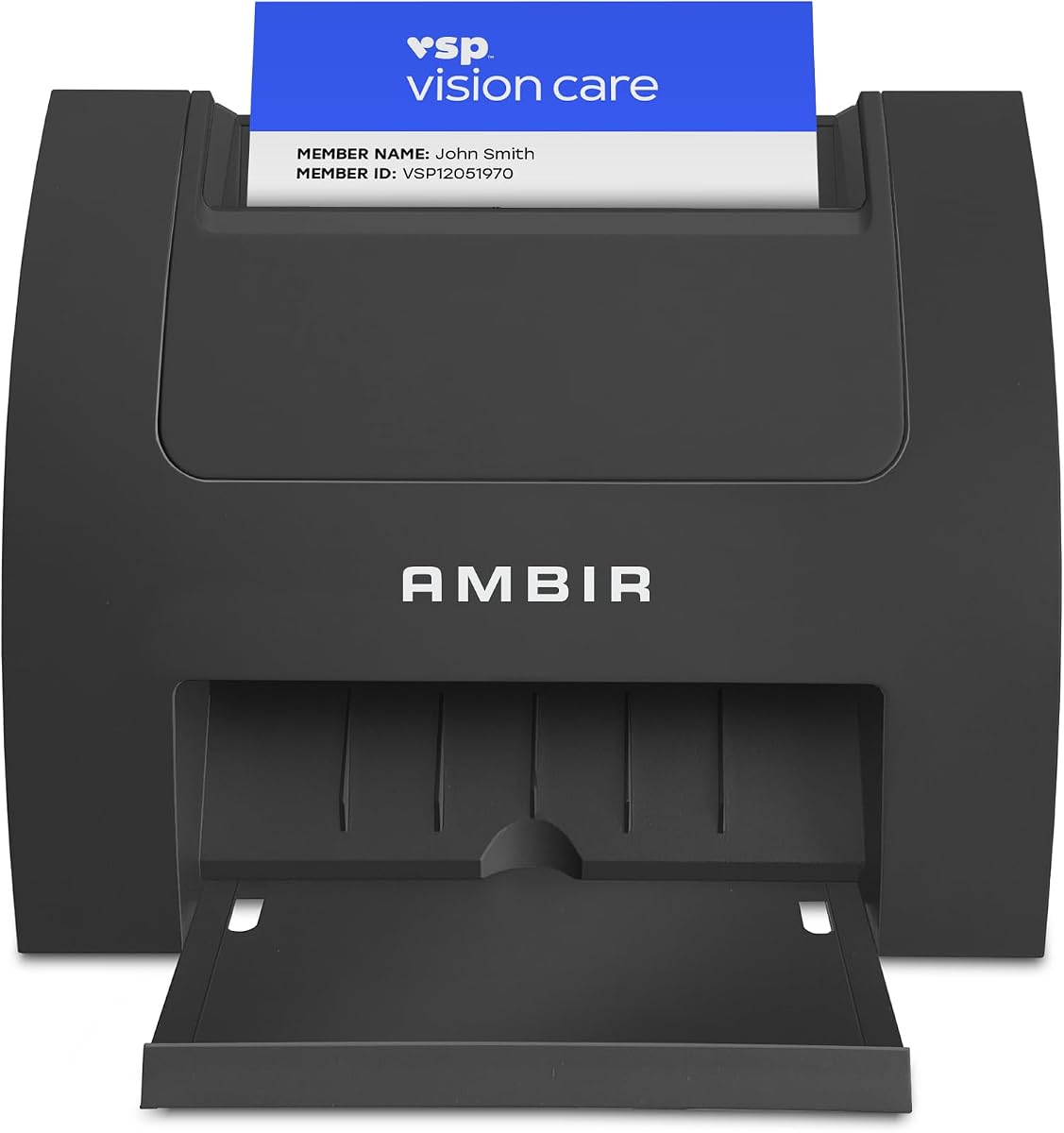


The Ambir ImageScan Pro 687-AS ranks first because it combines strong card handling, dependable desktop integration, and unusually broad workflow options. Its 4.9 rating is the highest among the featured products. The device is built for identification, insurance, driver’s license, vaccine card, and business card workflows, making it a versatile choice for offices that need both sides of a card captured in one pass.
We may earn a commission when you buy through this link, at no additional cost to you.
Its standout feature is duplex scanning. Instead of turning and feeding a card a second time, users can capture both faces in a single pass. The scanner is also designed to handle raised characters, an important consideration for embossed or otherwise textured cards. The included AmbirScan software can save images as PDF, TIF, or JPG, either locally or in Box, Dropbox, Evernote, and Google Drive.
Compatibility is another strength. A TWAIN driver helps the scanner work with applications that communicate with TWAIN devices, while Citrix Ready certification provides additional assurance for organizations operating in Citrix environments. Built-in webhook integration can send document metadata to more than 6,000 applications, enabling workflows involving tools such as QuickBooks, DocuSign, and Slack. That Zapier Professional requirement is worth noting before purchase.
This is the best fit for a business that values reliable physical capture and flexible document routing more than automatic business-card contact parsing. It is particularly compelling for reception desks, regulated intake processes, and teams scanning several types of plastic or embossed cards. Buyers whose main goal is importing names, phone numbers, and email addresses into a contact database should also examine the Ambir ImageScan Pro 667 and PenPower WorldCard Pro before deciding.
Capturing both sides of a card in one pass reduces repositioning and cuts the time required for intake workflows. The supplied information also notes card handling in roughly three seconds, including cards with raised characters.
Local saving, recognized cloud services, and webhook-based automation provide several destinations for captured files. This makes the scanner suitable for teams that need scans to move directly into established business processes.
We may earn a commission when you buy through this link, at no additional cost to you.
The PenPower WorldCard Pro is the most explicitly contact-focused scanner in the group. Its 3.3 rating is the lowest listed, but the supplied capabilities show why it remains relevant: the software is designed to recognize, save, organize, retrieve, and export business-card data rather than simply store an image. It supports Windows and Mac computers and is aimed at users who collect large numbers of contacts.
We may earn a commission when you buy through this link, at no additional cost to you.
Its most significant advantage is multilingual recognition. The scanner can recognize business cards in 24 languages, making it a practical choice for international conferences, import-export businesses, chambers of commerce, and distributed sales organizations. Rather than requiring users to retype contact details, the software converts scanned cards into a digital format that can be edited and added to an address book.
Data exchange options are broad for a dedicated contact scanner. Contacts can be exported to and imported from Address Book, with compatibility listed for iPhone, iPod, and Microsoft Entourage. Supported formats include vCard, CSV, text, HTML, and image files, while WorldCard File import and CSV import are also supported. Users can assign categories, attach individual details or photos, and search contacts using text or advanced search functions.
The main caution is its comparatively low rating, which may indicate inconsistent experiences with recognition accuracy, software usability, or compatibility. Modern workflows may also demand integrations not detailed in the product information. It is best for buyers who prioritize direct contact conversion, multilingual support, and broad file exchange over the faster duplex capture and cloud automation highlighted by the Ambir ImageScan Pro 687-AS.
The included workflow emphasizes editable contact records, category assignment, photos, and search. That makes WorldCard Pro more focused than general document scanners for users who want information organized immediately after capture.
Recognition across 24 languages gives the scanner a clear advantage for global contact networks. Users can also exchange data through common standards such as vCard and CSV, easing movement into other contact systems.
We may earn a commission when you buy through this link, at no additional cost to you.
The Ambir ImageScan Pro 667 specializes in turning scanned business cards into structured contact data. It carries a 3.6 rating and includes AmbirScan Business Card software for Windows 10 and 11. The product is a particularly logical choice for Windows-based sales, recruiting, and executive-assistant teams that want to import contacts into Outlook without manually retyping every field.
We may earn a commission when you buy through this link, at no additional cost to you.
Optional local AI processing is its strongest feature. It is intended to improve the extraction of names, job titles, telephone numbers, and email addresses. When enabled, the software supports cards in English, French, Italian, German, and Spanish. Processing occurs locally on the computer, which can appeal to organizations that do not want contact images or extracted data sent to an external recognition service.
Its contact-management features extend beyond initial recognition. Outlook users benefit from direct address-book importing and automatic duplicate detection. Executive assistants can scan into a shared folder so contacts become available across a team. CSV export also supports backup, migration, and uploads to CRM platforms such as Salesforce and Google Contacts. The product includes a single-PC license, 32-bit and 64-bit support, a two-year limited warranty, and complimentary technical phone support.
For automated lead handling, webhook integration can connect scans to more than 6,000 applications, triggering CRM lead creation, welcome emails, follow-up tasks, Slack notifications, or marketing campaigns. Zapier Professional is required. Despite the broad feature set, buyers should note the Windows-only application and the lower 3.6 rating. It is best for teams that value recognized data and CRM routing over compactness or wireless operation.
Local AI processing extracts important contact fields without relying on cloud recognition. The five-language capability covers several major business languages and keeps processing under the user's control.
Direct import and duplicate detection reduce the need for manual address-book maintenance. These features are especially valuable for teams receiving the same contacts from multiple events or colleagues.
We may earn a commission when you buy through this link, at no additional cost to you.
The Epson Workforce ES-50 is a compact document scanner that can also digitize receipts and ID cards, making it a practical mobile option for business cards collected away from a permanent desk. Its 4.3 rating reflects a generally favorable reception, and the supplied information describes it as the fastest and lightest mobile single-sheet-fed compact scanner in its class.
We may earn a commission when you buy through this link, at no additional cost to you.
Performance is centered on quick, straightforward capture. A single page can be scanned in approximately 5.5 seconds, and the scanner supports documents up to 8.5 by 72 inches. It uses a USB connection for both data and power, eliminating the need for batteries or an external power supply. This makes it easier to carry between offices, hotel rooms, field locations, and temporary workspaces.
Epson ScanSmart supports scanning, review, and saving, while Nuance OCR can create searchable PDFs and editable Word and Excel files. Users can also scan to supported online storage accounts through the included software, and the TWAIN driver broadens compatibility with imaging applications. Automatic feeding mode combines multiple inserted sheets into one file, simplifying larger document batches.
The limitation is its lack of dedicated business-card recognition. It is best for people who want portable card images and OCR documents rather than automatically parsed contact fields. Compared with the WorldCard Pro and ImageScan Pro 667, it may require more manual sorting. For mobile professionals who value portability, recognizable text, and broad file outputs, the ES-50 remains a flexible choice.
USB power and a compact sheet-fed design remove the need for a dedicated scanning station. Users can capture cards and documents wherever they are working, then organize the results later.
Nuance OCR supports searchable PDF output and editable Word or Excel files. That shifts the scanner beyond image-only archiving and makes captured information more practical for later reference.
We may earn a commission when you buy through this link, at no additional cost to you.
The Ambir PS670ST-AS is built for fast, one-sided imaging of identification and business cards. It has a 3.6 rating and is positioned for offices that need clean card images at high speed without the larger footprint of a conventional desktop document scanner.
We may earn a commission when you buy through this link, at no additional cost to you.
Its vertical feed path makes cards easy to insert while reducing desk space requirements. The supplied specifications state that a card can be scanned in under two seconds, and AmbirScan supports automatic scanning so users can continue feeding cards without stopping for prompts or resets. Images can be produced in color or grayscale, with true 600 dpi output intended to satisfy quality requirements used by third-party software.
The bundled software provides file formatting, auto-scan, and cloud-saving features. Webhook integration can send metadata to more than 6,000 applications for automated document workflows, including tasks involving QuickBooks, DocuSign, and Slack. As with the other Ambir products featuring this capability, a Zapier Professional subscription is required for those automations.
The main limitation is single-sided capture. Users who need both faces of a card in one pass should favor the ImageScan Pro 687-AS. The PS670ST-AS also does not emphasize automatic contact-field extraction, so it is more suitable for imaging and routing than for building a structured contact database. It is a good fit for reception counters, mobile enrollment desks, and workflows where speed and compactness matter most.
Cards travel through a vertical feed path that is designed for quick, intuitive handling. This arrangement also limits the amount of desk space the unit occupies.
The stated image quality suits workflows that depend on legible printed details. Users can select color or grayscale output according to their storage and downstream software requirements.
We may earn a commission when you buy through this link, at no additional cost to you.
The Ambir PS667 receives a perfect 5.0 rating in the supplied data and stands apart for secure identification workflows. Although it is not a conventional business-card contact scanner, it is relevant to organizations that handle identification alongside business cards and need automatic data extraction, local storage, and age-verification controls.
We may earn a commission when you buy through this link, at no additional cost to you.
The scanner reads 2D barcodes on valid US and state-issued identification and extracts details including a customer’s name, address, date of birth, and other key information. This can reduce repetitive entry while giving staff a structured record to compare with other systems. The data is stored locally on the computer, and no cloud connection or internet access is required for the core workflow.
Built-in age verification is the defining feature. Users can configure age restrictions, automatically flag minors, and detect expired identification. Customer-management tools include visit tracking, ban lists, and database export. An anti-passback feature detects duplicate scans within a defined period to help prevent one credential from being reused repeatedly during rapid transactions.
Operation is straightforward: the PS667 connects through USB and draws power from the computer, while the listing identifies it as compatible with Windows and Mac. Password protection, backup and restore, a two-year hardware warranty, and US-based support add operational value. It is not the right match for automatically parsing business-card contact fields, but for local ID intake and age-controlled services, it is exceptionally focused.
Scanned information remains on the local system without requiring cloud storage or internet connectivity. This approach gives administrators greater control over sensitive identification records.
Customizable age restrictions, expired-ID detection, and anti-passback monitoring address common access-control risks. These tools go well beyond simple image capture.
We may earn a commission when you buy through this link, at no additional cost to you.
The ScanSnap iX1300 is the most flexible general-purpose option in the guide, combining a compact desktop footprint with wireless and USB operation. Its 4.2 rating reflects a well-rounded feature set. The scanner handles documents, photos, receipts, business cards, thick items, and plastic cards, making it suitable for mixed office archives rather than a single card workflow.
We may earn a commission when you buy through this link, at no additional cost to you.
Automatic duplex scanning can process up to 30 pages per minute. Features such as automatic deskew, color optimization, and blank-page removal are designed to improve output without extensive driver configuration. The exclusive Quick Menu provides direct scan-and-drag-and-drop destinations, helping users move documents into familiar computer applications with less navigation.
Connectivity is the defining advantage. It can operate through USB or Wi-Fi, send files to Mac, PC, and mobile devices, and connect to cloud services. It can also scan to a Chromebook through the mobile app and be used without a computer attached. That makes the iX1300 useful in shared offices, reception areas, and teams that need to scan from more than one workstation.
ScanSnap Home brings document, receipt, business-card, and photo organization into one interface, where users can manage and edit captured data. It is not designed around automatic contact-field recognition, so users may need a separate contact-import process. Even so, the combination of wireless flexibility, plastic-card support, compact construction, and automatic duplex capture makes the iX1300 an attractive premium choice.
The scanner can operate over Wi-Fi, through USB, or independently of a computer. This makes it adaptable to shared workspaces and users who switch among desktops, laptops, and mobile destinations.
Business cards are only one of several supported media types. Handling documents, receipts, photos, thick items, and plastic cards broadens the unit's value beyond contact capture.
We may earn a commission when you buy through this link, at no additional cost to you.
The DocketPORT 667 is a simple, compact card scanner for users whose priorities are a small footprint, USB power, and dependable image capture. Its 3.8 rating places it in the middle of the group, but the supplied specifications define a focused device that avoids unnecessary complexity.
We may earn a commission when you buy through this link, at no additional cost to you.
The DP667 is roughly the size of a stapler and light enough to serve as a travel companion. It is powered through the computer's USB port, eliminating the need to find an outlet or carry a separate AC adapter. Its simplex design captures one side at a time, which may be sufficient for business cards when only the printed contact face is required.
DocketScan image acquisition software supports direct scanning to PDF, a useful format for sharing, archiving, and attaching to electronic records. The included TWAIN driver provides compatibility with thousands of applications and hardware systems, giving buyers more flexibility in how captured images are handled.
This scanner is best for a straightforward user who values compact physical design and broad driver support over automatic recognition, wireless connectivity, duplex capture, or advanced workflow automation. It is less suitable for a centralized sales team that needs parsed contact data and automatic CRM routing. Used alongside contact software or a disciplined naming system, however, the DP667 can provide dependable card digitization at a relatively simple entry point.
A stapler-sized body and USB power reduce both space and setup requirements. These qualities suit temporary workstations, reception counters, and users who scan away from a dedicated office.
Users can save cards directly in a widely used document format and access the scanner through a broad software ecosystem. This makes captured images easier to distribute through existing systems.
We may earn a commission when you buy through this link, at no additional cost to you.
The Brother DS-640 is a compact, mobile document scanner that offers one of the most practical combinations of portability, speed, and software support. Its 4.3 rating makes it a strong budget-oriented alternative to larger desktop units, particularly for field professionals, travelers, and home-office users who occasionally scan business cards and receipts.
We may earn a commission when you buy through this link, at no additional cost to you.
The device measures less than one foot in length and weighs approximately 1.5 pounds, making it easy to place in a bag, purse, or other carryable space. It draws power through the included micro USB 3.0 cable, so a computer connection is all that is required. Color and black-and-white scanning are listed at the same maximum speed of up to 16 pages per minute.
Brother's free iPrint&Scan desktop app provides numerous destinations, including the computer, a network, cloud services, email, and OCR. The scanner supports Windows, Mac, and Linux, along with TWAIN and WIA drivers on PC, ICA on Mac, and SANE drivers. Automatic color detection and adjustment, image rotation, bleed-through prevention, background removal, text enhancement, and color-drop tools help improve common scan problems.
The DS-640 does not include specialized business-card contact recognition, so users should expect to manage the resulting images or documents manually. It is best for occasional capture in variable locations and for users who need OCR without a full-size desktop scanner. Its portability, cross-platform support, and free application make it a particularly accessible choice for a mobile workflow.
A sub-one-foot length and approximately 1.5-pound weight minimize the burden of carrying the scanner. USB power also removes the need to pack a separate adapter or seek an outlet.
The included app can route scans to a computer, network, email, cloud services, and OCR workflows. Broad operating-system and driver support further reduces compatibility concerns.
We may earn a commission when you buy through this link, at no additional cost to you.
The Epson Workforce ES-400 II is a high-volume desktop scanner suited to offices that regularly digitize mixed paper records. It has a 4.5 rating, second only to the leading Ambir model in this guide. Although it is not designed specifically to recognize business-card contact fields, its 50-sheet automatic document feeder and duplex support make it a capable high-volume card archiver.
We may earn a commission when you buy through this link, at no additional cost to you.
The automatic document feeder lets users move through stacks efficiently rather than handling every sheet manually. Duplex scanning captures both sides, and Epson ScanSmart supports previewing, emailing, uploading to the cloud, and automatic file naming. Direct destinations include Dropbox, Evernote, Google Drive, and OneDrive, allowing users to avoid repetitive manual filing.
OCR can create searchable PDF documents and convert scans into editable Word or Excel files. The included TWAIN driver supports integration with document-management software, while image tools handle automatic cropping, blank-page removal, and background cleanup. Ultrasonic double-feed detection and dynamic skew correction are intended to reduce missed pages and crooked stacks.
The clearest trade-off is size. This is a desktop appliance with a larger footprint than portable or card-specific scanners. It also lacks dedicated contact recognition, meaning it is better suited to building an image or searchable-document archive than a parsed address book. For administrative teams, consultants, and offices that handle recurring document workflows, it offers a strong balance of capacity, output quality, and sharing options.
A 50-sheet feeder reduces the physical effort associated with recurring batches. Users can concentrate on document organization rather than placing every page individually.
OCR converts scans into searchable PDFs and editable Word or Excel files. These outputs support later retrieval, editing, and integration into document-management systems.
We may earn a commission when you buy through this link, at no additional cost to you.
The right business card scanner depends on whether you need recognized contact records, simple card images, or a broader document-scanning system. Review workflow, operating system, card handling, software, connectivity, and storage requirements before making a choice.
Decide whether the scanner must understand the text on a business card or simply create a clear image. The PenPower WorldCard Pro and Ambir ImageScan Pro 667 are designed around contact recognition, including extracted names, titles, telephone numbers, email addresses, categories, and search. The Ambir ImageScan Pro 687-AS, PS670ST-AS, DocketPORT 667, and several document scanners emphasize image capture and document routing. A recognized contact can save substantial typing, but it also depends on the layout, language, print quality, and condition of each card.
Choose recognition software when your main goal is a usable digital address book. Choose image capture when you need to preserve an exact visual record, support unusual card materials, or use a separate contact-management application.
Look for a feed mechanism that matches the thickness and finish of your cards. Raised, embossed, plastic, laminated, and warped cards can behave differently in card-specific scanners than in general-purpose document feeders. The ImageScan Pro 687-AS is explicitly described as handling raised characters and supports duplex capture. The PS670ST-AS offers a vertical feed path and true 600 dpi images, while the ScanSnap iX1300 handles plastic cards and thick items. Resolution matters when small text must remain readable after enlargement.
For mixed stacks, prioritize a scanner with dependable automatic feeding. For fragile or specialty cards, check the manufacturer’s material guidance carefully and consider testing a representative card before committing to a large rollout.
Confirm that both the hardware and included application support the computers in your workflow. Several Ambir models support Windows and Mac, while the ImageScan Pro 667 software license is limited to Windows 10 and 11 on 32-bit and 64-bit systems. The Epson ES-50 supports Windows and Mac. The Brother DS-640 supports Windows, Mac, and Linux and includes TWAIN, WIA, ICA, and SANE driver support. Application compatibility can be as important as operating-system compatibility, particularly in managed corporate environments.
Check the current system requirements on the product page before purchase. A TWAIN driver broadens access to imaging software, while dedicated contact applications may still have their own platform and licensing limits.
A useful scanner should do more than place files in a folder. The PenPower WorldCard Pro supports vCard, CSV, text, HTML, image, and WorldCard File formats, as well as address-book exchange. The ImageScan Pro 667 imports directly into Outlook, detects duplicate contacts, writes to shared folders, and exports CSV files for CRM use. Other models support PDF, TIF, JPG, searchable PDF, Word, and Excel outputs. Consider how the data will reach your CRM, email client, office suite, or document archive.
Prioritize the format your existing system already accepts. If you need automatic field mapping, look for contact-specific software; if you need general files, verify the available PDF, image, and OCR outputs.
Automation can eliminate repetitive filing and route captured information to other services. The Ambir ImageScan Pro 687-AS, ImageScan Pro 667, and PS670ST-AS feature webhook integration that can connect to more than 6,000 applications, subject to a Zapier Professional requirement. On the ImageScan Pro 667, parsed contact fields can create CRM leads, trigger emails, schedule follow-up, notify Slack, or support marketing campaigns. Other scanners provide direct cloud, email, network, and computer destinations without the same field-level automation.
Compare the trigger, destination, and data granularity you actually need. A scanner can save time by moving files automatically, while a contact-aware scanner can also trigger actions from recognized names and email addresses.
Where the cards are collected determines how much portability matters. The Epson ES-50, Brother DS-640, and DocketPORT 667 are compact and USB powered, making them suitable for travel, temporary desks, or mobile intake. The PS670ST-AS uses a vertical feed path to reduce desk consumption. The ScanSnap iX1300 offers wireless freedom while remaining a desktop appliance, and the ES-400 II is the largest of the group because of its 50-sheet feeder. A full automatic document feeder increases capacity but requires a permanent workspace.
Choose a compact model for scattered events and remote work. Choose a desktop model for a high-volume central office where throughput and document variety outweigh footprint concerns.
Most card and mobile scanners connect through USB, while the ScanSnap iX1300 adds Wi-Fi and can operate without a computer. The Brother DS-640 can target a computer, network, cloud service, email, or OCR destination. USB provides straightforward operation and consistent power, but it ties the device to a nearby computer. Wireless access can reduce bottlenecks at a shared scanning station and allow scans to reach different devices.
Choose based on the way your team works. USB is sufficient for one-to-one setups, while wireless is valuable for reception desks, shared teams, and users who move among multiple devices.
Business cards and identification cards can contain sensitive personal or commercial information. The Ambir PS667 emphasizes local data storage without required cloud connectivity. Other products can save to local storage or recognized cloud services, and some automations depend on paid third-party plans. Before deployment, establish where images, recognized fields, metadata, and backups are stored, who can access them, and how long they should remain available. Also examine whether the scanner’s purchase includes the hardware, application license, support, and any required automation service.
Local processing may be preferable for regulated or privacy-conscious workflows. Cloud and webhook options can still be appropriate when organizational controls, contractual terms, and retention policies are clear.
Begin by installing the supplied driver and recognition or imaging application on the intended computer, then confirm that the device appears correctly. Connect the scanner with its specified cable, or complete wireless setup if the model supports it. Use a clean, representative business card to test orientation, image quality, and the preferred save location before processing a large batch. For contact-recognition models, create a sample contact and verify that names, titles, telephone numbers, email addresses, and company fields map to the correct fields.
Process smaller batches at first, especially when cards contain unusual layouts, embossing, low-contrast printing, or several languages. Review the captured image and recognized data after each small group, correct errors, and adjust any cloud, CRM, email, or shared-folder destination. Duplicate detection and search features can help maintain a cleaner database, but they still depend on consistent categorization. If your workflow uses automations, begin with a limited test and verify the permissions granted to connected applications.
Keep the feed path and optical area free from dust, adhesive residue, and debris. Turn the scanner off and disconnect it before cleaning, and follow the manufacturer’s instructions for the approved cleaning material. Do not force bent or damaged cards into a narrow feed mechanism. Store the device in a dry area, protect the cable, and avoid leaving the scanner under heavy weight. Periodically back up contact databases or document folders, especially when a card is the only remaining copy of information you need.
A business card scanner is optimized to capture small cards and may include software that recognizes contact fields, organizes them, and exports them to an address book or CRM. A general-purpose document scanner handles papers, receipts, photos, and sometimes cards, with more emphasis on document images, OCR, and file conversion. The best choice depends on whether parsed contact data is essential or card images alone will be sufficient.
The Ambir ImageScan Pro 667 is specifically described as compatible with Microsoft Outlook, including direct address-book import and automatic duplicate detection. Its local AI processing extracts several common contact fields, while CSV export provides another route for moving data into other systems. PenPower WorldCard Pro also offers address-book exchange and vCard or CSV export for broader contact-management needs.
Some do, but not all. The Ambir ImageScan Pro 687-AS supports duplex capture, allowing the front and back to be scanned in one pass. The ScanSnap iX1300 and Epson Workforce ES-400 II also support duplex document scanning. Simplex models such as the DocketPORT 667 and Ambir PS670ST-AS require the card to be flipped and fed again if both sides need to be captured.
Yes, but the card's material should be checked against the scanner's specifications. The ImageScan Pro 687-AS is described as handling cards with raised characters, and the ScanSnap iX1300 supports plastic cards and thick items. For other models, confirm feed width, thickness, and material guidance before scanning valuable cards. Start with one card to verify that the feed and image quality are acceptable.
Several local workflows do, particularly those that save images, PDFs, contacts, or extracted data to the connected computer. The Ambir PS667 explicitly stores information locally without requiring cloud storage or internet connectivity. Cloud destinations and webhook automations naturally require an internet connection, and the availability of a third-party professional plan may also affect those advanced features.
No. OCR converts visible text into machine-readable content, which can create searchable documents and editable files. Contact recognition goes further by interpreting layouts and assigning values such as a person’s name, job title, company, telephone number, and email address. OCR is useful for general archives, while contact recognition is more valuable for building structured address books and CRM records.
The Epson Workforce ES-50, Brother DS-640, and DocketPORT 667 are among the most compact and USB-powered choices. The ES-50 weighs less than 1.5 pounds, while the DS-640 weighs approximately 1.5 pounds and is under one foot long. All require a compatible computer for most workflows, so software support should be checked before travel.
Start by deciding which data and actions should be automated, such as creating a CRM lead, sending an email, or storing a PDF in a shared folder. Confirm the scanner’s platform support, destination permissions, data fields, and third-party service requirements. Several Ambir webhook features require Zapier Professional, and cloud workflows should have appropriate retention, access, and privacy controls.
The Ambir ImageScan Pro 687-AS is the strongest all-around choice for fast duplex card capture, raised-character handling, broad software compatibility, and flexible file routing. The ScanSnap iX1300 stands out for wireless flexibility, independent operation, and support for mixed media, while the Brother DS-640 offers a highly portable design and generous scan destinations at a budget-oriented level.
Prioritize contact recognition if the main goal is a structured digital address book, and choose the PenPower WorldCard Pro for multilingual recognition or the Ambir ImageScan Pro 667 for local AI extraction and CRM-oriented automation. For simple imaging, choose a compact model such as the DocketPORT 667 or a mobile document scanner. High-volume offices can consider the Epson ES-400 II, while the Ambir PS667 is purpose-built for secure ID data and age-verification workflows.
Before ordering, check current prices, promotions, operating-system requirements, software licenses, included support, and any third-party subscription requirements. Product features and availability can change, so the live listing is the best source for final purchase decisions. The most effective scanner is the one that fits your cards, workflow, software environment, and privacy requirements—not simply the one with the longest feature list.
