
VEVOR Manual Round Labeling Machine
4.0Editor score
Manual round-bottle application
Fifteen-to-twenty labels per minute
Adjustable twenty-to-120-mm fit
Pressing bar reduces bubbles
Explore the best label makers for jars and bottles in 2026, comparing print quality, app features, label compatibility, portability, and ease of use for home.
Label makers for jars and bottles turn handwritten identification into a cleaner, more consistent system for pantry staples, cosmetics, homemade goods, beverages, and small-business packaging. A useful machine should print clearly, accept suitable tape widths, and make recurring labels simple to design without leaving too much unused material around each item.
The products in this guide were compared by examining thermal print technology, resolution, supported label formats, battery portability, app capabilities, direct keyboard controls, and compatibility with phones or computers. The list covers compact Bluetooth printers, keyboard-equipped models, a battery-powered standalone option, and a manual applicator for larger runs of round bottles.
Each review highlights the characteristics that matter most for labeling jars and bottles, along with honest limitations such as fixed label lengths, monochrome output, or the need for a separate application process. Ratings reflect the supplied customer feedback, while current prices and availability can change, so confirm the latest listing details before purchasing.
4.0Editor score
4.6Editor score
4.4Editor score
The comparison below organizes every machine by its most relevant practical traits, including label width, printing method, app support, portability, and intended labeling volume. It helps distinguish compact phone-connected printers from direct-input devices and from the manual applicator intended for repeated bottle runs.





The SUPVAN T50M Pro is a Bluetooth label maker built for colorful organization and small-business packaging, with a 4.5 customer rating. Its distinguishing feature is the unusually broad three-quarter-to-two-inch label range, allowing the same device to handle narrow pantry identifiers and broader product labels on jars or bottles.
We may earn a commission when you buy through this link, at no additional cost to you.
Design flexibility is a major strength. The free companion app supports images imported from a phone, tablet, or computer, more than 30 fonts, over 50 frames, and more than 660 icons. Automatic label-size recognition and high-resolution image processing make it easier to create labels that look intentional rather than like plain text strips.
The trade-off is that the most sophisticated functions depend on the app, and very wide labels may not be necessary for a household that only needs expiration dates or spice names. The supplied information also does not indicate full computer support independent of the app, so buyers should check current device requirements before committing to a particular workflow.
This is a strong choice for a household that wants attractive labels across many container sizes, or for a small maker who needs logos, QR codes, and product information in the same design toolkit. It is less compelling for someone who only wants plain monochrome strips and values maximum portability over larger text.
The app's image, font, frame, and icon options help the T50M Pro serve both practical and decorative labeling needs. A narrow strip can identify a spice jar, while a wider label can carry a brand name, ingredient panel, barcode, or QR code on a bottle.
Automatic label-size recognition reduces the need to repeatedly measure and configure tape. The device prints with direct thermal technology, so users avoid ink and toner while retaining clear monochrome output.
We may earn a commission when you buy through this link, at no additional cost to you.
The NIIMBOT B2 is an adaptable 4.6-rated label maker that works well for pantry organization, kitchen storage, and lightweight product labeling. It combines a 203-DPI print head with a particularly useful one-button offline mode, allowing users to print dates, recent records, or a selected template without opening the app.
We may earn a commission when you buy through this link, at no additional cost to you.
The B2 supports label widths from 20 to 50 millimeters and works with white, colored, round, and transparent papers. This makes it suitable for narrow jar fronts, wider product identifiers, and circular labels that visually suit a bottle. Its app expands the creative possibilities with more than 20 languages, 60 fonts, 1,600 icons, logos, borders, symbols, and batch printing.
Connectivity is more flexible than on many compact competitors: the device supports Bluetooth with iOS, Android, and Windows computers, plus a USB-cable connection for PC printing after driver installation. That flexibility is offset by the exclusion of pads, and users should not expect Bluetooth and USB to serve equally convenient workflows.
The B2 is a particularly balanced recommendation for a busy kitchen or home office where occasional offline labels and elaborate app designs are both useful. Its 352-gram weight also keeps it portable, while broad paper support makes it easier to find an appropriate tape for different jars and bottles.
The dedicated one-touch button is valuable when someone only needs to mark an expiration date or print a stored template. It removes the usual app-first step and makes quick kitchen labeling more direct.
Support for several paper types and widths gives the B2 room to work with rectangular, round, colored, and transparent labels. Bluetooth and USB options also suit people who switch between phone-based and computer-based projects.
We may earn a commission when you buy through this link, at no additional cost to you.
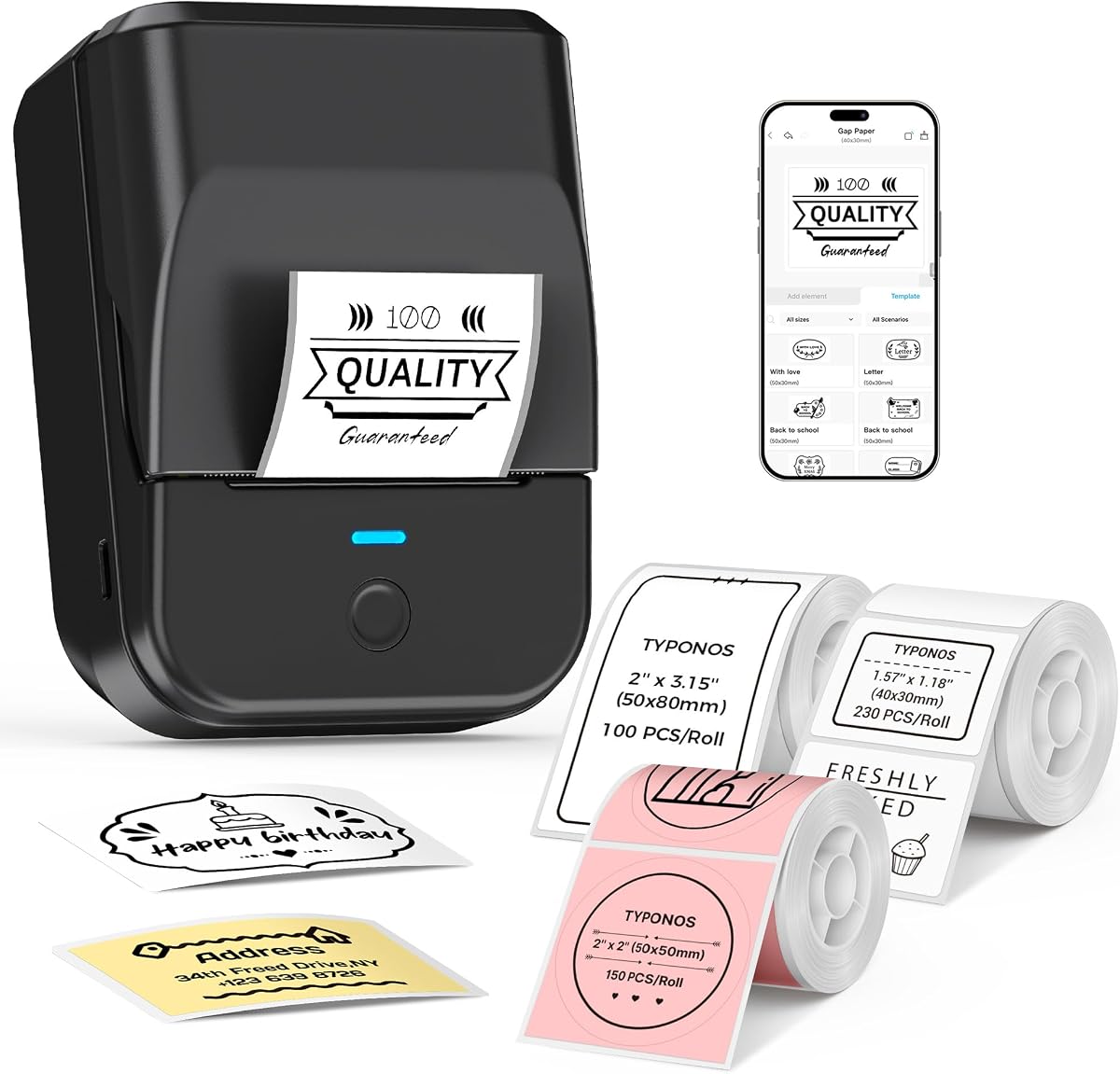
The NIIMBOT B1 is a 4.6-rated portable thermal printer offered with three label rolls, giving buyers more immediate options for testing rectangular, clear, and colorful labels. It supports widths from 20 to 50 millimeters and is explicitly designed for kitchen jars, bottles, storage containers, and homemade food.
We may earn a commission when you buy through this link, at no additional cost to you.
Its app includes more than 10 fonts and languages, over 100 borders, more than 1,500 symbols, and support for barcodes, QR codes, icons, images, tables, and templates. These tools are useful when a bottle needs both functional information and a visually consistent brand presentation.
The 293-gram body and built-in 1,500 mAh rechargeable battery are notable for portable use, with the manufacturer claiming up to 100 days of standby time on one charge. Compatibility requires the NIIMBOT app through Bluetooth on iOS or Android, while PC use through USB requires a separately downloaded driver; iPads are excluded.
The B1 is a good fit for users who want several tape styles at the outset and value a compact rechargeable design. Those who need completely unattended printing, continuous tape, or maximum independence from an app should look elsewhere, but for everyday jar and bottle projects it offers generous creative capability.
The included white, clear, and colorful rolls let users experiment with different looks without starting from nothing. Clear tape can be especially discreet on glass, while white and colorful formats make text and expiration information easier to distinguish.
The rechargeable battery and low device weight support labeling in a pantry, craft area, or small production space. Actual run time will depend on activity and settings, but the stated standby figure highlights the intended low-maintenance operation.
We may earn a commission when you buy through this link, at no additional cost to you.
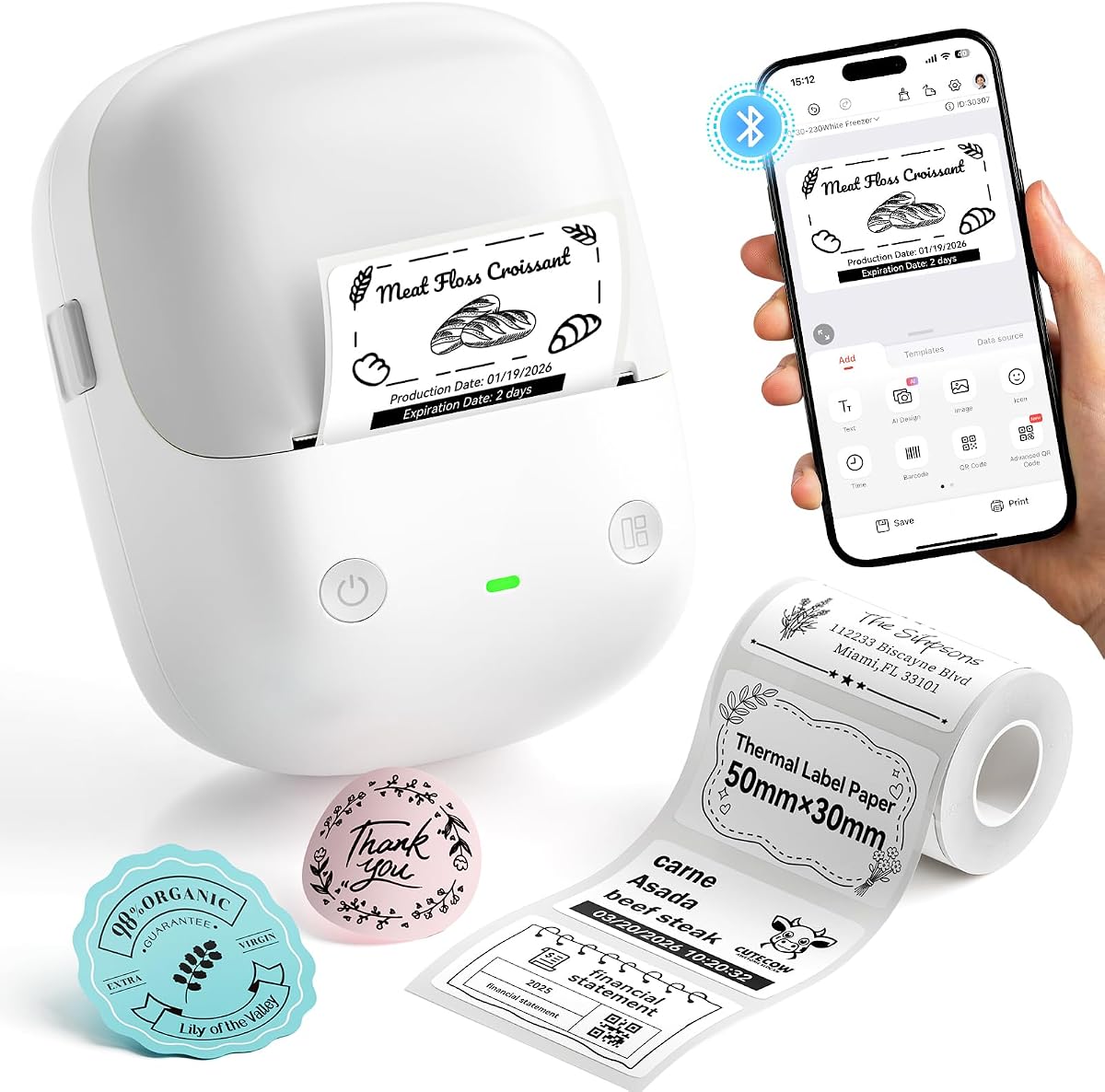
The PM240 is a compact 4.4-rated label maker distinguished by intelligent label setup and a broad creative library. Compatible tapes use built-in RFID chips that let the Labelnize app detect label size automatically, reducing manual configuration for square, round, transparent, and rectangular formats.
We may earn a commission when you buy through this link, at no additional cost to you.
The app includes more than 2,500 icons, 3,800 templates, and 430 fonts. It also supports Excel import, batch printing, AI text-to-image, and OCR text recognition, giving it useful tools for home organization, classrooms, and small-business catalogs. Its 203-DPI output is designed for crisp monochrome text.
The included set contains 40-by-30-mm white rectangular labels, 50-by-80-mm white rectangular labels, and 50-mm pink round labels. That mix is especially useful for jars, while the wider formats can carry more information on bottles. Color printing is unavailable, and the power adapter is not included.
Users should also account for connection behavior: Bluetooth and USB cannot be connected simultaneously, and the default 30-minute auto power-off can interrupt Bluetooth use. For a buyer who values automatic setup, many templates, and compact operation, those limitations are manageable and even useful.
RFID-equipped compatible tapes allow the app to recognize dimensions automatically. This is particularly helpful for a household using several jar and bottle label shapes because it removes repeated manual measurement.
Excel import and batch printing suit users producing many related labels at once. AI text-to-image and OCR functions add creative and informational options, though buyers should confirm that their intended workflows are supported in the current app version.
We may earn a commission when you buy through this link, at no additional cost to you.
The VEVOR Manual Round Labeling Machine is a 4.0-rated applicator for repeated labeling of round bottles and jars. Instead of printing text, it applies prepared adhesive labels and is advertised at 15 to 20 labels per minute, making it substantially more oriented toward batch production than the compact electronic printers in this guide.
We may earn a commission when you buy through this link, at no additional cost to you.
Its adjustable system accommodates round containers from 20 to 120 millimeters in diameter. Compatible label rolls can measure 10 to 130 millimeters wide and 10 to 300 millimeters long, including transparent stock, so users can use preprinted designs for jars, cosmetic containers, beverages, and packaged goods.
The pressing bar and rubber roller are important practical details. They help the label conform to the curved surface and reduce trapped bubbles, which can otherwise make a neatly printed label look uneven. Stainless-steel construction, including the roller shaft materials, supports durability for repeated manual use.
This machine is best for a small maker or business that already has suitable labels and wants consistent application across multiple bottles. It is less appropriate for a casual user who needs to design and print expiration labels immediately, and it cannot handle square-sided containers as its core purpose is round surfaces.
The pressing bar applies controlled pressure as the label wraps around a bottle. Combined with the rubber roller, this helps reduce bubbles and keeps the label flat, which is especially valuable when appearance matters.
A stated 15 to 20 labels per minute makes the applicator more practical for short production runs. It offers a clear alternative to placing each label by hand, although the operator must remain involved throughout the process.
We may earn a commission when you buy through this link, at no additional cost to you.
The SUPVAN E11 is a 4.5-rated label maker that combines an integrated keyboard with Bluetooth app editing. That combination makes it a practical middle ground for users who want quick dates without navigating an app but also want graphics, frames, and icons for more polished jar and bottle labels.
We may earn a commission when you buy through this link, at no additional cost to you.
The keyboard supports frequent labeling directly on the machine, while the app provides more than 30 fonts, 50 frames, and 660 icons. It supports 17 languages and allows users to save templates locally. The company also states that the app tools are free to use.
A notable efficiency feature is the minimal 0.2-inch margin, which the manufacturer says is about one-fifth the size of typical margins. The device also supports continuous labels as well as die-cut stock, making it versatile for longer content, batch jobs, and labels sized for different containers.
Its 1,200 mAh battery, 0.5-pound weight, and stated 5.7-by-2.9-by-1.3-inch dimensions support portable use. The trade-off is that the supplied information does not list PC compatibility, and the app is still necessary for advanced graphics, so buyers focused on full desktop workflows should verify support first.
The keyboard is efficient for short, repetitive labels such as pantry dates or bottle contents. The app takes over when a user needs images, icons, borders, multilingual text, or reusable templates.
A small printing margin can leave more usable space on each label. This is valuable for narrow jar tapes where every millimeter contributes to text, dates, or ingredient information.
We may earn a commission when you buy through this link, at no additional cost to you.
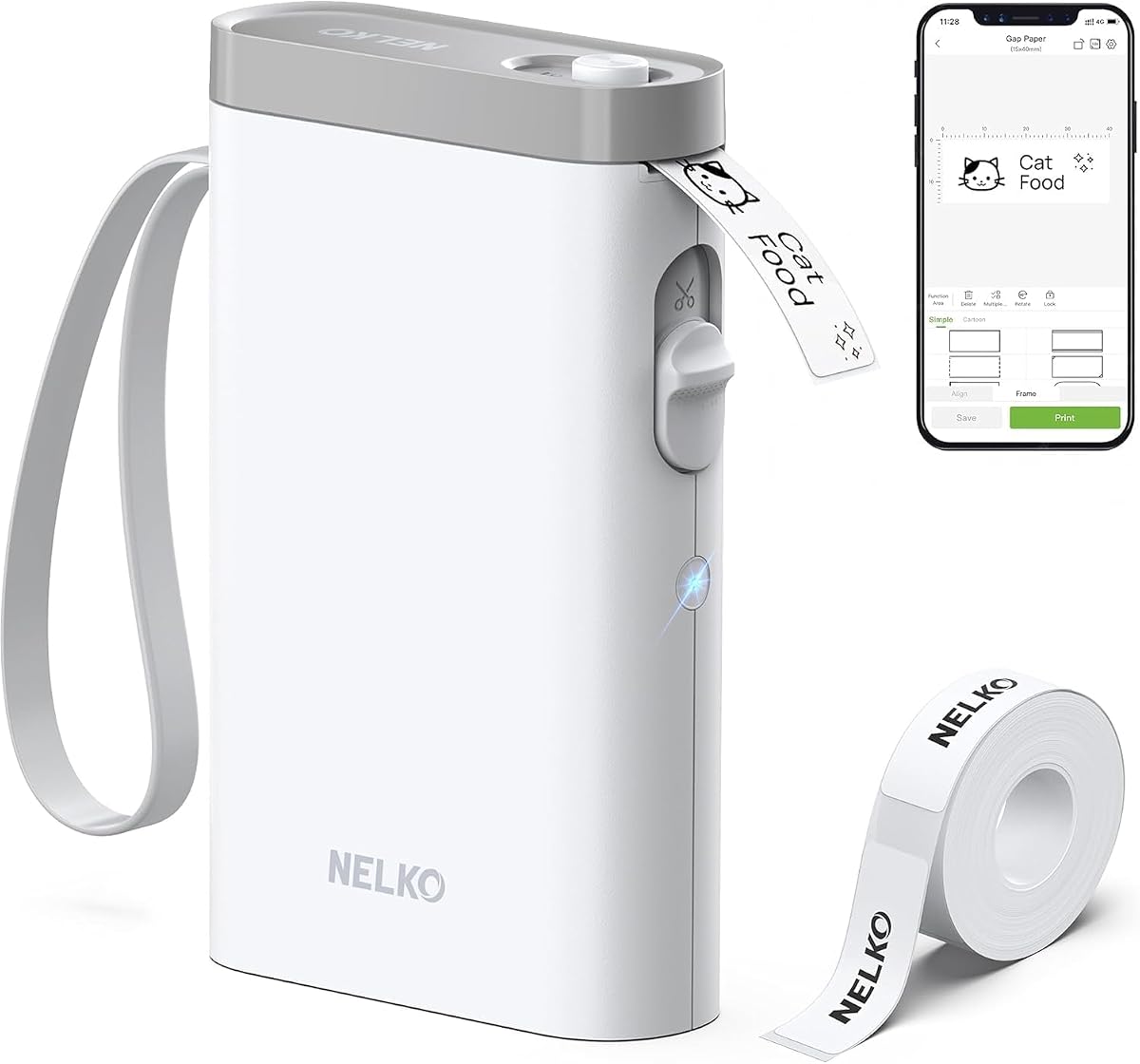
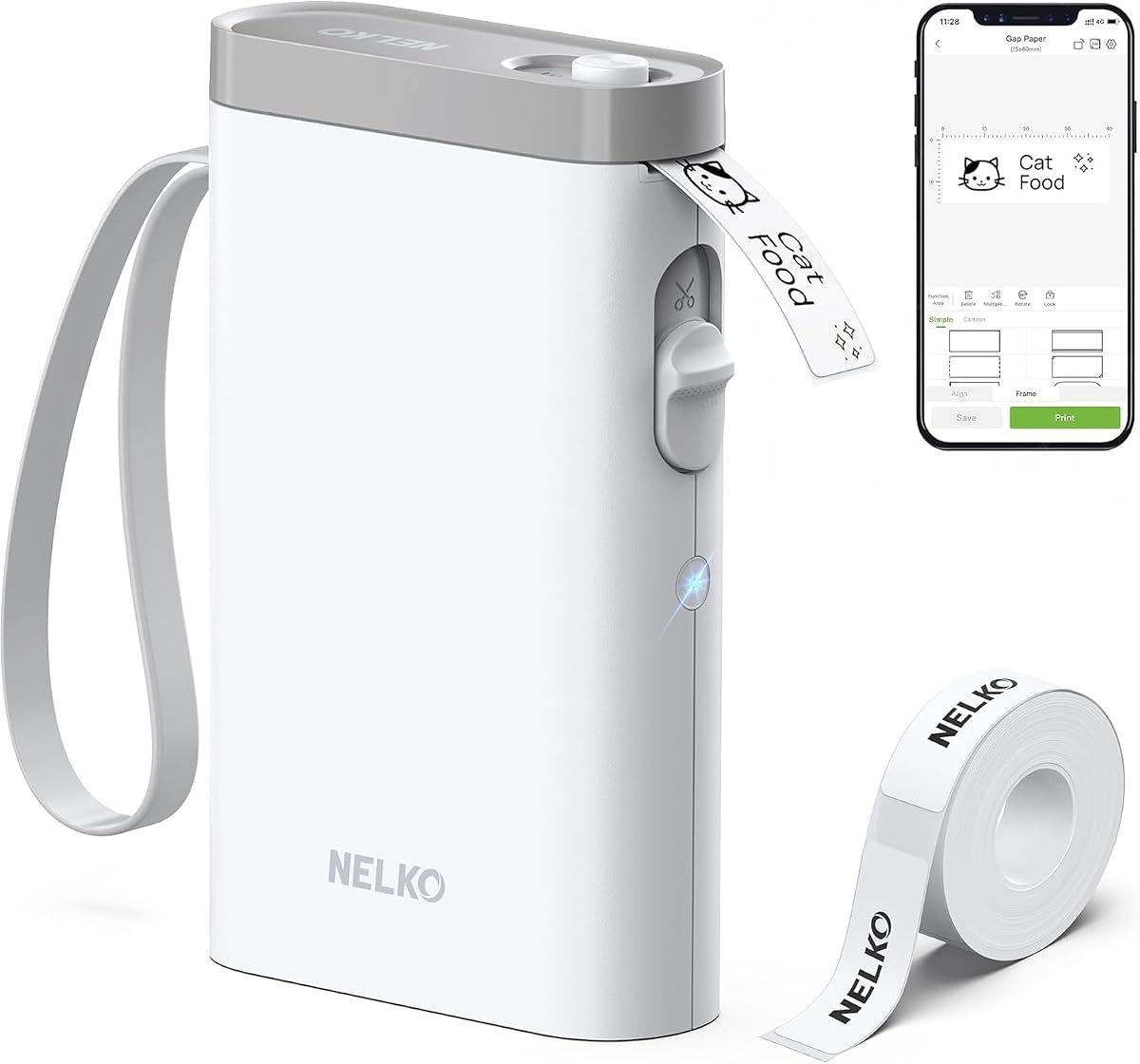
The Nelko P21 is a compact 4.4-rated Bluetooth label maker offering a large creative library at an accessible position in this roundup. Its updated version is described as having roughly half the weight and size of traditional handheld models, making it easy to carry to a pantry, classroom, or packing area.
We may earn a commission when you buy through this link, at no additional cost to you.
The app is unusually deep, with more than 3,600 icons, 700 borders, 5,500 materials, 750 templates, and 29 languages. Labels can include text, QR codes, barcodes, materials, images, time, and borders. The device produces 203-DPI monochrome output through BPA-free direct thermal technology, while color effects can be created with compatible patterned tapes.
Limitations are significant but clear. The P21 does not connect to computers, does not support continuous label tapes, and its supported label lengths are fixed at formats such as 14-by-40, 14-by-50, and 14-by-75 millimeters. It is also not compatible with Google Pixel phones running Android 14, according to the supplied information.
This is a strong budget recommendation for phone-centered users who want attractive labels without a full-size printer. It works particularly well for school items, pantry containers, cosmetics, and basic bottle identification, provided the required tape lengths fit the project and the user's phone is compatible.
The reduced size and lightweight housing make the P21 convenient to carry and use outside a permanent desk. A rechargeable battery further removes the need for disposable batteries during routine mobile use.
Templates, borders, symbols, QR codes, and barcodes give phone users access to more than basic text labels. This makes the device useful for school organization, food storage, and simple decorative identification.
We may earn a commission when you buy through this link, at no additional cost to you.
The M950 is a 4.4-rated rechargeable label maker designed with home food storage, pantry organization, and family labeling in mind. Its most immediately noticeable feature is the bright backlit screen, which makes text easier to review and edit under different lighting conditions.
We may earn a commission when you buy through this link, at no additional cost to you.
The included 12-millimeter tape is described as waterproof and intended to withstand refrigerator and freezer temperatures. It suits jars of meals, ingredients, allergens, pantry items, and expiration dates, while remaining inkless and avoiding the need for chemical marking directly on containers.
Users can design labels through the app or create them quickly with the keyboard. The app provides more than 100 fonts, 200 borders, and 800 icons, and the device can reportedly print a label in 15 seconds through keyboard editing. A 1,200 mAh battery and USB-C charging add convenient everyday portability.
Because the standard tape is relatively narrow, the M950 is best for compact identifiers rather than large product panels. Buyers should also verify the current package contents and charging details. Within its narrower format, however, it offers an appealing combination of visible controls, app creativity, and food-storage-focused materials.
The backlit display helps users check text before committing tape to a jar or container. This is useful in a dim pantry or when confirming expiration details at a glance.
The supplied waterproof 12-millimeter tape is intended for refrigerator and freezer conditions. It can identify ingredients, leftovers, allergens, and dates without requiring permanent marker or ink.
We may earn a commission when you buy through this link, at no additional cost to you.
The N12 is a 4.4-rated compact Bluetooth label maker that prioritizes straightforward phone-based labeling. It uses BPA-free direct thermal printing, requires no ink, toner, or ribbon, and includes a rechargeable lithium battery to reduce ongoing consumables and disposable battery replacement.
We may earn a commission when you buy through this link, at no additional cost to you.
The free Nada Print app provides more than 1,000 symbols, 270 frames, and 100 fonts. Users can personalize labels for pantry goods, clothing, cosmetics, files, cables, jewelry, and school items. This makes the N12 useful where the goal is practical organization with a modest amount of decoration.
Its tape lengths are fixed and include formats such as 12-by-40, 14-by-40, 14-by-50, and 14-by-75 millimeters. Buyers must plan around those dimensions, and only one roll is included. The package is therefore a starting point rather than a varied tape collection.
For a beginner seeking a compact, rechargeable label printer for jars, spice containers, and small bottles, the N12 is straightforward and capable. It is less suitable for users who need to print from a computer, control continuous feeds, or choose arbitrary label lengths.
Direct thermal output means there is no cartridge to replace and no ribbon to load. The rechargeable battery and inkless mechanism also simplify routine use compared with devices that require consumable ink cartridges.
The Nada Print app gives the compact device a substantial library of symbols, borders, and fonts. Users can create recognizable labels for storage, office, and school tasks without a computer.
We may earn a commission when you buy through this link, at no additional cost to you.
The Brother PT-D210 is a 4.6-rated standalone label maker favored for dependable operation without an app. One-touch keys provide access to 14 fonts, 98 frames, more than 600 symbols, 10 styles, and 27 templates, while the display lets users preview the label before printing.
We may earn a commission when you buy through this link, at no additional cost to you.
It accepts 3.5, 6, 9, and 12-millimeter tapes, providing several useful sizes for pantry jars, bottles, file folders, clothing, and school materials. The bundle includes one sample and three full-length black-on-white tapes, letting buyers begin with several rolls of the most versatile format.
Brother TZe laminated tapes are described as water-resistant, fade-resistant, and suitable for use across freezer, microwave, and dishwasher environments. This durability makes the system particularly appropriate for kitchen containers that will be exposed to moisture and temperature changes.
The PT-D210 is powered by six AAA batteries, which are sold separately, and computer connectivity is not part of its described feature set. For anyone who values direct controls, previewing, and established tape compatibility over app graphics, it remains an easy and versatile choice.
All major design choices are available from the physical keyboard and display. This removes pairing steps and allows the label maker to remain useful even when a phone is unavailable.
Brother's laminated TZe tapes are built for exposure common in kitchens, including moisture and temperature variation. Their water- and fade-resistant characteristics suit pantry jars, reusable containers, and household bottles.
We may earn a commission when you buy through this link, at no additional cost to you.
The right label maker depends on container size, label quantity, design complexity, and workflow. These factors help distinguish a simple phone-connected printer from a standalone keyboard model or a manual applicator intended for repeated production.
Choose a printer that supports the widths and shapes you will use most often. Checking the exact roll dimensions is especially important for models with fixed tape lengths, because those printers may not accommodate continuous rolls or arbitrary cuts.
Prioritize clear thermal output for functional text, and treat decorative app elements as optional enhancements. Confirm whether color-pattern tape is acceptable if the final appearance matters more than plain monochrome printing.
Choose a large template library for creative projects, but prioritize simple size detection and clear editing for daily household use. A more elaborate app is valuable only if you will use its advanced tools.
For frequent quick labels, prioritize a keyboard or dedicated offline button. For complex designs and image imports, choose a phone-connected printer with a strong app and verify its device limitations.
Choose a battery format that fits your storage and charging routine. For frequent mobile use, a USB-C rechargeable model is convenient, while standalone battery-operated devices can be preferable when charging accessories are inconvenient.
Use manufacturer-compatible or clearly supported tapes for refrigerator, freezer, and kitchen applications. For a reusable container, confirm that the label can be wiped clean without lifting or smudging.
For occasional custom identification, choose a printing machine. For repeated runs of identical round-bottle labels, consider a dedicated applicator and verify the bottle diameter and label-roll dimensions.
Factor in the tape formats you already use or expect to need. A strong starter bundle can reduce trial and error, while a broad compatible supply system is more important for heavy use.
Begin by cleaning and drying the label area, then measure the available space and select a tape width that leaves room for the required text without extending around the container. Load the roll according to the machine's instructions, making sure the coated printing side faces the correct direction. Remove any liner or green sticker only when the manufacturer specifically directs you to do so, because some devices use those elements for sensing, alignment, or print protection.
For app-connected models, install the current version of the compatible app, complete any required firmware update, and connect through Bluetooth. Create the design in a template, confirm the detected tape size, preview the text, and check spacing and orientation before printing. For a clean jar label, wipe the glass or plastic with a dry or lightly damp cloth, allow it to dry fully, and press the label down with even pressure, especially around curved edges.
To maintain the machine, keep the print head clean, load compatible tape, and store the device in a dry area away from extreme heat. Remove batteries during long storage if the model uses disposable cells, and recharge rechargeable models before a prolonged period of inactivity if the manufacturer recommends it. For food containers, follow the tape's stated cleaning and storage limits, and replace labels when adhesive loosens, edges lift, or text becomes difficult to read.
Some compatible tapes are designed to be waterproof, oil-resistant, wipeable, or laminated, but performance varies by machine and media. The NIIMBOT B1 labels are described as waterproof and oil-resistant, while the Brother PT-D210 is compatible with water-resistant laminated TZe tapes. Always use supported tape and check whether the label is intended for refrigerator, freezer, and dishwasher conditions.
Most compact thermal label makers print black text on compatible paper, and the PM240 explicitly supports monochrome printing only. Some devices can create colorful visual effects through patterned label tapes, but that is different from reproducing a full-color photograph or artwork in ink. A separate color-printing process is required when every element must be printed in color.
It depends on the model. The Brother PT-D210 works through its physical keyboard and display, and the NIIMBOT B2 includes a one-button offline mode for certain templates and dates. Most other advanced features on the Bluetooth models require a compatible phone and their companion apps. Check the current operating-system requirements before purchasing, especially if you use an iPad or a Pixel phone.
A thermal printer is best when you need to create fresh labels at home. The NIIMBOT B2 and PM240 support round label styles, while the NIIMBOT B1 and Brother PT-D210 offer tapes suitable for various jar and kitchen applications. For dozens of identical labels already printed, the VEVOR manual applicator can wrap them around round containers while helping reduce bubbles.
Choose a width that leaves enough room for the required content and fits the available flat area of the bottle. Compact models commonly support 12-to-14-millimeter labels, while broader systems reach 20 to 50 millimeters or one to two inches. Measure both the container and the label roll, and remember that fixed-length models only support their listed formats.
Yes, several app-connected models support QR codes and barcodes, including the NIIMBOT B1 and B2, PM240, and Nelko P21. Users should confirm that the generated code scans correctly before applying many labels. Alignment, print contrast, sufficient label size, and an undamaged surface all affect readability.
Some compatible label materials are explicitly BPA-free, and the NIIMBOT B1 labels are described as BPA-free, waterproof, oilproof, wipeable, tear-resistant, and abrasion-resistant. These claims apply to the stated compatible media, not necessarily every roll or accessory. Use the manufacturer's recommended tape and apply it to a clean, dry surface rather than directly over a food opening.
Peel the label slowly at a low angle to reduce tearing. If adhesive remains, follow the tape manufacturer's removal guidance and avoid scraping the glass or plastic with a sharp object. Some oils and food residue can weaken adhesion, so removing and replacing labels after cleaning may be safer than leaving an old edge until it fails.
The NIIMBOT B2 is the most versatile all-around choice because it combines app-based design, offline printing, broad label compatibility, and multiple connection options. The VEVOR manual applicator stands apart for repeated labeling of prepared labels on round bottles, while the Nelko P21 offers a compact, template-rich option for phone-centered users.
Prioritize the details that match your routine: choose a wide tape range for varied containers, fixed compatible formats for narrow strips, a built-in keyboard for phone-free work, and waterproof media for refrigerators or freezers. High-volume commercial labeling also requires a different speed and application workflow than a few household pantry jars.
Current prices, bundle contents, app versions, and device compatibility can change, so confirm the latest listing before buying. The best choice is not simply the machine with the most features; it is the one that prints the right label size reliably, stores the design tools you need, and fits the way you actually label jars and bottles.


