
CORSAIR RS140 ARGB 140mm PWM Fans – Daisy-Chain Connection – Low-Noise – Magnetic Dome Bearing – Dual Pack – Black
4.6Editor score
Up to 95.5 CFM airflow
3.46 mmH2O static pressure
Daisy-chain cable management
Explore the best ARGB 140mm fans, comparing airflow, static pressure, PWM speed, lighting, noise, bearing design, and radiator fit for modern PC builds.
ARGB 140mm fans combine generous airflow, useful static pressure, adjustable PWM control, and customizable lighting in a format that fits most modern PC cases. A worthwhile model should move air effectively through vents and radiators while remaining controllable, visually consistent, and appropriate for the build’s available space.
This guide compares ten 140mm ARGB fans using the specifications and feature information supplied for each product. We examine airflow, pressure, maximum speed, bearing design, lighting systems, synchronization, mounting suitability, and notable compromises, with particular attention to differences between standard, reverse-airflow, and high-speed designs.
Each review reveals which kind of builder the fan is best suited for, including options for budget builds, radiator installations, glass-fronted cases, and systems that prioritize quiet operation. Product details and pricing can change over time, so readers should verify the latest specifications, dimensions, connector requirements, and current listing information before purchasing.
4.6Editor score

4.7Editor score
4.6Editor score
The comparison below highlights the principal differences among airflow, pressure, speed, bearing technology, and lighting features. It also shows how fan pack sizes and connection styles affect installation planning.





The Thermalright TL-C14C-S X3 is a versatile three-pack of 140mm ARGB fans built around a straightforward combination of airflow, PWM control, and flexible lighting. Its 4.7 rating reflects a favorable balance of useful specifications and general appeal. The set is particularly attractive for builders who want several matching fans without assembling a collection from different models.
We may earn a commission when you buy through this link, at no additional cost to you.
Each fan measures 140 by 140 by 25 millimeters and is specified to deliver 75.8 CFM of airflow at a maximum speed of 1500 RPM. Static pressure reaches 1.93 mmH2O, enough for common case positions and many radiator applications, although it is not the strongest figure in this group. Four-pin PWM control allows the motherboard to adjust speed according to its configured temperature curve, while the five-volt, three-pin ARGB interface supports motherboard-managed colors and effects.
The strongest argument for this model is its balanced feature set. The three included fans make it practical for intake, exhaust, or radiator positions, and the stated noise level of no more than 26.4 dBA gives it a useful acoustic profile. Its limitations are equally clear: the 1500 RPM ceiling is lower than that of several performance models, and the 1.93 mmH2O pressure rating is not ideal for densely packed radiators or restrictive filters.
This is a strong recommendation for mainstream gaming PCs, compact builds, and users who value a coordinated three-fan package. It is especially convenient when the same model must serve several mounting locations. Builders with a tight radiator or a heavily filtered chassis should prioritize higher-pressure alternatives, but for typical installations, the TL-C14C-S X3 offers a convincing mix of cooling, lighting, and practical pack size.
Using one model across the chassis reduces visual inconsistency and simplifies replacement planning. The three-fan configuration can support a conventional intake-and-exhaust layout or cover the standard fan positions of a larger radiator.
The ARGB interface enables motherboard control of color and effects, while PWM support lets the system vary speed under load. Buyers should confirm that their motherboard has a compatible five-volt ARGB header and suitable fan-control software.
We may earn a commission when you buy through this link, at no additional cost to you.
The CORSAIR RS140 ARGB is the premium performance choice in this guide, pairing a 4.6 rating with impressive airflow and static-pressure figures. It is a dual pack, so buyers needing a full matching set should plan to purchase another pair. Within that consideration, it offers some of the strongest radiator-oriented specifications among the listed fans.
We may earn a commission when you buy through this link, at no additional cost to you.
The RS140 is specified to reach 1700 RPM, push up to 95.5 CFM, and maintain 3.46 mmH2O of static pressure. That pressure is the most notable specification in the group, making it well suited to radiators, narrow perforated panels, and mesh structures. CORSAIR AirGuide technology adds anti-vortex vanes intended to direct air toward hot components, while the magnetic dome bearing and low-noise design focus on smooth operation.
The streamlined connection system is equally important. Multiple fans can be daisy-chained and managed through one four-pin PWM connector and one five-volt ARGB connector, reducing the number of loose cables behind a motherboard tray. Eight LEDs per fan provide customizable lighting through compatible motherboard software. The trade-off is that a two-fan pack may not satisfy a three-position or four-position layout without adding another set.
The RS140 is best for builders installing 140mm radiators, using restrictive case ventilation, or seeking fewer cables in a polished system. It also suits high-output configurations where the additional airflow and pressure headroom are meaningful. For smaller case layouts, the pair may be excessive; for straightforward decorative intake fans, it offers performance beyond what is required.
The 3.46 mmH2O rating gives the RS140 an advantage when air must pass through radiator fins or dense mesh. It is a stronger candidate for such locations than fans optimized primarily for open case ventilation.
Running several RS140 units from one PWM and one ARGB connection keeps the rear of the chassis orderly. Installers should still verify that the combined current and connector arrangement match their motherboard headers and controller specifications.
We may earn a commission when you buy through this link, at no additional cost to you.
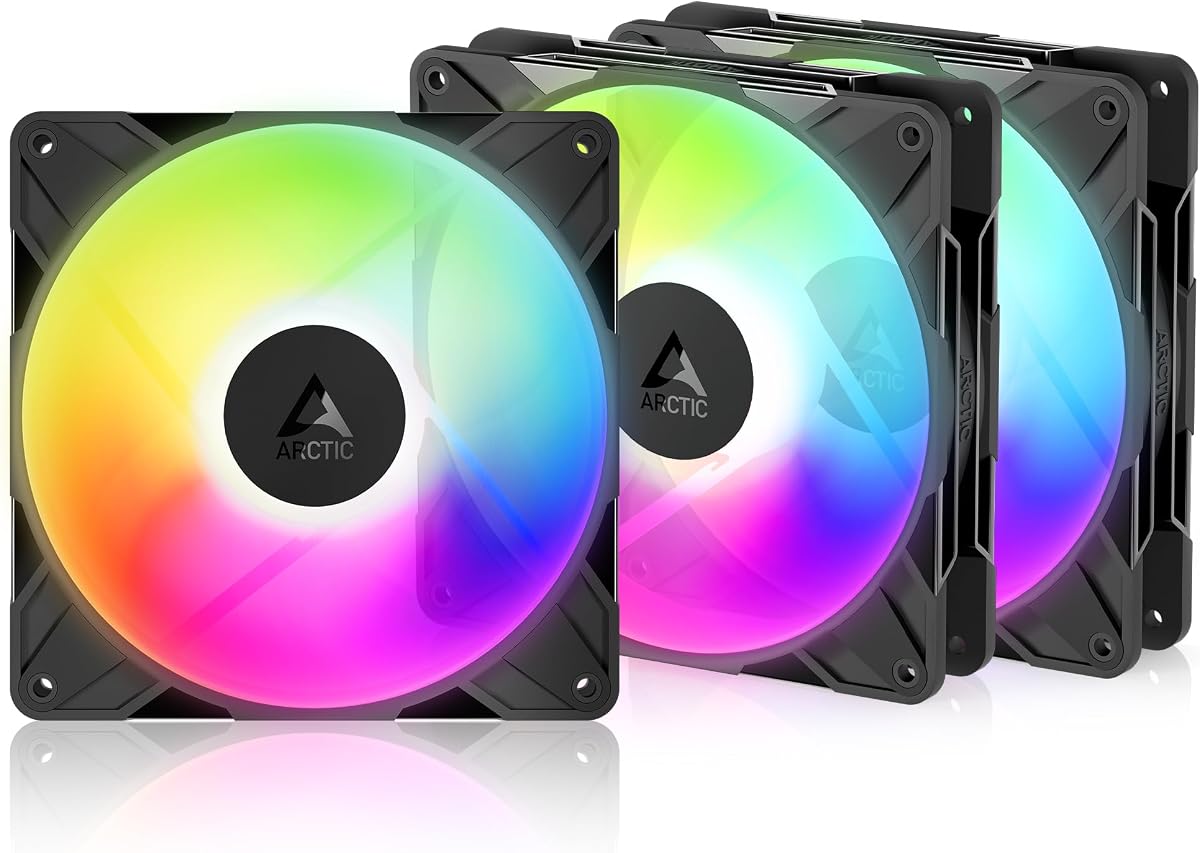
The three-pack ARCTIC P14 Pro Reverse A-RGB combines a 4.6 rating with a wide operating range and distinctive reverse airflow. It is especially appealing for glass-fronted systems because the special blade orientation draws air from the rear side, helping avoid the appearance of conventional fans intruding into the viewing area.
We may earn a commission when you buy through this link, at no additional cost to you.
Its speed can be adjusted from 400 to 2650 RPM through four-pin PWM control, and the fan stops completely below a 5% PWM signal. This broad range provides an opportunity to balance near-silence during light workloads with aggressive cooling under load. ARCTIC also specifies high static-pressure performance for radiators, perforated panels, and mesh structures, making the reverse model more than a cosmetic alternative.
A self-lubricating fluid dynamic bearing, precision manufacturing, and automatic balancing are intended to reduce vibration and support smooth operation. The supplied Y-cable splitter and three-pack format simplify multi-fan deployment, while five-volt digital RGB handles lighting. The principal concern is acoustic behavior at the upper end of the speed range: a system that runs the fans constantly near 2650 RPM may prioritize performance over stealth.
This is a particularly flexible recommendation for glass-sided builds, custom gaming systems, and users who want several fast 140mm fans in one coordinated package. Reverse airflow can also help maintain a clean front aesthetic. Choose it for design-conscious cases with adequate space, and use a sensible PWM curve to avoid leaving every fan at maximum speed during routine operation.
The reversed rotor is intended for installations where the visible intake face would normally be distracting. It preserves airflow functionality while allowing the case front to look cleaner from outside.
The 400–2650 RPM range supports both low-output and high-output curves. A well-configured fan controller or motherboard profile can take advantage of that flexibility while keeping noise under control.
We may earn a commission when you buy through this link, at no additional cost to you.
The Thermaltake CT140 EX ARGB is a three-fan package centered on easy installation and prominent lighting. Its 4.6 rating makes it a credible all-rounder for builds that use 140mm radiator positions or want coordinated case fans. The defining feature is MagForce 2.0, a magnetic connection system intended to streamline linking multiple units.
We may earn a commission when you buy through this link, at no additional cost to you.
Each fan contains nine addressable LEDs, and the lighting can synchronize with compatible five-volt motherboard software across 16.8 million colors. The magnetic design allows multiple fans to be connected with a single cable arrangement, reducing installation complexity and cable clutter. An optimized hydraulic bearing and embedded anti-vibration mounting system support stable, quiet operation.
Compared with several rivals, the supplied information does not provide numerical airflow, static-pressure, or maximum-speed ratings. That makes direct performance comparison less precise. Nevertheless, the product is explicitly described for case and radiator use, and its three-fan pack offers a straightforward way to populate standard 140mm positions. The main practical requirement is compatibility with the user’s motherboard lighting software and connector arrangement.
The CT140 EX ARGB is a good match for builders who value installation convenience and synchronized lighting over independently published performance figures. It should appeal to themed gaming systems where coordinated effects and tidy mounting are priorities. Buyers who need to compare cooling capacity numerically should verify the manufacturer’s latest specifications before finalizing the purchase.
The MagForce 2.0 connection allows linked fans to share a simpler wiring path. This can be especially helpful when installing three units on a radiator or along closely grouped case positions.
Nine individually addressable LEDs support detailed effects and five-volt motherboard synchronization. The system is best suited to builds already using a compatible Aura, Mystic Light, Polychrome, or other ARGB ecosystem.
We may earn a commission when you buy through this link, at no additional cost to you.
The AsiaHorse Amici 140mm ARGB stands out for its combination of 89.77 CFM airflow, 3.24 mmH2O static pressure, and an infinity-mirror lighting design. Its 4.5 rating reflects a capable package, while the relatively high figures make it worth considering for radiators and cases with more demanding airflow requirements.
We may earn a commission when you buy through this link, at no additional cost to you.
The fan is specified at up to 89.77 CFM and 3.24 mmH2O at 1800 plus or minus 10% RPM, with PWM adjustment from 800 to 1800 RPM. Its nine-blade structure, rubber pads, and precision balancing are designed to reduce wind noise and vibration. The hydraulic bearing uses an oil-filled lubrication system, and the stated operating range is 6 to 30 dBA.
Visually, 24 LED beads and an infinity-mirror effect create a more decorative appearance than a basic LED ring. The lighting supports Asus Aura Sync, Gigabyte RGB Fusion, and MSI Mystic Light Sync, allowing color and brightness to align with the wider system. The wired daisy-chain arrangement includes male and female connectors on both the four-pin PWM and five-volt, three-pin ARGB sides, but the manufacturer recommends no more than three fans per chain.
This recommendation fits builders who want a visibly dramatic fan with performance figures that exceed many conventional 140mm options. The limitations are practical: it is not modular or wireless, and chain length should remain within the stated recommendation. Check connector access and synchronization software before installation, especially in cases with very little space behind the motherboard tray.
The 3.24 mmH2O pressure specification makes the Amici suitable for radiator or dense-filter locations. Its stated airflow is also competitive, although the rated figures should not be treated as a direct substitute for hands-on testing.
The 24-LED infinity-mirror design gives the fan a distinctive center-focused appearance. Users can coordinate it with several major motherboard lighting ecosystems rather than relying on a separate physical controller.
We may earn a commission when you buy through this link, at no additional cost to you.
The Cooler Master MasterFan MF140 Halo carries the highest rating in this comparison at 4.8. It blends a static-pressure-oriented blade design with a visually refined duo-ring ARGB system, making it a compelling option for builders who want a fan to function as both a cooling component and a central part of the case’s visual theme.
We may earn a commission when you buy through this link, at no additional cost to you.
Twenty-four individually controlled, three-pin ARGB LEDs form the signature lighting treatment. The fan supports Aura, Mystic Light, and Polychrome Sync through compatible motherboards, while the included ARGB header extender helps with connection placement. Its PWM control operates from 650 to 1500 RPM, allowing users to select a quieter idle speed or a higher output under load.
The hybrid static-pressure blade design is intended to handle CPU liquid radiators, mesh chassis ventilation, and other moderately restrictive positions. Noise-reduction technology and sound-absorbing materials support quieter operation. The supplied information does not list a numeric airflow or static-pressure value, so performance comparison relies on the stated design intent rather than a directly comparable quantitative figure.
The MF140 Halo is a strong recommendation for polished builds where the fan will be visible and lighting coordination matters as much as cooling. It is also appropriate for either case ventilation or a compatible 140mm radiator. A buyer planning multiple positions should verify how many fans are currently included and purchase matching units as needed.
The duo-ring arrangement and 24 individually controlled LEDs create a detailed appearance without requiring a separate lighting controller. Compatible motherboard software allows the fan to become part of a synchronized system-wide effect.
A 650–1500 RPM range gives users room to balance acoustics and cooling. The static-pressure blade design makes the fan suitable for radiators and mesh panels as well as more open case positions.
We may earn a commission when you buy through this link, at no additional cost to you.
The ARCTIC P14 Pro A-RGB is a performance-oriented 140mm fan with the highest stated maximum speed in the guide at 3000 RPM. Its 4.6 rating reflects a model aimed at users who want substantial performance headroom, particularly where static pressure and rapid RPM response matter more than a conservative ceiling.
We may earn a commission when you buy through this link, at no additional cost to you.
The fan can be stopped completely below a 5% PWM signal and adjusted progressively through four-pin PWM control up to 3000 RPM. ARCTIC states that the redesigned rotor blades balance output and noise, especially at lower speeds, so the broad range is not merely useful for maximum-speed operation. A well-designed fan curve can therefore keep the unit still or quiet during light loads and increase output when required.
Its self-lubricating fluid dynamic bearing is intended to minimize noise and support a long service life. Precision manufacturing, minimal gaps, and automatic balancing are also emphasized as vibration-reduction measures. The fan is described as effective against radiator fins, narrow perforated panels, and mesh structures, though a specific numerical static-pressure rating is not included in the supplied information.
This model makes sense for performance-oriented systems that can tolerate a high upper RPM range and benefit from rapid airflow changes. It may be less attractive to a builder seeking a nearly silent workstation fan. Those users can still exploit the lower portion of its range, but should configure PWM carefully and avoid running it at maximum continuously.
The 3000 RPM ceiling provides substantial cooling reserve for demanding components and restrictive mounting positions. Users can use that headroom only when temperatures justify the additional acoustic output.
The revised blades are specifically described as efficient at low speeds. This makes the fan adjustable enough for quieter everyday operation while retaining the ability to increase airflow when the system is under load.
We may earn a commission when you buy through this link, at no additional cost to you.
This three-pack version of the Thermalright TL-C14C-S X3 focuses on a familiar combination of quiet operation, controlled speed, and practical airflow. Its 4.6 rating makes it a viable option for standard case ventilation, and the three included units offer an easy way to create a coordinated intake-and-exhaust arrangement.
We may earn a commission when you buy through this link, at no additional cost to you.
The specification lists 75.8 CFM of airflow, 1.93 mmH2O of static pressure, a maximum speed of 1500 RPM, and a maximum noise level of 26.4 dBA. Four-pin PWM control permits automatic motherboard adjustment, while the PBT and PC fan material and 55-centimeter cables are designed for regular case use. A seven-blade layout and soft silicone feet are intended to combine cooling with reduced noise.
The product is suitable for cases, CPU coolers, and radiators, although its pressure figure is more modest than that of high-performance models. That distinction matters when moving air through dense radiator fins or restrictive filters. For open ventilation, a CPU cooler’s fan shroud, or a moderately spaced radiator, the stated characteristics are likely to be sufficient for many builds.
The TL-C14C-S X3 is best recommended to users who want a quiet three-fan package and straightforward PWM control. It is less compelling when maximum static pressure is the primary goal, but its 1500 RPM ceiling and 26.4 dBA specification offer a reasonable balance for everyday gaming and general-purpose systems.
The stated noise ceiling of 26.4 dBA makes this set appealing for builders who want cooling without the highest pitch associated with aggressive high-speed fans. Actual sound depends on chassis resonance, mounting, and the selected PWM curve.
Its 75.8 CFM airflow and 1.93 mmH2O pressure support common case and radiator positions. Builders should favor it for relatively open paths rather than unusually dense or filtered arrangements.
We may earn a commission when you buy through this link, at no additional cost to you.
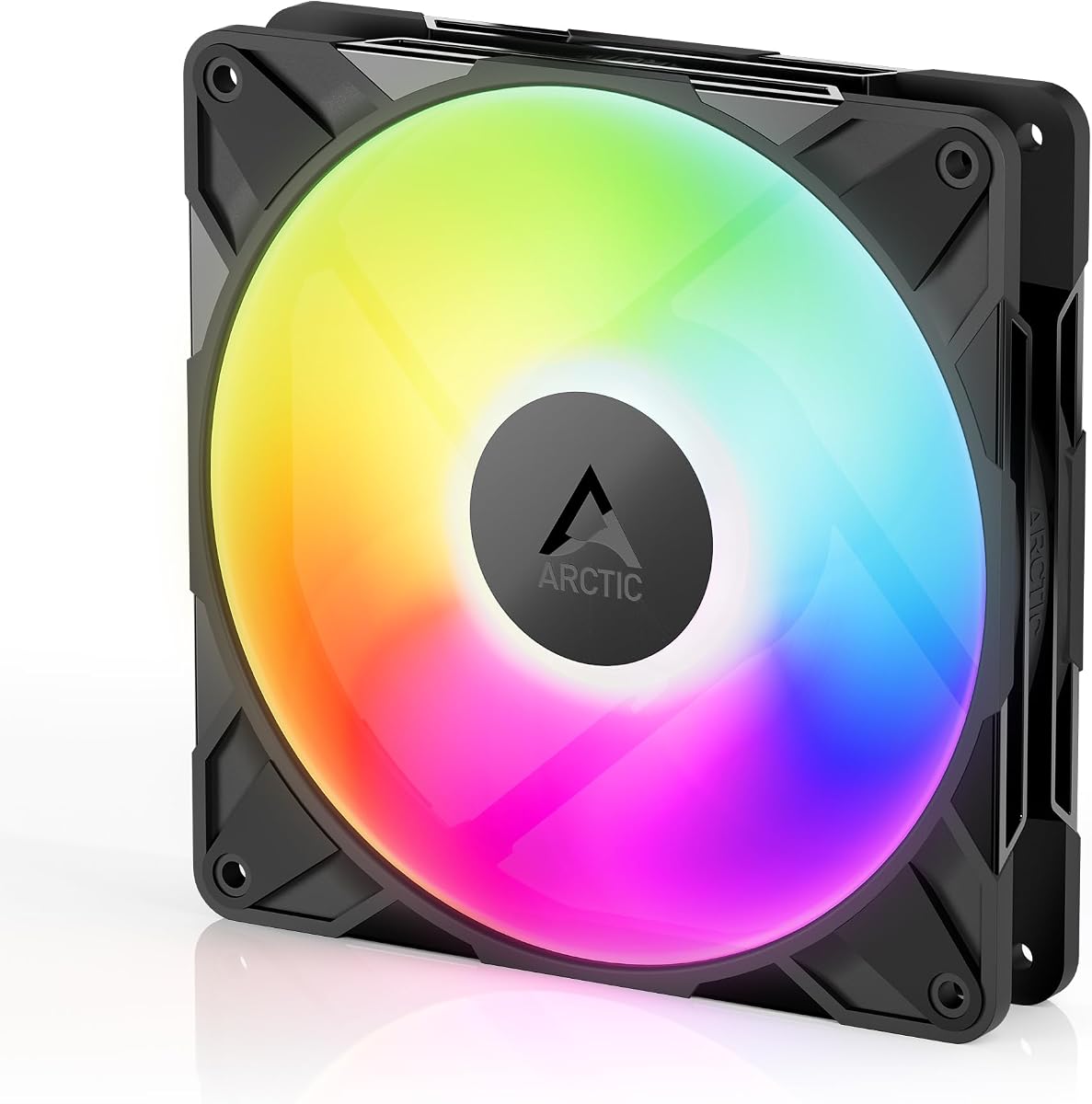
The single-fan ARCTIC P14 Pro Reverse A-RGB holds the highest rating in the guide at 4.9, making it an especially strong recommendation when one replacement or one matching case position is needed. It combines reverse airflow, five-volt digital RGB lighting, and a wide PWM range with a fluid dynamic bearing.
We may earn a commission when you buy through this link, at no additional cost to you.
The fan operates from 400 to 2650 RPM and stops completely below a 5% PWM signal. Its reverse design is intended to pull air from the back side, which can create a cleaner visual at the front of a glass-sided case. ARCTIC also describes it as effective against dense radiators, narrow perforated panels, and mesh structures, supporting use beyond decorative intake placement.
Precision manufacturing, automatic balancing, and minimal internal gaps are highlighted for smooth running and reduced vibration. The self-lubricating fluid dynamic bearing is designed for low-noise operation and extended service. As with other high-speed options, the most notable trade-off is that running near the top of the range may prioritize airflow over stealth.
This is a compelling choice for a single front intake, a glass-fronted aesthetic build, or a targeted radiator position. It also allows buyers to expand gradually, adding matching fans later rather than purchasing a larger pack immediately. Choose a reasonable fan curve, confirm the physical clearance, and ensure the case includes a compatible five-volt ARGB connection.
Buying one unit at a time can make a reverse-fan build more gradual and flexible. Additional identical fans can be added as case positions become available.
The reverse orientation addresses the visual concern of seeing a conventional intake rotor through a glass front. It maintains the high static-pressure capability expected from the wider P14 Pro family.
We may earn a commission when you buy through this link, at no additional cost to you.
The Thermalright TL-C14C-S is a straightforward single-fan ARGB option with a 4.7 rating. It provides the core functions sought in a 140mm case fan—four-pin PWM control, five-volt ARGB lighting, automatic speed adjustment, and compatibility with cases, CPU coolers, and radiators—without requiring the buyer to purchase a multi-pack.
We may earn a commission when you buy through this link, at no additional cost to you.
Its maximum speed is 1500 RPM, and the lighting supports up to 17 modes with color management and synchronization through a compatible motherboard. A seven-blade design and soft silicone corner feet are intended to balance heat dissipation with reduced noise. The S-FDB bearing is included as part of the fan’s construction, while PWM control allows the motherboard to change speed according to its temperature settings.
The supplied information does not provide a numerical airflow or static-pressure value, which makes objective comparison with figures from other products more difficult. It is nevertheless described for both open case ventilation and radiator use. This model is most appropriate where one additional fan is needed, a replacement is required, or a builder wants to test a design before committing to a larger matching set.
The TL-C14C-S is a sensible entry into 140mm ARGB cooling for users who prioritize simple installation and lighting effects over multi-fan packaging. It is less convenient for filling an entire chassis at once, and buyers with highly restrictive radiators should examine models with published high-pressure specifications. For ordinary cooling positions, it remains a practical and well-rated choice.
Four-pin PWM and five-volt ARGB connections are familiar interfaces on modern motherboards. Automatic speed control reduces the need for constant manual adjustment, while seventeen lighting modes provide visual variety.
A one-fan format is useful for a replacement or one targeted mounting position. Builders wanting a coordinated case can add identical units over time without changing the visual or control standard.
We may earn a commission when you buy through this link, at no additional cost to you.
Selecting a 140mm ARGB fan requires balancing cooling requirements against noise, mounting position, connection style, and visual preferences. The most important factors vary depending on whether the fan will provide open case ventilation or operate against a restrictive radiator or filter.
Airflow describes how much air a fan can move, while static pressure indicates how effectively it can push through resistance. A fan may offer an attractive airflow number yet perform poorly behind a dense radiator or tightly spaced mesh. Conversely, a moderate-airflow model with strong pressure can be more effective in a restrictive location. Compare both figures when the installation includes radiator fins, intake filters, or narrow perforated panels rather than judging a fan by airflow alone.
Prioritize airflow for open exhaust and intake positions. Prioritize static pressure for radiators, heatsinks, and filtered vents.
Four-pin PWM control allows a motherboard or dedicated controller to vary fan speed. A broad range gives users more opportunity to reduce output during idle periods and increase it under load. Models that stop below 5% PWM can provide complete shutdown during suitable conditions. High maximum speeds offer cooling headroom, but they can also produce more noise and vibration if used constantly.
Choose a wide range for flexible tuning, and favor lower minimum speeds for quiet operation.
The listed models use variants of fluid dynamic, hydrodynamic, magnetic dome, hydraulic, or S-FDB bearings. These designs aim to reduce direct contact, friction, vibration, and long-term wear. Bearing choice is only one part of the noise equation: blade design, balance quality, mounting pads, chassis resonance, and RPM all influence how loud a fan sounds in practice.
Treat the bearing specification as a durability and smoothness indicator, then control noise through a sensible PWM curve.
Most of these fans use five-volt, three-pin ARGB lighting, but physical connectors and software support are not always interchangeable. A compatible motherboard header is usually required for color and effect control. Some systems also need an extender, splitter, controller, or internal USB-powered lighting hub. Verify both the physical header and the named synchronization software before installing the fan.
Confirm the connector voltage, pin arrangement, motherboard software, and any required extension cable.
Standard fans and reverse-airflow fans can produce very different appearances depending on where they are mounted. Reverse designs are commonly considered for visible front intakes because they avoid exposing the usual rotor face through a glass panel. Air direction should also follow the case’s intended path, with balanced intake and exhaust placement helping move warm air away from components.
Choose reverse airflow for a clean front appearance, and confirm whether the case design expects standard or reversed fans.
A 140mm fan can be useful as a case fan, a CPU air-cooler fan, or part of a 140mm liquid-cooling radiator. Radiator and dense heatsink positions impose more resistance than an open chassis vent. Check the fan’s dimensions, mounting-hole pattern, static pressure, and included splitter or screws before assuming it will fit a specific cooler or radiator.
Match the physical size, mounting pattern, and pressure rating to the intended cooler or radiator position.
Single-fan purchases are convenient for replacements and gradual builds, while two-, three-, and four-fan packs can simplify complete installations. Daisy-chain systems reduce the number of power and lighting cables, which can improve access behind the motherboard tray. Check whether a splitter is included, how many fans may be linked, and whether the motherboard can supply enough current for the entire group.
Choose a pack that matches your immediate layout, and verify that the supplied wiring or splitter supports the intended chain.
ARGB fans differ in LED count, ring structure, diffusion, and visual treatment. Some produce a concentrated infinity-mirror effect, while others use separate addressable points for more detailed patterns. The most important practical issue is synchronization: a beautiful lighting design has limited value if the software cannot communicate with the fan or if the connector type does not match the motherboard.
Compare LED layout and supported software, not just the presence of an ARGB label, before choosing the visual style.
Before installation, confirm that every fan position has enough clearance for the 140 by 140 by 25 millimeter frame. Check screw locations, radiator dimensions, drive-bay proximity, and the direction in which the fan must blow. Connect the four-pin PWM cable to a suitable fan header and the five-volt ARGB cable to a compatible lighting header, using an extender where required.
Configure PWM control before increasing fan speed. Start with a moderate curve, use the motherboard or controller to set the response to component temperature, and raise output only when additional cooling is needed. Lighting can be synchronized with compatible motherboard software, but proprietary fan-control applications may offer additional profiles. Update the relevant software and test each lighting effect after the system is stable.
For care, power off the system before moving any fan. Keep the frame, blades, and corners free of dust, and avoid pulling on the ARGB or PWM wiring. If a fan becomes noisy, check for loose mounting, cable tension, blade obstruction, and accumulated dust before suspecting bearing failure. Regular visual checks and careful cleaning will help preserve airflow and reduce vibration.
A 140mm fan generally moves more air than a 120mm fan at a comparable noise level because it offers a larger blade area. It also fits many modern cases and 140mm radiator positions, although size does not guarantee better results. Match the fan to the available mounting space and consider static pressure when installing it against a restrictive component.
Yes, as long as the fan’s dimensions and mounting pattern match the radiator. A 140mm fan generally requires a radiator with 140mm fan support, and its static-pressure specification should be adequate for the radiator’s fin density. Check the included screws, splitter, and the radiator manufacturer’s airflow direction guidance before installation.
ARGB lighting uses individually addressable diodes, allowing separate colors, gradients, and detailed effects across the fan. Traditional RGB lighting usually displays one color or a limited preset effect at a time. ARGB requires a compatible five-volt, three-pin header or controller, and the motherboard software must support the chosen fan.
Many models use daisy-chain or magnetic connections that let several fans share a lighting and PWM path. The listed products vary in their supplied accessories and connection methods, so check whether a splitter, Y-cable, extender, or integrated daisy-chain connector is included. Do not assume a separately sold extension is included with every model.
Static pressure indicates how effectively a fan can maintain airflow while pushing against resistance. It is especially important for radiators, dense heatsinks, mesh filters, and narrow vents. A fan with high airflow but lower pressure may perform well in open positions yet disappoint when installed behind a restrictive component.
Not necessarily, because noise depends on the complete design and operating condition. High maximum RPM provides cooling headroom, but a properly programmed PWM curve can keep a fan quiet at lower speeds. Bearing quality, blade geometry, balancing, vibration pads, chassis resonance, and fan position all influence the sound produced at a given speed.
You can use a compatible internal USB-powered ARGB controller or another supported lighting hub when the motherboard lacks a suitable five-volt ARGB header. The controller must be compatible with the fan’s connection and the chosen software. It also needs an available internal USB header and sufficient power for the connected lighting load.
The appropriate number depends on case size, component heat output, airflow path, and noise goals. A common setup may use two or three 140mm fans for intake and exhaust, while larger cases or radiators can require more. A balanced arrangement with unobstructed intake and a clear exhaust path is generally more important than simply maximizing the fan count.
The Thermalright TL-C14C-S X3 stands out as a balanced all-round recommendation, offering a coordinated three-fan set, 75.8 CFM airflow, PWM control, and flexible ARGB lighting. The CORSAIR RS140 ARGB is the premium choice for builders who prioritize strong airflow, high static pressure, and streamlined daisy-chain wiring, while the three-pack ARCTIC P14 Pro Reverse provides reverse airflow and a wide 400–2650 RPM range.
The right choice ultimately depends on where the fan will operate. Open case positions favor strong airflow, radiators and mesh panels call for adequate static pressure, and visible front intakes can benefit from a reverse design. Noise preferences, ARGB software, connector availability, and the number of positions to fill should be considered before making a final selection.
Specifications and product availability can change, so check the current listing, package contents, dimensions, connector requirements, and warranty information before buying. Comparing the latest details with the fan curve in your motherboard software will help produce a cleaner, more effective installation and avoid paying for features or performance that the build does not need.