
ASUS ROG Strix G16 RTX 5070 Ti
4.3Editor score
RTX 5070 Ti graphics
2.5K 240Hz Nebula display
32GB DDR5 system memory
ROG Intelligent Cooling
A capable gaming laptop for Diablo 4 should deliver responsive dungeon exploration, comfortable long sessions, and enough graphics performance for demanding settings. The most important components are a discrete NVIDIA GeForce GPU, a high-refresh display, adequate memory, and effective cooling. A balanced design also matters when the laptop must handle work, streaming, and entertainment between gaming sessions.
This guide compares ten gaming laptops using their published specifications, including processor, graphics, display, memory, storage, connectivity, cooling, portability, and design features. It covers options for buyers seeking a premium system, a well-balanced everyday companion, or a more affordable entry into modern gaming without overlooking important memory and display differences.
Each review explains who a model appears best suited for and where its compromises may matter. The top selections cover distinct priorities, including strong overall performance, premium display quality, and value-conscious hardware. Product configurations and prices can change, so shoppers should verify the exact listing and current specifications before making a final purchase.
4.3Editor score

4.4Editor score

4.5Editor score
As an Amazon Associate we earn from qualifying purchases.
The comparison highlights each laptop's processor, graphics, display, memory, and defining feature to make it easier to identify the configuration that best matches your priorities, screen size, portability needs, and gaming expectations.



The ASUS ROG Strix G16 RTX 5060 combines an Intel Core i7 14650HX processor, NVIDIA GeForce RTX 5060 Laptop GPU, and a 16-inch FHD+ 165Hz display. It carries a 4.4 rating and stands out as a well-balanced gaming laptop for Diablo 4, combining a capable 16:10 panel with modern Blackwell graphics and extensive thermal hardware.
We may earn a commission when you buy through this link, at no additional cost to you.
The RTX 5060 supports DLSS 4 and Max-Q technologies, while 16GB of DDR5-5600 memory and a 1TB PCIe Gen 4 SSD provide a modern foundation. The display's 165Hz refresh rate and 3ms response specification suit fast movement, and its ACR film is designed to improve contrast while reducing glare. ROG's end-to-end vapor chamber, tri-fan system, and Conductonaut Extreme liquid metal on the chipset are particularly relevant during extended sessions.
The main limitation is the standard 16GB memory configuration, which may be less generous than the 32GB options in this guide. FHD+ also provides fewer pixels than a 2.5K or QHD screen, although the 16:10 proportions and 165Hz refresh rate can still make the display feel responsive and spacious. Neither issue prevents the system from being a strong all-around choice.
This is the most balanced recommendation for a buyer who wants modern gaming graphics, a large high-refresh display, fast storage, and sophisticated cooling without moving to the highest-tier ROG configuration. It should also suit users who need Windows 11, Wi-Fi 7, and a full-surround RGB light bar in a single gaming notebook.
The Blackwell-based RTX 5060 brings ray tracing, DLSS 4, and Max-Q support to a flexible configuration. These features give the laptop room to use higher visual settings while helping manage frame generation and power efficiency.
A vapor chamber, three fans, and liquid-metal chipset cooling address the sustained heat generated by gaming and multitasking. The 360-degree RGB light bar also syncs with ROG peripherals for a coordinated setup.
We may earn a commission when you buy through this link, at no additional cost to you.
The Acer Nitro V 16S pairs the AMD Ryzen 7 260 with an RTX 5060 Laptop GPU and a 16-inch WUXGA IPS display. Its 180Hz refresh rate, 100% sRGB coverage, and 32GB DDR5 memory make it a particularly strong all-rounder for Diablo 4 and other visually detailed games.
We may earn a commission when you buy through this link, at no additional cost to you.
The Ryzen 7 260 is described as providing up to 38 overall AI TOPS, while the RTX 5060 supplies 572 AI TOPS, fourth-generation RT Cores, and fifth-generation Tensor Cores. DLSS 4 adds Multi Frame Generation and enhanced Ray Reconstruction and Super Resolution. Storage comes from a 1TB PCIe Gen 4 SSD, with a second M.2 slot available for expansion.
Its WUXGA panel has more usable area than a conventional 16:9 laptop screen and a 180Hz refresh rate for fluid motion. The 16GB memory of the competing Nitro V 16 configuration appears to have been increased to 32GB here, which is a meaningful advantage for multitasking. The absence of Wi-Fi 7 and a larger footprint are the principal considerations for mobile users.
Choose the Nitro V 16S if 32GB of memory, a high-refresh 16:10 screen, and a current RTX 50 Series GPU matter more than maximum portability. It is especially attractive for players who also stream, record, or use demanding applications while the game is running.
The included 32GB of DDR5-5600 memory provides a comfortable configuration for a gaming laptop that may also handle Discord, streaming tools, browsers, and creative applications. Two memory slots support up to 32GB as specified by the manufacturer.
The 1920 x 1200 IPS panel provides a larger vertical workspace than 16:9 while its 180Hz refresh rate keeps movement smooth. Full sRGB coverage also makes the display suitable for media and content creation.
We may earn a commission when you buy through this link, at no additional cost to you.
The Acer Nitro V ANV15-52-76NK combines an Intel Core i7-13620H with an RTX 4050 and a 15.6-inch FHD IPS 165Hz display. Its 4.6 rating is among the strongest in the group, and the specification mix is well suited to Diablo 4 players seeking solid everyday gaming hardware.
We may earn a commission when you buy through this link, at no additional cost to you.
The RTX 4050 provides 194 AI TOPS and supports DLSS 3.5, including AI-assisted ray-tracing quality. DDR5 memory, a 1TB PCIe Gen 4 SSD, Wi-Fi 6, and Killer E2600 Gigabit Ethernet provide a capable platform for online play. The display's high refresh rate and narrow bezel design help keep action fluid while preserving a familiar 16:9 format.
As an RTX 40 Series product, it is a step behind the RTX 50 Series models in the guide, and 16GB of memory is the same modest configuration found on many contemporary gaming laptops. It also lacks the extra M.2 flexibility and higher-resolution screens available on some newer Nitro models. Even so, the 165Hz display and mature RTX 4050 feature set remain meaningful advantages for a midrange build.
This Nitro V is a practical choice for a player who wants a 15.6-inch gaming laptop, strong rating, and proven dedicated graphics without moving to a flagship price tier. It also makes sense for school, work, and streaming use because of its Thunderbolt 4 connection and full-size platform.
DLSS 3.5 uses AI rendering techniques to improve frame rates and ray-tracing quality. This can be useful for maintaining smooth play in dense combat encounters while retaining the visual effects associated with the RTX 4050.
Wi-Fi 6, Killer Gigabit Ethernet, and Thunderbolt 4 cover wireless networking, wired online play, and peripheral or display connectivity. The backlit keyboard also adds practical value outside gaming sessions.
We may earn a commission when you buy through this link, at no additional cost to you.
The ASUS ROG Strix G16 RTX 5070 Ti is the premium selection in this guide, pairing an Intel Core Ultra 9 275HX with NVIDIA's RTX 5070 Ti Laptop GPU. Its defining attraction is the 16-inch ROG Nebula 2.5K display, which combines 240Hz refresh, 3ms response, and an ACR film designed to improve contrast and reduce glare.
We may earn a commission when you buy through this link, at no additional cost to you.
DLSS 4 and Max-Q support accompany the Blackwell GPU, while 32GB of DDR5-5600 memory and a 1TB PCIe Gen 4 SSD create a strong specification for high-detail games and multitasking. The end-to-end vapor chamber, tri-fan technology, and Conductonaut Extreme liquid metal on the chipset support sustained performance. Wi-Fi 7 and the customizable 360-degree RGB light bar round out the feature set.
This configuration is substantially more specialized than the main ASUS ROG G16 recommendation, and its advanced display and graphics are not necessary for every type of game. It is also the most demanding hardware combination in the list, so buyers should be comfortable with the trade-off between premium specifications and a substantially higher purchase commitment.
The Strix G16 RTX 5070 Ti makes the most sense for a dedicated gaming machine or a high-end laptop that will also be used for content creation. Players who notice fine detail, frequent camera movement, and high-refresh presentation can benefit most from its 2.5K 240Hz screen.
The 2.5K panel supplies substantially more pixels than the FHD alternatives in the guide. Its 240Hz refresh rate and 3ms response specification make it especially appealing for players who value fast motion and clear interface elements.
The RTX 5070 Ti provides a high-end Blackwell graphics option, while 32GB of DDR5 memory is generous for demanding games and heavy multitasking. These specifications also benefit creative applications used between sessions.
We may earn a commission when you buy through this link, at no additional cost to you.
The MSI Cyborg 17 combines an Intel Core 7-240H, RTX 5060 Laptop GPU, and a large 17.3-inch FHD 144Hz display. It offers a distinctive balance of screen size and portability for a 17-inch gaming notebook, weighing 5.5 pounds and measuring only 0.83 inches thick according to the listed specifications.
We may earn a commission when you buy through this link, at no additional cost to you.
The RTX 5060 adds real-time ray tracing, DLSS 4, and AI-accelerated graphics features to a 16GB DDR5 and 1TB NVMe SSD configuration. MSI's Cooler Boost shared-pipe thermal design is intended to maintain performance with less noise and greater efficiency. USB-C, USB-A, HDMI, RJ45, and Wi-Fi 6E provide a useful set of connections for gaming and productivity.
The 144Hz panel is less aggressive than the 180Hz, 240Hz, and 165Hz alternatives elsewhere in the guide, but the 17.3-inch size may be more noticeable during play. Its 16GB memory also leaves less headroom than 32GB configurations. Despite the large display, the stated thickness and weight make the Cyborg easier to carry than the size alone might suggest.
Choose the Cyborg 17 for players who prefer a big display, current RTX 50 Series graphics, and a relatively portable 17-inch format. It is a good fit for gaming at a desk or couch and for users who want a visually distinctive system without moving to a premium flagship tier.
The large FHD display gives menus, maps, and combat environments more screen area than a 15.6-inch model. Its 144Hz refresh rate still provides a useful advantage over conventional 60Hz laptop panels.
At a listed 5.5 pounds and 0.83 inches thick, the Cyborg 17 is designed to be easier to carry than conventional large gaming laptops. The translucent black design also gives it a distinctive appearance.
We may earn a commission when you buy through this link, at no additional cost to you.
The HP Victus combines an AMD Ryzen 7 7445HS with an RTX 4050 Laptop GPU carrying 6GB of dedicated GDDR6 memory. It also includes 32GB of DDR5 RAM, making it a particularly well-balanced configuration for gaming, streaming, and everyday productivity. Its 5.0 rating is the highest among the selected laptops.
We may earn a commission when you buy through this link, at no additional cost to you.
The 15.6-inch Full HD IPS display runs at 144Hz and includes AMD FreeSync Premium, anti-glare treatment, and a 300-nit brightness rating. The processor has six cores and 12 threads with speeds up to 4.7GHz. Connectivity includes Wi-Fi 6E, Bluetooth 5.3, Gigabit Ethernet, two USB-A ports, USB-C with DisplayPort and Power Delivery, HDMI 2.1, and an audio jack.
The RTX 4050 is not the newest graphics option in the comparison, and the display's 300-nit brightness is modest compared with many modern gaming panels. However, the combination of 32GB memory, a fast SSD, a high-refresh display, and extensive ports gives the Victus more flexibility than its entry-level appearance might suggest.
This laptop is best for buyers who value memory, connectivity, and a strong customer rating over access to the latest graphics architecture. The backlit keyboard, numeric keypad, DTS:X Ultra audio, camera, and microphones also make it a credible choice for school, work, streaming, and entertainment.
The 32GB DDR5 allocation offers comfortable headroom for Diablo 4 alongside Discord, browser tabs, recording software, and other background applications. Storage is listed at 1TB for the reviewed configuration.
The 144Hz IPS panel supports smooth gameplay and regular desktop use, while FreeSync Premium helps synchronize compatible visuals. A full-size backlit keyboard, numeric keypad, and DTS:X Ultra audio improve daily usability.
We may earn a commission when you buy through this link, at no additional cost to you.
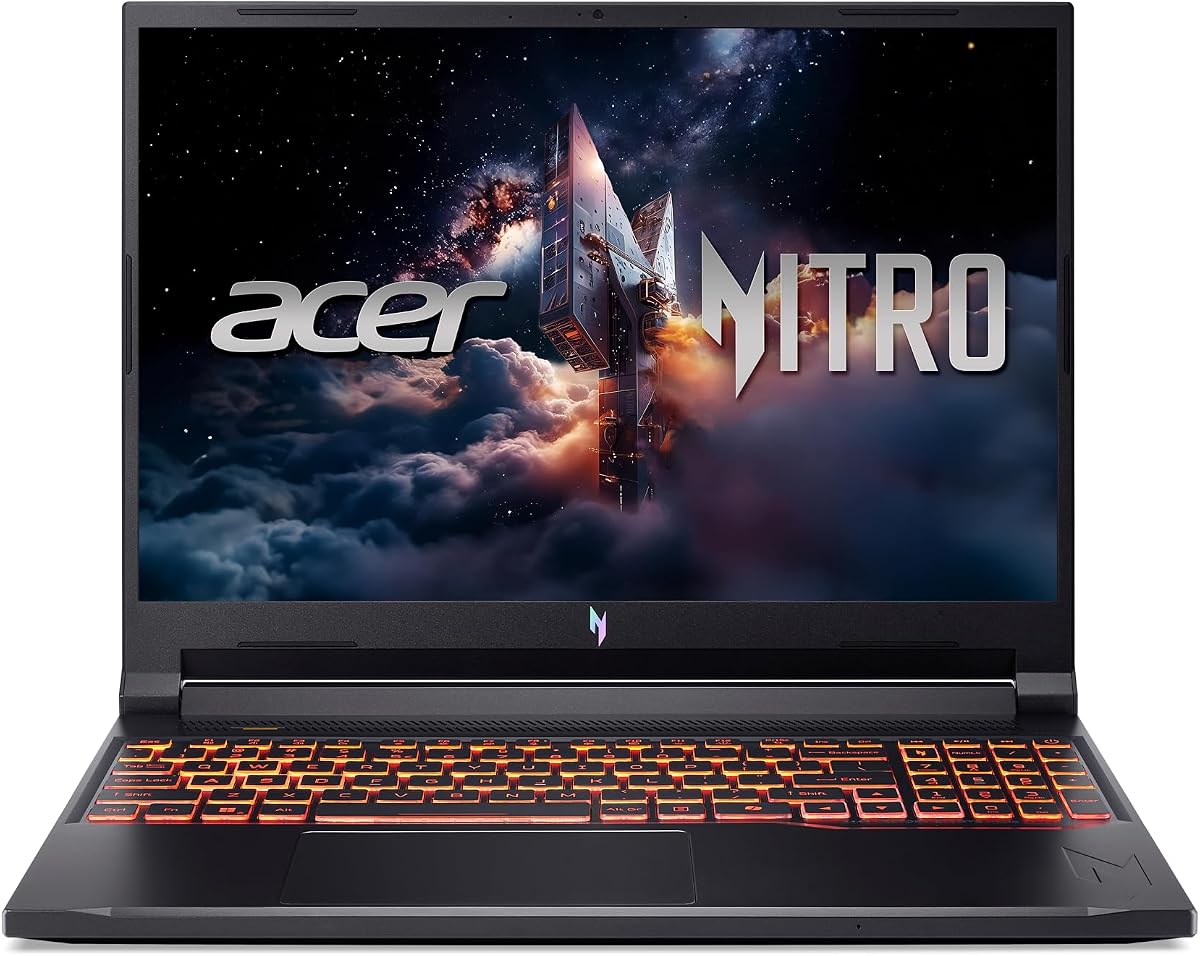
The Acer Nitro V ANV15-52-586Z is the budget-focused selection, combining an Intel Core i5-13420H with an RTX 4050 and a 15.6-inch FHD IPS 165Hz display. The core gaming pieces are well chosen for the money, although its 8GB of memory and 512GB SSD are modest by the standards of the other models here.
We may earn a commission when you buy through this link, at no additional cost to you.
DLSS 3.5 improves ray-tracing quality through AI rendering, while the high-refresh display is a significant advantage over standard 60Hz panels. Wi-Fi 6, Killer E2600 Gigabit Ethernet, and Thunderbolt 4 support online gaming and peripheral use. The two DDR5 slots can accommodate up to 32GB, making an easy memory upgrade a practical consideration.
The 8GB starting configuration is the biggest weakness because modern games and multitasking can benefit from additional memory. The 512GB drive will also fill more quickly than the 1TB configurations elsewhere. Against those limitations, the RTX 4050, 165Hz screen, Core i5 processor, fast SSD, and full-size gaming design remain a solid package for a value-oriented buyer.
This is the most approachable recommendation for a player who wants dedicated RTX graphics and a fast display without paying for a higher-tier configuration. Confirming whether the installed 8GB memory can be upgraded is especially important before purchasing.
The 165Hz FHD IPS panel provides a responsive target for a value-focused gaming laptop. Its narrow-bezel design also preserves a relatively compact 15.6-inch footprint.
Two DDR5 slots are present, with support for up to 32GB according to the supplied specifications. Buyers can therefore consider a memory upgrade rather than accepting the 8GB starting configuration indefinitely.
We may earn a commission when you buy through this link, at no additional cost to you.
The Acer Nitro V 16 ANV16-72-73EW combines an Intel Core 7 240H, RTX 5050 Laptop GPU, and a 16-inch WUXGA IPS 180Hz display. Its 4.6 rating and combination of a fast 16:10 panel, Blackwell graphics, and 1TB storage make it a persuasive midrange choice.
We may earn a commission when you buy through this link, at no additional cost to you.
The RTX 5050 is described as providing 440 AI TOPS, full ray tracing, fourth-generation RT Cores, and fifth-generation Tensor Cores. DLSS 4 adds Multi Frame Generation and enhanced reconstruction and super-resolution. The 1920 x 1200 display offers 3ms overdrive response, 300-nit brightness, and a 180Hz refresh rate, while dual-fan cooling includes four intake and four exhaust openings.
Its 16GB memory is lower than the 32GB allocations offered by the Acer Nitro V 16S and HP Victus, although the two memory slots support up to 32GB. The RTX 5050 also sits below the RTX 5060 models in this guide. Even so, this configuration avoids the very basic specifications of the budget selection while offering a spacious, fast screen.
The Nitro V 16 is aimed at buyers who want a modern GPU and high-refresh display in a relatively thin chassis. Its selection of USB ports, HDMI 2.1, Ethernet, Thunderbolt 4, and a microSD reader makes it convenient for both games and daily productivity.
Blackwell architecture brings ray tracing, fifth-generation Tensor Cores, and DLSS 4 to the RTX 5050 configuration. These features support a more advanced graphics platform for a midrange gaming laptop.
The dual-fan cooling system uses four intakes and four exhausts to move heat efficiently. With dimensions of 14.17 by 10.81 inches and a maximum thickness of 0.96 inches, the chassis is slimmer than many gaming laptops.
We may earn a commission when you buy through this link, at no additional cost to you.
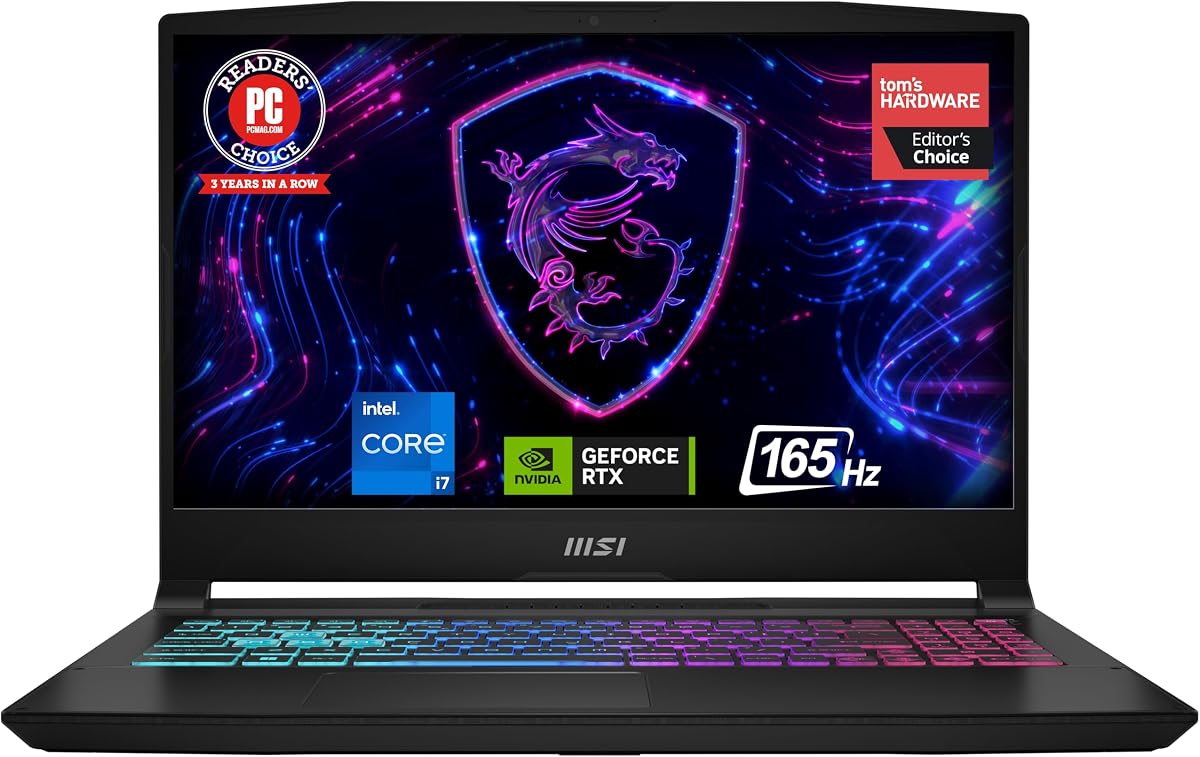
The MSI Katana 15 B13VGK-2000US stands apart with a 15.6-inch QHD 165Hz display and an RTX 4070 GPU. The high pixel density is attractive for detailed game interfaces and media, while the Ada architecture GPU provides hardware ray tracing for more lifelike lighting effects.
We may earn a commission when you buy through this link, at no additional cost to you.
An Intel Core i7-13620H processor supports gameplay and multitasking, while 16GB of DDR5 memory and a 1TB NVMe SSD form the core platform. Cooler Boost 5 is intended to provide thermal dissipation during sustained gaming. Windows 11 Home covers general productivity, and MSI notes that it recommends Windows 11 Pro for business use.
This is the lowest-rated laptop in the lineup at 4.1, which may prompt a closer look at current customer feedback and the exact configuration. The 16GB memory is also modest, and the RTX 4070 belongs to the previous RTX generation even though it remains a capable gaming platform. Its biggest advantage is the combination of QHD resolution, high refresh rate, and discrete graphics in a 15.6-inch design.
Buy the Katana 15 if screen sharpness and RTX 4070 graphics matter more than having the newest processor and GPU generation. It is a well-targeted option for players who want a compact laptop with a higher-resolution panel than most alternatives offer.
The QHD panel provides significantly more pixel density than the FHD options in this guide. Paired with a 165Hz refresh rate, it suits players who want sharper environments and responsive motion in a relatively portable size.
The Ada architecture RTX 4070 supports hardware-accelerated ray tracing, allowing lighting and reflections to be simulated more realistically. Cooler Boost 5 is included to help manage heat generated by demanding graphics workloads.
We may earn a commission when you buy through this link, at no additional cost to you.
The GIGABYTE Gaming A16 emphasizes a slim 16-inch design while pairing an AMD Ryzen 7 260 with an RTX 5060 Laptop GPU. The 19.45mm chassis and 180-degree hinge create a distinctive alternative to the thicker traditional gaming notebooks in this guide.
We may earn a commission when you buy through this link, at no additional cost to you.
The Ryzen 7 260 is intended for gaming, streaming, recording, and running multiple applications. Its RTX 5060 partner uses NVIDIA Blackwell architecture with 572-class AI performance as described for the GPU family, along with DLSS 4, Max-Q, and NVIDIA Studio. Windows 11 Home provides the operating system and general application environment, while GiMATE acts as an AI-oriented interface for system control.
The supplied listing provides fewer detailed specifications than the other entries, particularly for the display, memory, storage, and weight. Those omissions make direct comparisons more difficult, so buyers should inspect the exact product page and confirm that the panel resolution and refresh rate meet their expectations. The slim chassis may also involve different cooling and performance characteristics from larger gaming designs.
The Gaming A16 is best suited to a buyer who values modern graphics in a thin 16-inch form factor. Its ability to lay flat at 180 degrees is useful for different workspace arrangements, and the RTX 5060 provides a contemporary feature set for gaming and creative applications.
At 19.45 millimeters, or 0.76 inches, the chassis is among the slimmer designs represented here. That makes the Gaming A16 appealing to users who want dedicated gaming hardware without the visual bulk of a conventional performance notebook.
The RTX 5060 brings DLSS 4, Max-Q, ray tracing, and NVIDIA Studio support to a compact design. GiMATE provides an AI-focused interface for adjusting and interacting with system functions.
We may earn a commission when you buy through this link, at no additional cost to you.
The right gaming laptop balances graphics, display quality, memory, cooling, and portability around the way you play. For Diablo 4, the most visible upgrades are a modern discrete GPU and a smooth display, while memory and storage determine how comfortably the system handles the game alongside other applications.
A discrete NVIDIA GeForce Laptop GPU is the central specification for a dedicated Diablo 4 machine. The available choices span the RTX 4050, RTX 4070, RTX 5050, RTX 5060, and RTX 5070 Ti. RTX 50 Series models support DLSS 4, while the RTX 40 Series options in the guide use DLSS 3.5. Dedicated graphics are especially relevant for higher resolutions, ray tracing, and more demanding visual settings.
Choose the RTX 4050 for a value-oriented build, the RTX 5050 or 5060 for a more current platform, and the RTX 5070 Ti for premium graphics. Check the available VRAM and graphics capabilities in the exact listing.
Diablo 4 benefits from a panel that makes distant enemies, ground effects, and interface elements easy to distinguish. The guide includes FHD, FHD+, WUXGA, QHD, and 2.5K panels, with refresh rates from 144Hz to 240Hz. Higher resolution improves sharpness, while a higher refresh rate can make movement and aiming feel more fluid. A 16:10 ratio also provides more vertical room than 16:9 for maps and interface elements.
Prioritize at least 165Hz if the laptop will primarily be used for gaming. QHD or 2.5K is worth considering for visual detail, but a fast GPU and sufficient memory are also important for maintaining responsive performance.
The laptops use Intel Core i5, Core i7, Core 7, and Intel Core Ultra 9 processors alongside the AMD Ryzen 7 260 and Ryzen 7 7445HS. These CPUs handle game logic, operating-system tasks, background applications, and content-creation workloads. A higher-tier processor can contribute to a more responsive system, but the GPU and display are often more visible during play.
A modern Core i5 or Ryzen 7 can make sense in a budget configuration, while Core i7, Core 7, and Core Ultra 9 options provide more headroom. Consider what else you will run on the laptop, particularly streaming and editing applications.
The laptops in this guide ship with 8GB, 16GB, or 32GB of DDR5 memory. Modern games benefit from additional memory, especially when a browser, voice chat, recording software, and other programs remain open. Two DDR5 slots are listed for the Acer Nitro V models, allowing some buyers to start with a smaller configuration and upgrade later.
A 16GB configuration is a reasonable starting point for a dedicated gaming laptop, while 32GB provides more headroom for multitasking. The 8GB budget model should be approached with upgradeability in mind. Confirm the supported capacity and the memory format before buying additional modules.
Most of the selected laptops include a 1TB PCIe Gen 4 or NVMe SSD, providing a useful balance of capacity and speed for game installation and loading. The Acer Nitro V RTX 4050 8GB includes 512GB, and the Acer Nitro V 16S includes a second M.2 slot with one available. Fast storage helps keep launch and loading times responsive, although actual game performance depends more heavily on the CPU and GPU in many situations.
Choose at least 1TB if you expect to keep Diablo 4, other major games, updates, and creative files on the machine. Confirm whether the laptop offers multiple storage slots when future expansion is a priority.
Gaming laptops generate considerable heat, and cooling design influences how consistently the system can operate during long sessions. ROG Intelligent Cooling, NitroSense, dual-fan designs, and MSI Cooler Boost 5 all provide different approaches to heat management. Vapor chambers, multiple fans, and liquid-metal thermal compound are positive signs in the ASUS ROG Strix models.
Look for a cooling system with several heat outlets and a manufacturer that provides performance-monitoring controls. Allow the laptop to operate on a stable surface and avoid obstructing its vents. A strong cooling design is particularly valuable for players who expect marathon sessions.
A 15.6-inch laptop is easier to carry than a 16-inch model, while a 17.3-inch display offers a larger play area. The MSI Cyborg 17 is notable for combining a large screen with a listed weight of 5.5 pounds and thickness of 0.83 inches. The GIGABYTE Gaming A16 is also unusually slim at 19.45 millimeters, although its listed specifications are less detailed.
Decide whether screen immersion or mobility is your priority. A 15.6-inch option works well for travel and desks, a 16-inch 16:10 display offers a useful middle ground, and a 17.3-inch panel is preferable for stationary gaming. Always consider the dimensions and weight of the power adapter as well.
A useful gaming laptop must also handle online play, peripherals, charging, and external displays. The guide includes Wi-Fi 6, Wi-Fi 6E, and Wi-Fi 7, along with features such as Thunderbolt 4, USB-C DisplayPort, HDMI 2.1, USB-A, RJ45 Ethernet, card readers, and audio jacks. Killer Ethernet controllers and the OMEN Gaming Hub add further gaming-focused functionality on selected models.
Choose the connectivity based on your accessories and network. Wired Ethernet can be useful for competitive online sessions, while a full-size USB selection simplifies the use of keyboards, mice, headsets, and external storage. Check that the USB-C port supports the display or charging features you require.
Begin by installing the latest system, chipset, graphics, and peripheral drivers from the laptop manufacturer or GPU vendor. Open the gaming software included with the system, confirm the display refresh rate is set to its maximum supported value, and adjust power and fan settings for your usual environment. Diablo 4 can then be launched with the desired resolution and graphical settings.
For smoother play, use a consistent frame-rate limit where practical, close unnecessary background applications, and let the laptop rest on a firm surface that does not block its vents. DLSS can improve image quality and performance on the included RTX models, while ray tracing offers a more advanced visual result at a greater performance cost. Changes should be made gradually so you can identify the best balance for your setup.
Care for the machine by cleaning vents gently, avoiding blocked airflow, and using the original or a compatible high-wattage charger. Keep system software current, maintain reasonable free storage, and use the manufacturer's performance modes during demanding sessions. When carrying the laptop, avoid pressure on the screen and ensure cables are not sharply bent at the ports.
For playing Diablo 4 alone, 16GB of DDR5 is generally a practical starting point and is common among the laptops in this guide. It becomes more valuable when Discord, a browser, recording software, launchers, and other applications are running at the same time. A 32GB configuration offers more headroom for heavy multitasking, while the 8GB model is best considered alongside a memory upgrade.
No, an RTX 4050 or RTX 4070 can provide a dedicated and capable gaming platform for Diablo 4. RTX 50 Series models add newer architecture features, including DLSS 4 and Max-Q support, which may be attractive when purchasing a current-generation system. The best choice depends on the display, memory, and other specifications included with the laptop.
A 144Hz panel is considerably more responsive than a conventional 60Hz screen and is well suited to action-oriented games. Many buyers may prefer 165Hz or 180Hz, while the premium ROG Strix G16 reaches 240Hz. Resolution also matters: a 144Hz QHD panel can look sharper but may place a greater graphics workload on the GPU.
A 15.6-inch model is generally easier to carry and is a common choice for students or travelers. A 16-inch laptop, particularly with a 16:10 screen, offers more workspace without becoming as large as a conventional 17.3-inch notebook. The 17.3-inch MSI Cyborg 17 may be preferable for stationary use and players who prioritize a large image.
Storage capacity determines how many games and updates you can keep installed, while a fast PCIe Gen 4 or NVMe SSD supports responsive loading and system operation. Most of the selected laptops include 1TB, which is a useful starting point, but the budget Acer Nitro V offers 512GB. Check current game and expansion requirements before filling the drive completely.
Ray tracing can create more realistic lighting, reflections, and environmental effects, but it adds a noticeable graphics workload. The RTX laptops in this guide support DLSS technologies intended to help balance frame rate and image quality. Players should compare settings at their preferred resolution and choose a level of ray tracing that remains responsive in combat.
Cooling is important because sustained gaming creates heat that can affect system performance and comfort. The guide includes advanced ROG cooling, a dual-fan Nitro design with NitroSense, and MSI Cooler Boost 5. Keep the intake and exhaust openings clear, use a stable hard surface, and select an appropriate performance profile before a long session.
Yes, every listed laptop includes Windows 11 Home and specifications that support normal productivity tasks. Features such as backlit keyboards, numeric keypads, webcams, microphones, card readers, and multiple USB connections improve everyday usability. For intensive professional workloads, verify the required applications, security needs, and any recommendation for Windows 11 Pro.
The ASUS ROG Strix G16 RTX 5060 is the strongest overall choice because it combines modern Blackwell graphics, a 165Hz 16:10 display, fast storage, and sophisticated cooling. The RTX 5070 Ti ROG Strix G16 takes the premium route with a much sharper 240Hz 2.5K screen and 32GB of memory, while the Acer Nitro V RTX 4050 8GB offers the most restrained purchase commitment.
Prioritize the GPU and display first if gaming is the main purpose, then choose a memory configuration that matches your multitasking habits. A 16GB laptop can work well, 32GB provides additional breathing room, and 8GB may make an upgrade essential. Cooling, portability, connectivity, and exact screen resolution should also be checked against how and where you play.
Product configurations and prices change frequently, and the information in this guide reflects the supplied listings at the time of writing. Before purchasing, verify the exact processor, graphics card, memory, storage, display, operating system, and connectivity on the current product page so the final configuration matches the recommendation that made it attractive.