
Bambu Lab A1
4.7Editor score
10,000 mm/s² acceleration
Automatic full calibration
Compact, beginner-friendly design
Discover the best 3D printer for fast printing speed, with 10 expert picks compared for velocity, accuracy, multicolor support, automation, and build quality.
A fast 3D printer can shorten the time between an idea and a finished model, but peak speed alone does not guarantee strong results. The best machines also balance acceleration, layer consistency, cooling, bed adhesion, noise control, and dependable electronics, turning high motion specifications into useful productivity rather than empty numbers.
This guide compares ten current FDM 3D printers using their stated specifications, build volumes, material support, automation, and multi-color systems. The list includes open designs, enclosed models, premium CoreXY machines, and tool-changing systems, with particular attention to real workflow considerations that affect print time and quality.
Each review explains what the printer is best suited to, while the comparison table makes the main differences easier to scan. Ratings and product details can change, and prices fluctuate, so readers should confirm current specifications, bundle contents, and availability on the linked listing before making a purchase.
4.7Editor score

4.7Editor score

4.5Editor score
The following comparison highlights the stated speed, acceleration, color capabilities, build volume, and workflow features of all ten printers. These specifications show how machines differ in motion design, material handling, and practical specialization.
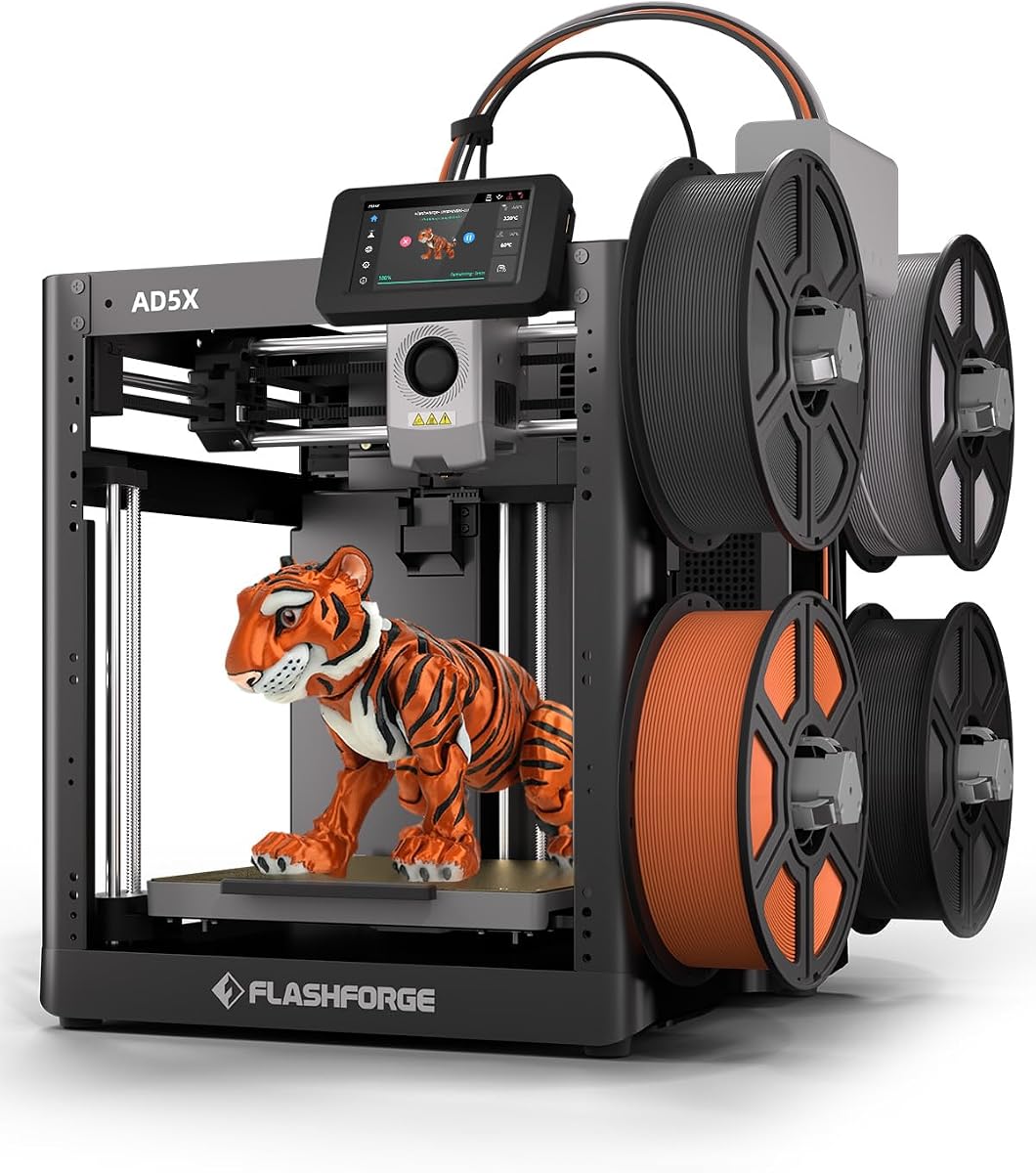



The FLASHFORGE AD5X is a compact CoreXY printer built around a stated maximum speed of 600 mm/s and acceleration of 20,000 mm/s². It supports up to four colors at once, includes one-click automatic bed leveling, and uses a 300°C direct-drive extruder. Its rating of 3.9 is the lowest in this group, but the specification sheet makes it one of the most interesting high-speed options here.
We may earn a commission when you buy through this link, at no additional cost to you.
The AD5X separates raw motion capability from the features needed to use that motion productively. A dual-channel cooling fan supports layer settling, vibration compensation helps preserve alignment, and automatic filament feeding and retraction reduce interruptions. The ability to use 0.25 mm through 0.8 mm nozzles is particularly useful: smaller nozzles support fine detail, while larger ones can help reduce the time required for sizable, robust models.
Its four-color capability also changes the speed equation. Printing several colors may involve additional tool operations and material management, so the fastest possible motion does not necessarily produce the shortest complete job. Nevertheless, the integrated multi-color design avoids requiring a separate printer, and the app-based controls add convenience for monitoring jobs away from the machine. The compact 220 × 220 × 220 mm build volume is the main limitation for large projects.
This is a compelling recommendation for a maker who values fast motion, direct-drive control, and color output in one relatively compact machine. It is less appropriate for someone who needs a large-format bed, extensive material compatibility, or the cleanest automatic setup. For rapid prototypes and everyday multicolor work, the AD5X delivers an unusually complete speed-focused feature set.
The 300°C direct-drive hotend and vibration compensation give the AD5X useful credentials beyond decorative PLA work. Its four selectable nozzle sizes also let users match throughput to model geometry instead of using one nozzle for every task.
Four simultaneous colors reduce the need to split a project into separate files and manually paint the result. The integrated system makes this model attractive for prototypes, display pieces, and models whose visual details matter.
We may earn a commission when you buy through this link, at no additional cost to you.
The Bambu Lab P2S Combo combines a 600 mm/s printer with the AMS 2 Pro, and its 4.7 rating is among the strongest in this comparison. The package is designed for users who want fast motion, reliable calibration, and multi-color or multi-material output without assembling a fragmented collection of accessories.
We may earn a commission when you buy through this link, at no additional cost to you.
Its PMSM servo extruder and active flowrate compensation focus on maintaining extrusion while the machine moves quickly. That distinction matters because a printer capable of rapid travel still needs consistent material delivery to preserve corners, wall thickness, and fine features. Automatic calibration, AI failure detection, quick-swap nozzles, and a stated 15-minute setup process reduce the effort needed to begin production.
The AMS 2 Pro supports multi-color and multi-material printing and includes filament drying up to 65°C. The P2S printer itself does not perform multicolor printing, so buyers who want colors should choose this Combo rather than the standalone machine. The adaptive airflow system can cool overhangs while retaining heat for demanding materials, and the included carbon filter helps maintain a cleaner working environment.
The P2S Combo is our top overall choice for buyers who need a complete, high-speed workflow rather than a fast barebones printer. Its cost is higher than many entry-level options, but the bundled material system, setup automation, chamber control, and 4.7 rating justify that premium for active makers and small production environments.
Active flowrate compensation is intended to keep deposited material consistent as speed and direction change. Paired with the servo extruder, it gives this model a stronger production-oriented proposition than raw travel speed alone.
The AMS 2 Pro includes drying and automatic material management, while its compatibility with multi-color printing gives the Combo immediate creative flexibility. It is a more all-in-one solution than adding an external unit later.
We may earn a commission when you buy through this link, at no additional cost to you.
The Bambu Lab P1S combines a stated 500 mm/s speed with 20,000 mm/s² acceleration inside a fully enclosed body. Its 4.5 rating reflects a favorable balance of performance, setup convenience, and material capability, making it one of the strongest general-purpose machines in the roundup.
We may earn a commission when you buy through this link, at no additional cost to you.
Speed is only part of the package. The enclosed design improves consistency when working with advanced filaments, while automatic bed leveling removes a common source of early-print frustration. A stated 15-minute setup period makes the machine approachable for newer users, and the supported filament list includes PLA, PETG, TPU, PVA, PET ABS, and ASA, with PA and PC listed as capable materials.
The P1S can support up to 16 colors when an AMS unit is connected, but that accessory is not included. This is an important distinction for buyers whose main goal is multicolor work. The enclosed chamber also makes the machine less portable than an open printer, although that is a worthwhile tradeoff for controlled production and higher-temperature materials.
Choose the P1S when you want strong acceleration, an enclosed build chamber, and a low-friction setup without moving into the most premium bundled system. It is especially suitable for makers producing durable functional parts, prototypes, and multicolor projects who are comfortable adding the AMS separately.
The full enclosure helps reduce external temperature swings that can affect ABS, ASA, and other advanced materials. This makes the P1S more broadly useful than a fast open-frame model for consistent functional parts.
Automatic bed leveling and a short setup process reduce the work between unpacking and printing. For users creating many short prototypes, reducing setup overhead can improve productivity as much as increasing travel speed.
We may earn a commission when you buy through this link, at no additional cost to you.
The Anycubic Kobra X combines a stated 600 mm/s maximum speed with native four-color printing and a 4.2 rating. Its headline claim is reduced filament and travel waste during color changes, with the manufacturer reporting an 81.25% reduction in the relevant filament and machine travel path.
We may earn a commission when you buy through this link, at no additional cost to you.
A hardened steel nozzle, vibration compensation, and a complete Benchy print in 14 minutes position the Kobra X as a fast everyday machine. The 49-point LeviQ 3.0 calibration system is intended to establish a flat first layer, while app-based controls include spaghetti and foreign-object detection. The 260 × 260 × 260 mm build volume is generous for its class.
The Kobra X begins with four colors and can expand to 19 with four ACE 2 Pro units. Compatibility between ACE 2 Pro and ACE Pro should be checked carefully, and filament is not included. Its material list includes PLA, PETG, TPU, PVA, and ASA, with a 300°C nozzle temperature, giving it useful flexibility across rigid and flexible filaments.
This printer makes sense for a buyer who wants native multicolor output and rapid motion without starting with the most expensive bundled production systems. Its primary trade-offs are the additional cost of expansion units and the need to supply filament separately. For color-focused creators and fast prototype workflows, those compromises remain reasonable.
The Kobra X focuses on shortening filament and travel paths between colors. That approach can preserve more material than a conventional purge-heavy change process while making four-color jobs more practical.
A 260 mm cube gives the Kobra X room for many common functional models and display projects. Combined with high acceleration, it targets users who repeat smaller jobs throughout the day rather than only occasionally printing one large object.
We may earn a commission when you buy through this link, at no additional cost to you.
The Snapmaker U1 is a premium multi-material printer built around four independent toolheads and a stated 500 mm/s maximum speed. Its 4.5 rating reflects an ambitious design that treats color and material changes as a core production feature rather than an optional add-on.
We may earn a commission when you buy through this link, at no additional cost to you.
The SnapSwap system keeps filaments preloaded and preheated, allowing a tool change in about five seconds rather than the roughly two minutes associated with a traditional filament-changing process. The manufacturer reports validation across more than one million swaps and says the approach can reduce filament waste by as much as five times while accelerating multicolor and multi-material jobs.
Each toolhead can use rigid or flexible materials, soluble supports, and engineering polymers. Listed compatible materials include PLA, PVA, TPU, PETG, PCTG, ABS, ASA, PA, and PC. Automatic toolhead offset calibration, vibration compensation, and fine extrusion control are designed to preserve alignment during a long print with many changes.
The U1 is our premium recommendation for workshops, small businesses, and advanced creators whose real productivity bottleneck is repeated material switching. Its 270 mm cube is roomy, and its speed is more than sufficient for sophisticated work. The trade-off is a major investment and a more complex system than a single-color fast printer.
Preloaded and preheated toolheads remove much of the delay associated with conventional filament changes. This is particularly valuable in models with many color regions or several support and infill materials.
Independent toolheads allow rigid and flexible filaments, water-soluble supports, and engineering materials to be combined. That flexibility can eliminate secondary finishing jobs and make functional prototypes more practical.
We may earn a commission when you buy through this link, at no additional cost to you.
The Creality K2 Combo combines a 600 mm/s stated speed with one included CFS unit and a 260 × 260 × 260 mm build volume. It is 95% preassembled, has an AI camera, and uses automatic leveling that focuses on the target print area rather than probing the entire bed.
We may earn a commission when you buy through this link, at no additional cost to you.
The included CFS handles multicolor printing, while up to four CFS units can be connected for a maximum of 16 colors. Three step-servo motors in the extruder and X/Y axes are advertised to adjust torque dynamically in less than a millisecond, supporting speed, extrusion consistency, accuracy, and noise control. Silent Mode further improves the experience in shared workspaces.
Materials listed for the machine include PLA, PETG, ABS, PLA-CF, and PET. The camera can watch for spaghetti failures, idling, and other print issues, offering an extra layer of monitoring for unattended jobs. Buyers should note that the Combo includes one CFS, while reaching four or more colors requires additional units.
The K2 Combo is a strong fit for users who want fast printing and eventual multicolor scale without buying a premium toolhead system. Its price point and expansion requirements place it above simpler models, but the extensive automation, preassembly, quiet operation, and 600 mm/s claim make it attractive for regular production.
The bed sensor probes only the area needed for the current project. That can reduce leveling time on smaller models and focus the machine's automation where it matters.
The included CFS starts a multicolor workflow, while the platform can expand to four units and 16 colors. Buyers can add capacity gradually instead of committing to a large system immediately.
We may earn a commission when you buy through this link, at no additional cost to you.
The Bambu Lab A1 is an open-frame, ready-to-use FDM printer with 10,000 mm/s² acceleration and a 4.7 rating. It is our best budget pick for users who want a fast, approachable machine with automation comparable to more advanced systems.
We may earn a commission when you buy through this link, at no additional cost to you.
Full-auto calibration handles tasks such as Z-offset and bed leveling, while active flow rate compensation adjusts extrusion according to measured readings. The combination reduces the number of settings a new user must manage. Motor noise cancellation, a simplified touchscreen, and a one-clip quick-swap nozzle further support convenient operation.
Multi-color output is available through AMS lite, but that unit is not included unless buyers choose a Combo version or purchase it separately. The open structure also makes the A1 less suited to temperature-sensitive materials than an enclosed printer. Those are important compromises for a model positioned around value and ease of use.
The A1 is ideal for beginners, families, classrooms, and budget-conscious makers who want high acceleration without a demanding setup process. It is not the fastest model in the roundup by headline specifications, but its 4.7 rating, automatic workflow, and straightforward operation make it a particularly strong starting point.
Automatic leveling and Z-offset calibration eliminate several common early adjustments. Active flow compensation then helps maintain consistent extrusion as the print moves through different speeds and geometries.
Motor noise cancellation and a simple touchscreen make the A1 suitable for shared rooms and less experienced operators. Its quick-swap nozzle design simplifies routine maintenance.
We may earn a commission when you buy through this link, at no additional cost to you.
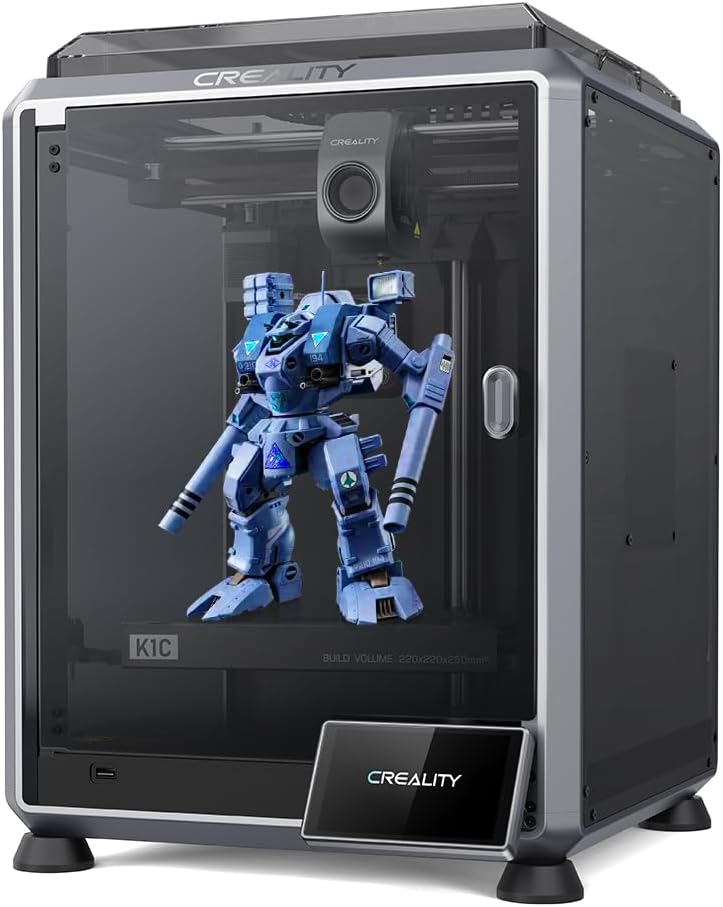
The Creality K1C is a fast enclosed printer with a stated 600 mm/s speed, 20,000 mm/s² acceleration, and a 4.3 rating. It is positioned for users who want rapid single-color production and the ability to work with carbon fiber filament.
We may earn a commission when you buy through this link, at no additional cost to you.
Its direct extruder uses a reinforced spring and ball plunger to grip filament securely, while the steel-reinforced copper nozzle and titanium-alloy heat break are designed to resist heat creep. The hotend supports temperatures up to 300°C. Automatic Z-offset, bed leveling, and input-shaping tests streamline setup and help the machine use its acceleration specification effectively.
An AI camera recognizes spaghetti failures, foreign material, and debris, while an upgraded cooling system divides airflow between the hotend, part cooling, and chamber. The separate functions help control heat creep, set fresh layers quickly, and reduce stringing and warping around bridges and overhangs.
The K1C is a compelling high-speed option for makers producing carbon-fiber-reinforced functional parts or needing a fast single-color machine. It lacks a built-in color system, however, and users should follow manufacturer guidance for reinforced filaments. For direct extruding and material flexibility, it stands out.
A 300°C direct-drive hotend and reinforced gripping mechanism support carbon fiber filament and other demanding materials. These features extend the machine beyond decorative and lightly functional prints.
The AI camera watches for recognizable failures, while the three-part cooling arrangement addresses both deposited material and chamber stability. Together they support more consistent results on long or difficult jobs.
We may earn a commission when you buy through this link, at no additional cost to you.
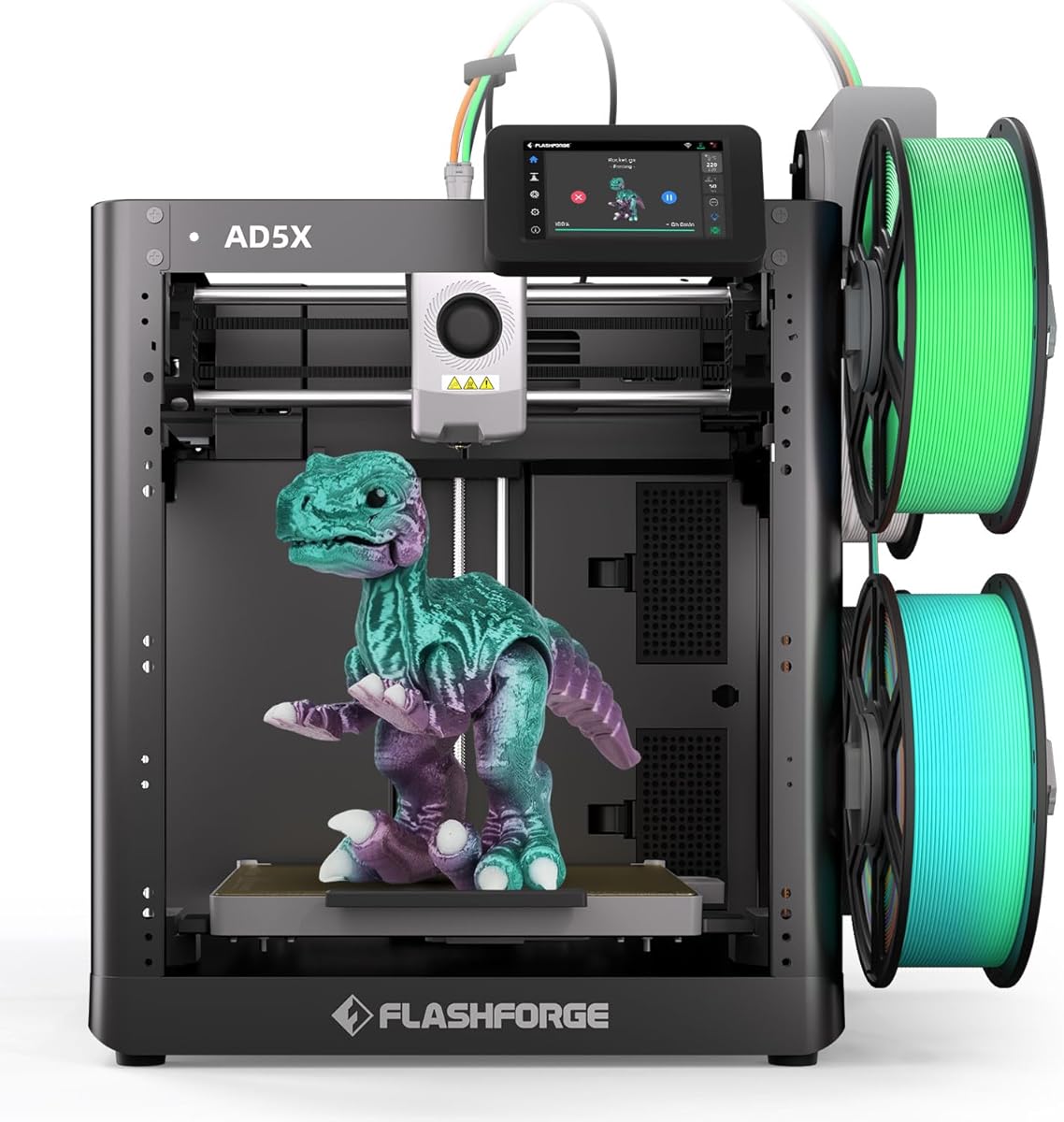
The FLASHFORGE AD5X IFS pairs a stated 600 mm/s speed and 20,000 mm/s² acceleration with four-color, four-material capability. Its 4.0 rating is moderate, but its focus on simultaneous color and material production gives it a clear role among the faster machines in this list.
We may earn a commission when you buy through this link, at no additional cost to you.
The Intelligent Filament System allows PLA, TPU, PETG, SILK, PLA-CF, PETG-CF, and other compatible materials to be used in combinations. Full auto leveling samples multiple points on the bed to establish an even nozzle-to-bed distance and improve first-layer adhesion. These features are especially relevant when a colorful job is more complicated than a single-material prototype.
An all-metal CoreXY motion structure is intended to resist vibration and mechanical shift, while suppression algorithms address layer alignment. The four spools sit side by side in a modular arrangement that reduces desktop space requirements. Although the build volume is smaller than those of most competitors, the footprint may be valuable in compact workspaces.
This listing is best for users who need simultaneous color or mixed-material capability in a relatively small machine and value the AD5X platform's high speed. It is less suitable for large-format projects. Its niche combination of motion performance, reinforcement support, and four-material output still makes it a serious speed-focused option.
The IFS handles up to four materials and colors together, including flexible and reinforced filaments within the listed compatibility range. This can reduce separate modeling and post-processing stages.
The all-metal CoreXY structure and vibration algorithms are designed to keep layers aligned at high speeds. Those features help translate rapid travel into usable accuracy rather than merely a larger headline number.
We may earn a commission when you buy through this link, at no additional cost to you.
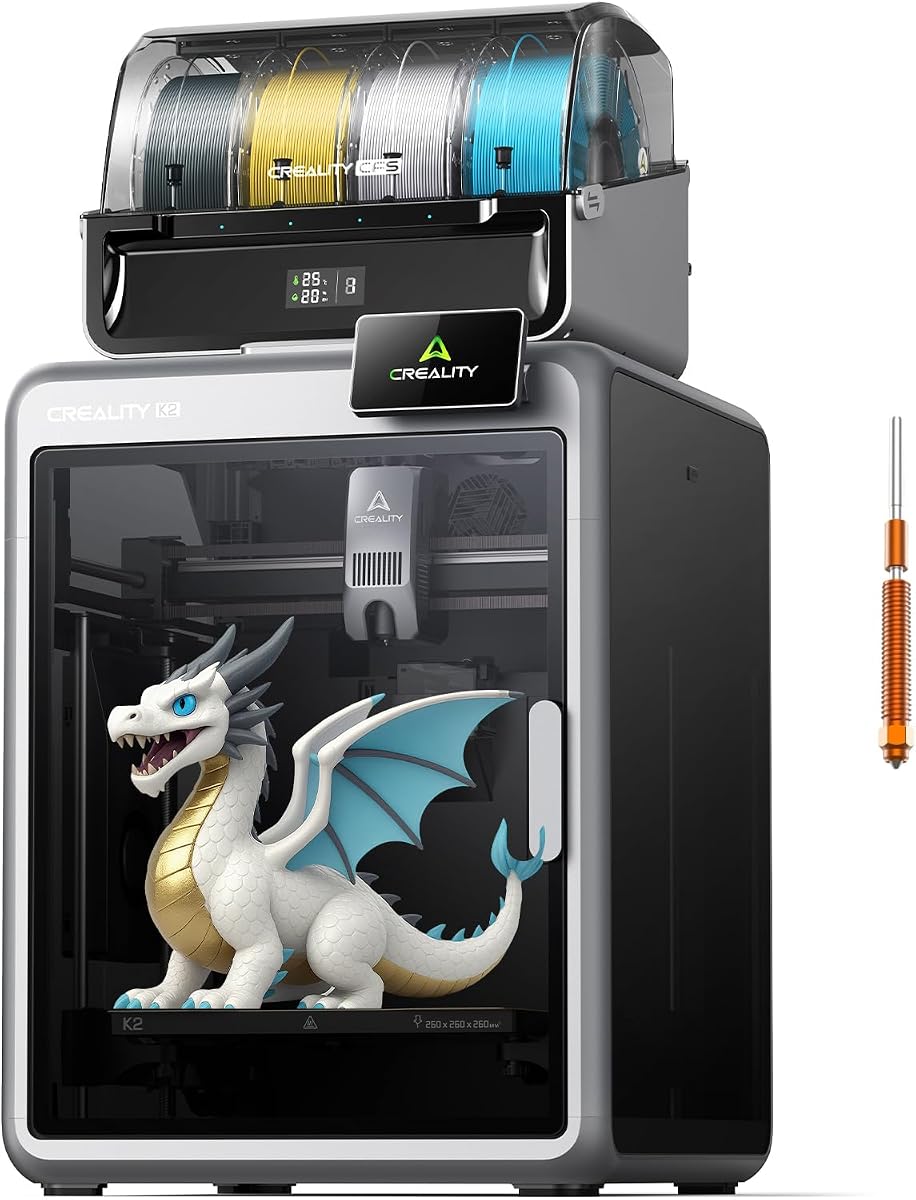
The Creality K2 Combo CFS delivers a stated 600 mm/s speed, 20,000 mm/s² acceleration, and one included CFS multicolor unit. Its 4.0 rating places it toward the lower end of this group, yet the extensive material-management and safety features distinguish it from basic high-speed printers.
We may earn a commission when you buy through this link, at no additional cost to you.
The CFS includes RFID-based filament identification, automatic relay, moisture-proof storage, and desiccant protection. It can be expanded to four units for up to 16 colors. This focus on dry, organized material handling is important because a printer can move quickly but still produce inconsistent results when filament absorbs moisture.
An aerospace-grade aluminum frame, steel X-axis rail, and dual Z-axis are intended to limit wobble. The hotend uses a 40 mm³/s high-flow design, a hardened steel nozzle rated to 300°C, and direct-drive extrusion for PLA, ABS, PETG, and engineering-grade materials. Silent Mode, balanced fans, and vibration-free design make it suitable for quieter workspaces.
The K2 Combo is a broad all-rounder for users who value speed, multicolor capacity, material storage, and built-in environmental controls. It is fully preassembled and includes smart leveling, guided calibration, an AI chamber camera, local storage, Wi-Fi, and an air purifier. Buyers should account for the cost of additional CFS units if they need more than the included configuration.
Automatic identification, relay behavior, airtight storage, and desiccants help keep filament organized and dry. These features support repeatable prints and can reduce common moisture-related defects.
The built-in air purifier is designed to filter volatile organic compounds, while Silent Mode reduces fan and motor noise. The chamber camera adds monitoring and time-lapse recording for long jobs.
We may earn a commission when you buy through this link, at no additional cost to you.
Fast printing depends on more than a single maximum-speed claim. Buyers should evaluate motion hardware, extrusion control, cooling, reliability, automation, material handling, and the size of the projects they intend to print.
Maximum travel speed describes how quickly the toolhead can move, but acceleration determines how rapidly it can reach that speed and slow down again. A machine that claims 600 mm/s but accelerates poorly may not save as much time as one with a slightly lower maximum and strong acceleration. Compare both figures, and remember that slicers rarely use maximum settings for every segment of every model.
Prioritize printers that combine high motion specifications with stable frames, rigid axes, effective input shaping, and vibration compensation. These details help preserve layer alignment when the printer changes direction quickly. Acceleration is also useful for short models because toolheads spend a substantial portion of the job accelerating, decelerating, and making short moves.
Choose a high speed and acceleration combination that is backed by a rigid motion system and dependable extrusion control.
Fast movement is useful only when the printer lays down a consistent amount of filament. Active flow compensation, servo-driven extruders, stable feeds, and direct-drive systems are designed to respond to changing motion and maintain pressure. A printer that loses flow during rapid travel can produce thin walls, gaps, rough corners, and weak layers even when its travel speed is exceptional.
Review whether the stated speed applies to the entire production system or only the axes. Direct-drive extruders can provide precise control and strong material handling, while compact tool paths reduce opportunities for filament lag. Users should also check the recommended nozzle temperature, because high-speed printing with engineering polymers may require a carefully tuned profile.
Favor machines with active extrusion compensation, strong gripping mechanisms, and a documented approach to flow control at high speeds.
The build volume determines the largest object you can print without splitting it into sections. The printers here range from a compact 220 mm cube to larger 260 mm and 270 mm cubes. A larger volume adds flexibility, but it may require more space, a more robust frame, and longer travel distances that can affect the effective speed of smaller jobs.
Consider the dimensions of the models you actually produce. A small machine may be ideal for accessories, organizers, prototypes, and educational projects, while a 260 mm or 270 mm cube better accommodates large functional parts and display models. Also consider whether the build plate leaves enough room for brim, supports, and material-adhesion features.
Select a build volume that fits your normal projects without forcing you to use a larger, slower, or harder-to-place machine than necessary.
Color capability can be integrated, sold as a combo, or added through external units. The Bambu Lab P2S Combo includes the AMS 2 Pro, the Anycubic Kobra X has a native four-color arrangement, and the Creality K2 platforms use CFS units. The Snapmaker U1 takes a different approach with four independently preloaded and preheated toolheads.
Consider not just the number of colors but the time and material consumed during each change. Conventional single-nozzle systems may require repeated purging, while multi-tool systems can switch more quickly but command a higher initial investment. For mixed rigid and flexible materials or soluble supports, the ability to use independent tools may be more valuable than a large color count alone.
Compare total job time, purge waste, accessory cost, and supported materials—not merely the advertised maximum number of colors.
Automatic bed leveling, Z-offset calibration, flow calibration, and input-shaping tests can save considerable setup time. They are particularly important for users who switch materials or print many small projects. A targeted leveling system that probes only the active area may complete setup faster than one that checks the entire bed.
AI cameras add another layer of supervision by recognizing common failures such as spaghetti or foreign objects. These systems are useful for long prints, but they do not replace sound slicer settings, good filament, or a stable physical environment. A camera may detect an issue after it occurs, whereas proper preparation can prevent it.
Prioritize reliable automatic setup features, especially if your productivity depends on short production runs rather than one carefully prepared print at a time.
An enclosed chamber can reduce temperature fluctuations and help control fumes, while an open design is often easier to access and may fit more comfortably in a small workspace. The enclosed Bambu Lab P1S and Creality models are more suitable for demanding materials, while the open Bambu Lab A1 and Anycubic Kobra X focus on accessibility and convenience.
Cooling is equally important at speed. Strong part cooling can help preserve small details and overhangs, but aggressive cooling can cause layer separation in some materials. Look for a balanced system, such as dedicated hotend and part fans or adaptive airflow, rather than judging cooling by fan noise alone. Also review each manufacturer's filament list and nozzle temperature limit.
Choose a thermal and cooling design that matches your materials, workspace, and tolerance for enclosure-related maintenance.
Fast hardware only helps if setup and monitoring are efficient. Slicers should offer useful presets, sensible acceleration limits, automatic calibration data, and profiles for the materials you expect to print. Mobile apps can provide convenient status checks and remote control, while local storage or camera time-lapse features are useful for reviewing completed jobs.
Consider whether the printer integrates with an existing ecosystem or uses its own proprietary application. A polished interface can lower the learning curve, but experienced users may also want access to advanced slicer settings. Check whether files can be sent through local network connections, removable media, or a standard slicer workflow.
Choose a software ecosystem that fits your preferred balance of guided setup and granular control.
A fast printer can be noisy, particularly during high acceleration, fan operation, and material changes. Silent modes, balanced fans, and step-servo systems can reduce disruption in offices, classrooms, and homes. Buyers should also consider airflow, odors, and filtration when regularly printing ABS, ASA, engineering polymers, or other materials that may emit fumes.
Routine maintenance includes cleaning the nozzle, checking belts and rails, keeping filament dry, and confirming that the bed surface remains level. A camera, automatic filament backup, and print-resume functions can reduce wasted material after interruptions. The included warranty and availability of replacement parts are also worth checking for long-term ownership.
Balance raw speed with noise control, reliable monitoring, and easy maintenance to ensure the machine remains practical to use every day.
Begin by unboxing the printer on a stable, level surface with adequate clearance around the frame, filament path, and ventilation. Install any required filament units, confirm that the nozzle size matches the filament and slicer profile, and remove all packing restraints before power-on. Run the manufacturer's leveling, Z-offset, and motion or input-shaping calibration routines before attempting a fast benchmark model.
Prepare the filament according to its requirements, keep it dry when material is moisture-sensitive, and load it into the extruder or automatic material system. Select a filament profile in the official slicer, verify nozzle temperature and cooling settings, and avoid forcing a universal speed onto every geometry. A moderate outer-wall speed, effective part cooling, and sensible infill often produce better total time than maximum settings everywhere.
For ongoing care, clean the nozzle and heat break regularly, inspect the build plate for debris, and verify that belts, lead screws, and rails remain tight. Keep the chamber and material pathways free of dust, replace filters according to the manufacturer's schedule, and dry filament when a print shows bubbles, rough surfaces, or inconsistent extrusion. After major firmware, nozzle, or extruder changes, repeat calibration before resuming high-speed jobs.
The advertised 500 or 600 mm/s figures are usually peak travel limits rather than the speed of every extrusion move. Real print time depends on the slicer profile, model geometry, nozzle diameter, cooling, infill, and the amount of time spent accelerating and decelerating. A well-tuned machine can still save considerable time on long, streamlined prints without running every setting at its maximum.
For many practical jobs, acceleration has a greater effect because short moves are common and the toolhead must repeatedly reach and leave high speeds. A rigid frame, responsive controls, and effective input shaping are just as important as the raw number. Compare acceleration together with motion-system rigidity and extrusion compensation rather than looking at either figure alone.
No. Multicolor capability can make a job longer because the machine must switch and sometimes purge materials, but it can also replace separate printing and painting stages. For rapid single-color prototypes, a well-tuned enclosed or open printer may finish sooner. For finished decorative models, an integrated multi-color system may deliver the shortest overall workflow.
Some models have a 300°C hotend, hardened nozzle, and reinforced motion system designed for compatible carbon fiber filaments. The Creality K1C and FLASHFORGE AD5X listing specifically mention carbon fiber support or reinforced materials. Users should still follow the filament manufacturer's recommendations, use the correct nozzle, and avoid unsupported combinations.
AMS and CFS are different multicolor material-management ecosystems offered by Bambu Lab and Creality respectively. The Bambu Lab P2S Combo includes the AMS 2 Pro, while the Creality K2 Combo products include a CFS unit. Both automate color changes, but compatibility, drying, expansion, and waste-reduction behavior differ, so buyers should compare the systems as part of the printer rather than assuming they are interchangeable.
An enclosure is not automatically faster, but it can improve consistency for materials affected by temperature or airflow. It may also contain fumes and reduce external interference. Open printers are often simpler to service and place on a desk, while enclosed models are preferable for ABS, ASA, and many engineering-grade filaments when the printer's hotend and airflow system support them.
Run the automatic calibration routines, use a manufacturer-supported filament profile, and begin with a conservative speed while learning the machine's limits. Check the first layer closely, confirm that the nozzle is clean, and make sure the build plate is clean and correctly prepared. For long jobs, use monitoring features and a reliable power source, and save profiles that produce reliable results instead of continually pushing maximum limits.
A larger volume is useful for large models, but many jobs benefit more from quick setup, fast acceleration, and compact multi-material systems. A smaller machine can also accelerate short jobs efficiently and may be easier to place. Choose the build volume that accommodates your typical projects, then consider speed, automation, and accessories as the primary productivity factors.
The Bambu Lab P2S Combo is the strongest all-around choice because it combines a 600 mm/s stated speed, active flow compensation, automatic calibration, adaptive airflow, and a complete AMS 2 Pro package. The Bambu Lab A1 stands out as the best budget option for its approachable automation, 4.7 rating, and active flow compensation, while the Snapmaker U1 is the premium selection for buyers who need four independent toolheads and five-second material changes.
Prioritize the workflow that matches your work. A rigid, well-calibrated single-color printer may be enough for quick prototypes, while multicolor, mixed-material, enclosed, or carbon-fiber-capable systems become worthwhile when they eliminate manual stages or support the materials you actually use. Peak speed should be evaluated alongside cooling, extrusion control, build volume, software, and reliability.
Before buying, confirm the current specifications, included accessories, filament requirements, warranty details, and available replacement parts on the product listing. Prices and ratings can change, and bundle configurations may also vary, so checking the latest listing helps ensure the selected printer still delivers the features and workflow described in this guide.