
Ubiquiti EdgeSwitch Lite
4.8Editor score
70 Gbps throughput
High-speed fiber uplinks
Redundant DC power option
This guide compares the best 48 port Gigabit managed switches, covering PoE, fiber uplinks, security, management, and rack-mount performance.
A 48 port Gigabit managed switch is designed for networks that need substantial wired capacity without giving up control over traffic, access, and network operations. The best models suit offices, schools, hospitality businesses, warehouses, and growing IT environments where reliable central switching matters.
This guide compares ten switches on port capacity, management capabilities, uplink options, PoE availability, security features, physical design, and practical use cases. It includes fully managed, smart managed, L2+, and PoE-focused models, as well as one unmanaged option that helps illustrate where management matters.
Each review explains the most appropriate buyer for the switch rather than treating every model as suitable for the same installation. Ratings reflect the supplied customer feedback, while availability and pricing can change, so readers should verify current product details before purchasing.
4.8Editor score

4.7Editor score

4.3Editor score
The comparison highlights the main differences among the ten switches, including management depth, PoE support, uplink capacity, and physical design. It is designed to make it easier to match a switch to a specific office, access, or high-bandwidth network.




The TP-Link SG2452LP is a fully managed 48-port Gigabit switch built for organizations that want centralized control, extensive security controls, and convenient access to devices across multiple locations. Its 4.7 rating reflects generally favorable customer feedback, while its Omada platform provides network monitoring, remote configuration, AI-related features, and Zero Touch Provisioning.
We may earn a commission when you buy through this link, at no additional cost to you.
The switch combines 48 Gigabit PoE+ ports with four Gigabit SFP uplinks, making it suitable for offices, conference rooms, healthcare facilities, and other environments that may connect access points, phones, or cameras. Standalone management is available through a web interface, command line, Telnet, SSH, SNMP, and RMON, so administrators do not have to rely exclusively on a cloud workflow.
Security is a major strength. The listed feature set includes 802.1X, IP-MAC-port binding, DHCP snooping, ACL, DoS and DDoS defense, flood control, STP, and SSHv2. VLAN segmentation through 802.1Q, IGMP functions, port isolation, and loop detection help maintain control as the network grows. A failover connection is also listed, supporting the goal of minimizing disruption when an ISP link has problems.
The main trade-off is that this is a feature-rich PoE switch rather than a minimal one. Powering many PoE devices requires careful capacity planning and appropriate electrical infrastructure, and a network that is not configured carefully can be more complicated than a simple unmanaged alternative. Even so, the combination of cloud access, local control, security capabilities, and a five-year warranty makes the SG2452LP our strongest all-around recommendation.
Omada integration brings switches, access points, and gateways into a common management structure. Centralized cloud access is valuable for distributed networks, while the available local interfaces allow standalone operation when cloud access is unnecessary or unavailable.
PoE+ support can simplify deployment of compatible powered devices, while four SFP uplinks provide room for fiber connections and network expansion. That combination is especially useful in offices and buildings where cabling pathways differ between access and backbone areas.
We may earn a commission when you buy through this link, at no additional cost to you.
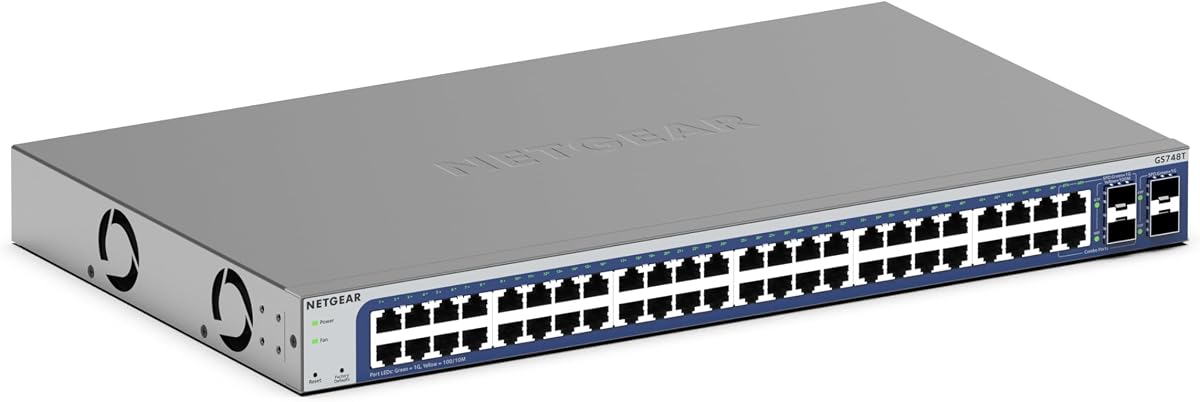
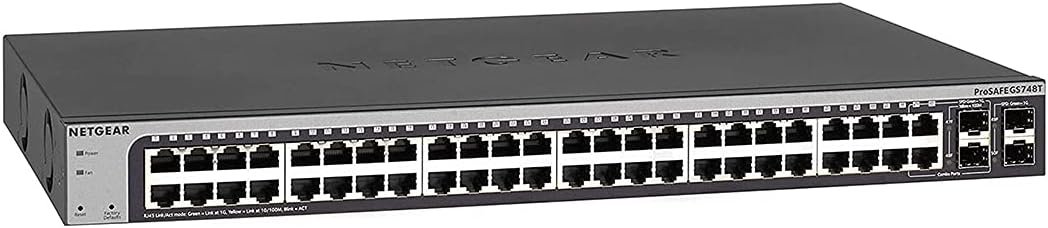
The NETGEAR GS748T is a smart managed switch for administrators who need meaningful control over access and network setup but may not require the deepest fully managed feature set. It carries a 4.4 rating and provides 48 auto-negotiating Gigabit Ethernet ports, four 1G SFP ports with two shared, and a compact metal enclosure that can sit on a desk or in a rack.
We may earn a commission when you buy through this link, at no additional cost to you.
Its management approach centers on smart software with an easy-to-use interface. Administrators can control access and setup, use SNMP through NMS 300, and access NETGEAR Insight for remote network management from anywhere. This makes the switch a practical middle ground for small businesses, branch offices, and growing departments that want visibility without operating a large dedicated platform.
The design is quiet and energy conscious. A fanless chassis avoids mechanical noise, and IEEE 802.3az Energy Efficient Ethernet can reduce power use when traffic is light. The ability to work with existing Cat5e or Cat6 Ethernet cables also makes it easier to integrate the switch into an established cabling plan.
The main limitation is the included Insight period, listed at one year. Buyers seeking a richer, longer-term centralized ecosystem may prefer the Omada alternatives, while those wanting fully managed depth may choose another platform. For straightforward smart management, however, the GS748T is easy to recommend because it balances remote oversight, useful uplinks, and quiet hardware.
Smart managed access gives an organization more control over segmentation and device connections without asking every operator to configure a complex enterprise switching platform. The supplied software and NMS 300 support make that middle ground practical for routine administration.
Fanless operation is valuable in offices, studios, classrooms, and other places where switch noise can be distracting. Energy Efficient Ethernet also helps organizations reduce consumption during periods of lighter traffic.
We may earn a commission when you buy through this link, at no additional cost to you.
The Omada SG3452 is a budget-conscious L2+ smart managed switch that combines 48 Gigabit RJ45 ports with four Gigabit SFP slots. Its 4.3 rating is the lowest among the rated managed choices in this list, but the supplied specifications show a broad and useful feature set for cost-conscious organizations that still want structured network control.
We may earn a commission when you buy through this link, at no additional cost to you.
It integrates with the Omada Software Defined Networking platform, which can bring switches, access points, and gateways together under a hardware controller, software controller, or standalone mode. Cloud access and the Omada app provide centralized management across sites, while web, CLI, console, Telnet, SSH, SNMP, RMON, and dual-image management offer local alternatives.
The L2+ feature set goes beyond basic port control. Static routing can improve internal traffic flow, and the listed security features include 802.1Q VLANs, IP-MAC-port binding, ACL, port security, DoS defense, storm control, DHCP snooping, and 802.1X radius authentication. These controls make the switch relevant to departments that need segmentation and access policies but do not require a full routed core.
There is no integrated PoE, so cameras, phones, and access points will need conventional power or external PoE equipment. Buyers also need to pay attention to SDN firmware and controller compatibility. Even with those caveats, the SG3452 offers a strong balance of capacity, management access, security, and five-year protection, making it the best budget-oriented managed selection here.
The switch can operate within a broader Omada environment or be managed locally, which gives small organizations a path toward centralized control without requiring a single rigid deployment approach. Static routing adds a useful layer for internal traffic.
VLAN support, access controls, authentication, snooping, and storm protection give administrators useful tools for separating users and devices. These functions matter as offices become more crowded with connected equipment.
We may earn a commission when you buy through this link, at no additional cost to you.
The NETGEAR GS748T listed here is a managed smart switch with 48 Gigabit Ethernet ports, four 1G SFP ports, and a limited lifetime hardware warranty. Its 4.5 rating is strong, and the long protection period is especially notable for organizations that expect a switch to remain in service for many years.
We may earn a commission when you buy through this link, at no additional cost to you.
Management uses smart software with an easy-to-use interface for setup and access control, along with SNMP through NMS 300. The switch supports desktop or rack-mount placement, and the supplied information says the necessary mounting hardware is included. That makes it particularly convenient for installers building a permanent rack rather than using a temporary desktop arrangement.
Its support commitment is a major differentiator. The listed package includes a lifetime limited hardware warranty, next business day replacement, and 24/7 chat with a NETGEAR expert. These are meaningful operational benefits for organizations where downtime, replacement logistics, and technical assistance matter.
This model is an established platform, which also means buyers should verify current software status and feature availability before committing. It has no listed PoE capability, so powered endpoints require separate support. For organizations prioritizing a mature managed platform, included mounting hardware, quiet operation, and extensive support, the GS748T remains an attractive choice.
A lifetime limited hardware warranty can make a switch more appealing for infrastructure that is expected to remain active for a long time. Replacement and expert chat services add operational reassurance beyond the initial installation.
The ability to move between desktop and rack use helps during staged network builds. Included rack hardware removes one common installation task and supports a cleaner permanent deployment.
We may earn a commission when you buy through this link, at no additional cost to you.
The TP-Link TL-SG3452P is a managed PoE switch designed for deployments where many access points, phones, cameras, or similar devices need both network connectivity and power over Ethernet. It has a 4.7 rating, 48 802.3at/af PoE+ ports, and a total PoE budget of 384W, with each port able to provide up to 30W.
We may earn a commission when you buy through this link, at no additional cost to you.
The switch adds four Gigabit SFP slots for high-speed connections and integrates with the Omada SDN platform. Administrators can choose an Omada hardware controller, software controller, cloud access, or standalone mode. Web, console, Telnet, SSH, SNMP, RMON, and dual-image management are also listed, providing a broad set of local and centralized options.
PoE Auto Recovery is particularly useful in installations where a powered endpoint may stop communicating with the switch. Instead of requiring manual intervention after a restart or fault, compatible devices can be brought back into service through the switch's recovery process. IPv6, static routing, VLANs, ACLs, port security, DHCP snooping, storm control, and 802.1X add further management depth.
The central trade-off is electrical. A 384W PoE budget is substantial, and a full deployment may require careful attention to circuit capacity, heat, cable limitations, and endpoint power demands. Nevertheless, for organizations seeking one managed platform for both switching and substantial PoE delivery, this is one of the most complete options in the guide.
A 384W budget supports deployments in which many access devices need centralized power. This can reduce the number of local power adapters required, although each endpoint's actual draw still must be calculated against the total and per-port limits.
PoE Auto Recovery is a practical feature for devices installed in difficult-to-access locations. Automated recovery can restore operation after a compatible endpoint reboots or enters a state that prevents it from communicating normally.
We may earn a commission when you buy through this link, at no additional cost to you.
The NETGEAR GS348 is not a managed switch, but its inclusion provides a useful point of comparison for buyers who need 48 Gigabit ports without the complexity of software control. It has a 4.8 rating, a fanless metal design, and a simple plug-and-play approach requiring no software installation or configuration.
We may earn a commission when you buy through this link, at no additional cost to you.
All 48 ports support 1.0 Gbps Ethernet and auto-negotiation, allowing connected devices to negotiate an appropriate speed with existing Cat5e or Cat6 cables. The switch supports desktop placement or rack mounting, which gives it flexibility for a small office, a simple branch, a home lab, or a temporary network build.
Its strengths are deliberately focused. There is no software to install, no cloud dashboard, and no remote administration. Fanless operation keeps it quiet, while IEEE 802.3az Energy Efficient Ethernet helps reduce power consumption without compromising gigabit performance. These characteristics can make it dependable where the goal is simply to extend wired connectivity.
It is not the right choice for a growing business that needs VLANs, access policies, remote monitoring, or centralized control. The supplied listing also states that the product is made for use in the U.S. and Canada only. Buyers should treat this model as a simple networking alternative rather than a managed-switch recommendation, but it may be ideal when those missing features are unnecessary.
For small installations with experienced cabling but simple management needs, plug-and-play operation removes a meaningful source of setup complexity. The switch can be connected and used without an ongoing configuration process.
Auto-negotiating Gigabit ports and Energy Efficient Ethernet provide straightforward capacity expansion. The fanless chassis is especially appropriate for offices and quiet workspaces where operational simplicity is valued.
We may earn a commission when you buy through this link, at no additional cost to you.
This renewed NETGEAR GS748T offers buyers a potentially more economical route into the established GS748T managed switching platform. It provides 48 Gigabit Ethernet ports and four 1G SFP ports, two of which are shared, and the supplied listing identifies it as a Smart Managed Pro Switch with ProSAFE lifetime protection.
We may earn a commission when you buy through this link, at no additional cost to you.
Its physical design supports desktop or rack placement, making it suitable for a branch, small office, lab, or secondary network segment. Buyers looking for a familiar 48-port architecture can connect existing Cat5e or Cat6 cabling and use the four uplink positions for expansion or fiber connections where appropriate.
The renewed status is the critical distinction from the new GS748T options. Renewed equipment can provide useful value for organizations with straightforward requirements or for deployments where the switch will not be the only point of failure. However, the condition, included accessories, warranty terms, and return options should be examined carefully before purchase.
No customer rating is supplied for this particular listing, so it cannot be compared numerically with the rated products. That lack of feedback also means buyers have less visible purchasing history to assess. It is most sensible for cost-conscious organizations that understand renewed equipment and can verify the seller's support and return policies.
The GS748T platform is associated with a 48-port smart managed format that can suit organizations seeking familiar capabilities. A renewed unit can be attractive when its available cost fits the deployment better than a new model.
Condition, warranty coverage, accessories, and return rights deserve close review because they vary among renewed offers. A careful purchase can make sense, but only after the specific listing has been compared with current new alternatives.
We may earn a commission when you buy through this link, at no additional cost to you.
The Ubiquiti EdgeSwitch Lite is a managed Gigabit switch aimed at networks where high throughput and fast uplink options matter. It has a 4.8 rating, 48 Gigabit RJ45 ports, two SFP+ ports, two SFP ports, and a serial console port. Its listed non-blocking throughput is 70 Gbps, with a 140 Gbps switching capacity.
We may earn a commission when you buy through this link, at no additional cost to you.
The inclusion of both SFP+ and SFP ports provides more flexibility than a model limited to one uplink type. SFP+ can be useful where higher-capacity fiber or appropriate network connections are needed, while the SFP positions broaden compatibility. A 104.16 Mpps forwarding rate supports performance-oriented environments that need to move substantial packet volumes efficiently.
Installation flexibility is another strength. The chassis can be rack- or wall-mounted, which helps network builders accommodate space limitations. A redundant or stand-alone DC input option is also listed, adding a valuable resilience choice for installations where appropriate power infrastructure is available. Maximum power consumption is stated as 56W.
This model does not provide PoE, so powered devices need separate support. Organizations should also assess whether Ubiquiti's management approach fits their broader infrastructure, especially if they already use that ecosystem. For buyers seeking strong managed performance, fast uplinks, and installation flexibility, the EdgeSwitch Lite is the premium choice in this group.
A 70 Gbps non-blocking throughput rate gives the switch substantial headroom for dense access networks and high-volume local traffic. That performance is most relevant where many devices exchange data or where the switch acts as a local aggregation point.
Two SFP+ and two SFP positions allow administrators to match uplinks to available connectivity. Rack or wall mounting and selectable DC input arrangements provide additional flexibility for carefully planned installations.
We may earn a commission when you buy through this link, at no additional cost to you.
The YuanLey 48-Port PoE switch combines 48 Gigabit PoE+ ports with six 10G SFP+ slots and a stated 216 Gbps switching capacity. Its 4.4 rating places it in the middle of the group, while the unusually broad uplink and power specifications distinguish it as a high-capacity option for demanding edge networks.
We may earn a commission when you buy through this link, at no additional cost to you.
Its built-in PoE supply provides up to 460W, with each port able to deliver up to 30W and 15.4W under different stated conditions. The supplied specifications associate the switch with IP cameras, wireless access points, IP phones, and computer networks, making it a possible fit for campuses, hotels, schools, internet cafes, and growing small or medium businesses.
Management is extensive. Listed features include 802.1Q VLANs, QoS, ACL, SSL, IGMP versions, IGMP snooping, multicast VLANs and filtering, port monitoring, voice VLAN, binding for IP, MAC, VLAN, and port, IP source protection, 802.1X, port security, ARP protection, and several spanning tree protocols. Static and dynamic aggregation are also included, and web, CLI, console, Telnet, and SNMP provide multiple maintenance paths.
Its fanless design and IEEE 802.3az support reduce noise and power consumption, but a high-PoE model still needs suitable ventilation and electrical capacity. The feature set also requires more deliberate configuration than a basic managed switch. Buyers seeking six 10G uplinks and substantial PoE capacity in one chassis will find that combination especially compelling.
Six 10G SFP+ ports provide considerably more aggregate uplink capacity than the one-gigabit SFP options found on several alternatives. This can help organizations create faster paths between access switches, servers, and aggregation equipment.
A 460W PoE budget supports dense deployments of compatible access equipment, while VLAN, QoS, authentication, and multicast controls help organize that equipment. Both capabilities must be matched to appropriate building power and cooling infrastructure.
We may earn a commission when you buy through this link, at no additional cost to you.
The NETGEAR GS348TPv2 is a smart managed PoE switch designed to deliver 48 Gigabit PoE+ ports, a 380W total power budget, and four 1G SFP ports. It has a perfect 5.0 rating based on the supplied feedback, although the small amount of visible rating history should still be considered in context.
We may earn a commission when you buy through this link, at no additional cost to you.
The switch provides auto-negotiating Gigabit connections that work with existing Cat5e or Cat6 cabling. Smart software, an easy-to-use interface, and SNMP through NMS 300 support central management needs, while the listing also refers to NETGEAR Insight for remote network administration. Four SFP ports leave room for fiber connections and network expansion.
Its 380W PoE budget is one of the strongest in this guide and makes the model relevant to access-heavy installations. Compatible access points, phones, and cameras can receive both power and data over the same network cable. A compact metal enclosure can be placed on a desktop or mounted in a rack to suit different deployment stages.
The same caveats that apply to high-PoE systems remain relevant: electrical capacity, heat, compatible endpoints, and endpoint draw all need to be planned. Some administrators may also want deeper fully managed features than the smart managed layer provides. Within the supplied data, however, the combination of rating, PoE capacity, uplinks, and NETGEAR management makes this an excellent new-install option.
The 380W budget supports a large number of compatible powered endpoints, subject to actual per-device consumption. Centralized delivery can simplify cabling and reduce dependence on local power adapters.
NMS 300 and NETGEAR Insight provide paths for monitoring and control, while a physical SFP expansion option supports broader network design. The desktop or rack-mount enclosure also fits both temporary and permanent builds.
We may earn a commission when you buy through this link, at no additional cost to you.
The right 48 port Gigabit managed switch depends on the devices being connected, the required management depth, available uplink infrastructure, PoE demand, and the physical environment. These factors help prevent buyers from paying for unnecessary capabilities or selecting hardware that cannot support the planned network.
Fully managed switches provide the deepest control and are appropriate for organizations that need granular policies, centralized operations, and dependable visibility across multiple sites. Smart managed and L2+ switches offer a more focused set of tools and can be easier to justify for smaller networks. Compare the listed interfaces, including web access, CLI, SNMP, controller support, and cloud options, rather than assuming every managed label describes the same platform.
A managed switch with PoE can reduce the need for local power adapters, but the advertised total budget is only the beginning of the calculation. Multiply each endpoint's expected draw, include margin for future devices, and confirm the per-port limit. The listed budgets range from 380W to 460W on the most powerful models, while one PoE switch provides 384W and the leading TP-Link model is described as having PoE+ ports.
The number of copper access ports is only half of the design. Uplinks connect the switch to routers, servers, fiber backbones, or aggregation switches, and they determine how traffic leaves the access layer. Four 1G SFP options are common in the list, while the Ubiquiti model includes two SFP+ and two SFP ports, and the YuanLey switch provides six 10G SFP+ slots for especially demanding uplink requirements.
Managed switching becomes most valuable when it supports practical segmentation and access policies. Look for 802.1Q VLANs, 802.1X, ACLs, DHCP snooping, port security, storm control, IP-MAC binding, and spanning tree controls. For multicast-heavy environments, IGMP support and related filtering may also matter. The exact feature set varies, so compare the security list with the devices and policies that the organization actually intends to enforce.
A switch's management interface is only as useful as the environment it can join. TP-Link Omada models support controller, software, cloud, and standalone workflows, NETGEAR choices emphasize Insight and NMS 300, and Ubiquiti fits best within its own ecosystem. Check firmware, controller, and access point compatibility before purchasing, especially when combining equipment from multiple vendors.
A 48-port switch normally belongs in a rack, but several models also support desktop placement. Fanless construction is useful in quiet offices, while high-PoE systems may generate enough heat to require careful room ventilation. The Ubiquiti model adds wall mounting and a DC input option, while metal enclosures and rack hardware improve durability. Cable management, nearby power outlets, and service clearance should be included in the installation plan.
Centralized management makes multi-site networks easier to observe, but local access remains valuable for troubleshooting and recovery. Several products provide web, CLI, Telnet, SSH, SNMP, RMON, console, or standalone access. Administrators should decide whether cloud access is required, ensure that a safe local recovery method exists, and use secure protocols where the switch supports them.
Long-term support can materially improve the total ownership experience. The listed products offer different coverage, including five-year protection for several TP-Link models, limited lifetime hardware protection for NETGEAR, and ProSAFE protection on the renewed GS748T. New and renewed listings also differ in customer history, so buyers should review warranty terms, included mounting accessories, return policies, and the availability of technical assistance.
Begin by inventorying connected devices, their power requirements, intended VLAN assignments, and the number of uplink connections required. Place the switch in a stable, ventilated rack or on a suitable desktop surface, then connect the main uplink before adding access devices. If PoE is present, verify that the building circuit and power supply can support the switch at its intended load rather than only at idle.
Connect the management interface through the method appropriate to the chosen platform, use secure local access where available, and apply a deliberate configuration plan for VLANs, authentication, access control, monitoring, and firmware. Change default administrative credentials, document port assignments, and keep a recovery path in case the switch loses network access. Managed features should be tested in stages before every endpoint is placed into production.
For routine care, inspect indicators, temperature, cable retention, and power connections periodically. Keep the ventilation area clear, avoid stacking equipment that blocks airflow, and follow the manufacturer's guidance for cleaning. Maintain current records of firmware, configuration backups, port maps, and warranty details. When adding devices, update the PoE budget and monitoring views so the new load remains visible to administrators.
Yes, if the business needs centralized access, VLAN segmentation, monitoring, or PoE for devices such as access points and cameras. A smart managed or L2+ model may offer enough capability without requiring the complexity of a fully managed platform. The right choice depends on local management needs, future growth, and whether the connected equipment requires PoE.
An unmanaged switch mainly provides plug-and-play Ethernet connectivity without configuration controls. A smart managed switch adds a focused set of tools for setup, monitoring, and access control. A fully managed switch offers deeper control, security, and centralized or advanced management features. The products in this guide span all three levels, with the GS348 included as an unmanaged comparison.
Only if the connected devices receive power through Ethernet. IP cameras, wireless access points, VoIP phones, and some other endpoint types commonly use PoE. If the network mainly connects ordinary computers or printers, external power and a non-PoE model may be simpler. Always calculate each device's power draw and confirm the per-port and total PoE limits.
The right count depends on how the switch connects to the rest of the network and whether redundancy is needed. Four 1G SFP positions are common in this group, while the Ubiquiti and YuanLey models offer faster SFP+ options. Consider backbone speed, available media converters or transceivers, link aggregation, and room for future expansion.
Some models explicitly support cloud access, including the Omada products, while NETGEAR models offer Insight-based remote management. Availability and duration can vary by model and current service terms. Standalone web and command-line access remains important because local recovery can be valuable during an internet outage or initial setup.
No. The models differ in management depth, PoE support, uplink speed, security features, warranty, physical construction, and ecosystem requirements. Two switches may have the same number of access ports while offering very different operational capabilities. Comparing those differences is more useful than focusing only on port count.
It can be worthwhile for a secondary deployment when the condition, warranty, accessories, and return terms are clear. The renewed GS748T in this guide has no supplied customer rating, so buyers have less visible feedback than with the rated listings. Compare the renewed terms with current new options and select a seller that provides adequate support.
All switches need adequate ventilation, and high-PoE models require more electrical and thermal planning than basic models. A fanless design reduces noise but does not remove the need to keep air moving around the chassis. For PoE deployments, confirm circuit capacity, power supply requirements, and expected heat output before installation.
The TP-Link SG2452LP is the strongest overall choice for buyers seeking a versatile combination of full management, substantial PoE capability, cloud access, local controls, security features, and fiber uplinks. The Ubiquiti EdgeSwitch Lite stands out for premium throughput and faster uplink options, while the Omada SG3452 offers the most budget-conscious path into a feature-rich managed platform.
The remaining choices serve more specialized requirements. TP-Link's TL-SG3452P and NETGEAR's GS348TPv2 suit substantial PoE access networks, while the YuanLey model combines a large PoE budget with six 10G SFP+ uplinks. The NETGEAR GS748T models emphasize smart management, mounting flexibility, and support, while the GS348 is useful when simple plug-and-play connectivity is enough.
Before buying, verify management compatibility, PoE demand, uplink requirements, physical space, and warranty terms. Product prices and availability can change, so check the current listing for the selected model and compare it with the alternatives discussed in this guide before making a final purchasing decision.