
HUION Kamvas 13 Gen 3
4.5Editor score
13.3-inch laminated display
16384 pressure sensitivity levels
Dual customizable dials
A drawing tablet with screen gives artists the direct, natural feel of sketching on a surface while the artwork appears beneath the pen. The right budget model can also replace a separate display, reduce eye movement, and make digital creation more intuitive. However, screen size, color accuracy, pressure response, and computer connectivity vary considerably.
This guide compares ten affordable pen-display tablets using the specifications and product information supplied for each model. The review considers screen size and resolution, pressure sensitivity, tilt response, shortcut controls, color coverage, portability, operating-system support, and included accessories. Nine models require a connected computer, while the RubensTab T11 Pro is designed for standalone use.
Each review identifies the strongest use case and the compromises worth considering. The XP-PEN Artist12 stands out as a well-rounded creative display, the HUION Kamvas 13 Gen 3 offers the most advanced specifications, and the UGEE UE16 combines a large display with useful controls. Product availability and prices change, so verify current listings and computer-port requirements before purchasing.
4.5Editor score

4.4Editor score
4.5Editor score
As an Amazon Associate we earn from qualifying purchases.
The table below compares the ten shortlisted pen-display tablets by display size, pen precision, key features, and operating-system support, making it easier to identify the model that best fits a particular creative workflow.


The XP-PEN Artist12 is an 11.6-inch pen display with a 4.4 rating, and it stands out as the most balanced option in this guide. It combines a full HD IPS screen, 8192 pressure levels, a battery-free P06 stylus, and customizable controls in a format suited to drawing, illustration, animation, photo editing, and 3D work. Its list price and dimensions alone do not define its value; the practical mix of features does.
We may earn a commission when you buy through this link, at no additional cost to you.
The display provides 1920 by 1080 resolution with 72% NTSC, or 100% sRGB, color coverage. A pre-installed anti-reflective protector helps control glare, while the programmable touch bar supports zoom and scrolling and the six shortcut keys can be tailored to different applications. The hexagonal P06 pen includes a digital eraser at its opposite end, replacement nibs are included, and the supplied holder and glove make the core kit fairly complete for a new digital-art setup.
The most important limitation is that the Artist12 must be connected to a laptop or desktop. It needs HDMI and USB-A connectivity, so owners of newer systems may require an appropriate converter or adapter. The advertised operating-system support covers Windows 7 through Windows 11, Mac 10.10 or later, and Linux, while the listed creative applications include Photoshop, Illustrator, SAI, Painter, MediBang, and Clip Studio. It can also serve as an extended display for teaching, remote work, and presentations.
This is the strongest recommendation for an artist who wants a familiar screen-writing setup without moving to a larger or more specialized professional model. It may lack the refined color specification, extra controls, and very high pressure count of the premium contenders, but its core drawing experience is complete and approachable. For students, hobbyists, and working illustrators seeking a dependable 11.6-inch pen display, the XP-PEN Artist12 offers the most convincing all-around balance.
Drawing directly on the display eliminates the hand-to-screen offset found on a conventional graphics tablet. The anti-reflective surface and programmable controls support long illustration, sketching, and note-taking sessions.
The Artist12 includes the P06 pen, holder, glove, and replacement nibs. That useful starter bundle reduces the need to purchase basic accessories immediately.
We may earn a commission when you buy through this link, at no additional cost to you.
The VEIKK VK1200 V2 is a compact 11.6-inch pen display with a 4.3 rating. Its defining feature is the fully laminated construction, which binds the glass and screen more closely than a conventional layered display. That design reduces parallax and helps the pen tip appear closer to the drawn line, making this a strong choice for illustrators who value placement accuracy in a highly portable form.
We may earn a commission when you buy through this link, at no additional cost to you.
The 1920 by 1080 IPS panel has 72% NTSC color coverage, while two battery-free pens provide 8192 pressure levels and 60-degree tilt recognition. Six programmable shortcut keys can be remapped to suit different software. The supplied full-featured USB-C cable carries data, power, and DisplayPort signals, simplifying setup with compatible computers; systems without USB-C can use the included HDMI and USB-A-to-C connections.
Its compactness does not mean it lacks useful hardware. The all-metal body and anti-slip back help it remain stable, and the almost frameless face maximizes usable screen area. The package contains two pens, 28 replacement nibs, a holder, an artist glove, and a cleaning cloth. Compatibility includes Windows 7 or later, macOS 10.12 or later, and Linux, although it must be connected to a computer to function.
The VK1200 V2 is most convincing for artists who work away from a desk or need a smaller pen display that travels easily. Its 72% NTSC gamut and 8192 pressure levels are not class-leading, so color-sensitive professionals may want to look upward in the rankings. Even so, the laminated screen, good accessory set, and straightforward single-cable setup make it an attractive general-purpose choice.
Full lamination keeps the active surface close to the display beneath it. This improves cursor placement and makes line work feel more closely connected to the stylus tip.
The compact metal body and single-cable USB-C connection simplify moving between workspaces. Alternate cables are included for computers that do not offer USB-C.
We may earn a commission when you buy through this link, at no additional cost to you.
The GAOMON PD1161 is an 11.6-inch drawing tablet with screen that earns a 4.3 rating. Its most appealing feature is its unusually generous set of physical controls for the category: eight shortcut keys along the side and two buttons on the stylus. Artists can assign commonly used tools, actions, or navigation commands and keep them close at hand during detailed work.
We may earn a commission when you buy through this link, at no additional cost to you.
The full HD IPS display uses a pre-installed matte film intended to reduce glare and reflections while providing a paper-like appearance. It shows 16.7 million colors with 72% NTSC, or 100% sRGB, coverage. The included AP50 stylus is battery-free, provides 8192 pressure levels, and supports tilt, allowing users to vary line behavior without managing a rechargeable pen.
The PD1161 must be used with a computer running Windows or Mac. Its listed creative compatibility includes Krita, MediBang, Blender, Photoshop, SAI, OneNote, Microsoft Whiteboard, and Zoom. A laptop or desktop needs HDMI and USB ports, and some users may need an adapter depending on the available connections. If the computer cannot supply sufficient power, the included AC adapter can be used.
This model is a particularly practical recommendation for students and artists who depend heavily on keyboard and shortcut equivalents. It handles drawing, painting, image editing, mind mapping, note-taking, collaboration, and remote instruction. Its color specification and pressure resolution are familiar rather than exceptional, but the large shortcut count, matte surface, and broad software support make it easy to recommend for productive everyday use.
Eight side keys and two pen buttons reduce reliance on the mouse or keyboard. Programmable commands can be assigned for common brush, navigation, and editing tasks.
The matte display can make annotation and note-taking more comfortable in shared spaces. Compatibility with meeting and whiteboard applications extends its usefulness beyond illustration.
We may earn a commission when you buy through this link, at no additional cost to you.
The refurbished Artisul D16 is a 15.6-inch pen display with a 5 rating. Its generous screen size makes it visually distinct from the 11.6-inch models that dominate this list, offering more room for large illustrations, animation timelines, image editing, diagrams, and teaching. The fully laminated surface is designed to improve cursor positioning and create a more direct writing experience.
We may earn a commission when you buy through this link, at no additional cost to you.
Its 1920 by 1080 display is listed with 76% Adobe RGB color coverage, and an anti-glare film helps reduce reflections and scratches. Physical brightness adjustment is useful when working under changing ambient light. The P58B stylus is battery-free, supplies 8192 pressure levels, and has a reading rate of 223 PPS, supporting responsive line changes for both drawing and painting.
Seven programmable hotkeys and a quick dial streamline familiar actions such as undo, brush sizing, and page scrolling. The adjustable stand supports six positions and can accommodate left- or right-handed users. The D16 works with Windows 7 or later and macOS 10.12 or later, while listed programs include Photoshop, Illustrator, Corel Painter, SAI, and Manga Studio. A connected computer is mandatory.
The D16 is best for creators who value screen area over portability and who can find a suitably equipped workspace. Its refurbished status is the key point of caution because appearance and wear may differ from a new unit. Within that context, the broad canvas, color specification, comfortable stand, and physical controls create an appealing package for established artists and students seeking a large inexpensive pen display.
The 15.6-inch screen provides more active space than smaller pen displays. That can reduce the need for frequent zooming when working on broad compositions or multi-panel editing layouts.
A six-position adjustable stand lets the user select a more suitable viewing and drawing angle. Side controls and the dial remain accessible without relying entirely on the computer keyboard.
We may earn a commission when you buy through this link, at no additional cost to you.
The HUION Kamvas 13 Gen 3 is a 13.3-inch pen display with a 4.5 rating and the most technically advanced specification set in this guide. It combines a fully laminated screen, 16384 pressure levels, improved color accuracy, dual dials, and USB-C connectivity. For a creative professional who wants a capable everyday drawing surface without moving to a much larger workstation display, it is the strongest premium-oriented selection.
We may earn a commission when you buy through this link, at no additional cost to you.
Its Canvas Glass 2.0 surface is intended to reduce glare and improve accuracy, while the PenTech 4.0 stylus provides 16384 pressure levels, a listed 2g initial activation force, and three customizable side buttons. The display is specified at an average Delta E below 1.5, supports 16.7 million colors, and offers 99% sRGB coverage with Rec.709 gamuts. A factory calibration report adds confidence in display consistency.
Five programmable shortcut keys and two dial controls support an efficient desktop workflow. The ST300 stand can be adjusted to different working angles, and a full-featured USB-C cable handles a streamlined connection. The Kamvas 13 Gen 3 supports Windows 10 or later, Mac OS 10.12 or later, compatible Android devices using USB 3.1 Gen 1 and DisplayPort 1.2, and Ubuntu 20.04 LTS. It still requires a computer or laptop.
This model is ideal for illustrators, designers, and color-conscious hobbyists who value measurable color performance and a refined pen experience. The larger 13.3-inch canvas also makes it more versatile than an 11.6-inch model for detailed work and multitasking. Although it costs more than many budget choices, its lamination, 16K pressure response, color coverage, controls, and wide platform support justify considering it first when the budget allows.
The stated Delta E, sRGB coverage, Rec.709 support, and factory calibration make the Kamvas especially compelling for illustration, graphic design, and other color-sensitive workflows.
PenTech 4.0 technology raises pressure resolution to 16384 levels while the low listed activation force supports delicate beginnings. Three side buttons reduce the need to reach for a keyboard.
We may earn a commission when you buy through this link, at no additional cost to you.
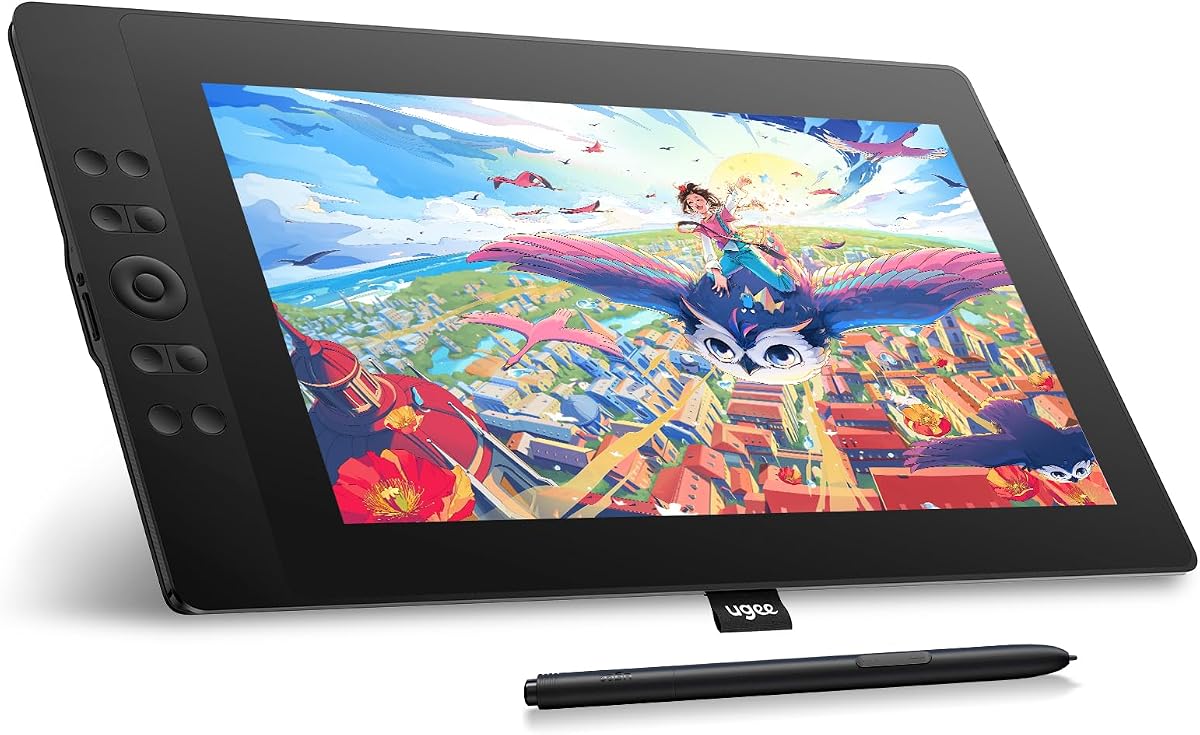
The UGEE UE16 is a 15.4-inch pen display with a 4.5 rating, pairing one of the largest screens in this guide with 16K pressure levels and a wide stated color range. It is a compelling budget choice for an artist who wants a generous, full-laminated canvas and advanced pen specifications without stepping up to the premium HUION model.
We may earn a commission when you buy through this link, at no additional cost to you.
The screen offers 8-bit color depth, 16.7 million colors, and 143% sRGB coverage. Users can switch among sRGB, Adobe RGB, DCI-P3, and black-and-white modes, giving the display broader utility across illustration, design, reading, and general visual work. Full lamination improves positioning accuracy, while the battery-free U-Pencil provides 16K pressure sensitivity, two customizable buttons, and a pressure-sensitive eraser.
Eight physical shortcut keys offer tactile access to common commands, and a wheel cycles through four preset functions when its switch is pressed. Compatibility covers Windows 7 or later, macOS 10.12 or later, ChromeOS 88 or later, Android 9 or later, and Linux. Popular applications named in the product information include Photoshop, Illustrator, SAI, ibis Paint X, and MediBang. The 3-in-1 cable is packed separately, so buyers should confirm its presence after delivery.
The UE16 is best suited to creators working at a fixed desk who need more room than a compact pen display can offer. Its 15.4-inch footprint may be inconvenient for travel, but it is easier to recommend for large illustrations, editing, teaching, and demonstrations. The combination of lamination, strong color options, 16K pressure, and extensive shortcut support makes it an unusually complete budget-oriented package.
Switching among sRGB, Adobe RGB, DCI-P3, and monochrome modes can help match different creative tasks. This makes the UE16 useful beyond a single illustration workflow.
The 16K pressure range enables detailed line variation, while the pressure-sensitive eraser provides another way to correct work without changing tools.
We may earn a commission when you buy through this link, at no additional cost to you.
The VEIKK VK1200 is an 11.6-inch FHD pen display with a 4.2 rating. It is designed as an accessible option for beginners, students, and artists who want to draw directly on the screen with a responsive battery-free pen. The familiar 8192 pressure levels and tilt function cover the core requirements of most entry-level illustration and design work.
We may earn a commission when you buy through this link, at no additional cost to you.
The IPS screen has 1920 by 1080 resolution and 72% NTSC color coverage. Two pens are included, each supporting 8192 pressure levels and tilt. Six shortcut keys can access actions such as undo, redo, clear, zoom, and brush selection, though their exact assignments may depend on the device software. The accessory bundle also includes 28 replacement nibs, a pen holder, and an artist glove.
Its 11.6-inch dimensions make it more manageable than the 15.4-inch UGEE and 15.6-inch Artisul models. That can be helpful for students with limited desk space or artists who work across different locations. As with the other VEIKK pen displays in this roundup, users must connect it to a compatible computer and install the necessary controls to get the full benefit of the shortcut keys and pen settings.
The VK1200 is a straightforward recommendation for a first pen-display purchase. It does not match the Kamvas 13 Gen 3 for color accuracy or pressure resolution, and the 72% NTSC specification is not especially broad. Still, the dual pens, generous nib supply, glove, tilt support, and familiar shortcut layout create a useful and approachable starting kit for learning the direct-drawing workflow.
Two pens, 28 nibs, a holder, and an artist glove cover the basic accessories needed for a new setup. This is particularly useful for first-time pen-display owners.
The 11.6-inch display offers enough room for practice without becoming as demanding as a large workstation model. Common shortcuts can simplify navigation while users learn their preferred software.
We may earn a commission when you buy through this link, at no additional cost to you.
The RubensTab T11 Pro is the only standalone model in this guide, and its 4.4 rating reflects a fundamentally different proposition from the nine computer-connected pen displays. It lets users power on a 10.1-inch full HD IPS screen and create without a nearby laptop or desktop, making it the natural recommendation for travel, field sketching, classroom use, and spontaneous ideas.
We may earn a commission when you buy through this link, at no additional cost to you.
Its 1920 by 1200 IPS panel provides sharp detail, while a battery-free pressure-sensitive pen delivers responsive, natural strokes. Multi-touch supports zooming, panning, and scrolling, and pre-installed professional drawing applications allow work to begin without configuring a host application. The internal 5800mAh battery is listed for up to five hours of continuous use, with USB-C charging and power-bank support for extended outings.
The included adjustable stand case protects the tablet and supports desktop viewing. Wi-Fi access allows users to reach online resources, tutorials, and cloud storage directly from the device. Its use extends beyond art: meeting notes, classroom work, brainstorming, and everyday productivity are all listed applications. Safety and quality certifications include GMS, FCC, and CE, and the product carries a 12-month warranty.
Choose the T11 Pro when freedom from a computer matters more than a large drawing area or high-end color specifications. The 10.1-inch screen is smaller than nearly every competing model, and standalone software may not provide the same workflow depth as a connected tablet running a full desktop creative suite. Within its self-contained niche, however, it is remarkably versatile and is the clear choice for mobile creators.
The self-contained design is the T11 Pro's defining advantage. Users can power on the tablet, open an installed app, and begin drawing wherever they are.
Notes, lessons, meetings, brainstorming, and cloud access are supported alongside art. The protective stand case makes the device easier to carry and use on a variety of surfaces.
We may earn a commission when you buy through this link, at no additional cost to you.
The VEIKK VK1200 V2 16K is an upgraded 11.6-inch pen display with a 4.2 rating. It combines a full-laminated 1920 by 1080 IPS screen, 16384 pressure levels, 120% sRGB coverage, and a stated 290 PPS reading rate. These specifications make it a particularly interesting choice for users who want a compact, responsive display with more advanced pen numbers than the standard VK1200.
We may earn a commission when you buy through this link, at no additional cost to you.
Full lamination reduces parallax and supports precise cursor positioning, while the metal anti-slip back cover is designed for durability and stability. The included P05 passive styluses need no charging and recognize 60-degree tilt. Their 16K pressure resolution provides finer line variation than 8192-level pens, and the stated reading rate supports smooth tracking. Six customizable hotkeys can be assigned to erasing, zooming, brush sizing, layer switching, and other tasks.
The listed device weight is 1.78 pounds, making the display easier to carry than larger 15-inch models. It supports Linux, Windows 7 through Windows 11, and Mac OS 10.12 or later. Named creative software includes Photoshop, SAI, Illustrator, Autodesk SketchBook, Corel Painter, Comic Studio, ZBrush, and Maya. It can also be used with online education and remote-office software, but it requires a computer for normal use.
This model suits an artist who prioritizes compact construction, laminated accuracy, and upgraded pen sensitivity over a larger canvas. Its 120% sRGB specification is more generous than the 72% NTSC figure attached to some competing 11.6-inch models, although actual results depend on the software and display settings. A one-year hardware warranty and ongoing driver updates add support, making this a strong alternative for mobile illustrators.
The 16384-level stylus and 60-degree tilt support allow more nuanced line weight and shading. Two passive P05 pens provide a backup and simplify sharing the device.
The 11.6-inch format and listed 1.78-pound weight balance screen area with portability. The anti-slip metal back provides a stable base wherever it is set up.
We may earn a commission when you buy through this link, at no additional cost to you.
The XPPen Artist 12 Pro Lite is an 11.6-inch pen display with a 4.4 rating. It offers a fully laminated IPS display, 8192 pressure levels, 60-degree tilt support, eight shortcut keys, and a programmable red dial. The result is a streamlined creative display that focuses on the direct-drawing experience rather than emphasizing unusually high pressure resolution.
We may earn a commission when you buy through this link, at no additional cost to you.
Its 1920 by 1080 display has a stated 178-degree viewing angle, and full lamination virtually eliminates parallax according to the product information. That close surface-to-pixel relationship helps the stylus feel more like a pencil on paper. The battery-free stylus supports natural shading through tilt, while the dial and eight keys place frequently used tools within easy reach.
A three-in-one cable is designed to connect the display without requiring a separate adapter, although the user's computer must have compatible USB-C video support. The device supports Windows 7 or later, macOS 10.10 or later, ChromeOS 88 or later, and Linux. Its software list includes Photoshop, Illustrator, SAI, CorelDRAW, GIMP, Krita, MediBang, FireAlpaca, and Blender 3D.
The Artist 12 Pro Lite is a good recommendation for a creative professional or student who wants lamination, a dial, and broad compatibility in a portable 11.6-inch format. The 8192 pressure level is sufficient for most work but trails the 16K models. Its value therefore rests more on a cohesive, convenient experience and streamlined connection than on leading numerical specifications.
Full lamination minimizes the visual separation between the pen tip and the resulting mark. The combination of pressure and 60-degree tilt support supports varied line and shading techniques.
The three-in-one cable simplifies setup on compatible systems, while the dial and shortcut keys support personalized commands. That makes prolonged desktop work more efficient.
We may earn a commission when you buy through this link, at no additional cost to you.
The best budget pen display balances a comfortable writing surface, dependable pen tracking, adequate color, and convenient controls. Your computer setup, preferred applications, screen size, and need for portability should guide the decision more than headline pressure counts alone.
Screen size determines how much of your artwork or interface remains visible without zooming. An 11.6-inch display is a practical middle ground for most artists, students, and remote workers because it provides a meaningful drawing area without occupying an entire desk. The 13.3-inch HUION Kamvas 13 Gen 3 offers additional room for detailed work, while the 15.4-inch UGEE UE16 and 15.6-inch Artisul D16 are better suited to large compositions, editing timelines, and teaching. The 10.1-inch RubensTab T11 Pro prioritizes portability and standalone use over maximum workspace.
Choose based on working posture and available desk area. A larger screen can reduce zoom commands, while a smaller model is easier to carry and position. Do not assume that a larger display automatically feels better; stable support and a comfortable viewing angle are just as important.
Pressure sensitivity controls how line thickness and opacity respond to stylus force. Most budget options in this guide provide 8192 levels, which is suitable for illustration, sketching, lettering, and general design. The HUION Kamvas 13 Gen 3, UGEE UE16, and upgraded VEIKK VK1200 V2 raise the figure to 16384 levels, offering finer tonal transitions on paper. Tilt support, offered by several models, allows a pen to behave more like a real pencil or brush when shading at an angle.
A higher pressure count is useful, but smooth tracking, stable drivers, and a responsive surface remain more important during daily work. Make sure the software you use recognizes the pen's pressure and tilt settings correctly.
A fully laminated display bonds the glass more closely to the active screen, reducing parallax between the stylus tip and the cursor. This is especially noticeable when drawing small details, sketching straight lines, or working in software that displays a thin brush tip. The VEIKK VK1200 V2, VEIKK VK1200 V2 16K, XPPen Artist 12 Pro Lite, Artisul D16, and UGEE UE16 use full-laminated constructions. Other models use anti-reflective or matte surface treatments that can improve glare control while retaining a more conventional layered structure.
Check whether the surface is smooth, matte, or textured and consider how each feels with your preferred nib. Anti-glare coatings improve comfort under bright light, while a smoother surface may support fine detail work.
Creative color work benefits from a display that can reproduce a broad range accurately, not merely vivid-looking colors. The HUION Kamvas 13 Gen 3 leads this group with an average Delta E below 1.5, 99% sRGB coverage, Rec.709 support, and a factory calibration report. The UGEE UE16 offers 143% sRGB coverage and multiple color-space modes, while the VEIKK VK1200 V2 16K lists 120% sRGB. Several 11.6-inch models use 72% NTSC, equivalent to 100% sRGB in the supplied information.
For logos, branding, print preparation, or detailed illustration, prioritize measured accuracy and factory calibration. For general drawing and learning, sRGB-class coverage is usually adequate. Actual appearance also depends on application settings, room lighting, operating-system calibration, and the quality of the source display.
Physical shortcut keys and dials can dramatically reduce the need to move between the pen and keyboard. The GAOMON PD1161 stands out with eight side keys and two pen buttons, while the XPPen Artist 12 Pro Lite provides eight keys and a red dial. The HUION Kamvas 13 Gen 3 combines five keys with dual dials, and the Artisul D16 offers seven hotkeys plus a quick dial. Most competitors provide six programmable keys.
Prefer controls that are easy to reach without interrupting posture. Verify that the buttons are programmable in the supplied driver and that they can be assigned to functions used in your chosen software. A wheel that cycles through several functions can be especially useful for brush size, zoom, rotation, or scrolling.
Most pen displays are not standalone computers. They require a host laptop or desktop, a compatible video connection, and often a USB connection for data and power. Newer products increasingly support a full-featured USB-C cable, while older systems may need HDMI plus USB-A. The XP-PEN Artist12 specifically calls for HDMI and USB-A ports, while the GAOMON PD1161 warns that some laptops may not provide sufficient power. The RubensTab T11 Pro is the exception because it operates independently.
Check the exact ports on your computer before purchasing, not merely the connector shape. A USB-C port that lacks DisplayPort Alternate Mode cannot necessarily drive a pen display. Also verify the listed operating-system versions and confirm that your illustration, animation, photo, or note-taking application recognizes the supplied pen.
Portability depends on more than the listed weight. Screen dimensions, cable design, stand shape, battery support, and the amount of desk space all affect how easily a pen display can move. The compact VEIKK models and XPPen Artist 12 Pro Lite are practical for changing workspaces, while the UGEE and Artisul are better anchored to a larger desk. The RubensTab T11 Pro includes a 5800mAh battery and protective adjustable case, giving it a genuine advantage for travel.
Look for a stand that supports a comfortable drawing angle and resists slipping. A stable screen is particularly important for line work, because a surface that shifts while the pen moves can reduce precision. Consider the desk, bag, and travel case rather than judging portability from screen size alone.
A complete package can make a new drawing setup easier to start. The VEIKK VK1200 V2 includes two pens, 28 nibs, a holder, glove, and cleaning cloth. The XP-PEN Artist12 supplies a pen holder, glove, and replacement nibs, while the GAOMON PD1161 includes a stylus, holder, nibs, glove, cable, adapter, and guide. Check whether replacement nibs, an active pen, a spare stylus, or the required cable is actually included rather than assuming the package is complete.
Warranty and driver support are also relevant. XP-PEN lists a one-year warranty and lifetime technical support, GAOMON lists a one-year warranty, and VEIKK includes a one-year hardware warranty with ongoing driver upgrades. Confirm compatibility with your operating system and make sure the manufacturer continues to provide drivers for it.
Begin by placing the display on a stable, level surface and attaching the supplied stand or support. Connect the appropriate video and USB cables before powering the device, then install the manufacturer's driver and configure the pen pressure, shortcut keys, and display resolution. For a first session, draw a grid of straight lines, small circles, and gradual pressure strokes to learn how the surface and cursor alignment feel.
Match the display settings to your computer rather than automatically stretching the image. Use the native resolution, select the correct pen-display input in your creative software, and calibrate the pen for the full active area. Test pressure with layered lines rather than a single stroke, and verify that tilt behaves as expected. Keep the original drawing area centered and comfortable, with the screen slightly below eye level to reduce neck strain.
Care for the surface by using a soft, lint-free cloth and avoiding harsh liquids, abrasive pads, and excessive pressure from hard objects. Replace worn nibs before they scratch the display, and keep the pen and cables from being sharply bent. Store the tablet in its case, especially during travel, and periodically inspect drivers, cables, pen settings, and shortcut assignments. Updating software and maintaining a consistent workspace will preserve accuracy and extend the useful life of the device.
Yes, many affordable pen displays are capable of supporting professional illustration, concept art, photo editing, and design work. The XP-PEN Artist12, VEIKK models, UGEE UE16, and HUION Kamvas 13 Gen 3 all provide pressure-sensitive pens, full HD or higher-resolution displays, and customizable controls. The most important factors are pen smoothness, accurate cursor placement, color requirements, and reliable software support rather than price alone.
Most pen displays in this guide require a connected laptop or desktop. The XP-PEN Artist12, GAOMON PD1161, Artisul D16, HUION Kamvas 13 Gen 3, UGEE UE16, and VEIKK models act as input and display devices for a host computer. The RubensTab T11 Pro is standalone and includes its own battery and pre-installed drawing applications, making it the exception.
For most digital illustration, sketching, lettering, and design tasks, 8192 pressure levels provide a useful and responsive range. Models with 16384 levels can offer finer transitions between light and heavy pressure. The practical difference is subtle in ordinary work, so pen stability, tracking speed, driver quality, and screen accuracy may influence the experience more than the pressure count alone.
Full lamination bonds the glass and display more closely, which reduces parallax between the stylus tip and the cursor. That makes thin lines, small details, and precise placement feel more natural. The VEIKK VK1200 V2, upgraded VEIKK VK1200 V2, UGEE UE16, Artisul D16, and XPPen Artist 12 Pro Lite all list full-laminated construction.
An 11.6-inch model offers a better balance of workspace and portability, making it suitable for most learners and working artists. A 15-inch-class display gives you more room for broad illustrations, editing interfaces, and teaching, but it occupies more desk space and is harder to carry. The RubensTab T11 Pro goes the opposite direction with a more portable 10.1-inch standalone design.
Requirements vary by model. Some support a full-featured USB-C connection for video, data, and power, while others call for HDMI plus a USB-A connection. Newer USB-C ports do not always support the video mode needed by a display, so check your computer specifications carefully. A suitable adapter may be necessary, and the GAOMON PD1161 also advises using its power adapter if a laptop cannot provide enough power.
It can serve as a secondary or extended display in many creative workflows, and some artists use it as their primary creative workspace. However, screen size, color quality, viewing comfort, and desk positioning may not equal a dedicated monitor. Artists may also prefer a separate display for reference material, tool palettes, and communication applications while drawing directly on the pen display.
Choose a model with an anti-glare, matte, or anti-sparkle surface, and position the display away from direct reflections. Full lamination improves cursor-to-tip alignment, while driver calibration helps map the active area correctly. Adjust screen brightness to match ambient lighting and keep the surface clean with a soft, lint-free cloth to preserve a clear view of your artwork.
The XP-PEN Artist12 is the strongest all-around recommendation because it combines a portable 11.6-inch full HD display, 8192 pressure levels, a useful eraser-ended pen, programmable controls, and broad creative compatibility. The HUION Kamvas 13 Gen 3 is the premium pick for advanced pressure response, measured color accuracy, lamination, and polished controls, while the UGEE UE16 offers the most budget-conscious combination of a large screen, 16K pressure, and multiple color spaces.
Prioritize the features that affect your daily work: screen area for composition, full lamination for precision, pressure and tilt for mark-making, color accuracy for design, and controls for an efficient software workflow. The GAOMON PD1161 stands out for shortcut-heavy workflows, the Artisul D16 provides a large canvas, and the RubensTab T11 Pro is the only option that creates without a computer. Check ports, operating systems, included cables, and software support before buying.
Prices and product configurations can change, so confirm the current listing, warranty, accessories, and compatibility information at the time of purchase. With those checks in place, a cheap drawing tablet with screen can become a dependable, affordable centerpiece for digital art, design, teaching, note-taking, and remote presentation work.