
Acer HDMI Switch 2 in 1 Out
4.9Editor score
Bidirectional two-port operation
4K at sixty-hertz resolution
2K at 144Hz support
Passive power with optional input
Our HDMI Switcher guide compares 10 leading models for input count, 4K and 8K performance, gaming features, remote control, compatibility, and setup ease in
An HDMI switcher consolidates multiple game consoles, streaming devices, laptops, Blu-ray players, and other sources into one display connection. A useful model should make changing sources simple while preserving the resolution, refresh rate, HDR, VRR, and audio features supported by the connected equipment.
This guide compares 10 HDMI switchers across input capacity, supported resolutions, bandwidth, switching methods, gaming functions, power requirements, cable limitations, and included accessories. It includes compact two-way options, remote-controlled multi-input switches, and HDMI 2.1 models designed for high-resolution displays and modern consoles.
Each review explains the strongest reasons to consider that model, along with its practical limitations. The three leading picks are highlighted in the quick recommendations, while the comparison table makes differences easier to scan. Product availability and prices can change, so confirm current details before purchasing.
4.9Editor score

4.4Editor score

4.4Editor score
The table below highlights the central differences among all 10 switchers, including their input counts, maximum resolution claims, switching controls, and major gaming or audio capabilities.
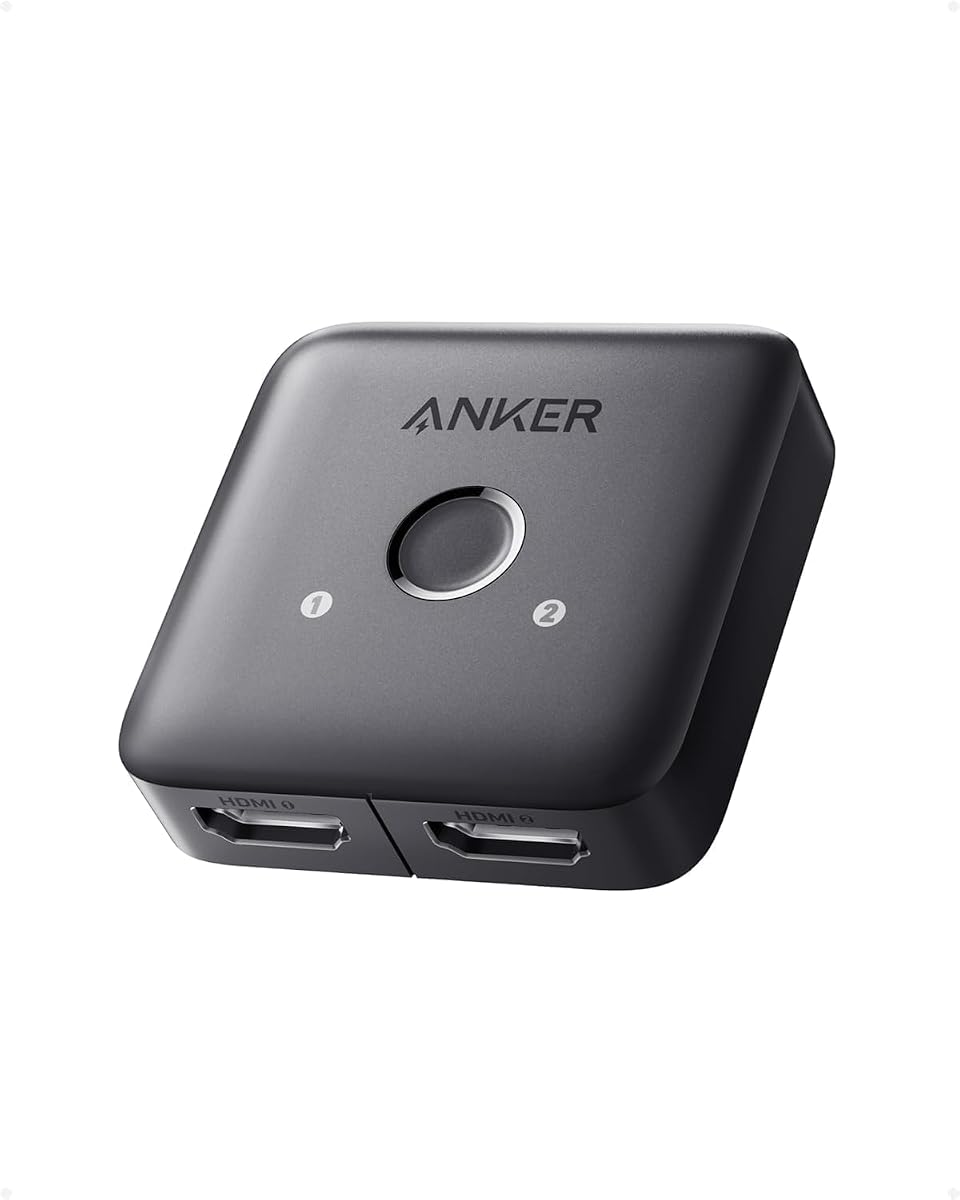


The Anker HDMI Switch, 2 in 1 Out HDMI Switcher, Monitor Switch with 4K@60Hz is a focused solution for people who regularly alternate between only two sources. It carries a 4.4 rating and emphasizes uncomplicated operation: a single button changes the active input without requiring cables to be removed and reinserted. That simplicity makes it attractive for a desk with a laptop and monitor or a television shared by two source devices.
We may earn a commission when you buy through this link, at no additional cost to you.
Its headline capability is support for resolutions up to 4K at 60Hz, along with compatibility spanning laptops, game consoles, televisions, and VR headsets. The box includes a safety guide, customer service, and an 18-month warranty. It is designed for one connected display at a time rather than simultaneous dual-display output, keeping the installation straightforward for users whose central goal is convenient source selection.
There are important boundaries. Switching is manual, so the switch will not choose a source simply because another device begins transmitting. It also does not support HDMI CEC. For a guaranteed 4K60 signal, Anker recommends using input and output cables shorter than 3.3 feet with 30AWG construction, with their combined length no greater than 6.5 feet. Those cable conditions are stricter than many buyers initially expect.
This is a sensible recommendation for someone who wants a small, uncomplicated switch rather than a feature-heavy control box. It is less suitable for a growing console collection, an 8K television, or a setup requiring automatic source detection. For two devices and a nearby television or monitor, however, its clear layout and Anker support provide a practical balance of convenience and reliability.
A dedicated button removes the need to reach behind a television and reconnect source cables. That is especially useful for gaming sessions, presentations, and everyday streaming.
The 4K60 recommendation depends on short, specified cables. Buyers using longer runs should verify their cable specifications or choose a model with more flexible length guidance.
We may earn a commission when you buy through this link, at no additional cost to you.
The Anker HDMI Switch, 4 in 1 Out 4K@60Hz HDMI Switcher with Remote Selector is a middle-ground choice for homes with several source devices but no need for an 8K connection. Its 4.3 rating reflects a versatile package that combines four HDMI inputs, one output, remote selection, and simple one-click switching for 4K60 viewing.
We may earn a commission when you buy through this link, at no additional cost to you.
The ability to connect four sources makes it more flexible than a basic two-port box. Users can keep consoles, streaming hardware, and a computer available without constantly changing physical cables. The included remote is particularly useful when the switch is positioned near a television, while the one-click control offers an alternative for users sitting near the equipment. The product includes a USB-A to USB-C charging cable, safety guide, user manual, and an 18-month warranty.
The model does not support HDMI CEC, which can matter if the user expects certain TV control functions to follow the active source. HDMI cables are not included, so a complete installation may require additional cable purchases depending on the existing setup. Although it supports 4K60, it does not advertise 8K, 4K120, or the full gaming-oriented feature set associated with HDMI 2.1 models.
This Anker switch is best for households that want more than two inputs but do not need advanced high-refresh gaming performance. It offers an easy way to organize four devices around one display, with remote control reducing day-to-day friction. Buyers building an 8K or high-refresh 4K system should prioritize a switch with higher stated bandwidth and current-generation gaming support instead.
Four inputs cover many common entertainment layouts without turning the switch into a large hub. Each source remains connected, making source changes faster and more dependable than manual replugging.
Remote selection is convenient from a sofa or bed, while one-click control gives faster access when the unit is nearby. This dual-method arrangement suits both living-room and desktop use.
We may earn a commission when you buy through this link, at no additional cost to you.
The UGREEN HDMI Switch 5 in 1 Out, 4K@60Hz, with Remote, HDR, VRR, 3D, Black is the most source-heavy model in this guide. Its five inputs can accommodate a broad mix of consoles, computers, streaming devices, disc players, and other HDMI equipment. The 4.3 rating makes it a compelling option for a shared entertainment system where avoiding cable changes matters.
We may earn a commission when you buy through this link, at no additional cost to you.
Beyond 4K at 60Hz, the stated compatibility includes 2560 by 1440 at 120Hz and 1920 by 1080 at 240Hz. It supports HDMI 2.0 and 1.4, HDCP 2.2 and 1.4, VRR, Dynamic HDR, 3D, and multiple chroma formats. Remote control works within 33 feet, and a manual button offers a second way to select among the five connected sources. Five LEDs make the active port easy to identify.
UGREEN specifies that input and output cables should each remain within 9 feet using 30AWG construction to achieve 4K60. A USB power cable is included, but a power adapter is not, and the product must remain connected to power for proper operation. Automatic switching is not supported, and ARC/eARC functionality is absent. These limitations distinguish it from newer 8K-oriented models.
This switch makes the most sense for buyers who have more source devices than a four-port unit can handle and who value quick manual selection over automatic switching. It is particularly useful for mixed gaming and streaming setups where 4K60, high-refresh 1440p, VRR, and HDR are the principal requirements. It is not the natural choice for an 8K display or a home theater that depends on audio return functionality.
Five inputs provide room for several consoles, streaming sticks, laptops, and disc players. LEDs reduce the need to memorize ports or repeatedly test each input.
VRR, 3D, and multiple high-refresh modes make this more capable than a basic selector. The stated 18Gbps bandwidth still places it below 8K HDMI 2.1 alternatives.
We may earn a commission when you buy through this link, at no additional cost to you.
The OREI 8K 3-Port HDMI 2.1 Switch, 3-in 1-Out, 8K@60Hz, Manual & Auto Switch stands out as the most versatile premium-style choice in this roundup. Its 4.4 rating, 48Gbps bandwidth, and HDMI 2.1 foundation give it broader capabilities than a standard 4K60 switch while keeping the input count focused at three.
We may earn a commission when you buy through this link, at no additional cost to you.
The switch handles 8K at 60Hz, 4K at 120Hz, 2K at 60Hz, and 1080p at 240Hz. It is compliant with HDMI 2.1 and HDCP 2.3 and supports HDR10+, Dolby Vision, 3D, and CEC. Gaming-oriented VRR, ALLM, and QFT functions are included, as are LPCM, Dolby TrueHD, DTS-HD Master Audio, Dolby-AC3, and DTS 7.1 audio formats. The package includes a remote, power adapter, and manual.
Compatibility extends across PS5, Xbox Series X/S, Roku 4, Fire TV, Apple TV, projectors, Blu-ray and DVD players, PCs, and set-top boxes. The remote allows convenient source selection, while manual and automatic switching give users more control than models that only respond to a button press. The tradeoff is a three-port capacity, meaning one of four or more frequent sources may need to remain disconnected.
This is the strongest general recommendation for a modern mixed setup because it combines high bandwidth, current gaming standards, broad audio support, and two switching methods in a concise package. It is especially appropriate for owners of an 8K television, a 120Hz 4K display, or a current console that benefits from VRR and ALLM. Users who only need two basic 4K sources can find a simpler option, but this model offers the most complete feature balance here.
A stated 48Gbps bandwidth and support for 8K60 and 4K120 allow the switch to accommodate high-end displays. The source, display, and cables must all support the desired format.
VRR, ALLM, QFT, HDR10+, Dolby Vision, and major surround formats create a strong feature set. It is particularly suitable for consoles and computers connected to capable gaming monitors.
We may earn a commission when you buy through this link, at no additional cost to you.
The Acer HDMI Switch 2 in 1 Out, 4K60Hz Bidirectional 1 in 2 Out Video Switcher earns a 4.9 rating and stands out as a compact, adaptable choice. Unlike a conventional selector that always sends two sources to one display, this model can alternate one source between two screens, making it useful for desktop and dual-monitor arrangements as well as shared televisions.
We may earn a commission when you buy through this link, at no additional cost to you.
Video support includes 4K at 60Hz, 2K at 144Hz, and 1080p at 240Hz. HDR, 3D, Dolby Atmos, DTS audio, and HDCP 2.2 are also listed. In its display-switching mode, however, the screens operate as a toggle: only one can show an image at a time. This distinction is important and prevents the product from being mistaken for a true splitter capable of extending a desktop across two displays.
The unit draws passive power from connected cables, eliminating the need for a bulky adapter in standard installations. An auxiliary power connection is available when demanding consoles or long cable runs cause signal instability. Plug-and-play operation requires no drivers or software, and the stated compatibility includes PS5, Xbox Series X, Steam Deck, Apple TV, projectors, and other standard HDMI devices.
This Acer model is a strong recommendation for anyone who needs two-way flexibility at an accessible tier. It handles common 4K viewing, offers impressive high-refresh modes for compatible displays, and avoids unnecessary complexity. It is less suitable for users wanting simultaneous picture on two monitors, automatic source detection, or 8K output, but its core operation is clear and versatile.
The same hardware can choose between two sources or route one source to one of two displays. The toggle behavior expands utility without increasing the physical footprint.
Passive operation keeps ordinary setups simple, while auxiliary power can stabilize demanding consoles or longer installations. Users can start without an adapter and add one if needed.
We may earn a commission when you buy through this link, at no additional cost to you.
The WARRKY HDMI Switch 2 in 1 Out 4K@60Hz is a slim two-port selector with a different physical design from most boxes in the guide. Its 4.4 rating reflects a useful combination of bidirectional operation, an integrated 3.3-foot braided HDMI cable, an aluminum case, and broad compatibility with current consoles and streaming devices.
We may earn a commission when you buy through this link, at no additional cost to you.
The fixed cable can simplify a basic installation by reducing the number of loose connections and saving the need for an additional cable in the primary setup. The aluminum housing provides a durable enclosure, while the listed dimensions are only 0.51 inches thick. A capsule-style LED indicator gives basic feedback about the active route, making the design suitable for a compact entertainment shelf or desktop arrangement.
Video features include 4K at 60Hz, backward-compatible 2K and 1080p modes, 3D, HDR, and HDCP 2.2. Audio passthrough is listed for uncompressed 2-channel, 5.1, and 7.1 digital audio, along with Dolby Atmos and DTS-compliant formats. The internal IC is described as providing 10.2Gbps transmission, and the AWG26 cable uses gold-plated connectors.
Mode 1 switches between two sources feeding one display. Mode 2 routes one source to either of two displays, but only one screen can be active at a time. The fixed cable may make placement less flexible than a detachable design, and ARC is not supported. Nevertheless, the model is a practical pick for two-device setups, particularly when a short fixed cable and slim enclosure suit the available space.
The attached braided pigtail removes one cable from the immediate installation and helps prevent a loose primary connection. Its fixed 3.3-foot length should be checked before installation.
Bidirectional mode lets the unit serve two-source and two-display arrangements. The display mode is a toggle rather than a simultaneous dual-output configuration.
We may earn a commission when you buy through this link, at no additional cost to you.
The OREI 8K 2-Port HDMI 2.1 Switch is a streamlined high-speed option for people with exactly two HDMI sources. Its 4.2 rating reflects solid core specifications: 48Gbps bandwidth, HDMI 2.1 compliance, support for 8K60 and 4K120, and both automatic and manual source selection.
We may earn a commission when you buy through this link, at no additional cost to you.
The automatic mode has a specific operating condition: it activates when the active source is completely powered off rather than merely entering standby. Manual switching remains available at all times, so the device does not force one workflow on every user. Its stated compatibility covers 4K and 8K televisions, projectors, gaming PCs, consoles, streaming devices, disc players, cable boxes, and monitors.
For gaming, the switch supports VRR, ALLM, and QFT. Its HDR and audio coverage includes HDR10+, HDR10, Dolby Vision, CEC, 3D, LPCM, Dolby TrueHD, Dolby Atmos, DTS-HD Master Audio, and DTS 7.1. Cable lengths up to 10 feet are supported, with OREI fiber optic cables recommended for longer runs. The package includes the switch, USB power cable, and manual, with a one-year warranty.
This is a good fit for a premium television that alternates between a game console and another source. Its automatic mode is a convenience rather than an always-active detector, and some users may prefer the three-port OREI model for additional flexibility. For two-device arrangements, however, the combination of high bandwidth, gaming functions, and two switching methods is compelling.
The automatic function reacts when the current source is fully powered down. Manual selection remains available, which helps users who keep devices in standby.
The switch prioritizes signal capability over port count. It suits a modern console and one additional source connected to an 8K or high-refresh 4K display.
We may earn a commission when you buy through this link, at no additional cost to you.
The UGREEN 8K@60Hz HDMI 2.1 Switch 3 in 1 Out is an appealing modern option for gaming-focused setups. Its 4.5 rating is among the strongest in the guide, and the combination of three inputs, remote control, 8K support, 4K240 capability, and adaptive-refresh features gives it a broad appeal.
We may earn a commission when you buy through this link, at no additional cost to you.
Stated resolution support includes 8K at 60Hz, 4K at 240Hz, 144Hz, and 120Hz, 4K at 60Hz, and 1080p at 240Hz. The switch uses HDMI 2.0 and 2.1, supports 3D, Dynamic HDR 10+, Dolby Atmos, and HDCP 2.3, and provides 40Gbps bandwidth. VRR, G-Sync, and FreeSync are included for compatible consoles, computers, and displays.
Users can select among three inputs using the included remote or a one-click button on the switch. Three LEDs identify the active source. A 5V/1A power cable is included, but the power adapter and HDMI cables are not. The unit must remain powered, and UGREEN recommends keeping input and output cables within 3 meters for the highest 8K60 refresh rate. Automatic switching and ARC/eARC are not supported.
This switch is a strong middle ground for a modern gaming display with several devices. Its three ports are less accommodating than five-port alternatives, and its 40Gbps figure is below the 48Gbps stated by the leading 8K models. Nevertheless, the broad refresh-rate list, remote access, and VRR support make it well suited to PS5, Xbox, PC, and streaming configurations that value high refresh rates.
Support extending through 4K240 and 1080p240 makes this option relevant for fast-paced games. Every connected device and cable must be capable of the target format.
The remote avoids reaching into a cable area, and the front button provides a direct alternative. Status LEDs help identify the active console or source at a glance.
We may earn a commission when you buy through this link, at no additional cost to you.
The HDMI 2.1 Switch 4 in 1 Out 8K 60Hz 4K 120Hz for PS5 Xbox Apple TV combines four inputs with maximum stated bandwidth, making it the most comprehensive premium option here. Its 4.4 rating reflects a feature-rich design intended for modern gaming, entertainment, and professional video setups.
We may earn a commission when you buy through this link, at no additional cost to you.
The switch supports 8K at 60Hz, 4K at 120Hz, 2K at 240Hz, and numerous backward-compatible formats. At full bandwidth, it supports 8K60 4:4:4 12-bit HDR and 4K120 4:4:4 10-bit HDR. Its 48Gbps capacity, HDCP 2.3, VRR, ALLM, and QFT make it particularly relevant to current consoles and high-end PC gaming displays.
Audio support includes DTS 5.1 and 7.1, Dolby Digital, DTS-HD Master Audio, Dolby TrueHD, and uncompressed LPCM 5.1 and 7.1. A remote operates up to 8 meters away, while automatic switching detects a signal at an input. Remote and automatic functions can be turned off to prevent accidental changes. The package includes the switch, remote, manual, power adapter, USB cable, and anti-slip mat.
Four sources offer more flexibility than most 8K switches, while the included adapter simplifies installation. However, achieving 8K60 or 4K120 requires certified HDMI 2.1 cables no longer than 2 meters for each side, and both source and display must support the desired format. Remote batteries are not included. For buyers building a serious multi-device 8K system, these conditions are reasonable and clearly documented.
Four inputs distinguish this model from two-port 8K switches. The full 48Gbps specification also supports demanding 8K and 4K120 color and refresh combinations.
Automatic detection can reduce interruption when a newly powered source becomes active, while the remote provides deliberate selection. Both controls can be disabled when preferred.
We may earn a commission when you buy through this link, at no additional cost to you.
The acer 5 in 1 Out HDMI Switch 4K@60Hz HDMI 2.0 with Remote is a practical multi-source hub for households, offices, and conference rooms. Its 4.1 rating is the lowest among the products reviewed, but the specification reflects a conventional 4K60 design rather than a fault in basic functionality. Five inputs make it one of the most accommodating options in the guide.
We may earn a commission when you buy through this link, at no additional cost to you.
The switch supports 4K at 60Hz, HDMI 2.0 and 1.4, and HDCP 2.3, with 18Gbps bandwidth. HDR, 3D, Dolby Atmos, DTS multichannel audio, and high-speed lossless transmission are listed. To maintain 4K60, the combined cable length should remain within 10 feet. A wide-angle fisheye IR receiver supports remote operation, and physical buttons provide an alternative control method.
Five LED indicators show which port is active. The metallic-like housing, gold-plated ports, and underside heat-dissipation vents are designed for stable operation. Compatibility includes PS5, Xbox, Nintendo Switch, Roku, Apple TV, laptops, televisions, and projectors. Automatic switching is not supported, and the package includes a USB-A to USB-C power cable but not a power adapter, HDMI cables, or remote batteries.
This model is a sensible option for users who value more connected devices and convenient remote selection over 8K bandwidth. It is particularly appropriate for shared entertainment rooms or workspaces where a laptop, projector, streaming stick, and two consoles must remain connected. It is not the best match for an 8K television, 120Hz 4K gaming system, or an installation that depends on automatic source detection.
Five ports support a broad mix of entertainment and presentation equipment. The 4K60 target and 18Gbps bandwidth fit common TVs, projectors, and monitors.
A wide-angle receiver is helpful when switching from a seating area, while physical controls help when the unit is within reach. Five LEDs clearly show the active input.
We may earn a commission when you buy through this link, at no additional cost to you.
The right HDMI switcher depends on how many devices you use, the capabilities of your display, and whether you prefer remote, manual, or automatic source selection. The following factors help narrow the field before installation.
Start by counting the sources you want connected at once. A two-input model is enough for a console and streaming device, but users with several consoles, laptops, disc players, and streaming hardware may need four or five inputs. More ports offer convenience and reduce cable swapping, although they make the switch physically larger and do not automatically guarantee better video performance.
Match the switch to the highest format your television or monitor can accept. Most mainstream setups are covered by 4K at 60Hz, while 8K60 and 4K120 require an HDMI 2.1 switch and compatible source equipment. Remember that a switch cannot create resolution or refresh rate support that a source, display, or cable lacks, so verify the complete signal chain.
Bandwidth determines the amount of video data the switch can carry. Models with 18Gbps are suited to conventional 4K60 and high-refresh 1440p or 1080p use, while 40Gbps and 48Gbps models address more demanding 8K and 4K120 combinations. Check HDMI version, HDCP, chroma, color depth, and HDR support together because a high headline bandwidth alone does not guarantee every advertised feature under every condition.
Modern gaming users should look for VRR, ALLM, and QFT where the console, PC, game, and display all support them. VRR synchronizes the display refresh rate with the source, while ALLM can automatically activate a display's low-latency mode during supported gameplay. These features can improve smoothness and responsiveness, but they remain inactive if another part of the setup lacks support.
Manual button switching is predictable and works regardless of a source's power state. Remote control adds convenience from a couch or across a room, while automatic switching can move to a newly active source without input. Automatic behavior varies considerably: some models react only when the current source is fully powered off, and others may respond to a newly connected device. Choose the method that matches how your equipment is normally operated.
Higher resolutions demand more careful cabling. Several products specify that each input and output cable remain within 3 meters for 8K60 or 4K120, while other models allow longer runs at lower resolutions. The included guidance may also call for particular wire gauges. Confirm those requirements before buying, because a capable switch cannot compensate fully for underperforming or excessively long cables.
Check which audio formats the switch passes through, including Dolby TrueHD, DTS-HD Master Audio, Dolby Atmos, and LPCM channel configurations. Also examine HDR formats, 3D, CEC, and ARC or eARC support. CEC can allow compatible devices to share some control functions, while ARC handles certain television audio return scenarios. Missing features are especially relevant if the switch sits within a home-theater signal chain.
Some compact switchers draw passive power from connected sources, which keeps the installation clean. Others require a continuous USB or auxiliary power connection for stable transmission. Check what is actually included: several models provide a USB power cable but omit the adapter, remote batteries, or HDMI cables. A complete package can reduce extra purchases, but the absence of an adapter is especially important to clarify before checkout.
Begin by identifying the display, the sources, and the maximum resolution and refresh rate you intend to use. Connect the chosen source cables to the switch inputs and the display cable to the single output. Keep the switch within the manufacturer's recommended cable lengths, then connect its power supply if the model requires continuous external power. Tighten every HDMI connector firmly but without forcing it.
Turn on the display and the desired source, then use the front button, remote, or automatic function to select the input. If the picture is absent, confirm that the output display has the correct input selected and that the switch's active-source LED corresponds to the intended device. For automatic models, fully powering down the previous source may be necessary before the switch reacts to a newly active input.
Keep the enclosure ventilated, especially around the underside vents, and avoid placing it inside a closed cabinet without airflow. Do not repeatedly unplug cables while a high-bandwidth signal is active. If resolution drops, the picture flickers, or audio disappears, reseat the connections and verify cable length, source settings, display settings, and the required power connection before changing other equipment.
A properly selected HDMI switch should preserve the supported resolution, refresh rate, HDR data, and audio formats without adding meaningful delay. Signal problems are more often caused by incompatible cables, excessive cable length, insufficient power, or an unsupported display setting. Selecting an appropriate bandwidth model for your sources and display minimizes these risks.
An HDMI switch selects one source for one display, while a splitter sends one source to multiple displays. Some bidirectional models can act as either a source selector or a display toggle, but only one display is active at a time in that mode. If you need the same desktop on two screens simultaneously, choose a true splitter or matrix device rather than a conventional switch.
An 8K television is only the beginning; the source, switch, and cables must also support the desired 8K format. An HDMI 2.1 switch with sufficient bandwidth is the appropriate category for 8K60 or 4K120. If the source or cable cannot carry the target signal, the display will fall back to a lower resolution or refresh rate.
Yes, provided the switch has at least three inputs and the display connection supports the intended resolution. A three-port model is sufficient for exactly those three sources, while a four- or five-port model provides room for another console, disc player, or computer. Remote-controlled models also make it easier to change sources without reaching behind the television.
Automatic switching depends on how the source device reports its state and how the switch interprets a new connection. Some products react only when a source is newly connected or completely powered on, while devices in standby may not trigger a change. Manual selection remains a more reliable option in those situations, and the active-port LED helps identify what is currently displayed.
Cable length requirements depend on resolution and refresh rate, and the switch manufacturer may specify a maximum. Many 8K60 and 4K120 installations require short input and output cables, sometimes no longer than 2 or 3 meters. Longer runs may need a different cable technology, such as active or fiber optic HDMI, and should be checked against the manufacturer guidance.
The switch itself generally introduces little meaningful delay when it supports the required bandwidth and remains properly powered. Gaming latency is more commonly influenced by the television's game mode, source device, network conditions, or unsupported VRR and ALLM configurations. Selecting the appropriate gaming features and using compatible high-speed cables helps maintain a responsive setup.
Not always. Several switchers include a remote but leave its batteries for the buyer, while many include a USB power cable without the corresponding power adapter. HDMI cables are also frequently omitted. Review the package contents carefully and account for any additional accessories needed to complete your installation.
The OREI 8K 3-Port HDMI 2.1 Switch is the strongest all-around recommendation because it combines 48Gbps bandwidth, 8K60 and 4K120 support, modern gaming features, extensive audio formats, and both remote and automatic selection. The Acer 2 in 1 Out model is the best budget-oriented option for simple two-device arrangements, while the four-input HDMI 2.1 model provides the most premium feature set and port capacity.
Prioritize the switch that matches your actual source count and target display rather than choosing on headline resolution alone. Two-source users may appreciate a compact bidirectional model, while gamers with multiple consoles should consider remote control, VRR, ALLM, power requirements, and status indicators. Check every cable-length limitation before ordering, particularly for 8K60 and 4K120 installations.
Features, package contents, availability, and prices can change over time, so review the current listing and manufacturer instructions before making a final decision. The most satisfying HDMI switch is the one that preserves the formats you use, keeps every intended source connected, and makes changing devices simple enough that you actually use it every day.