
GL.iNet GL-MT6000 Flint 2
4.5Editor score
Dual 2.5G Ethernet ports
Wi-Fi 6 eight-stream radio
1GB DDR4 memory
Discover the best routers with QoS, as our expert guide compares Wi-Fi 6, Wi-Fi 6E, and Wi-Fi 7 models for traffic control and performance.
Routers with QoS can improve the way bandwidth is shared across a busy home network. Instead of letting downloads, video calls, gaming, and streaming compete without priority, QoS helps direct important traffic toward the devices and applications that need it most, making the feature especially valuable in busy homes.
The routers in this guide span dual-band, tri-band, gaming, mesh-compatible, and multi-gig models. We compared the supplied ratings, wireless standards, bands, processing specifications, port configurations, coverage claims, and confirmed quality-of-service features to identify which options suit different homes and networking needs.
Each review explains the router's strongest contribution to a QoS-focused setup, along with practical limitations. The MSI Radix AXE6600 stands out for explicitly documented AI QoS, while selected TP-Link and ASUS models offer clearly identified traffic-management or adaptive QoS features. Prices and configurations can change, so verify current details before purchasing.
4.5Editor score
4.4Editor score

4.4Editor score
This side-by-side comparison highlights each router's wireless generation, QoS positioning, processing platform, and key connectivity features to help buyers identify the right traffic-management platform for their home.





The TP-Link Archer AX21 V5 is a dual-band Wi-Fi 6 router built around the AX1800 class, with up to 1,200 Mbps on the 5 GHz band and up to 574 Mbps on 2.4 GHz. It carries a 4.4 rating and offers a practical balance of throughput, coverage technology, and everyday features, making it a sensible foundation for a home that wants modern wireless performance without a tri-band design.
We may earn a commission when you buy through this link, at no additional cost to you.
Its most useful networking features include OFDMA, which allows the router to communicate with multiple devices more simultaneously, and beamforming, which focuses signal toward particular clients. Four high-gain antennas and an advanced front-end module are intended to strengthen coverage at a distance. Although the supplied specifications do not explicitly identify a particular QoS interface, its OFDMA behavior is useful in crowded environments where efficient channel sharing matters.
The router also supports OpenVPN and PPTP server functions, broad compatibility with major internet service providers, and TP-Link's Tether app for setup and management. Its trade-offs are equally clear: it operates on only the 2.4 and 5 GHz bands, and it requires a separate cable modem or other internet gateway. Actual wireless speed will also depend on the internet plan, distance, walls, and nearby interference.
This is a strong choice for buyers seeking an uncomplicated Wi-Fi 6 router that can support a mixed household of computers, phones, televisions, and smart-home devices. It is especially appropriate when a 6 GHz band is unnecessary and the priority is dependable coverage with efficient multi-device communication. For users who need explicitly documented AI or adaptive QoS controls, one of the feature-focused alternatives may be a better match.
OFDMA is especially relevant in homes where many devices request data at once. By dividing radio resources more efficiently, it can help the network remain responsive during simultaneous streaming, browsing, and gaming.
Tether app management and VPN server support make the AX21 convenient for everyday administration. Confirm the current firmware and interface options during setup, particularly if traffic prioritization is central to your purchase decision.
We may earn a commission when you buy through this link, at no additional cost to you.
The TP-Link Archer AXE75 is a tri-band Wi-Fi 6E router with up to 5,400 Mbps of aggregate theoretical bandwidth. Its 6 GHz, 5 GHz, and 2.4 GHz radios give it more room than a conventional dual-band router, while OFDMA and true tri-band operation increase capacity for simultaneously connected devices. The supplied product information specifically lists Quality of Service among the free TP-Link HomeShield features.
We may earn a commission when you buy through this link, at no additional cost to you.
For a QoS-focused buyer, that explicit feature listing is important. It makes the AXE75 easier to recommend than a router with no stated traffic-control feature. The 6 GHz band can also provide a cleaner path for compatible modern devices, reducing competition with devices on the 2.4 GHz band. EasyMesh compatibility allows the network to expand with compatible routers, extenders, or wireless powerline adapters when larger homes develop dead zones.
A 1.0 GHz dual-core processor and 512 MB of high-speed memory support the router's broader feature set, although this is not the most demanding processing configuration in the group. The design emphasizes heat dissipation, and the router supports OpenVPN, PPTP, and L2TP in both server and client roles. A separate modem remains necessary for most internet providers.
Choose the AXE75 when you want a clearly documented QoS feature, a dedicated 6 GHz band, and easy whole-home expansion in one router. It is a strong fit for families with newer Wi-Fi 6E equipment and several high-bandwidth devices. Buyers who need multi-gig wired connections may prefer a model with 2.5 or 10 Gbps ports instead.
The 6 GHz radio gives compatible Wi-Fi 6E clients a separate high-capacity path. That can ease pressure on the 5 GHz band when phones, laptops, televisions, and other modern devices are active together.
Quality of Service is explicitly included in the router's HomeShield feature list. Buyers can therefore consider a defined traffic-management feature rather than relying only on general multi-device efficiency claims.
We may earn a commission when you buy through this link, at no additional cost to you.
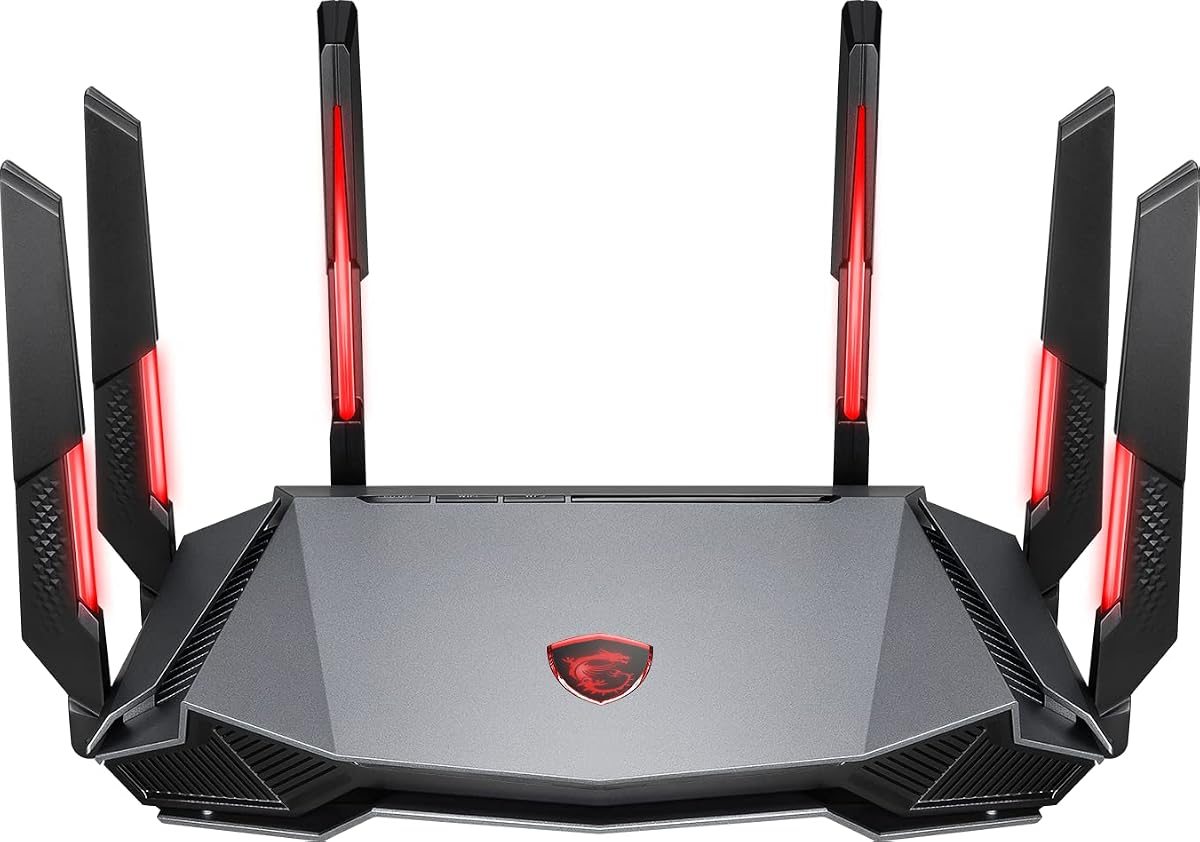
The MSI Radix AXE6600 is one of the clearest choices for this guide because AI QoS is explicitly named in its product information. It automatically prioritizes data packets to satisfy different user needs, directly addressing the central purpose of a QoS-focused router. The router carries a 4.4 rating and combines tri-band Wi-Fi 6E with support for eight simultaneous streams and speeds stated up to 6.6 Gbps.
We may earn a commission when you buy through this link, at no additional cost to you.
Its 1.8 GHz quad-core processor provides substantial computing headroom for a busy network, while the dedicated 2.4, 5, and 6 GHz bands separate different kinds of traffic. A built-in game accelerator is intended to preserve a responsive connection during online play, complementing rather than replacing the broader packet-prioritization functions. MU-MIMO also helps the router serve multiple clients more effectively.
The trade-off is focus. This is a gaming-oriented design rather than a minimalist general-purpose router, and the Mystic Light RGB feature adds visual customization that may not interest every household. Theoretical aggregate wireless speeds should not be confused with real internet throughput, which remains limited by the service plan, client capabilities, distance, walls, and neighboring networks.
The Radix AXE6600 is best for gamers, households with many connected devices, and buyers who want automatically prioritized traffic rather than manually setting every device. Its combination of AI QoS, high processing power, tri-band Wi-Fi 6E, and a game accelerator makes it the most purpose-built selection here for low-latency network management.
AI QoS automatically assigns priority to data packets, reducing the need to manage each client manually. This is particularly useful when gaming, calls, streaming, and downloads create competing demands.
The 1.8 GHz quad-core processor is designed to handle demanding wireless activity and network management. It gives the router a capable foundation for busy homes and latency-sensitive applications.
We may earn a commission when you buy through this link, at no additional cost to you.
The TP-Link Dual-Band AX3000 combines an AX3000 wireless class with explicitly listed Quality of Service functionality. It offers up to 2,402 Mbps on 5 GHz and 574 Mbps on 2.4 GHz, plus OFDMA, MU-MIMO, beamforming, and four high-gain external antennas. That combination makes it a practical option for buyers who want defined QoS support without moving to a tri-band platform.
We may earn a commission when you buy through this link, at no additional cost to you.
OFDMA allows multiple clients to share a band more efficiently, reducing latency and jitter when several devices are active. Beamforming and the external antennas support coverage through the home, while Target Wake Time can reduce communication overhead for compatible devices. The included HomeShield features also include network security, parental controls, and reporting alongside Quality of Service.
Its main limitation is that it lacks a 6 GHz band, so newer Wi-Fi 6E clients will operate on the 2.4 or 5 GHz radios. Like most standalone routers, it also needs a separate modem for most providers. Nevertheless, for a typical home with a mix of older and newer devices, a dual-band design can be simpler and may be sufficient.
This router is a compelling value-oriented recommendation for anyone prioritizing traffic control in a medium-sized home. Choose it when you want a recognized QoS feature, efficient multi-device operation, and a straightforward Wi-Fi 6 system. Users planning extensive 6 GHz adoption or multi-gig wired connections should consider a higher-tier alternative.
The explicit inclusion of Quality of Service makes this a useful entry for traffic-managed networks. It lets buyers prioritize a plan without assuming that every feature is present on every router.
OFDMA allows the router to allocate radio resources to multiple clients more efficiently. The result can be smoother behavior when several people browse, stream, and game at once.
We may earn a commission when you buy through this link, at no additional cost to you.
The GL.iNet GL-MT6000 Flint 2 is a performance-focused Wi-Fi 6 router with eight-stream wireless support and speeds stated up to 6 Gbps. It pairs that capability with 1GB of DDR4 memory, 8GB of eMMC storage, and two 2.5G ports. Although the supplied specifications do not explicitly name a QoS interface, its processing resources and high-capacity design offer a strong platform for advanced home networking.
We may earn a commission when you buy through this link, at no additional cost to you.
The 2.5G ports are particularly valuable when a fiber, cable, or other service can deliver gigabit-plus speeds. They can support faster wired transfers and high-performance local connections that older gigabit-only routers cannot match. The eight-stream radio also gives the router substantial capacity for numerous concurrent clients, an important consideration when bandwidth-sensitive applications compete.
GL.iNet also supports AdGuard Home and provides high stated VPN throughput, with WireGuard and OpenVPN rates listed up to 900 Mbps and 880 Mbps respectively. Those figures depend on the internet service, VPN location, provider, and local network. The manufacturer specifically recommends updating the firmware during initial setup, and the first configuration process uses an Ethernet connection to access the administrative panel.
The Flint 2 is best for advanced users, high-speed internet subscribers, and households that want multi-gig wired flexibility alongside a powerful Wi-Fi 6 system. Its 4.5 rating is the highest among the supplied products. Confirm that the current firmware and interface include the traffic-priority controls you require before making a final purchase.
Two 2.5G ports provide meaningful headroom for faster internet plans and local transfers. They are a strong reason to select this model in a home where wired performance is as important as wireless coverage.
Eight-stream Wi-Fi 6, 1GB of DDR4 memory, and 8GB of storage create a substantial platform for busy networks. Install the latest firmware promptly to ensure the router operates with the manufacturer's current performance and security improvements.
We may earn a commission when you buy through this link, at no additional cost to you.
The TP-Link Archer AX73 is a high-speed dual-band Wi-Fi 6 router with up to 5,400 Mbps of aggregate theoretical throughput. It uses 4T4R technology and 160 MHz channels on the 5 GHz band, with a stated potential of up to 4.8 Gbps there. Its HomeShield feature list explicitly includes Quality of Service, making it relevant to buyers who want traffic prioritization in a high-capacity dual-band design.
We may earn a commission when you buy through this link, at no additional cost to you.
MU-MIMO and OFDMA are intended to reduce congestion and improve average throughput when many clients are active. Coverage is supported by high-power front-end circuitry, six antennas, beamforming, and a stated coverage area of up to 2,000 square feet. The router also has a USB 3.0 port for media sharing or private cloud storage, adding utility beyond basic wireless routing.
The important compromise is that AX73 remains a dual-band model without a dedicated 6 GHz radio. It also requires a separate modem for most internet service providers. Its higher wireless rate does not guarantee faster internet downloads if the service plan is the limiting factor, and real-world results depend on client hardware, layout, and interference.
The Archer AX73 is a good fit for a large home that wants a high-capacity dual-band network, explicit QoS availability, and a useful wired feature set. It may also appeal to users who want strong 5 GHz performance but do not yet have a collection of Wi-Fi 6E clients that would benefit from the 6 GHz band.
The 4T4R configuration and 160 MHz channel support make the AX73 well suited to high-bandwidth 5 GHz clients. That is valuable for modern laptops, televisions, and other devices capable of using wider channels.
Six antennas, beamforming, and a high-power front-end design support the stated coverage target. Combined with documented Quality of Service, the router balances reach and traffic control.
We may earn a commission when you buy through this link, at no additional cost to you.
The TP-Link Archer BE600 is a tri-band Wi-Fi 7 router built for homes seeking a newer wireless platform and extensive wired headroom. It supports Multi-Link Operation, Multi-RUs, 4K-QAM, and channels up to 320 MHz, with stated band speeds of up to 5,765 Mbps on 6 GHz, 2,882 Mbps on 5 GHz, and 1,032 Mbps on 2.4 GHz.
We may earn a commission when you buy through this link, at no additional cost to you.
Its wired configuration is exceptional within this group: one 10 Gbps WAN/LAN port, one 2.5 Gbps WAN/LAN port, and three 2.5 Gbps LAN ports. This allows it to pair effectively with a multi-gig modem and makes it suitable for homes where the service plan and local devices can exceed gigabit speeds. Six optimized antennas and beamforming support a stated coverage area of up to 2,600 square feet for as many as 120 devices.
The supplied specifications emphasize Multi-Link Operation, which can combine multiple wireless bands into one stream to strengthen connections as users move. They do not explicitly list a QoS feature, so buyers should verify traffic-priority controls in the current management interface. The router's 4.2 rating is the lowest in the roundup, which makes documented feature verification and realistic expectations especially important.
Choose the BE600 when you have compatible Wi-Fi 7 clients, a multi-gig internet service, or a plan for advanced local networking. It may be unnecessary for a modest home using gigabit service and older equipment, but it offers the most forward-looking bandwidth and port combination in this selection.
Multi-Link Operation uses multiple bands together to improve continuity and responsiveness. The benefit becomes most relevant when the home has compatible Wi-Fi 7 clients and multiple connected applications.
A 10 Gbps port and four 2.5G ports create extensive flexibility for high-speed WAN connections and local networks. They also make this router more future-oriented than gigabit-only alternatives.
We may earn a commission when you buy through this link, at no additional cost to you.
The ASUS RT-AX3000 is a dual-band Wi-Fi 6 router with an explicit emphasis on Adaptive QoS. It supports up to 3,000 Mbps aggregate theoretical throughput, split between 575 Mbps on 2.4 GHz and 2,402 Mbps on 5 GHz. Its 4.5 rating, adaptive traffic management, and AiMesh compatibility make it an attractive option for households that want structured network control and room to grow.
We may earn a commission when you buy through this link, at no additional cost to you.
Adaptive QoS is designed to distribute network priority among active traffic, which can help protect sensitive applications when the household is busy. OFDMA and MU-MIMO support simultaneous communication with multiple clients, while 160 MHz channels and 1024-QAM improve the efficiency of compatible 5 GHz devices. A maximum coverage claim of 3,000 square feet adds further appeal for larger homes.
AiMesh allows the router to work with compatible ASUS mesh systems for more seamless whole-home coverage. AiProtection Pro supplies commercial-grade network security and advanced parental controls, and a USB 3.0 port adds local storage utility. The wired side consists of one WAN and four 1 Gbps LAN ports, so it cannot match the Flint 2, BE600, or BE550 for multi-gig connections.
The RT-AX3000 is best for users who value adaptive traffic prioritization, broad mesh options, and security features in a dual-band design. Choose it when gigabit wired throughput is enough and Wi-Fi 6 is the right generation for your devices. It is a less obvious fit for a home with a multi-gig plan because the supplied Ethernet configuration tops out at 1 Gbps per port.
Adaptive QoS adjusts priority according to network activity. It offers a more dynamic approach than fixed manual rules when several users and real-time applications compete for limited bandwidth.
AiMesh compatibility provides a straightforward path to expand coverage with compatible equipment. This is useful when a larger home needs more than a single access point.
We may earn a commission when you buy through this link, at no additional cost to you.
The TP-Link Archer BE550 combines tri-band Wi-Fi 7 with a fully multi-gig wired layout. It offers one 2.5 Gbps WAN port and four 2.5 Gbps LAN ports, while its radio bands are stated at up to 5,760 Mbps on 6 GHz, 2,880 Mbps on 5 GHz, and 574 Mbps on 2.4 GHz. That combination makes it a strong candidate for modern high-speed homes.
We may earn a commission when you buy through this link, at no additional cost to you.
Multi-Link Operation, Multi-RUs, 4K-QAM, and channels up to 320 MHz form the core of its wireless platform. EasyMesh compatibility allows compatible extenders and routers to expand coverage, while six positioned antennas and beamforming are intended to improve reach and reduce interference. The router can also establish a separate WPA3-protected Wi-Fi network for IoT devices.
Its 4.0 rating is the lowest among the listed products, and the supplied specifications do not explicitly mention a QoS feature. Buyers who require a clearly documented traffic-prioritization control should confirm the current firmware and interface before choosing. The BE550's strengths are instead concentrated in wireless generation, multi-gig connectivity, security, and easy expansion.
The Archer BE550 suits users with multi-gig service, newer Wi-Fi 7 clients, or a need for more 2.5G ports than most competitors provide. It is less compelling when explicit QoS is the primary buying criterion. For a simpler Wi-Fi 6 network with documented traffic management, the AX3000 or ASUS RT-AX3000 may be more direct choices.
Five 2.5G ports eliminate the need to mix slower and faster Ethernet connections in many home layouts. The result is easier wired expansion for compatible devices and a multi-gig WAN connection.
A private IoT network can separate compatible smart-home products from the main wireless network. WPA3 encryption and HomeShield features add further layers to the security model.
We may earn a commission when you buy through this link, at no additional cost to you.
The ASUS RT-AX1800S is an extendable dual-band Wi-Fi 6 router with a 4.3 rating. It uses MU-MIMO and OFDMA to improve efficiency when multiple devices share the network, supports 1024-QAM, and provides one Gigabit WAN port plus four Gigabit LAN ports. It is a straightforward option for a home that needs modern wireless behavior and wired connectivity without tri-band complexity.
We may earn a commission when you buy through this link, at no additional cost to you.
AiMesh compatibility makes it possible to create a larger mesh network with compatible ASUS equipment. Subscription-free network security comes through AiProtection Classic, while ASUS Instant Guard provides a one-click secure VPN for remote access. These features make the router appealing to households that place security and remote connectivity on equal footing with raw speed.
The router's 1.8 Gbps aggregate class is modest compared with the AX3000, AX5400, and multi-gig models in this guide. The supplied product information also does not explicitly identify a QoS feature, so a buyer whose primary requirement is documented traffic prioritization should examine the current ASUS interface before purchasing. Actual coverage and throughput will vary with building materials, traffic volume, and interference.
The RT-AX1800S is best for modest-sized homes with gigabit service, users who value subscription-free security, and those who may later expand into AiMesh. It is less suitable for buyers seeking 6 GHz, multi-gig ports, or clearly advertised QoS behavior. Its balanced feature set nevertheless makes it a useful mesh-capable foundation for everyday connected homes.
AiProtection Classic provides household network protection without requiring a recurring security subscription. This can reduce the total cost of maintaining a family network over time.
ASUS Instant Guard creates a secure VPN path for remote access, while AiMesh compatibility allows the system to grow into a broader whole-home network.
We may earn a commission when you buy through this link, at no additional cost to you.
Selecting a router with QoS requires balancing traffic-prioritization features with wireless generation, processing capacity, coverage, wired speed, and the size and behavior of your household network. The most visible specification is not always the most important one.
Start by determining whether you want automatic, adaptive, or application-based priority management. MSI's AXE6600 explicitly uses AI QoS to prioritize packets automatically, while the ASUS RT-AX3000 is identified as supporting Adaptive QoS. TP-Link's AX3000, AX73, and AXE75 product information includes Quality of Service within HomeShield. These descriptions suggest different levels of automation, so check the current interface to understand whether priorities are selected by device, application, or automatic traffic behavior.
In summary, choose a router with documented controls that match your preferred management style.
Wi-Fi 6 remains a practical standard for many homes, while Wi-Fi 6E adds a 6 GHz band and Wi-Fi 7 introduces features such as Multi-Link Operation, Multi-RUs, 4K-QAM, and wider channels. Newer standards can improve efficiency and capacity, but the benefit depends on compatible clients. A Wi-Fi 7 router cannot make older devices perform as though they support Wi-Fi 7, and a 6 GHz band is of little value if your primary devices only use 2.4 or 5 GHz.
In summary, select the newest standard your main devices can genuinely use and that fits your coverage needs.
A dual-band router combines 2.4 GHz and 5 GHz, while a tri-band model adds 6 GHz. The extra band can reduce competition among clients and provide cleaner capacity for modern devices, but it is not automatically better in every home. A well-placed dual-band router may outperform an expensive tri-band model placed poorly. Consider the wireless capabilities of your phones, laptops, televisions, consoles, and smart-home products before paying for additional bands.
In summary, use tri-band or Wi-Fi 7 equipment when multiple modern clients can benefit from the extra spectrum.
QoS decisions, encryption, VPNs, mesh networking, and many connected clients all require processing capacity. The MSI Radix AXE6600 uses a 1.8 GHz quad-core processor, the GL.iNet Flint 2 includes 1GB of DDR4 memory, and the TP-Link Archer AXE75 combines a 1.0 GHz dual-core CPU with 512MB of memory. More resources can help a router remain responsive, although they do not increase the speed of the underlying internet connection.
In summary, favor stronger processing and memory when many clients, VPN functions, or advanced management are expected.
Wireless speed is only one part of a home network. The Flint 2 offers dual 2.5G ports, the Archer BE600 includes a 10 Gbps port plus four 2.5G ports, and the BE550 provides one 2.5G WAN and four 2.5G LAN ports. By contrast, the ASUS RT-AX1800S and RT-AX3000 provide Gigabit ports, while the AX21's supplied information does not highlight multi-gig capability. Match the router's WAN port to your modem and service, and consider whether wired devices need faster local transfers.
In summary, choose multi-gig ports when your internet plan or local network can use speeds above one gigabit.
Coverage claims are only a starting point because walls, floor plans, device placement, and interference determine real results. Beamforming, high-gain antennas, and front-end circuitry can improve directional signal, but a single router may still struggle across a large house. The ASUS RT-AX3000 and RT-AX1800S support AiMesh, while the TP-Link AXE75, BE600, and BE550 support EasyMesh-compatible expansion. Verify compatibility, placement, and whether one access point can cover the rooms that matter before assuming expansion is necessary.
In summary, plan for one well-placed router first and use a compatible mesh system when measurement confirms a coverage problem.
Traffic prioritization should work within a secure, maintainable network. TP-Link HomeShield provides security scans, IoT identification, parental controls, reporting, and Quality of Service across several models in this guide. ASUS models offer AiProtection and Instant Guard, with the RT-AX1800S described as subscription-free security. Firmware maintenance matters because new standards, security corrections, and management improvements are delivered through updates. The Flint 2 should be updated during initial setup according to its manufacturer.
In summary, prioritize current firmware support, understandable parental controls, and clear device-security features.
Gaming, voice calls, video conferencing, and high-resolution streaming benefit when delay-sensitive traffic receives suitable priority. The MSI Radix AXE6600 combines AI QoS with a game accelerator, while the ASUS RT-AX3000 offers Adaptive QoS. The ASUS RT-AX1800S and Archer AX21 emphasize gaming and streaming as use cases, while the BE600's Multi-Link Operation can improve connection continuity. No router can create bandwidth that the internet plan does not provide, but prioritization can reduce contention among active applications.
In summary, choose a router that can distinguish delay-sensitive traffic and verify whether priorities apply automatically or require manual tuning.
Begin with a solid connection to the internet service and the correct modem or gateway. Place the router in an open, central location rather than inside a cabinet or at the end of a long hallway. Connect the WAN or Internet port to the service equipment, power on the router, and use the Tether app, web interface, or manufacturer's setup process to establish administrator credentials and update the firmware. The Flint 2 specifically requires an Ethernet connection for its initial web-admin setup.
After setup, review the QoS or quality-of-service area before creating numerous rules. Begin with one or two priority objectives, such as keeping gaming and voice calls responsive during large downloads. Automatic or adaptive modes can be a useful starting point on the MSI and ASUS models, while documented HomeShield Quality of Service controls are available on the relevant TP-Link routers. Test during real household usage, then adjust rather than adding redundant rules that compete with one another.
Treat the router as an appliance that needs occasional attention. Install security updates promptly, review connected devices, remove unknown clients, and change default administrative credentials. Keep the unit ventilated, away from direct heat and enclosed spaces, and avoid placing it on surfaces that collect dust. Revisit QoS priorities when the internet plan, device mix, or family usage changes, and periodically test latency during the activities that matter most.
The MSI Radix AXE6600 is the strongest dedicated QoS recommendation because its AI QoS, powerful 1.8 GHz quad-core processor, tri-band Wi-Fi 6E design, and game accelerator are all clearly documented. The GL.iNet Flint 2 stands out for advanced users who want substantial processing power, eight-stream Wi-Fi 6, and dual 2.5G ports, while the TP-Link AX3000 offers a more conventional dual-band path with explicitly listed Quality of Service.
Prioritize the traffic-management features you will actually use, then match the router to your clients and service. The TP-Link AXE75, AX73, and AX3000 are useful when documented QoS is paired with familiar home-network management, while the ASUS RT-AX3000 appeals to buyers seeking Adaptive QoS and AiMesh expansion. For modern multi-gig networks, examine the Flint 2, BE600, and BE550, but verify their current interfaces if packet prioritization is your primary requirement.
Finally, compare current product details, firmware availability, provider compatibility, and the latest pricing before ordering. Router configurations, features, and promotional pricing can change over time. A properly placed router with sensible priorities, current firmware, and enough capacity for your devices will provide more value than simply selecting the highest theoretical speed on the box.