
IWORKBOARD Tilting TV Wall Mount
4.6Editor score
Supports screens up to 90 inches
Holds televisions up to 132 pounds
Tilts forward up to 10 degrees
Includes locking quick-release mechanism
A tilting TV wall mount offers a practical balance between screen positioning, glare control, and a streamlined appearance. The right bracket can improve the viewing angle while freeing furniture space, but compatibility, wall construction, weight capacity, and mounting geometry determine whether it will work in your room.
This guide compares ten tilting TV wall mounts using the specifications supplied for each product, including supported screen sizes, weight limits, VESA patterns, tilt ranges, extension features, installation requirements, and post-installation adjustments. The list covers compact options as well as heavy-duty brackets designed for extra-large televisions.
Each review identifies the circumstances in which a particular mount is most useful and explains any compromises worth considering. Ratings reflect the supplied customer feedback, while practical details such as stud spacing, outlet clearance, and cable access may ultimately influence your decision more than any single feature. Prices and availability can change.
4.6Editor score

4.8Editor score

4.8Editor score
As an Amazon Associate we earn from qualifying purchases.
The following comparison highlights the major differences in screen compatibility, tilt capability, wall clearance, and installation flexibility. These details should be compared with your television's weight and VESA pattern before ordering.
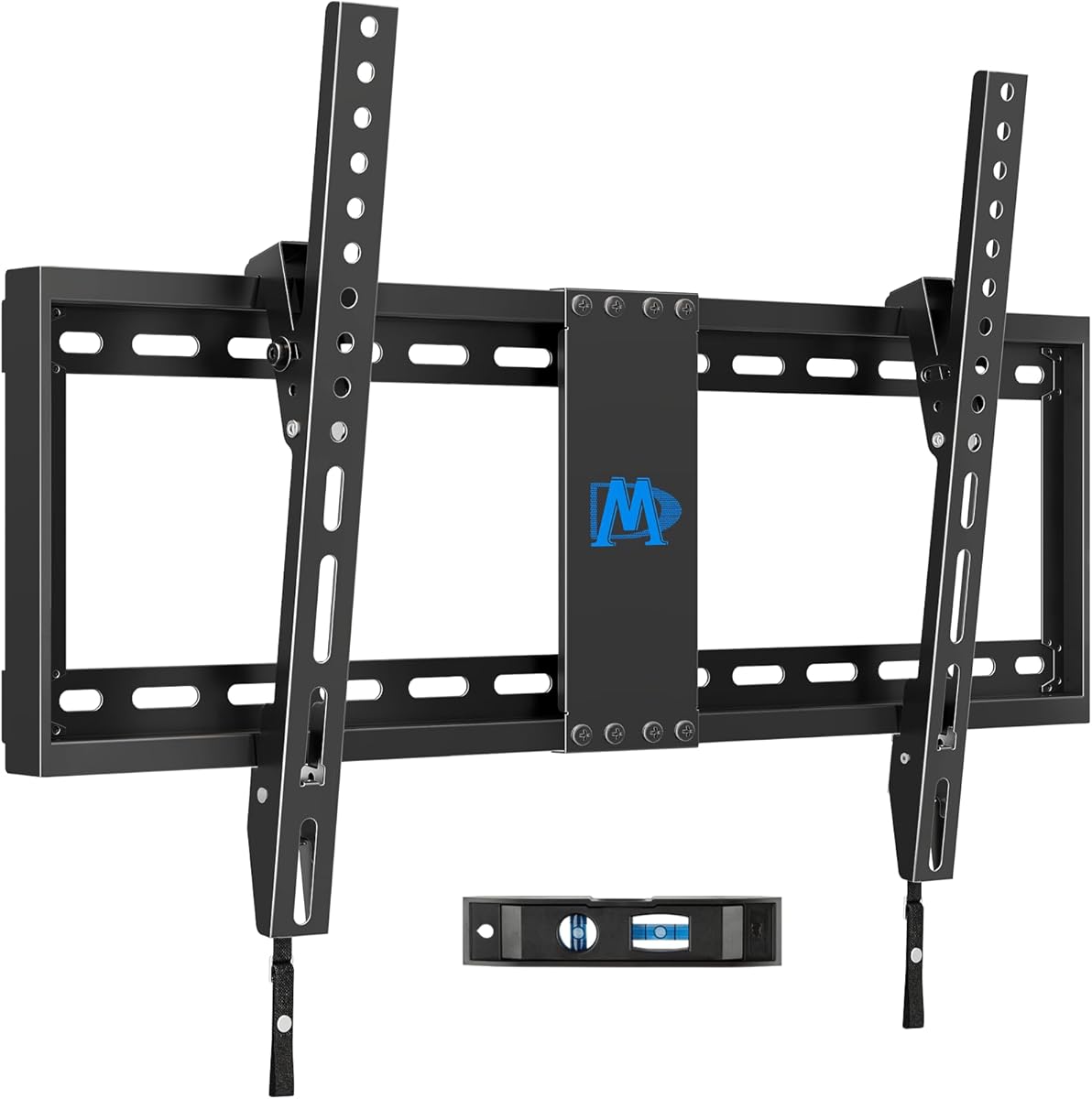




This Mounting Dream mount combines broad television compatibility with an especially slim profile, earning it a 4.7 rating among the supplied customer feedback. It supports most 37- to 90-inch screens up to 132 pounds and accommodates VESA patterns as large as 600x400mm, making it a realistic option for a wide range of modern living rooms and home theaters.
We may earn a commission when you buy through this link, at no additional cost to you.
Its standout feature is the ability to place the television only 1.5 inches from the wall. That close clearance creates a clean appearance without sacrificing the forward tilt used to reduce glare. An 8-degree tilt adjustment is less dramatic than the range offered by several competing brackets, but it remains adequate for correcting reflections from windows, lamps, and overhead lighting.
Installation is presented as a three-step process, and the package includes a level and clear instructions. The wall plate supports wood studs spaced as far as 24 inches apart. Drywall alone is expressly unsuitable, which is an important limitation but also a sensible safety instruction. Concrete installations may require 10x50mm anchors obtained separately.
This mount is best for buyers who want a capable large-screen bracket without an extendable arm or a large tool-free tilting system. Check the television's VESA pattern, weight, and available stud positions before ordering. For a room where appearance and straightforward mounting matter more than sophisticated movement, it is a well-balanced recommendation.
At a stated 1.5 inches from the wall, the mount keeps the television visually close to the surface. This is particularly useful in tighter rooms, above fireplaces, and in finished spaces where a conspicuous bracket would interrupt the room's design.
The 8-degree forward tilt gives viewers a way to redirect the screen when lights or windows create reflections. The adjustment is modest but straightforward, making it a sensible match for typical viewing positions.
We may earn a commission when you buy through this link, at no additional cost to you.
The ECHOGEAR mount receives a 4.7 rating and is designed for buyers who prioritize an approachable installation process. It accommodates most 40- to 90-inch televisions up to 135 pounds, giving it broad utility for modern large-screen setups while remaining simple enough for first-time installers.
We may earn a commission when you buy through this link, at no additional cost to you.
Its installation kit is organized around a three-step process, pre-divided hardware, and a drilling template. The supplied information says installation can be completed in under 20 minutes, although actual timing will vary with wall access, tools, and experience. A major practical benefit is 5 degrees of post-installation leveling, which gives installers room to correct alignment after the wall plate is fixed.
The mount tilts forward as much as 10 degrees, making it useful for reducing glare in rooms with windows or overhead lights. It is advertised as compatible with major television brands including LG, Sony, Samsung, Vizio, and TCL, subject to confirming the television's exact VESA dimensions and weight. Unlike extendable models, its positioning is focused on tilt and leveling.
This is a strong pick for a straightforward bedroom, den, or living-room installation where a user wants a broad size range, glare adjustment, and helpful leveling. The minimum supported screen size excludes some smaller displays, so check those dimensions first. Even so, the combination of hardware organization and post-install control makes it one of the most approachable options in the guide.
A drilling template, divided hardware, and a stated three-step process reduce ambiguity at the point of installation. Post-install leveling adds a useful recovery tool when stud placement or drilling is not perfectly aligned with the desired screen position.
The 40- to 90-inch range and 135-pound capacity cover many contemporary televisions. Support for major brands adds convenience, although the final decision still depends on the exact VESA pattern, weight, and rear-panel arrangement.
We may earn a commission when you buy through this link, at no additional cost to you.
This Mounting Dream model has a 4.7 rating and stands out for its unusually flexible tilt geometry. It fits most 42- to 86-inch LCD, LED, and plasma televisions up to 120 pounds, with a maximum VESA pattern of 800x400mm. That broad hole-pattern range provides useful compatibility with large displays designed around wider mounting geometry.
We may earn a commission when you buy through this link, at no additional cost to you.
The central advantage is a tool-less handle that permits up to 15 degrees of forward tilt and 5 degrees of backward tilt. This is the largest forward range among the products compared. Backward tilt is particularly useful when connecting cables, while forward adjustment provides greater control over glare. A small post-installation leveling adjustment of plus or minus 1 degree further helps with final alignment.
The mount retracts to 2.5 inches from the wall, preserving a relatively streamlined appearance. Installation hardware is supplied in labeled bags, and a torpedo level is included. The instructions state that concrete anchors can be sent by request, while the product is not intended for drywall-only installation. Customer support is listed as available seven days a week, and the product carries a 10-year warranty.
This bracket is well suited to viewers who need more pronounced angle correction than a basic fixed-tilt model provides, particularly when the screen is mounted above a fireplace or viewed from a low seating position. It is less appropriate for exceptionally heavy televisions, since its 120-pound ceiling is lower than several alternatives. For compatible screens, however, its range of movement and broad VESA support are compelling.
The 15-degree forward range offers substantial glare control, while the 5-degree backward movement helps when the television needs to lean forward for connections. A tool-less handle makes these adjustments possible without disassembling the mount.
A maximum pattern of 800x400mm is among the most generous listed here. It can accommodate a broader assortment of large-screen mounting patterns, though every TV still needs to be checked against the complete supported range and weight limit.
We may earn a commission when you buy through this link, at no additional cost to you.
The IWORKBOARD mount carries a 4.6 rating and offers an unusually broad television-size range for a straightforward tilting bracket. It is intended for screens from 32 to 90 inches, supports weights up to 132 pounds, and works with VESA patterns up to 600x400mm. That combination makes it relevant to bedrooms, offices, and main living areas with different screen sizes.
We may earn a commission when you buy through this link, at no additional cost to you.
Its low-profile design keeps the television close to the wall while preserving a quick-release mechanism. The release system allows the screen to be detached for service or connection work, and a locking feature is included to help secure it once attached. The bracket also tilts forward by up to 10 degrees, providing useful glare reduction without the complexity of a full-motion arm.
Installation hardware and instructions are included, and the wall plate is designed for 24-inch stud spacing. The product is UL-certified according to the supplied information, while the manufacturer also provides 10 years of support. One notable omission is a paper drill template, which the product information acknowledges would have been helpful. Drywall alone is not supported, and concrete anchors can be requested.
This mount is a good match for value-conscious buyers who need support for a wide range of television sizes and value the quick-release arrangement. It is less convenient for installers who depend on a physical drilling template or want concrete hardware supplied automatically. Subject to the correct VESA pattern, weight, and wall conditions, it is a capable and flexible choice.
The pull-and-release design makes it easier to detach the television when cables or rear ports need attention. A locking mechanism provides a practical counterpart for keeping the display secure during normal use.
The 32- to 90-inch range is more versatile than many mounts focused only on large screens. Buyers should still confirm VESA dimensions, television weight, and whether the wall contains a suitable stud or other permitted anchor.
We may earn a commission when you buy through this link, at no additional cost to you.
This USX MOUNT earns a 4.7 rating and combines broad television compatibility with the smallest stated wall gap in the comparison. At 1.28 inches, the mount is designed to produce a particularly streamlined appearance while retaining a useful 10-degree downward tilt for glare control.
We may earn a commission when you buy through this link, at no additional cost to you.
The television can be up to 95 inches, and the bracket supports flat or curved LED, LCD, OLED, and plasma screens. Its 132-pound capacity and 150x100mm to 600x400mm VESA range cover many mainstream large-screen models. The open wall-plate design is intended to permit direct placement over an outlet, though the presence and depth of the outlet must always be checked.
Installation is supported on wood-stud walls with 16- or 24-inch spacing, as well as concrete and brick walls. Pulling straps help users attach the television to the bracket, while labeled hardware and a bubble level simplify setup. Concrete anchors are available by contacting the seller. The heavy-duty steel construction is reinforced by the broad compatibility range, though the mount does not extend toward the viewer for cable access.
This is a compelling option for buyers who want a large television to appear almost flush with the wall and who value the broadest conventional screen range in the guide. It suits installations where cables are planned in advance or the television's ports are accessible another way. It is not the right choice for situations requiring frequent pull-out access to connections.
The 1.28-inch clearance is the key visual benefit. It reduces the depth of the installed television and works well in contemporary rooms where the screen should appear integrated with the wall.
Compatibility extends across several screen technologies and up to 95 inches. The wall plate also supports wood studs, concrete, and brick, giving buyers more options when the room does not have conventional framing.
We may earn a commission when you buy through this link, at no additional cost to you.
The SANUS Extendable mount has the highest rating in this group at 4.8 and differentiates itself through a 5.7-inch pull-out mechanism. It fits most 46- to 90-inch flat-screen, LED, OLED, and smart televisions up to 150 pounds, combining strong large-screen support with convenient access to HDMI, power, and streaming connections.
We may earn a commission when you buy through this link, at no additional cost to you.
The 12-degree tilt is tool-free, allowing the screen to be angled to reduce glare or improve comfort above a fireplace, in a bright room, or at an elevated installation height. The extendable arm offers something basic low-profile brackets cannot: users can bring the television forward to reach rear ports and then push it back for a cleaner appearance.
The preassembled bracket, drill template, and included hardware support installation on wood stud, concrete, or block walls. The stated installation time is about 30 minutes, though difficult walls, concealed cabling, and individual tool availability can increase that. Post-install leveling and side-to-side shifting make it easier to center the screen even when studs or outlets do not align perfectly.
The mount carries UL-listed safety according to the supplied details, along with a 5-year warranty and U.S.-based support. It is the most practical selection in the guide for anyone who expects to connect and disconnect cables regularly. It is also well suited to large televisions above fireplaces. The 46-inch minimum and 150-pound ceiling should both be confirmed, but for compatible systems, its movement and adjustment controls are excellent.
The 5.7-inch extension pulls the television away from the wall, giving users direct access to power and media connections. This is especially helpful for wall-mounted sets with side-facing ports or hard-to-reach cable junctions.
Post-install leveling and lateral shifting reduce the pressure for perfect stud alignment. These controls make the finished screen position easier to refine after the television is already on the bracket.
We may earn a commission when you buy through this link, at no additional cost to you.
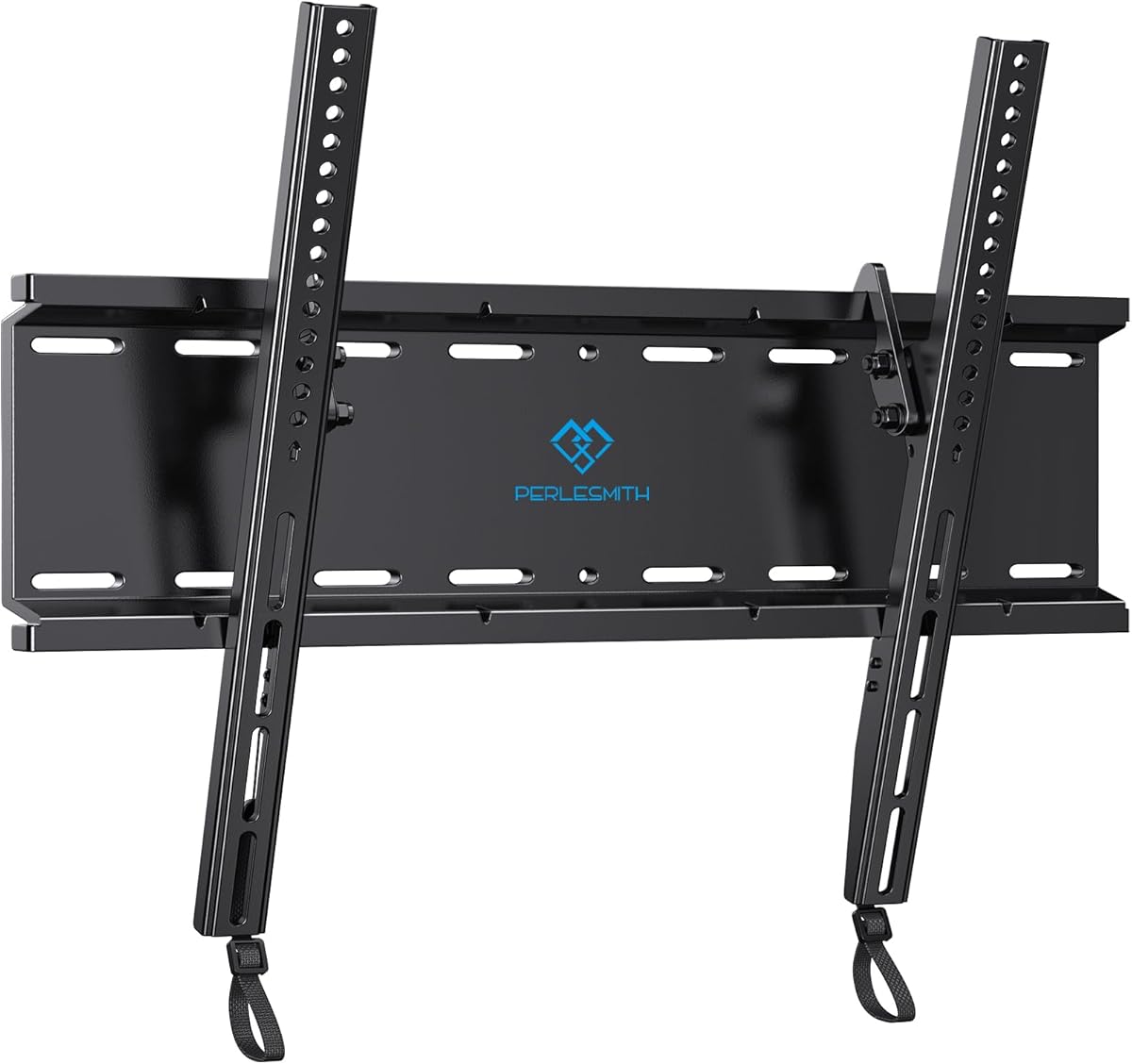
The PERLESMITH mount offers a compact option for viewers whose screens are 60 inches or smaller. It carries a 4.6 rating, supports most 23- to 60-inch televisions up to 115 pounds, and accepts VESA patterns from 75x75mm to 400x400mm. The broad minimum size makes it useful for bedrooms, offices, and smaller entertainment spaces.
We may earn a commission when you buy through this link, at no additional cost to you.
The bracket places the television just 1.2 inches from the wall, giving it a notably slim appearance. A seven-degree downward tilt helps reduce glare when the screen is mounted above the primary viewing position. Although modest compared with the 10- to 15-degree ranges of other products, the movement remains effective for correcting many common reflections.
Its steel construction and locking quick-release mechanism are designed to keep the television secure. The supplied information states that the mount was tested to four times its rated weight under UL standards, giving buyers added confidence. Installation is supported on 8-, 12-, or 16-inch wood studs as well as concrete and brick walls, with a detachable panel, bubble level, labeled hardware, and instructions included.
This is a sensible pick for a smaller television that still needs glare adjustment without the footprint of a large full-motion bracket. It is not intended for modern 65-inch or larger sets, and the 115-pound ceiling makes weight verification especially important. For a compatible compact screen, it combines a secure construction, slim profile, and useful mounting flexibility.
Supporting televisions from 23 inches gives the mount a broader small-screen application than many large-screen-focused models. It can suit a bedroom, guest room, office, or secondary viewing area without requiring an oversized bracket.
The locking mechanism keeps the display attached during use, while the quick-release panel can be detached when required. The steel construction and stated testing provide reassurance, but the television must still remain within the published weight and size limits.
We may earn a commission when you buy through this link, at no additional cost to you.
The Mounting Dream Advanced Tilt mount shares the highest supplied rating at 4.8 and is the most fully featured premium option in the guide. It supports most 42- to 90-inch televisions up to 120 pounds, with a maximum VESA pattern of 600x400mm and compatibility with 16-, 18-, and 24-inch stud spacing.
We may earn a commission when you buy through this link, at no additional cost to you.
Its defining feature is an extension of up to seven inches, the largest pull-out distance listed among these products. The bracket retracts to 2.68 inches when not in use, preserving a relatively clean appearance, but can move forward to make cable access easier and create more room for viewing-angle adjustment. Tilt can be changed without tools, and post-installation leveling covers plus or minus 1 degree.
The open wall-plate design allows the television to be positioned directly over an outlet. Heavy-duty steel and robot welding are used in construction, and the product is described as UL listed. A drilling template, complete labeled hardware, and drawstring-style lock and release system assist with installation. Concrete anchors measuring 10x50mm are supplied by request, and installation on unsupported drywall is expressly prohibited.
This mount is ideal for buyers who want more adjustment than a basic low-profile bracket without a full-motion swivel arm. The long extension is valuable for cable management and can help improve the viewing relationship in elevated installations. Its weight ceiling is lower than that of some heavy-duty competitors, so verify the television carefully. For a compatible 42- to 90-inch screen, the controlled movement and premium finish make it a strong recommendation.
A seven-inch pull-out provides meaningful room to reach ports and adjust the screen's position. The bracket then retracts to 2.68 inches, balancing serviceability with a relatively low-profile appearance.
UL-listed construction, heavy-duty steel, tool-free tilt, and post-install leveling distinguish this model from simpler brackets. These details add convenience and confidence when the screen is large or mounted high.
We may earn a commission when you buy through this link, at no additional cost to you.
This heavy-duty USX MOUNT carries a 4.7 rating and is built for the largest screens in the comparison. It supports televisions from 60 to 120 inches, including flat and curved displays, up to 220 pounds. Its maximum VESA pattern of 900x600mm and one-piece steel construction make it the most capable option by weight, size, and mounting-pattern range.
We may earn a commission when you buy through this link, at no additional cost to you.
The tilt system is unusually versatile for a heavy-duty bracket. It can tilt 5 degrees upward or 12 degrees downward, allowing the screen to be adjusted for a viewer positioned below it or for glare originating from different directions. The wall gap is stated at 2.6 inches, so the model balances a relatively low profile with its broader mechanical requirements.
Installation is possible on wood studs spaced up to 32 inches apart, concrete, and brick, but not on drywall alone. Hardware and instructions are included, while concrete anchors are available on request. This broad framing compatibility is valuable in homes where conventional stud spacing may be limited. Users should nevertheless confirm the wall structure, television dimensions, VESA pattern, and weight before drilling.
This bracket is the clear specialist choice for extra-large displays, premium televisions, and large home-theater installations. It is unnecessary for ordinary living-room screens, and its size may require two people during installation. For a 60- to 120-inch set that remains within the 220-pound limit, the weight capacity, 900x600mm pattern, and two-direction tilt offer exceptional flexibility.
A 220-pound capacity, 120-inch maximum screen size, and 900x600mm VESA support cover a much larger hardware envelope than conventional mounts. These specifications make the model appropriate for demanding extra-large installations.
The ability to move 5 degrees upward and 12 degrees downward is useful above eye level. It gives installers more latitude to manage glare and line of sight than a simple downward-only mechanism.
We may earn a commission when you buy through this link, at no additional cost to you.
The SANUS Tilting TV Wall Mount has a 4.7 rating and provides a refined balance of low-profile placement, convenient adjustment, and broad television compatibility. It works with most 37- to 80-inch sets up to 130 pounds, including major brands such as Samsung, LG, and TCL, provided the television's VESA pattern falls between 100×100 and 600x400mm.
We may earn a commission when you buy through this link, at no additional cost to you.
The bracket can tilt up to 10 degrees without tools, allowing viewers to reduce reflections without disturbing the mount. It also shifts left or right after installation, which is valuable when studs or outlets are offset from the desired center of the wall. At 1.9 inches from the wall, its profile is among the slimmest in the comparison, while hidden pull straps allow brief access to cables.
Construction uses steel and is described as UL listed. Installation follows a three-step process and is stated to take 30 minutes or less, with all necessary hardware included. The supporting company is based in Minnesota and offers customer care seven days a week. Although it installs quickly in ideal conditions, concealed wiring, uneven walls, and a second pair of hands can add time.
This mount is a strong all-around recommendation for a television no larger than 80 inches when the goal is a clean appearance, glare control, and easy post-install positioning. It lacks the long extension offered by the premium SANUS model, but that limitation is minor for installations where cables are routed permanently. It is especially appealing when off-center studs need to be accommodated without sacrificing a centered final view.
Left-right adjustment makes the mount less dependent on ideal stud placement. Users can center the screen more easily when framing or an outlet is offset from the center of the viewing wall.
The 1.9-inch profile keeps the television close to the wall, and the 10-degree tilt requires no tools. This combination delivers a tidy installation with convenient glare correction.
We may earn a commission when you buy through this link, at no additional cost to you.
Choosing a tilting TV wall mount requires balancing television compatibility, wall construction, viewing position, and desired access to connections. The following factors explain the practical details that matter most before installation.
VESA is the rectangular pattern of mounting holes standardized on the rear of most flat-screen televisions. Before selecting a bracket, locate the four mounting holes and measure the horizontal and vertical distance between their centers in millimeters. The mounting pattern must fall completely within the bracket's supported range, and the television's weight must also remain below the mount's stated limit. Screen size alone does not establish compatibility: two televisions of the same diagonal size can have different VESA patterns and weights.
Choose by exact VESA range, not by screen size alone. Verify both dimensions rather than assuming that a mount supporting a maximum 600x400mm pattern will fit every television within that size.
Every mount has a maximum supported television weight, and the proper margin matters because static mounting loads combine with dynamic forces created when a screen is tilted. The products in this guide range from a 115-pound capacity to a 220-pound capacity, with most clustered around 120 to 135 pounds. Check the manufacturer's specification for the exact television rather than estimating from screen size, particularly for large OLED or plasma displays.
If the television is close to the bracket's stated limit, consider a model with more capacity. Never exceed the published rating, and remember that accessories mounted behind the screen can add weight.
A wall mount must be anchored to a structure capable of carrying the load. Wood studs, concrete, and brick are commonly supported, while installation into unsupported drywall alone is expressly excluded by all of the products described. Use a stud finder or another reliable method to locate framing, confirm its width and center spacing, and verify that the wall plate can span the available studs. If attaching to masonry, use the specified anchors and follow their installation requirements.
The bracket's supported stud spacing must match the framing behind your intended position. Wider spacing offers placement flexibility, but the wall construction still needs to be sound.
Forward or downward tilt is most useful when glare appears on the screen from windows, lamps, reflections, or overhead lighting. The mounts in this guide offer adjustment from 7 to 15 degrees forward, while the heavy-duty model also permits 5 degrees upward movement. Larger ranges provide more control but are most useful when the screen is mounted above eye level or in a room with challenging reflections. A smaller tilt is often sufficient for a television positioned directly opposite the main seating area.
Choose enough range to correct the actual reflection, not simply the largest number. A 7- or 8-degree tilt can be effective in a conventional arrangement, while 10 to 15 degrees offers additional flexibility in brighter or elevated installations.
Fixed tilting brackets can place rear-facing ports close to the wall, making cables difficult to connect after installation. Options with pull straps, quick-release mechanisms, or pull-out extensions solve this problem more effectively. The SANUS Extendable model moves forward 5.7 inches, while the Mounting Dream Advanced Tilt model extends up to seven inches. Other models provide release straps but no forward travel, so routing cables with an in-wall pathway or a recessed service opening may be necessary.
If you plan to connect streaming devices, game consoles, or soundbars frequently, prioritize reachable ports. If all cables will be permanently connected, a slimmer fixed profile may be more appropriate.
The advertised wall clearance describes the distance between the wall and the television in its normal position, but the mounting hardware, television thickness, ventilation requirements, and outlet can reduce usable space. Measure the television's depth and inspect its rear panel before choosing a very slim model. The open wall-plate designs used by the USX MOUNT and Mounting Dream Advanced Tilt mounts can help accommodate outlets, although outlet depth and code requirements still need confirmation.
Allow enough room for the television to tilt without contacting the wall. Check for ventilation guidance from the television manufacturer and avoid blocking rear or side vents.
A drilling template, bubble level, labeled hardware, and preassembled components can make a significant difference during installation. Post-install leveling helps correct small alignment errors, while horizontal shifting can center a screen when studs are not ideally positioned. Tool-free tilt mechanisms are convenient for routine glare adjustment, and pull straps assist with attaching a large television to the wall plate. These features do not replace sound preparation, but they can reduce installation difficulty.
Prioritize a template and leveling system if you are inexperienced with wall mounting. If another person will help, assign one person to hold the television while the other secures it.
Think beyond the immediate installation. A mount may need to accommodate future television upgrades, a changed room layout, repositioned furniture, or updated cable connections. A broad VESA range provides more flexibility when replacing a set, while an extension mechanism or quick release makes future servicing easier. A low-profile design also remains visually effective if the room décor changes, whereas a full-motion arm may occupy more visual and physical space.
Choose a mount that matches how you actually use the room. A simple tilt is often better for a dedicated viewing area, while extension and release features are more valuable in flexible living spaces.
Begin by identifying the studs, confirming the wall type, and checking that every fastener will engage suitable structure. Mark the wall plate position carefully, use a level throughout the process, and avoid forcing the bracket if the holes do not align. Install the appropriate anchors for masonry rather than relying on drywall anchors alone. Before lifting the television into place, attach any required pull straps or locking components and route the power and signal cables with enough slack for tilt or extension.
After mounting, keep the screen within the bracket's stated tilt, extension, and weight limits. Move it by the frame rather than pressing against the display panel, and do not hang objects from the television. If the mount retracts, guide the television straight back while watching the cables. Periodically inspect the fasteners, locking mechanism, and wall attachment for looseness, particularly if the display is frequently tilted or extended.
Clean the bracket and television with a soft, dry cloth, and avoid spraying cleaner directly onto the screen or into the mechanism. Keep cables from becoming sharply bent, pinched, or wrapped around moving parts. Follow the television manufacturer's ventilation and cleaning guidance, and have an unfamiliar wall structure or a particularly heavy display evaluated by a qualified installer.
A tilting wall mount primarily moves forward and downward to reduce glare or improve the viewing angle, and it may also retract toward the wall. A full-motion mount usually adds side-to-side swivel and vertical movement. If your television faces one main seating area and you only need glare control, a tilting design is usually simpler and visually less conspicuous.
The products in this guide are not intended for installation into unsupported drywall alone. They should be secured to a suitable wood stud or to properly rated anchors in concrete or brick. Drywall alone can crumble and offers no dependable structural support, so locate framing or use an appropriate masonry installation method before mounting the bracket.
Look for the four mounting holes on the back of the television or check its manual and specifications. Measure the horizontal and vertical distance between their centers in millimeters, then compare that pattern with the mount's complete supported range. Both dimensions must match, and the television must also fall within the bracket's weight and screen-size limits.
Many reflections can be improved with 7 to 10 degrees of forward tilt, although the right amount depends on the location of the light source and the viewer's seating position. The 15-degree model offers more correction for elevated installations, while the heavy-duty option also tilts upward. Adjust the screen gradually rather than forcing it beyond the bracket's range.
Some low-profile mounts leave rear ports close to the wall, making connections inconvenient after installation. Pull straps, quick-release systems, and pull-out extensions improve access. The SANUS Extendable and Mounting Dream Advanced Tilt models provide meaningful forward travel, while permanently routed cables can work well with fixed designs.
The hardware may be manageable for one installer, but lifting and securing a large television is much easier with two people. One person should support the screen while the other locks or fastens it to the wall plate. The drilling and anchoring should be completed before the television is brought into position.
The required space depends on the mount, television thickness, cable connections, and ventilation guidance. Measure the rear of the television and check the bracket's clearance before drilling. If an outlet or cable connection is deeper than expected, choose a mount with an open plate or extension rather than forcing the television against the wall.
Choose a bracket whose supported stud spacing matches the framing behind your chosen location. The mounts listed here support various combinations of 8-, 12-, 16-, 18-, 24-, and 32-inch spacing. Locate the center of the studs carefully and use the supplied template or a measured marking method before drilling.
The IWORKBOARD Tilting TV Wall Mount stands out as a capable budget-oriented option for screens from 32 to 90 inches, while the SANUS Extendable model earns the Editor's Choice recommendation for its combination of 12-degree tilt, a 5.7-inch extension, and 150-pound capacity. The Mounting Dream Advanced Tilt mount offers the most refined premium positioning, including seven inches of extension, tool-free adjustment, and UL-listed construction.
Prioritize exact VESA and weight compatibility before considering movement or appearance. Wall construction, stud spacing, cable access, ventilation, and the television's mounting depth can determine whether a bracket works in your room. A larger tilt range helps in bright or elevated spaces, while a quick-release or extension is most valuable when rear connections need regular attention.
Current prices, promotions, product availability, and installation guidance can change over time, so confirm the latest details on the product page before purchasing. Recheck the television's VESA pattern and weight, inspect the wall, and compare the bracket's clearance with the television's depth and connection requirements. Those checks are essential for choosing a tilting TV wall mount that fits safely and functions smoothly.