
HP Chromebook 14 Laptop
4.3Editor score
Up to 14-hour battery
Chrome OS efficiency
Anti-glare HD display
Low power consumption laptops are designed to deliver useful everyday computing while drawing less energy, reducing heat, and extending battery life. The right model suits students, travelers, remote workers, and anyone who values portability without giving up the essentials of modern computing.
We compared processor efficiency, stated battery life, display quality, memory, storage, connectivity, portability, operating system, and practical features across ten models. The list covers Chromebooks and Windows laptops designed primarily for browsing, office work, streaming, online learning, and communication rather than demanding gaming.
Each review explains where a laptop stands out, what compromises accompany its design, and whom it is best suited for. Battery claims can vary with settings and workloads, while current pricing and configuration details may change, so buyers should verify current listings before purchasing.
4.3Editor score

5.0Editor score

4.1Editor score
As an Amazon Associate we earn from qualifying purchases.
The table below compares each laptop's processor, memory, display, and battery-related features, making it easier to identify the model that best matches your mobility and productivity priorities.



The Lenovo V15 Business Laptop combines an efficient Intel N100 processor with a light, slim chassis and a roomy 15.6-inch Full HD display. Its 4.3 rating reflects a well-rounded package for work, study, browsing, communication, and entertainment, with particularly strong connectivity and environmental certifications.
We may earn a commission when you buy through this link, at no additional cost to you.
Performance is focused rather than ambitious. The quad-core N100 is designed for essential computing, including document editing, email, web browsing, video streaming, online learning, and routine video calls. LPDDR5 memory and UFS 3.1 storage improve responsiveness, while Windows 11 Home in S mode and Microsoft 365 Personal provide a functional starting point for productivity.
The 15.6-inch 1920-by-1080 anti-glare panel is unusually useful at this level, offering more workspace than a compact 14-inch model. A 250-nit rating, 88% screen-to-body ratio, and TÜV Rheinland Low Blue Light certification make it suitable for long study or office sessions, although it is not as bright as a premium display.
This is a compelling choice for budget-conscious students and home-office users who value connectivity, screen area, and efficient components more than heavy performance. The main limitation is 4GB of memory, which can become restrictive with many applications or browser tabs. For standard productivity, however, the V15 offers one of the strongest overall balances on the list.
Two USB-A ports, a USB-C port with Power Delivery and DisplayPort, HDMI, a card reader, and a combined audio jack cover most daily needs. Wi-Fi 6 and Bluetooth 5.2 also help the laptop remain current for wireless peripherals and collaboration.
A 720p camera privacy shutter and firmware TPM 2.0 support secure communication and device protection. ENERGY STAR 9.0 and EPEAT Silver status also align well with buyers seeking a lower-impact, energy-conscious computer.
We may earn a commission when you buy through this link, at no additional cost to you.
The HP Chromebook 14 Laptop is a straightforward, efficient choice for users who spend most of their time online. It earned a 4.3 rating and stands out for its thin enclosure, anti-glare display, custom-tuned speakers, and claimed battery life of up to 14 hours.
We may earn a commission when you buy through this link, at no additional cost to you.
Its Intel Celeron N4120 quad-core processor is suited to browsing, streaming, web applications, and communication rather than demanding software. Chrome OS adds a familiar browser-based environment with Android app availability, while Intel UHD Graphics 600 supports smooth 4K content playback and suitable next-generation games.
The main compromises are the 1366-by-768 resolution and 64GB of eMMC storage. Neither prevents basic productivity, but local files must be managed carefully, and the display is less detailed than Full HD alternatives. The multi-touch touchpad is nevertheless useful, supporting four-finger navigation gestures.
This Chromebook is best for students, casual users, and travelers who want simple online computing and strong battery potential. Users who depend heavily on desktop applications or large local media libraries will be better served by a Windows model. For browser-centered work, it remains an efficient and economical choice.
HP Fast Charge can bring the battery from zero to approximately 50% in about 45 minutes according to the supplied product information. That makes the lightweight design practical for school, commuting, travel, and work away from a permanent outlet.
The micro-edge, anti-glare 14-inch HD panel helps reduce reflections in bright surroundings. Its 1366-by-768 resolution is modest, but the screen is well matched to web browsing, documents, video calls, and streamed entertainment.
We may earn a commission when you buy through this link, at no additional cost to you.
The HP New Everyday Slim Laptop is among the most compelling efficiency choices because it combines an Intel N150 processor, DDR5 memory, solid-state storage, and claimed battery life of up to 11.5 hours. Its 5.0 rating also makes it one of the most positively reviewed products in this roundup.
We may earn a commission when you buy through this link, at no additional cost to you.
The N150 can boost to 3.6GHz and provides four cores and four threads for browsing, office work, online classes, communication, and general productivity. A 128GB SSD supports quick boot and application access, while the included 1TB OneDrive allowance expands available cloud storage for documents and compatible files.
Its 14-inch 1366-by-768 BrightView display reaches 220 nits and has micro-edge styling, but it is not particularly vivid. The larger limitations are the modest resolution and 4GB of RAM. Users with numerous open tabs or demanding applications may eventually want more memory, although the system remains appropriate for the intended audience.
This model is a strong all-around recommendation for students, families, and office users seeking a light Windows laptop with solid battery potential and modern ports. It includes Windows 11 Home, a one-year Microsoft 365 subscription, Wi-Fi, Bluetooth 5.4, a 720p camera, and an SD card reader without demanding a premium design.
The Intel N150 is built around efficiency rather than peak speed. It handles the core Windows tasks that dominate school and office use while avoiding the heat and power demands associated with more demanding processors.
The 128GB SSD provides a fast local foundation for the operating system and essential applications. OneDrive storage provides a convenient companion for cloud-hosted documents, while the built-in SD reader supports direct media and file transfers.
We may earn a commission when you buy through this link, at no additional cost to you.
The HP 2026 Everyday Slim Laptop is a polished option for users who want a compact Windows computer with a comfortable display and long stated battery life. It is particularly appealing for students and mobile workers because of its 3.24-pound weight, 0.71-inch profile, and claimed playback time of up to 11.5 hours.
We may earn a commission when you buy through this link, at no additional cost to you.
Its Intel N150 processor and Intel graphics are intended for browsing, classes, office tasks, and streaming rather than intensive gaming or professional design. Windows 11 Home 64-bit provides the standard desktop environment, and a dedicated Microsoft Copilot key adds convenient access to the platform's AI-assisted tools.
The 14-inch anti-glare display offers 250 nits of brightness, a 79% screen-to-body ratio, and 62.5% sRGB coverage. That makes it easier to use than many dimmer compact panels, although the 1366-by-768 resolution remains less detailed than Full HD. The camera also adds temporal noise reduction and dual-array microphones for calls.
This model suits students, commuters, and remote workers who prioritize mobility, a comfortable viewing surface, and all-day battery potential. It has no supplied numerical rating, so buyers should examine current customer feedback and the final configuration. Its physical design and practical feature set make it a credible alternative to the similarly sized HP Everyday model.
Anti-glare treatment helps limit distracting reflections during daytime study or office use. The 250-nit brightness improves indoor visibility, although color coverage remains limited and higher-resolution work would benefit from a Full HD panel.
The supplied information states up to 11.5 hours of video playback or 7.5 hours of wireless streaming. Actual results depend on brightness, network quality, applications, and power settings, but the figures support extended use away from an outlet.
We may earn a commission when you buy through this link, at no additional cost to you.
The Lenovo Essential 15.6-inch FHD Laptop stands out because 8GB of LPDDR5 memory is uncommon among the compact, efficient models in this guide. Combined with an Intel N150 processor, it provides a practical configuration for browsing, document editing, streaming, video calls, and light multitasking.
We may earn a commission when you buy through this link, at no additional cost to you.
Its 15.6-inch Full HD anti-glare screen has a 1920-by-1080 resolution, 250-nit brightness, and an 88% screen-to-body ratio. The larger, sharper display is well suited to spreadsheets, presentations, online classes, and entertainment, while user-facing stereo speakers provide practical multimedia output.
The 3.42-pound body and 0.70-inch profile remain highly portable despite the 15.6-inch screen. Wi-Fi 6, Bluetooth 5.2, two USB-A ports, USB-C with Power Delivery and DisplayPort, HDMI, an SD reader, and a 65-watt adapter create a well-rounded connection package.
This is the better option among the Lenovo models for buyers who prioritize memory and a sharp, spacious display over the absolute lowest configuration. Its 128GB UFS 3.1 drive is modest, and Windows 11 Home in S mode may require switching for certain applications, but the efficient overall design is persuasive.
Eight gigabytes of LPDDR5-4800 memory gives the system more breathing room than 4GB configurations. It is a meaningful advantage when keeping documents, messaging applications, browser tabs, and a video meeting active at the same time.
MIL-STD-810H testing across 20 items adds confidence for students and commuters. The slim construction and moderate weight reduce the burden of carrying a full-size screen between home, school, office, or travel destinations.
We may earn a commission when you buy through this link, at no additional cost to you.
The Amzboy 15.6-inch FHD Laptop is built around quiet, low-maintenance operation. Its fanless solid-state design avoids mechanical cooling noise and internal dust accumulation, while the 3.3-pound chassis and 15.6-inch Full HD anti-glare screen offer a rare combination of large-screen comfort and low weight.
We may earn a commission when you buy through this link, at no additional cost to you.
The Intel N4020 processor and 4GB of RAM are suited to Zoom classes, web browsing, document work, and other routine tasks. Storage starts at 128GB eMMC, and an external TF card slot supports expansion up to 1TB, offering a straightforward way to add capacity for media or course files.
USB-C Power Delivery is another meaningful convenience. The included 45-watt adapter is compact enough to simplify travel, and the laptop includes USB 3.2 and Type-C connectivity for common accessories. Preinstalled Windows 11 provides a familiar and straightforward starting environment.
This laptop is best for students, travelers, and users who value silence, a sharp display, and uncomplicated charging over maximum performance. The modest memory and internal capacity will not suit heavy multitasking or large local libraries, but the core experience is efficient for everyday online and school tasks.
The fanless solid-state design can be especially pleasant in quiet study spaces, libraries, meetings, and shared homes. It eliminates fan noise and reduces pathways for dust to enter the chassis.
A 45-watt Type-C Power Delivery adapter reduces charger bulk and may simplify sharing a charging setup with compatible devices. This portability complements the laptop's light body and flexible card expansion.
We may earn a commission when you buy through this link, at no additional cost to you.
The ASUS Vivobook Go 15.6-inch is a student-oriented Windows laptop with useful everyday features, including a backlit keyboard, camera shutter, and SonicMaster audio. Its 3.9 rating is the lowest numerical score in the group, but it remains a practical option for general study and home use.
We may earn a commission when you buy through this link, at no additional cost to you.
The dual-core Intel Celeron N4500 is optimized for basic tasks such as web browsing, communication, document work, and multimedia playback. Intel HD Graphics supports those activities, while 4GB of DDR4 memory and 128GB of eMMC storage provide a modest foundation for lightweight use.
Its 15.6-inch Full HD panel operates at 60Hz and reaches 220 nits, giving the laptop more screen detail than basic HD alternatives. A 42Wh battery supports portable use, while ASUS Fast Charge is stated to reach 60% in approximately 49 minutes through the USB-C port.
This model is best for students who want a larger screen, a comfortable illuminated keyboard, and familiar Windows software without advanced performance requirements. Its lower rating and modest specifications make it less attractive for demanding applications, but the feature set is well aligned with classes, research, and document-based productivity.
The full-size backlit chiclet keyboard is useful during evening study or dim travel environments. The Full HD display provides enough space and detail for writing, research, spreadsheets, and online classes.
SonicMaster speakers, a Smart Amplifier, and ASUS Audio Booster target clearer entertainment and communication. A 720p camera with a physical shutter offers straightforward control over visual privacy during online sessions.
We may earn a commission when you buy through this link, at no additional cost to you.
The HP 14-inch 2027 Edition Laptop combines an efficient Intel N150 platform with a slim, portable enclosure and a bright anti-glare display. Its 4.5 rating suggests strong satisfaction, and the configuration is well suited to students or home-office users who prioritize mobility.
We may earn a commission when you buy through this link, at no additional cost to you.
The processor provides four cores and four threads, with listed speeds reaching up to 4.4GHz. It handles browsing, office work, streaming, online learning, and routine communication. DDR5 memory and SSD storage create a more contemporary foundation than older eMMC-based entry laptops.
The laptop weighs 3.24 pounds and measures 0.71 inches thick, making it convenient to carry. The 14-inch non-touch display has 250-nit brightness and anti-glare treatment, while USB Type-C, USB Type-A, HDMI, and a headphone/microphone jack cover essential connections.
This is a strong compact productivity option for buyers who want a modern Windows experience, useful ports, and cloud storage without a large or expensive machine. Its main limitation is the basic 1366-by-768 panel, and the supplied information does not provide a specific battery-life figure.
DDR5 memory and SSD storage help the N150-based system remain responsive for routine work. The combination is appropriate for cloud-centered productivity, browsing, school assignments, and communication.
At 3.24 pounds and 0.71 inches thick, the laptop fits comfortably into many daily bags. Its useful mixture of legacy and modern ports reduces the need to carry adapters for displays and peripherals.
We may earn a commission when you buy through this link, at no additional cost to you.
The Jumper 15.6-inch FHD Laptop has one of the most generous memory configurations in the guide. Its 12GB of RAM, 256GB solid-state drive, and 4.8 rating make it appealing for users who want more flexibility than a basic 4GB notebook provides.
We may earn a commission when you buy through this link, at no additional cost to you.
The Intel Celeron 5205U is a dual-core, two-thread processor with a 1.9GHz base frequency. The supplied description emphasizes ultra-low power consumption and suitability for office tasks, browsing, streaming, and light multitasking, although its older architecture is less compelling for intensive work.
A 15.6-inch IPS panel offers 1920-by-1080 resolution, slim bezels, anti-glare coating, and blue-light filtering. The 38Wh battery, dual speakers, dual-band Wi-Fi, Bluetooth 4.2, Type-C, HDMI, dual USB 3.0, a microSD slot, and an audio jack create a versatile everyday package.
This laptop is best for students and office users who prioritize memory, storage, and screen quality over processor speed. The expandable storage adds room for documents and media, while preinstalled Windows 11 minimizes setup time. It is a configuration-focused choice rather than a high-performance workstation.
Twelve gigabytes of RAM is a notable advantage for browser-heavy work, communication applications, and light multitasking. It gives the system more room to maintain active applications than the 4GB configurations found elsewhere in this roundup.
The 256GB SSD supports fast access to the operating system and applications, while the microSD slot allows additional portable files. The supplied listing also describes storage as expandable to 512GB.
We may earn a commission when you buy through this link, at no additional cost to you.
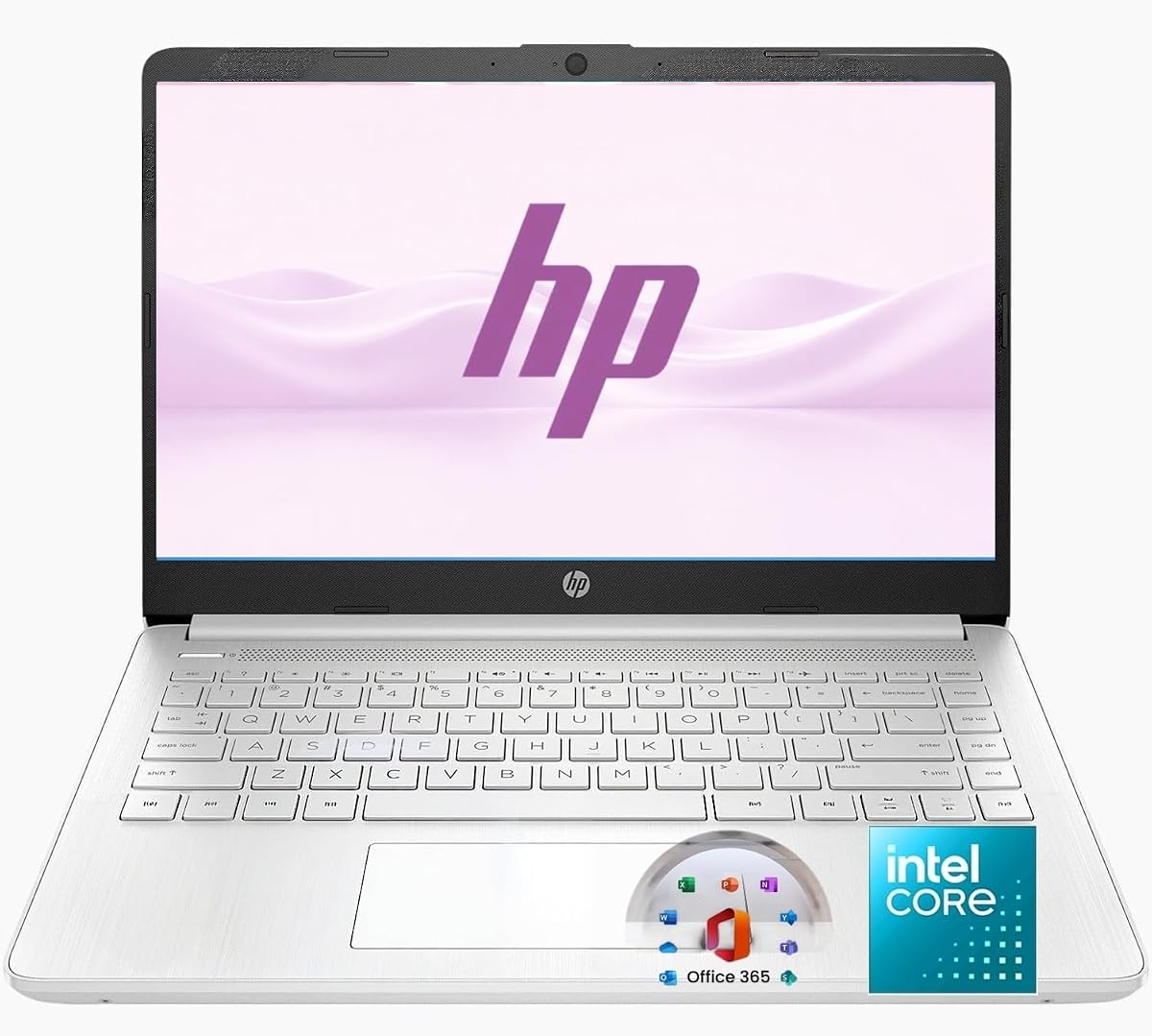
The HP 14-inch Ultra Light Laptop is aimed at students, families, and everyday business users who want a ready-to-use productivity bundle. It pairs an efficient Intel N150 processor with 8GB of RAM and includes Office 365, a removable 256GB SD card, a wireless mouse, and an external CD/DVD drive.
We may earn a commission when you buy through this link, at no additional cost to you.
The stated workload includes browsing, email, Office 365 documents, online classes, video calls, spreadsheets, presentations, and light entertainment. The quad-core N150 is appropriate for those tasks, while 8GB of memory provides more comfortable multitasking than the typical entry configuration.
Its portability is supported by a slim 14-inch design, HD display, 720p webcam, dual microphones, Wi-Fi 6, and Bluetooth 5.4. The 128GB UFS drive handles the operating system and essential applications, while the supplied accessories add removable storage and mouse functionality.
This is a convenient option for buyers who value a complete package over component-level customization. It is not intended for heavy gaming or professional design workloads, and the included accessories may be unnecessary for some users. Even so, it covers common work and study needs with efficient hardware and current connectivity.
A year of Office 365 provides Word, Excel, and PowerPoint, supporting immediate school and office use. The included mouse, SD card, and external drive make the package particularly accessible for new computer users.
Wi-Fi 6 and Bluetooth 5.4 provide modern wireless support for internet access, headsets, and other peripherals. The N150 processor and 8GB of memory target routine productivity rather than demanding creative or gaming workloads.
We may earn a commission when you buy through this link, at no additional cost to you.
Choosing an energy-efficient laptop means balancing battery claims with processor capability, memory, display quality, cooling, connectivity, and the software you actually use.
The processor determines much of a laptop's workload efficiency, heat output, and battery behavior. Intel N-series processors such as the N100, N150, N4020, N4120, and N4500 are designed primarily for routine computing rather than intensive gaming, professional rendering, or advanced engineering workloads. Their relatively modest demands can allow a laptop to run cool and consume less energy during browsing, documentation, streaming, and online classes.
Manufacturers usually describe battery life under specific test conditions, and real-world use varies with screen brightness, Wi-Fi strength, video quality, sleep settings, browser tabs, and peripheral use. A model offering roughly 11 to 14 hours of stated playback or wireless use may suit a full school or workday, but it should not be treated as a guaranteed result. Look for fast charging as a useful backup, especially if you travel regularly or work long hours away from an outlet.
Memory determines how comfortably a laptop can handle several applications at once. A 4GB configuration can be adequate for one focused task, but many browser tabs, video calls, and office applications may become sluggish. Models with 8GB, 12GB, or more provide additional headroom and are preferable for students, remote workers, and anyone keeping multiple services open. DDR5 is newer than DDR4, although capacity remains the more important consideration for lightweight workloads.
A 14-inch panel is a common compromise between mobility and workspace, while 15.6-inch models offer more room for spreadsheets, documents, and split-screen work. Full HD resolution provides noticeably clearer text and images than a 1366-by-768 display, but it can also require more graphics energy. Anti-glare coating is especially useful for studying, office work, and travel because it reduces reflections in bright environments.
Solid-state storage provides faster boot times and application loading than conventional hard drives, while eMMC remains suitable for lightweight operating-system use. Capacity is the larger practical concern because cloud storage does not replace local space for every application, downloaded file, or offline project. Models with 128GB may require regular maintenance, card readers, or cloud storage, whereas 256GB offers more freedom for general users.
A fanless laptop can remain completely silent and may accumulate less internal dust than a conventionally cooled model. That makes designs such as the Amzboy option attractive for shared offices, libraries, online classes, and quiet nighttime work. However, a fanless chassis is appropriate mainly with efficient processors and modest workloads; sustained demanding tasks can still produce heat even without a visible cooling fan.
Wireless standards determine everyday convenience, while physical ports reduce the need for adapters. Wi-Fi 6 and Bluetooth 5.2 or 5.4 provide modern support for networks and accessories. USB-A remains useful for legacy peripherals, USB-C can provide fast data, charging, and display output, and HDMI simplifies connection to larger monitors. A card reader and audio jack are helpful additions for students and media users.
Chrome OS is efficient for browser-centered work, Google services, streaming, and Android applications, making the HP Chromebook 14 a straightforward option for web-focused users. Windows laptops offer broader compatibility with desktop software, though Windows 11 Home in S mode restricts certain applications and installation choices. Verify the operating system edition and confirm that your required software can be installed before purchasing.
Start by configuring your accounts, privacy settings, screen brightness, and power preferences after setup. Windows power modes and Chrome OS battery controls can reduce unnecessary background activity. Closing inactive browser tabs, disabling unneeded startup applications, and using battery saver mode during travel can help extend runtime without changing your normal workflow.
Keep the charging environment ventilated and avoid placing the computer on soft bedding or other surfaces that block airflow. Clean the screen with a soft microfiber cloth and avoid harsh liquids. For models with a fanless design, periodic gentle cleaning of vents can help preserve airflow, while SSD and eMMC laptops benefit from regular system updates and adequate free storage.
Treat the stated battery figures as guidelines rather than guarantees. For long appointments, carry the appropriate charger and use low brightness, headphone audio, and reduced video quality when necessary. A short charging session before departure can provide useful reserve, but frequent full depletion is generally less convenient than topping up while the computer is available for charging.
Usually, yes, because these laptops prioritize efficiency and battery life over maximum performance. The processors in this category handle browsing, documents, streaming, communication, and online learning well. They are less suitable for demanding gaming, intensive video editing, advanced engineering tools, and other sustained high-load work.
They are generally suitable for web research, word processing, spreadsheets, presentations, video calls, and course platforms. Models with 8GB or more memory handle many open applications more comfortably than 4GB versions. Students using specialized software should verify system requirements before choosing a low-power model.
A Chromebook may offer longer practical runtime because Chrome OS is designed around efficient web-based workflows. Battery results still depend on the hardware, screen, browser workload, and settings. Windows models provide broader application compatibility and may be a better fit when desktop software is essential.
Four gigabytes can support basic browsing and document work, but 8GB is more comfortable for students and office users who keep several applications open. Twelve gigabytes offers even more headroom for multitasking. Matching memory to your workload is more important than choosing the largest amount available.
A fanless design avoids fan noise and moving parts, but it does not guarantee that the chassis will feel cool under every condition. Efficient processors and ordinary productivity workloads generally suit this design. Sustained demanding workloads can still produce warmth even in a laptop without a fan.
Full HD provides sharper text, clearer images, and more usable detail in spreadsheets, documents, and video calls. It may consume somewhat more energy, but modern efficient processors can still balance that requirement well with portability. An HD panel can make sense when low cost and basic viewing are the main priorities.
Yes, every model in this guide is suitable for routine video conferencing. A 720p camera, dual-array microphones, Wi-Fi, and a comfortable display support clear communication. Stable network service and adequate lighting matter more than small processor differences for typical meeting quality.
Use the laptop's battery saver or low-power mode, lower screen brightness, limit unnecessary tabs, and disconnect unused peripherals. Closing background applications and using headphones for media can reduce consumption. Actual runtime varies with network activity, video playback, display settings, and the workload.
The HP New Everyday Slim Laptop stands out as the strongest overall efficiency choice, combining an Intel N150, modern DDR5 memory, SSD storage, and up to 11.5 hours of stated battery life. The HP Chromebook 14 is ideal for browser-centered users seeking longer stated endurance, while the Lenovo Essential 15.6-inch FHD model offers the most generous memory and a spacious sharp display.
For most buyers, prioritize the processor and memory needed for your actual work, followed by battery claims, display comfort, and connectivity. A fanless model is attractive for silence, a 14-inch screen favors portability, and a 15.6-inch Full HD panel improves workspace and detail. Verify software requirements before choosing between Chrome OS and Windows.
Current configurations, availability, and pricing can change, so compare the live listing with the specifications discussed here. Check the exact processor, memory, storage, operating-system edition, charger, and port selection before ordering, and use the included battery guidance to set realistic expectations for travel and all-day use.