
22MP Film & Slide Scanner
4.3Editor score
22MP digital image resolution
Five-inch preview display
Built-in 128MB memory
HDMI and USB connectivity
A film scanner to digital converter can preserve slides, negatives, and motion-picture reels as clean digital files while reducing the risk of damage, fading, and loss. The most useful model combines broad film compatibility with an easy loading system, dependable color reproduction, standalone controls, and a screen that makes every frame easy to inspect before saving.
We compared the ten featured converters by supported formats, stated resolution, display size, storage options, editing controls, connectivity, included accessories, and the needs of large family archives. The list covers dedicated still-film scanners, general-purpose photo converters, and a specialized 8mm and Super 8 digitizer for preserving old home movies.
Each review explains the practical advantages, limitations, and ideal user for every model, while the comparison table makes key differences easier to scan. Product specifications and availability can change, and current prices vary, so confirm the latest format list, accessories, warranty, and retailer information before purchasing.
4.3Editor score
4.3Editor score

4.1Editor score
As an Amazon Associate we earn from qualifying purchases.
The following table compares all ten converters by their most important characteristics, including supported media, display, resolution, standalone storage, and specialized features.




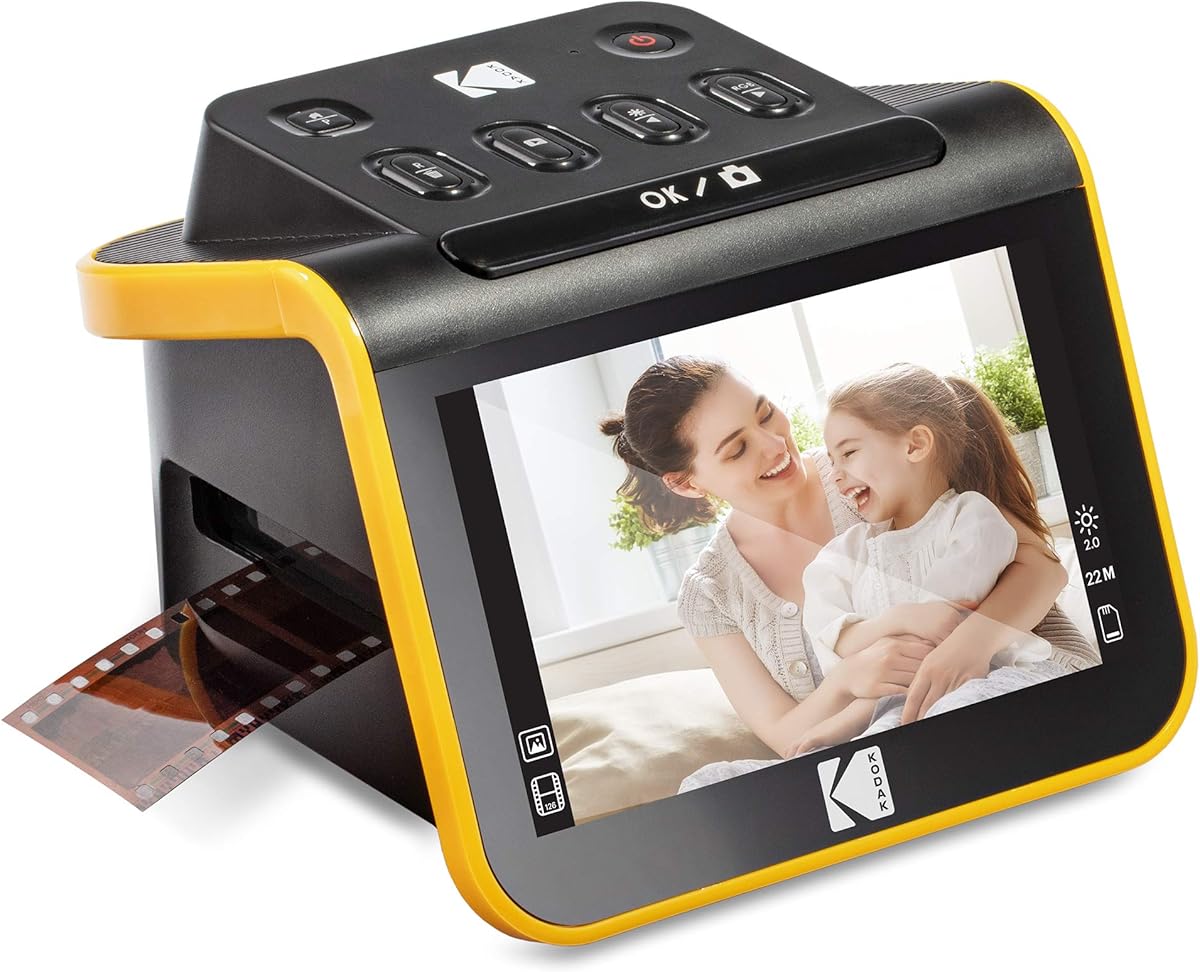
The KODAK Slide N Scan is a balanced choice for families who want to digitize conventional color and black-and-white negatives, 135, 110, and 126 film, plus 50mm slides. Its 22MP output, five-inch LCD, straightforward one-touch controls, and direct SD card saving make it more versatile than a basic flatbed scanner without requiring a complex computer workflow.
We may earn a commission when you buy through this link, at no additional cost to you.
The quick-feeding tray is one of its most useful features. Instead of repeatedly repositioning individual pieces of film, users can work through a sequence of frames with fewer interruptions. The display provides enough room to inspect framing and make corrections, while the onboard software supports film selection, color and brightness adjustments, resizing, conversion, and date or time assignment.
The main compromise is that an SD or SDHC card must be purchased separately, and supported capacity is limited to 32GB. Some users may also prefer a model with more built-in memory or a larger screen. Nevertheless, the supported formats, continuous tray, five-inch display, and simple controls cover the central needs of a home archiving setup.
This is the strongest general recommendation for a mixed collection of common slides and negatives, especially when the priority is an understandable process that does not demand photo-editing software. Buyers should check their film holders and ensure the collection uses the supported formats, but for conventional 35mm-family material, this scanner offers a convincing mix of convenience, flexibility, and useful features.
The continuous-loading holder reduces the physical repositioning required for each frame. That makes the scanner more practical for boxes containing many negatives or slides, particularly when the user also wants to preview each result before saving it.
Onboard controls handle the adjustments most often needed after a scan, including film type, brightness, color, resizing, and date or time information. Computer software can still be useful for later restoration, but it is not required for the initial conversion.
We may earn a commission when you buy through this link, at no additional cost to you.
The Magnasonic FS71 combines a stated 24MP resolution with a generous five-inch display and support for 35mm, 126, 110, and Super 8 material, along with 135, 126, and 110 slides. It is a strong option for users who want high-resolution JPEG output, a computer-free workflow, and flexible SD card storage.
We may earn a commission when you buy through this link, at no additional cost to you.
The scanner can save digital images to SD cards up to 128GB, which is a meaningful advantage for larger archives. Its interface supports brightness adjustment, RGB color correction, flipping, and mirroring directly on the unit. The included fast-loading trays are designed to make the process less tedious, and the display or HDMI connection can be used for immediate viewing.
One minor inconvenience is that the HDMI cable is not included, so buyers who want to connect the scanner directly to a television need to plan for that extra accessory. The SD card is also excluded. Despite those omissions, the large supported capacity, high resolution, and broad format list make this a flexible scanner for mixed print collections.
Choose the Magnasonic when your archive is large enough that storage capacity matters, or when you want 24MP scans and direct television viewing in one appliance. It is less compelling for someone with only a handful of 135 slides, but for extensive collections, its combination of speed, resolution, and storage support offers strong practical value.
Support for SD cards up to 128GB allows larger batches to be saved without transferring every frame immediately. Users should still confirm card compatibility and formatting requirements before beginning a long project.
Direct brightness, RGB color, flip, and mirror controls make it easier to correct obvious issues at the device. This reduces the need to reopen every scan immediately, although more advanced restoration may still require a computer.
We may earn a commission when you buy through this link, at no additional cost to you.
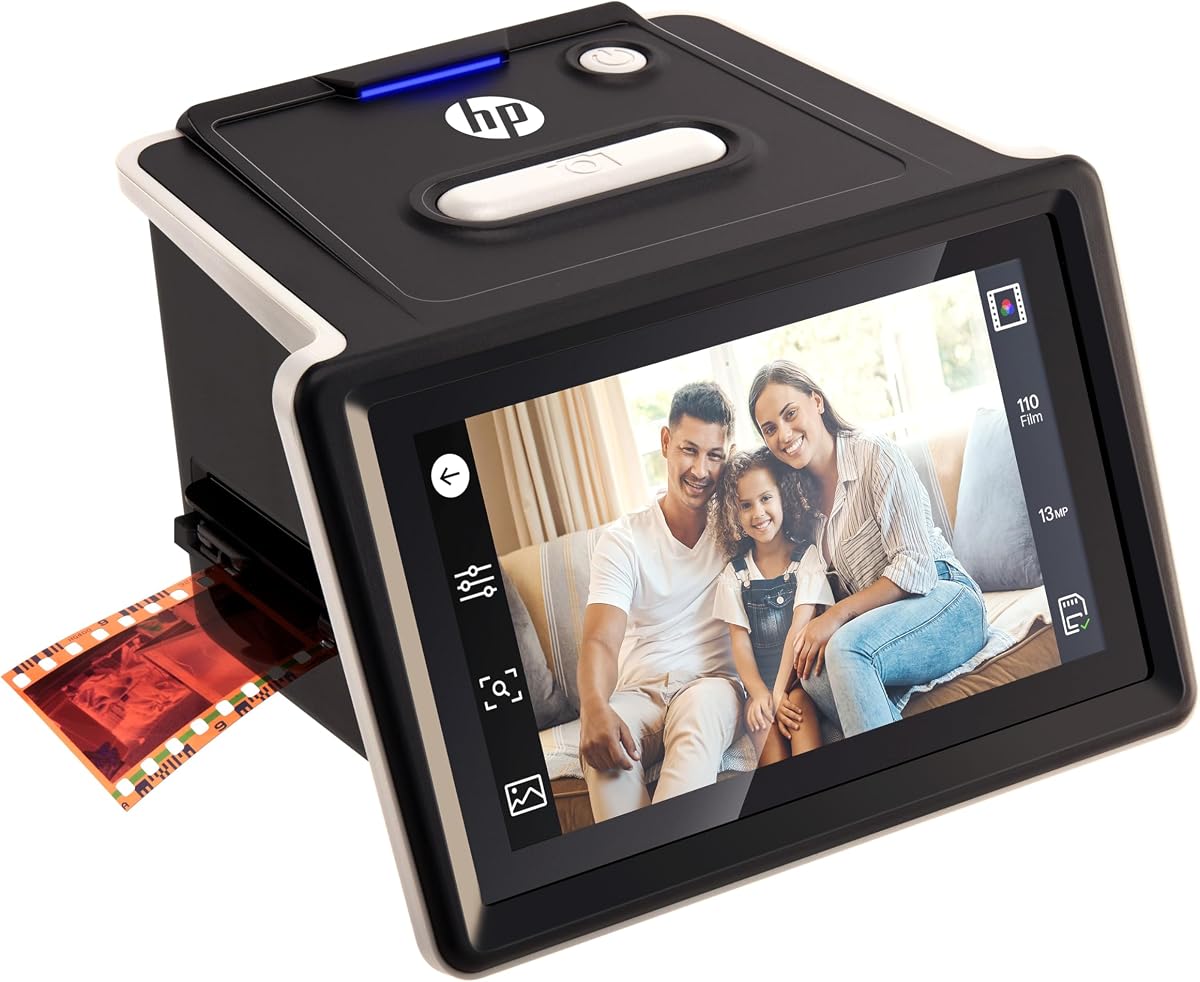
The HP FilmScan HPFS500 is designed for people who want a modern touchscreen workflow without tying digitization to a computer. It supports 135, 126, and 110 negatives and positive slides, uses a 13MP CMOS sensor with 22MP interpolation, and provides a five-inch all-angle LCD for previewing and editing.
We may earn a commission when you buy through this link, at no additional cost to you.
Its quick-load tray is particularly relevant to larger collections because it helps reduce downtime between frames. Touchscreen operation makes the device approachable for older adults and for users who prefer visible controls over dense physical buttons. The scanner can preserve old photo collections as standalone digital files, then provide a practical path to computer transfer through USB-C.
A key technical consideration is that 22MP is an interpolated figure based on a 13MP sensor. This can produce large files and may aid certain display or print workflows, but it does not create the same amount of native detail as a true 22MP sensor. Prospective buyers should also confirm the dimensions of their mounted slides before buying.
The HPFS500 is well suited to mixed archives and users who value touch navigation over small displays or button-heavy controls. It is a particularly compelling option for those who want independent operation and efficient batch handling. For users whose priority is native sensor resolution, the distinction between native and interpolated output is the main point to verify.
The five-inch touch display keeps preview and adjustment controls visible and approachable. This can make the first-time experience less intimidating, particularly for collections being transferred by relatives or older family members.
The stated output combines a 13MP sensor with 22MP interpolation. That distinction matters when fine detail and cropping are priorities, so compare native sensor specifications rather than relying on the highest interpolated number alone.
We may earn a commission when you buy through this link, at no additional cost to you.
The KODAK SCANZA offers a broad set of supported formats, including 35mm, 126, 110, Super 8, and 8mm negatives and slides. Its 14 or 22MP output, adjustable three-and-a-half-inch LCD, multiple holders, and one-touch scan controls make it a versatile converter for collections that extend beyond standard 35mm photography.
We may earn a commission when you buy through this link, at no additional cost to you.
The tiltable display offers basic brightness adjustment and is large enough to verify framing, although it is smaller than the five- and seven-inch screens found on several newer models. The interface supports RGB and resolution editing, gallery browsing, and direct saving to an SD card up to 128GB. Mac and PC compatibility expands the options for organizing completed scans.
The included cleaning brush is useful because dust and speckles on the light box can appear in converted images. Keeping that surface clean is an important part of image quality, and this accessory adds practical value. The principal limitation is screen size, which may make detailed inspection less comfortable for users with numerous fine slides.
This scanner is a practical selection for mixed archives that include the listed still and motion formats and for users who value extensive included accessories. Confirm the dimensions of mounted slides and the specific film type before purchasing. If a larger screen is essential, one of the newer five-inch or seven-inch models may be easier to operate, but the SCANZA remains a broad-format option.
Support for Super 8 and 8mm alongside standard negative formats is broader than many still-focused scanners. That versatility helps when a family collection contains several generations of photographic formats.
The included brush can remove dust from the light box and film path. Regular cleaning reduces visible speckles and helps preserve image quality across long scanning sessions.
We may earn a commission when you buy through this link, at no additional cost to you.
The KODAK REELS Digitizer is built for a distinct archival task: converting 8mm and Super 8 motion-picture reels into 1080p HD MP4 files. Its five-inch touch interface, eight-megapixel sensor, exposure and sharpness controls, and frame-by-frame capture workflow make it the most specialized option in this roundup.
We may earn a commission when you buy through this link, at no additional cost to you.
The scanner works with 3-inch, 4-inch, 5-inch, 7-inch, and 9-inch reels. A universal supply reel and included take-up reel simplify the loading process, while on-screen prompts assist with alignment and film-type selection. Users can zoom, adjust exposure, sharpness, and tint, and then play back the result without external editing software.
Most importantly for buyers of old home movies, the output contains no audio. That limitation means the device cannot preserve soundtrack recordings and should not be judged as a complete motion-picture restoration system. It is instead a focused way to create shareable digital video files from silent 8mm and Super 8 reels.
Choose the REELS when preserving home movies is the primary goal and an old projector is no longer practical. It is not the right choice for a box of still slides, and buyers with audio-bearing films should investigate separate audio-transfer options. For silent motion-film conversion, however, its reel support and standalone touchscreen workflow are unusually purposeful.
Touch controls allow users to align frames, zoom, and adjust exposure and sharpness before conversion. This level of control can help produce a more consistent digital result than relying on a simple automatic scanner.
Support for five common reel sizes covers many family collections. The included take-up reel and adapters help organize the mechanical process of moving film from the supply reel to the digitized output.
We may earn a commission when you buy through this link, at no additional cost to you.
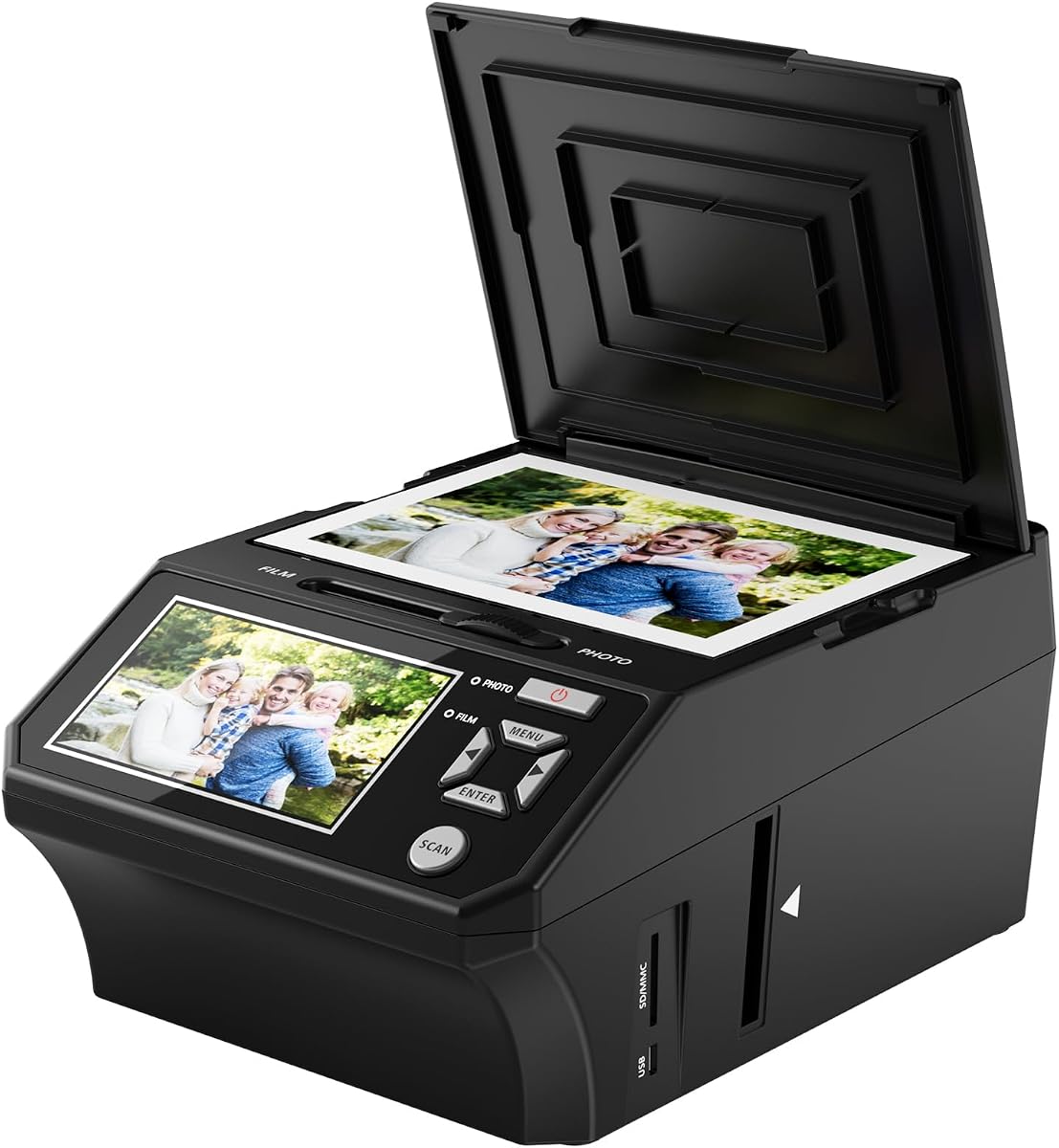
The Photo, Slide & Negative Scanner is an unusually complete mixed-media option. It converts 35mm slides, 135 and 110 negatives, printed photos in 3R, 4R, and 5R sizes, and business cards into JPEG files. A five-inch HD screen, one-touch operation, and no-computer workflow make it approachable for household archives.
We may earn a commission when you buy through this link, at no additional cost to you.
Unlike models limited to mounted film, this scanner includes both film and slide holders and separate photo trays. An 8GB SD card is included, removing one of the most common setup obstacles, and the package also supplies a cleaning brush, power adapter, and USB cable. The scanner can save files directly and later transfer them to a PC or Mac.
The most important omission is a clearly stated image resolution, making it harder to compare final detail against models with 13MP, 22MP, or 24MP specifications. Buyers focused on fine detail, large prints, or substantial cropping should seek more information before ordering. The included warranty and accessory bundle nevertheless make the package attractive.
This is a good fit for households that want one appliance to handle slides, negatives, loose prints, and even business cards. Its included storage, straightforward controls, and offline operation simplify the first attempt. For technical users who need a definite resolution figure, a model with published sensor and output specifications may be the safer choice.
Support for printed photographs and business cards broadens the conversion workflow. A family can digitize loose prints and mounted film without moving between two separate devices.
The included 8GB SD card, holders, photo trays, cleaning brush, power adapter, and USB cable reduce the number of separate purchases required. Users should still confirm that the included storage is sufficient for the planned archive.
We may earn a commission when you buy through this link, at no additional cost to you.
The KODAK Slide N Scan Max stands out for its large seven-inch tiltable LCD, the biggest screen among the dedicated still-film models in this guide. That extra viewing area can make frame alignment, color review, and slideshow use more comfortable, particularly for older slides that contain fine details.
We may earn a commission when you buy through this link, at no additional cost to you.
A quick-feeding tray supports continuous scanning without repositioning each frame, making the model appropriate for substantial collections of 135, 110, and 126 film. Direct saving to SD or SDHC cards up to 32GB provides a computer-free workflow, and one-touch editing handles resizing, conversion, and adjustments without complex menu navigation.
As with the Photo, Slide & Negative Scanner, the product data does not state a clear megapixel resolution. That limits direct technical comparison with models that list 13MP, 22MP, or 24MP output. The 32GB card limit is another consideration when archiving a large number of images, particularly if the files are saved at high resolution.
The Slide N Scan Max is a strong choice for users who prioritize a large preview screen and a smooth feeding process. It can also function as a digital picture frame, adding a second use beyond archival conversion. Buyers should confirm resolution details and available storage before committing, especially for a large or especially valuable collection.
The large display provides a clearer way to inspect borders, focus, color, and small subjects. Its tiltable design can also make the scanner easier to position during a long session.
The continuous-feed tray and one-touch editing reduce the mechanical and menu-related interruptions of digitizing many frames. This is useful for users who want to complete a family archive in a manageable session.
We may earn a commission when you buy through this link, at no additional cost to you.
The 22MP Film & Slide Scanner is a value-focused converter that combines a stated 22MP resolution, a five-inch LCD, and a standalone workflow. It supports color and black-and-white 35mm or 135, 110, and 126 negatives, 50mm slides, and Super 8 according to the supplied product information.
We may earn a commission when you buy through this link, at no additional cost to you.
Storage options are unusually flexible. Files can be saved to built-in 128MB memory or an external SD card up to 64GB in FAT32 or EXFAT format. One-touch controls cover film type, color, brightness, and date or time settings, while Type-C USB and included HDMI connectivity provide ways to transfer files or display images on a television.
The external memory card is not included, so buyers need to add one if they want substantial capacity. The supplied information also mixes language about Super 8 support and supported slide sizes, making it wise to confirm the precise format list and holder requirements before scanning an irreplaceable collection.
This scanner is a compelling choice for users seeking 22MP output and a generous five-inch screen without moving into a more specialized motion-film device. Its value comes from useful built-in memory, direct controls, broad common-format support, and the included HDMI cable. It is best suited to standard negatives and mounted slides, with careful format confirmation advised for less common media.
Built-in memory offers a convenient way to begin scanning immediately, while an external SD card provides room for a larger archive. This flexibility is useful when a USB connection is inconvenient.
The included HDMI cable enables television viewing, while Type-C USB supports transfer to a computer. These connections make digitized images easier to share with relatives or incorporate into a digital photo library.
We may earn a commission when you buy through this link, at no additional cost to you.
The Slide & Negative Film Scanner focuses on a clear conversion process for 135 and 110 negatives and 135, 110, 126, and Super 8 slides. Its stated 22MP output, five-inch HD display, one-touch operation, and direct saving to standard JPEG files make it a strong option for preserving mixed slide and negative collections.
We may earn a commission when you buy through this link, at no additional cost to you.
The built-in software lets users select film type and adjust color, brightness, and date or time information without opening complicated computer programs. Gallery mode turns the unit into a desktop picture frame, and included Type-C USB and HDMI cables support file transfer and television viewing. Five dedicated film adapters help organize the included slide and negative formats.
The device must be plugged into a power source during operation, and the compatible SD card is not included. Capacity can reach 64GB with FAT32 or EXFAT media, which is ample for many home projects. A three-year warranty and cleaning brush add reassurance, while the accessory set aims to make initial setup straightforward.
Choose this model for users who value understandable controls, a large display, and a generous warranty more than specialized motion-video conversion. It is well suited to family members who may not be comfortable with complex software. As with any irreversible archive project, test a few representative slides and negatives first, then confirm the adapters fit the physical media.
Selecting film type and making common corrections requires only a single click and basic navigation. This lowers the learning curve for relatives or older users who are contributing to the project.
Gallery mode provides a convenient way to revisit completed images without opening a computer file. The same feature makes the scanner useful as a dedicated digital frame between archiving sessions.
We may earn a commission when you buy through this link, at no additional cost to you.
The HP FilmScan 7-inch combines a large touch display, a 13MP color CMOS sensor, and a quick-feed tray for 135, 126, and 110 formats. Its seven-inch screen supports direct preview, cropping, adjustment, and slideshow use, making the device particularly approachable for visual editing without a computer.
We may earn a commission when you buy through this link, at no additional cost to you.
A 50mm adapter and quick-feed loading tray simplify common slide and negative handling. The built-in tools allow users to crop and adjust scans on the device, while USB transfer and HDMI presentation support provide convenient ways to move files or show slideshows on a larger screen. Gallery mode adds a practical display function between scanning sessions.
The 13MP native resolution is lower than the 22MP and 24MP figures stated by several still scanners. That does not make the device unsuitable for ordinary archiving, but it may place a ceiling on aggressive cropping or very large prints. Buyers should set expectations based on the native sensor rather than treating the screen size as a substitute for image detail.
This model suits users who prioritize touchscreen editing, a large display, and smooth batch handling over the highest stated pixel count. It is a capable member of the HP FilmScan line and a logical choice when the archive contains common 35mm-family formats. The ten-position placement reflects its solid feature set, while the lower rating suggests checking recent customer feedback before buying.
Cropping and adjustments can be performed on the touchscreen before the file is exported. The large canvas makes these adjustments easier to judge than on a compact display.
The quick-feed tray and included 50mm adapter simplify recurring tasks with 135, 126, and 110 material. Users with a diverse collection should still check the dimensions of all mounted media before scanning.
We may earn a commission when you buy through this link, at no additional cost to you.
The right film scanner to digital converter depends on the media you own, the size of the collection, and how much hands-on control you want. Format support, native image detail, screen visibility, storage, and workflow convenience should be considered together rather than separately.
Begin by identifying every format in the collection. Common still-film choices include 135, 126, and 110 negatives, along with 35mm, 126, 110, and 50mm slides. Some devices also support Super 8 or 8mm material, but support may refer to still frames rather than full motion-video conversion. The KODAK REELS Digitizer is different because it creates 1080p MP4 files from 8mm and Super 8 reels. Printed-photo support is also useful for albums and loose family pictures, as offered by the Photo, Slide & Negative Scanner.
In short, verify that every format and physical holder size appears in the current specifications before buying. A strong resolution cannot compensate for unsupported media.
Resolution is useful for judging output potential, but sensor type matters. The Magnasonic lists 24MP, the KODAK Slide N Scan and two 22MP models list 22MP, and the HP FilmScan HPFS500 combines a 13MP CMOS sensor with 22MP interpolation. A native 13MP image and a 13MP image enlarged computationally to 22MP are not equivalent in fine detail. For family viewing, email, and normal-size prints, all can be useful. For heavy cropping, large prints, or close examination of tiny slide details, native detail deserves more attention.
Choose based on the end use rather than the largest printed number alone. Interpolation can increase output dimensions, but it does not restore detail that the sensor never captured.
A larger screen makes it easier to align the film, identify focus problems, inspect color, crop the image, and review a sequence of scans. The HP FilmScan 7-inch and KODAK Slide N Scan Max use seven-inch displays, while several alternatives use five-inch screens. The KODAK SCANZA has a more compact three-and-a-half-inch display, which may be adequate but less spacious. Touchscreens can make the process intuitive, while physical buttons may be preferable for users who value tactile feedback.
Prioritize a display you can comfortably see and navigate. If a family member will handle the device, a large touchscreen may reduce training and errors.
A standalone scanner can save images to removable memory without immediate computer involvement, which is especially useful for older users, relatives at a family reunion, or archives located away from a desk. Most featured models provide onboard controls for film type, brightness, color, resizing, or conversion. The HP FilmScan models add direct cropping, while the KODAK REELS offers motion-specific exposure, sharpness, tint, and frame-alignment settings. This does not eliminate the value of later computer editing, especially for dust, scratches, severe fading, or creative restoration.
Look for basic corrections on the device and use separate software only when deeper restoration is needed. This creates a convenient first stage rather than an all-or-nothing workflow.
Storage options range from built-in memory to SD, SDHC, or SDXC cards. The Photo, Slide & Negative Scanner includes an 8GB SD card, while the HP FilmScan 7-inch and KODAK Slide N Scan Max offer 32GB. The Magnasonic supports up to 128GB, the Slide & Negative Film Scanner up to 64GB, and the 22MP Film & Slide Scanner includes 128MB of internal memory plus a 64GB card option. Higher-resolution files consume more space, so capacity should reflect both the collection size and the chosen output quality.
Check whether a memory card is included, what format the device accepts, and how files are named or organized. A card that is too small can interrupt a long session, while a larger supported card provides more convenient batching.
Most products in this guide are still-image scanners. They create JPEG files from negatives, slides, or prints, and the Magnasonic's Super 8 support should not be confused with a dedicated motion conversion system. The KODAK REELS is the specialized exception: it captures 8mm and Super 8 reels frame by frame into 1080p MP4 files. It includes reel adapters and a take-up reel, but its output has no audio. That limitation is critical for reels containing original soundtracks.
Use a still scanner for photographs and a reel digitizer for motion film. Confirm whether existing audio must be preserved and consider a separate method if it does.
USB or Type-C connections are essential for moving scans to a computer, while HDMI makes it convenient to review images on a television. Some models include an HDMI cable, while the Magnasonic FS71 does not. Gallery mode adds another layer by turning the scanner into a digital picture frame. The most useful setup combines removable storage for batching, a wired connection for organized backups, and a second drive or cloud service for a separate copy. Connectivity should support a dependable archive routine rather than serving as a substitute for one.
Plan how files will move and where they will be backed up. A scanner that is easy to operate but difficult to file can still leave the original project disorganized.
Dust, scratches, and fading are common in vintage film. A clean scanner light box and properly handled originals reduce avoidable artifacts. Several products include a cleaning brush, including the KODAK SCANZA and several five-inch-screen models. Users should also keep fingers away from the emulsion side of negatives, avoid bending mounted slides, and work in a dry, dust-controlled space. Digital conversion reduces ongoing deterioration, but it does not restore every flaw. A good workflow creates high-quality masters and preserves the physical originals in archival sleeves.
Treat the converter as part of a preservation process, not a replacement for careful film handling. Clean the optics, scan a test sample, and keep multiple backups.
Prepare the scanner in a clean, dry workspace with enough light to identify film type, dust, and physical damage. Read the current manual, install the correct holder, format a compatible memory card if required, and connect the power adapter before opening the scanner. Test a representative negative or slide first, check orientation and color, and adjust the film type, brightness, and exposure settings before processing the full batch.
Load each frame carefully so emulsion, emulsion, and holder rails remain in the correct position. Keep the film path free of dust, clean the light box with the supplied brush when appropriate, and avoid forcing unusual mounts. Review every image on the scanner display, save it in the device's requested JPEG format, and use the gallery or HDMI function to check larger collections before transferring them.
After scanning, connect the device to a computer and verify that every file transferred successfully. Rename the folders by event, date, or family group, then create at least one additional backup on a separate drive or cloud service. Keep the original negatives and slides in acid-free archival storage, away from heat, moisture, and direct light. Periodically check the digital copies and the physical collection to make sure both remain safe.
No, most of the featured converters can scan and save images directly to an SD card without a computer. Onboard controls handle basic film selection, brightness, color, and conversion settings. A computer is still useful for organizing files, making advanced corrections, and creating additional backups.
The KODAK Slide N Scan is the strongest all-around choice for 135, 110, and 126 negatives plus 50mm slides because it combines 22MP output, a five-inch screen, continuous feeding, and standalone saving. The HP FilmScan 7-inch is preferable when a large touchscreen matters most, while the 22MP Film & Slide Scanner offers strong value.
The KODAK REELS Digitizer is specifically designed to convert 8mm and Super 8 reels into 1080p MP4 video files. Several still-image scanners list Super 8 compatibility, but they should not automatically be treated as motion-film digitizers. Confirm whether a model creates individual JPEG frames or a full video sequence.
The KODAK REELS Digitizer produces video without audio, so it cannot preserve an original soundtrack by itself. Home movies with important sound require a separate audio-capture or synchronization solution. The still-image scanners are intended for photographs and slides rather than soundtrack preservation.
Native resolution is the detail captured directly by the scanner's sensor. Interpolated resolution is computationally expanded to a larger pixel count. The HP FilmScan HPFS500, for example, uses a 13MP CMOS sensor with 22MP interpolation, so its 22MP files do not contain 22MP of original sensor detail.
Use a card with a capacity and format supported by the specific model. Listed limits range from 32GB to 128GB, and some products specify FAT32 or EXFAT. Check the current manual before formatting a card, and do not assume that an included card is large enough for a high-resolution archive.
Select the correct film type, begin with the default exposure and color settings, and scan one representative frame before the full batch. Dust on the light box and incorrect holder alignment can also affect results, so clean the scanning surface and confirm that the film is positioned correctly.
Yes. Digital files create a convenient backup, but they can also be lost through hardware failure, accidental deletion, or damaged storage. Keep the original film and slides in archival sleeves in a cool, dry location, and maintain more than one digital copy of the finished scans.
The KODAK Slide N Scan is the most balanced overall choice for conventional negatives and slides because it combines 22MP output, a five-inch display, continuous feeding, and a computer-free workflow. The 22MP Film & Slide Scanner is a strong budget-focused alternative with flexible storage and useful television connectivity, while the KODAK REELS stands apart as the dedicated option for turning 8mm and Super 8 reels into digital video.
Prioritize the media you actually own, the native image detail you need, and the number of frames in the collection. A large collection benefits from quick-feed trays, roomy screens, and high-capacity storage, while a small collection may be handled well by a simpler one-touch converter. Mixed prints and mounted film may justify an all-in-one model with separate photo trays.
Before ordering, confirm current supported formats, holder sizes, memory requirements, included accessories, and warranty coverage. Prices and retailer availability change, so check the current listing at the time of purchase. With the correct media compatibility and a careful backup plan, one of these converters can make a valuable family archive easier to preserve and share.